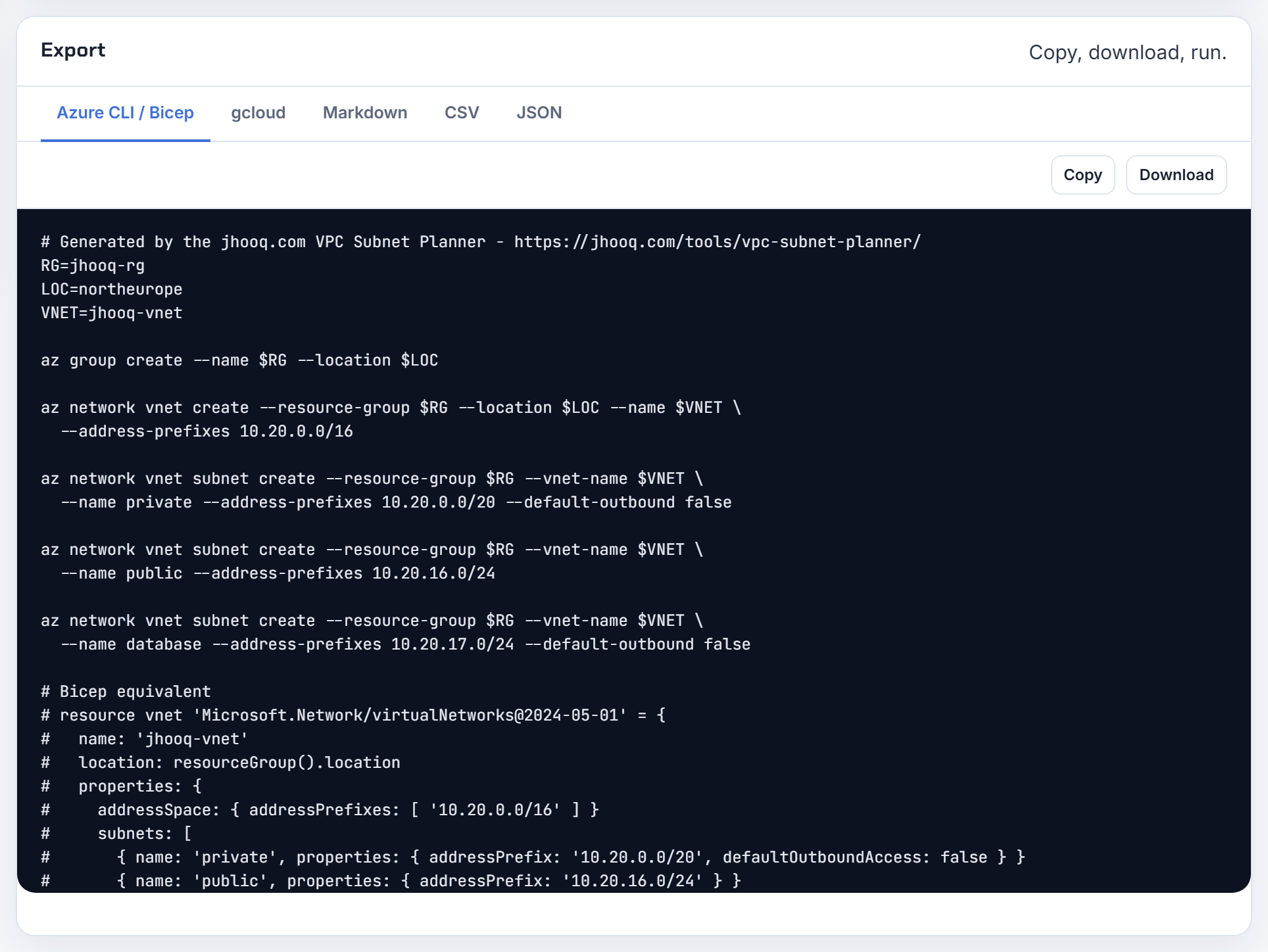
VPC Subnet Planner FAQ: subnet sizing, reserved addresses, CIDR overlap, peering and IP exhaustion on AWS, Azure and Google Cloud
This FAQ is built from the questions people actually ask. I collected real posts about VPC and VNet subnet planning from Stack Overflow, Server Fault, GitHub issues, AWS re:Post and Reddit on 2026-10-21, grouped the duplicates, and answered each one from the current AWS, Azure and Google Cloud documentation. Every number links to the page it came from. Under each answer is a screenshot of the free VPC Subnet Planner set up with that question's own addresses, so you can see the result before you open the tool, and a few are short clips of the planner reacting as you type.
Two things this page does not do. It does not describe my production experience; where I have run something myself, the write-up is in the companion post, with the real output. And it does not replace the documentation: when a limit changes, the linked page wins over this one, and I would like to hear about it in the repository issues.
Use the filter box to jump to a word such as overlap, /28, NAT or cidrsubnet, or pick a section below.
Sizing a VPC or VNet
How big to make the network, which private range to pick, and how many networks you need before you draw a single subnet.
What CIDR should I give a new VPC, and which factors decide it?
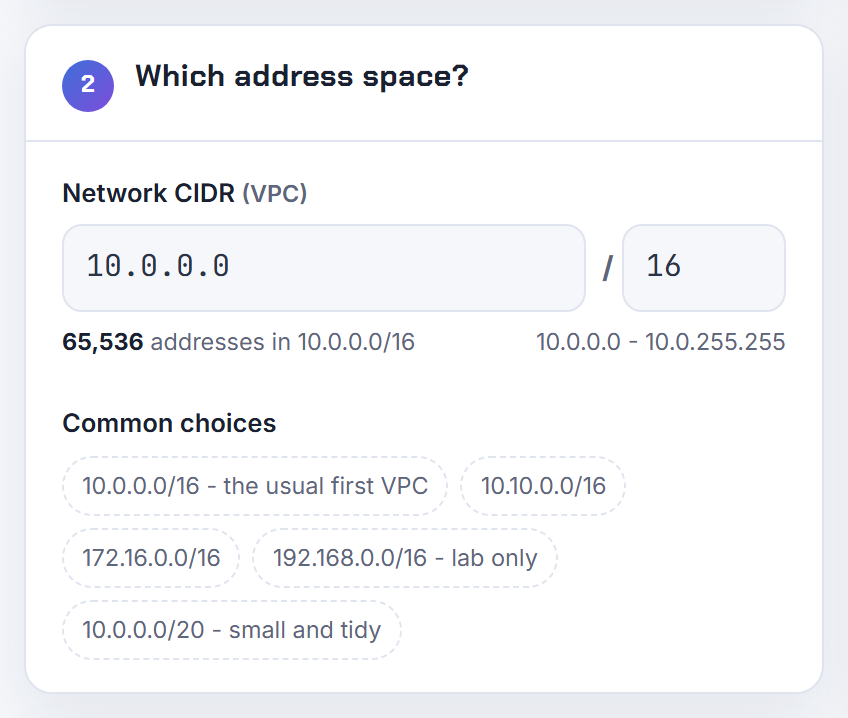
Give a new VPC a /16 from RFC 1918 space that nothing you will ever connect to already uses. AWS accepts a VPC block between a /16 (65,536 addresses) and a /28 (16 addresses) and recommends picking it from the RFC 1918 ranges: 10.0.0.0/8, 172.16.0.0/12 or 192.168.0.0/16.
Four factors decide the exact block:
- Overlap. A VPC cannot peer with a VPC whose CIDR matches or overlaps its own, so check your other VPCs, your office network and your VPN partners first.
- Growth. The primary CIDR cannot be removed later; you can only add secondary blocks, up to a quota of 5 per VPC.
- Ranges to avoid. AWS warns against 172.17.0.0/16 because Cloud9 and SageMaker use it, and it blocks 0.0.0.0/8, 127.0.0.0/8, 169.254.0.0/16 and 224.0.0.0/4.
- Subnet count. Each subnet lives in one Availability Zone, so a two tier, three zone layout needs six subnets inside the block.
Block size does not appear anywhere in the VPC documentation as a performance factor; it only limits how many addresses you can hand out. The VPC Subnet Planner scores a candidate block against these rules before you create it.
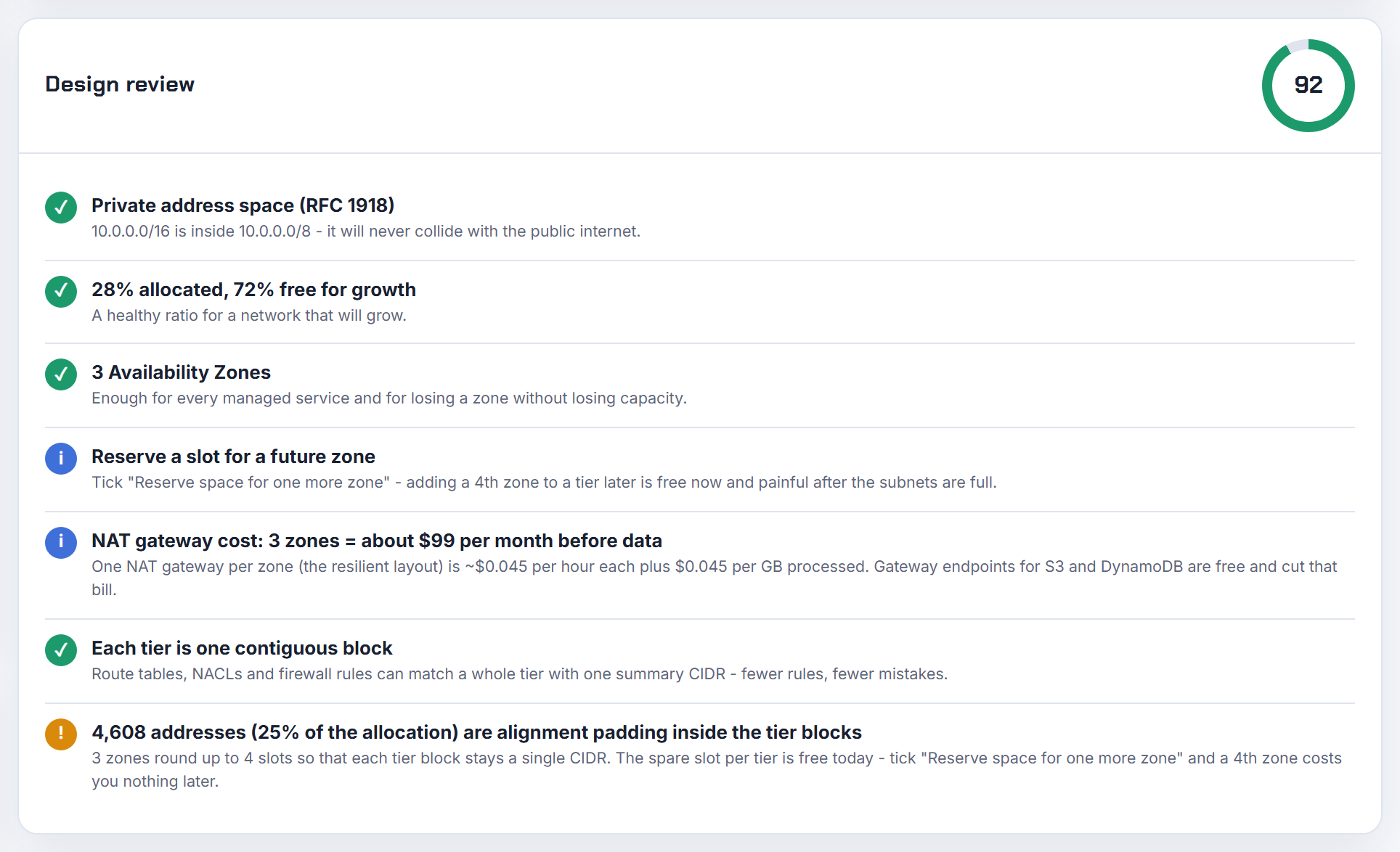
How do I decide the CIDR blocks for the VPC, the public subnet and the private subnet?
Work top down: pick the VPC block, then split it into equal zone sized pieces per tier. Your guess of 10.16.0.0/16 for the VPC with 10.16.0.0/24 public and 10.16.128.0/24 private is valid; a subnet only has to sit inside the VPC block and be between /28 and /16.
My method:
- VPC: a /16 from RFC 1918 that does not overlap your other networks.
- Public subnets: small, one per Availability Zone, for load balancers and NAT gateways. A /24 (251 usable) is plenty. An Application Load Balancer only needs a /27 with eight free addresses per zone.
- Private subnets: large, one per zone, where the instances and pods live. A /20 (4,091 usable) per zone leaves room for Kubernetes.
- Leave the rest of the /16 unallocated for a future tier or zone.
In Terraform, derive the subnets from the VPC block with cidrsubnet("10.16.0.0/16", 8, 0) for the public /24s and cidrsubnet("10.16.0.0/16", 4, 8) onward for the private /20s, so the arithmetic is never typed by hand. The planner exports exactly this cidrsubnet() derivation.
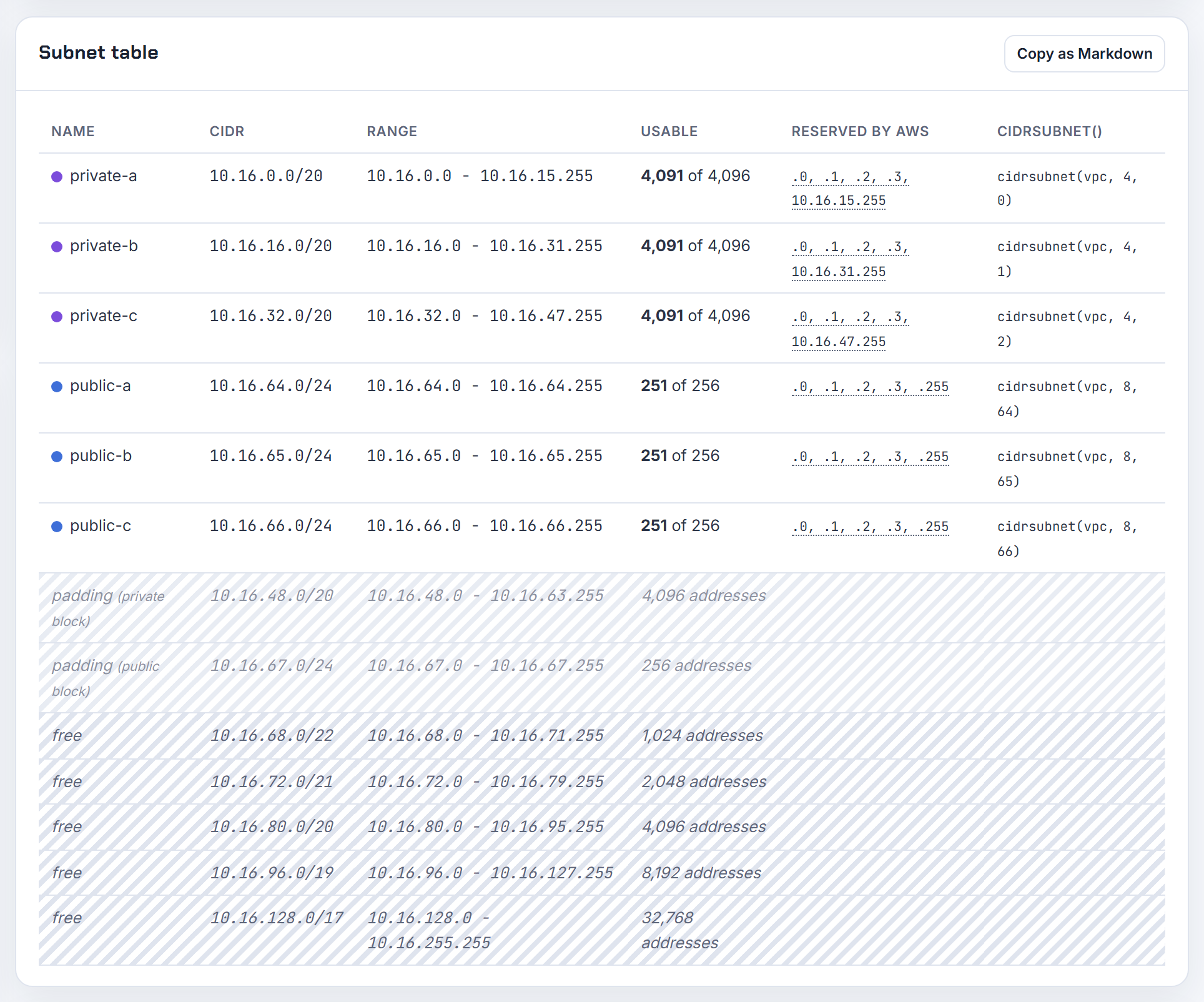
Is there a formula for a VPC CIDR, and what does 10.0.0.0/16 actually mean?
The formula is addresses = 2 to the power of (32 minus prefix length). The /16 in 10.0.0.0/16 says the first 16 bits (10.0) are fixed and the remaining 16 bits vary, which gives 65,536 addresses from 10.0.0.0 to 10.0.255.255, as the VPC addressing guide spells out.
| Prefix | Addresses | Usable on AWS (minus 5 per subnet) |
|---|---|---|
| /16 | 65,536 | 65,531 |
| /20 | 4,096 | 4,091 |
| /24 | 256 | 251 |
| /28 | 16 | 11 |
10.0.0.0/16 "always works" in a CloudFormation template because it is inside RFC 1918 and is the largest block AWS allows. It stops working the day you need to peer with another VPC that also copied 10.0.0.0/16, or connect to an office that uses 10.0.x.x, because overlapping CIDRs cannot be peered. So the template is fine for learning; for anything shared, choose a /16 nobody else in your organisation uses. The CIDR explainer walks through the bit arithmetic.
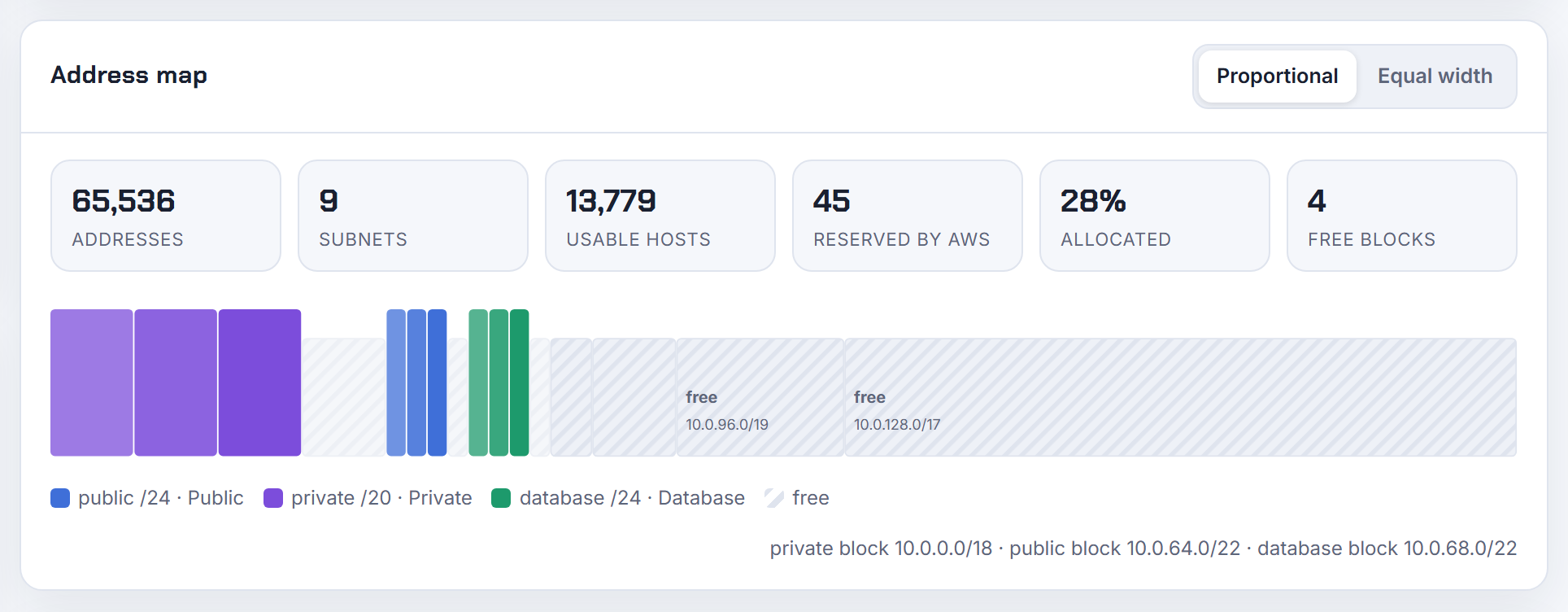
How many IP addresses do I need for my VPC and subnets before I create them?
Count network interfaces, not servers, because every elastic network interface takes a primary private IPv4 address from the subnet. Then add the documented minimums of the managed services you will put in each subnet:
| Resource | Addresses it needs per subnet |
|---|---|
| EC2 instance | 1 per interface, plus any secondary IPs |
| Application Load Balancer | 8 free, in a /27 or larger |
| Internet-facing Network Load Balancer | 8 available |
| EKS cluster control plane | 6 minimum, 16 recommended |
| Redshift Serverless | 3 free without enhanced VPC routing |
| Reserved by AWS | 5 in every subnet |
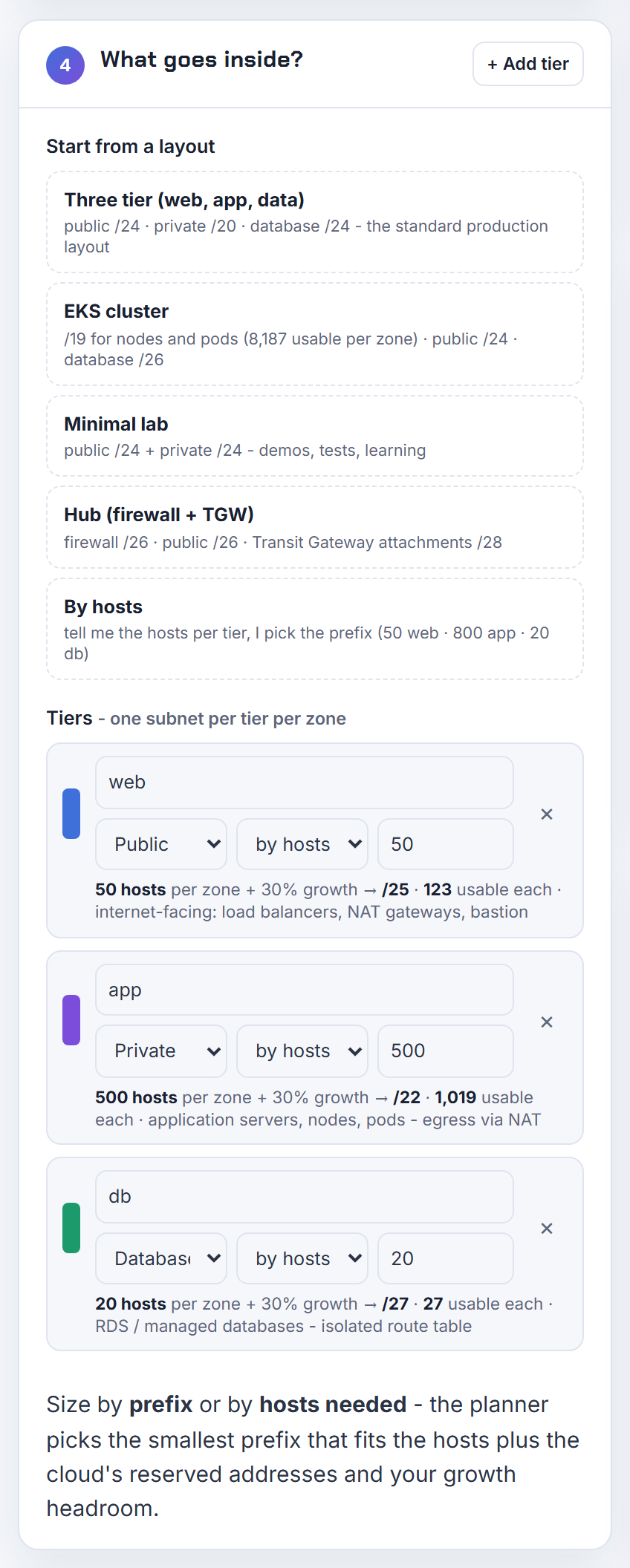
Kubernetes is the big multiplier: on EKS each pod takes a VPC address, so one node can hold dozens. The Kubernetes IP Calculator turns an instance type and node count into a subnet size per zone. Add your growth margin, round up to the next power of two, and that is the subnet; the planner does the rounding and the per zone layout when you enter host counts and a growth percentage.
What are the best practices for choosing VPC CIDRs across many accounts in an organisation?
Allocate from one organisation wide plan so that no two VPCs ever overlap, because overlap is what stops VPC peering and Transit Gateway routing later. AWS's own multi-VPC whitepaper calls IP address planning the first step of a multi-account design.
A plan that scales:
- Reserve one large block per Region, for example 10.0.0.0/12 for the first Region and 10.16.0.0/12 for the second.
- Inside each Region, hand each account or environment a /16, which is the largest VPC block AWS allows, and keep a few /16s spare.
- Keep production and non-production in separate blocks so a summary route can describe each.
- Use Amazon VPC IP Address Manager to hold the pools and allocate VPC CIDRs automatically; the console's "IPAM-allocated IPv4 CIDR block" option then replaces manual typing.
A /16 per VPC is not wasteful if the Region block is sized for it: 10.0.0.0/8 holds 256 of them. The overlapping CIDR post covers what to do when two teams already collided.
Should subnets fill the whole VPC CIDR, or should I leave space inside it?
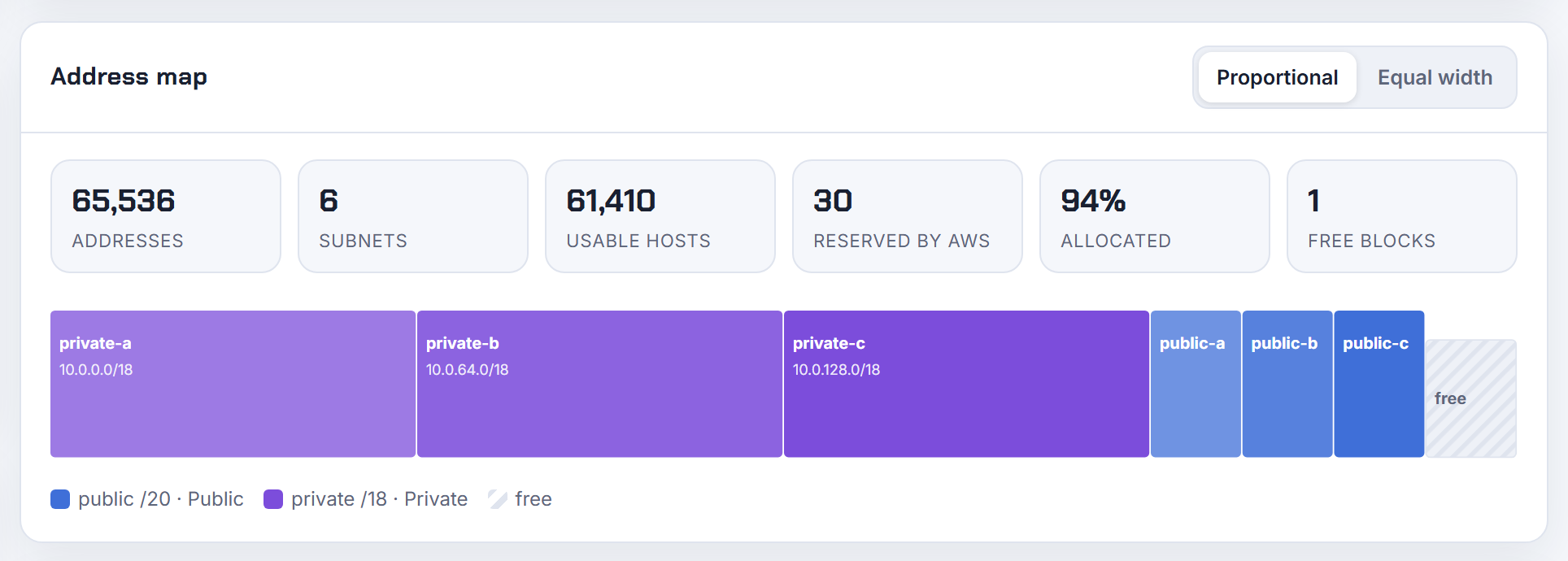
Leave space. Three /20 public plus three /18 private subnets use 12,288 plus 49,152 addresses, which is 61,440 of the 65,536 in a /16, and that last /20 of free space is the only room you have for a fourth zone or a new tier. A subnet's CIDR cannot be changed after creation, so the only way to grow a full VPC is to associate a secondary CIDR block, which has its own restrictions and a quota of 5 blocks per VPC.

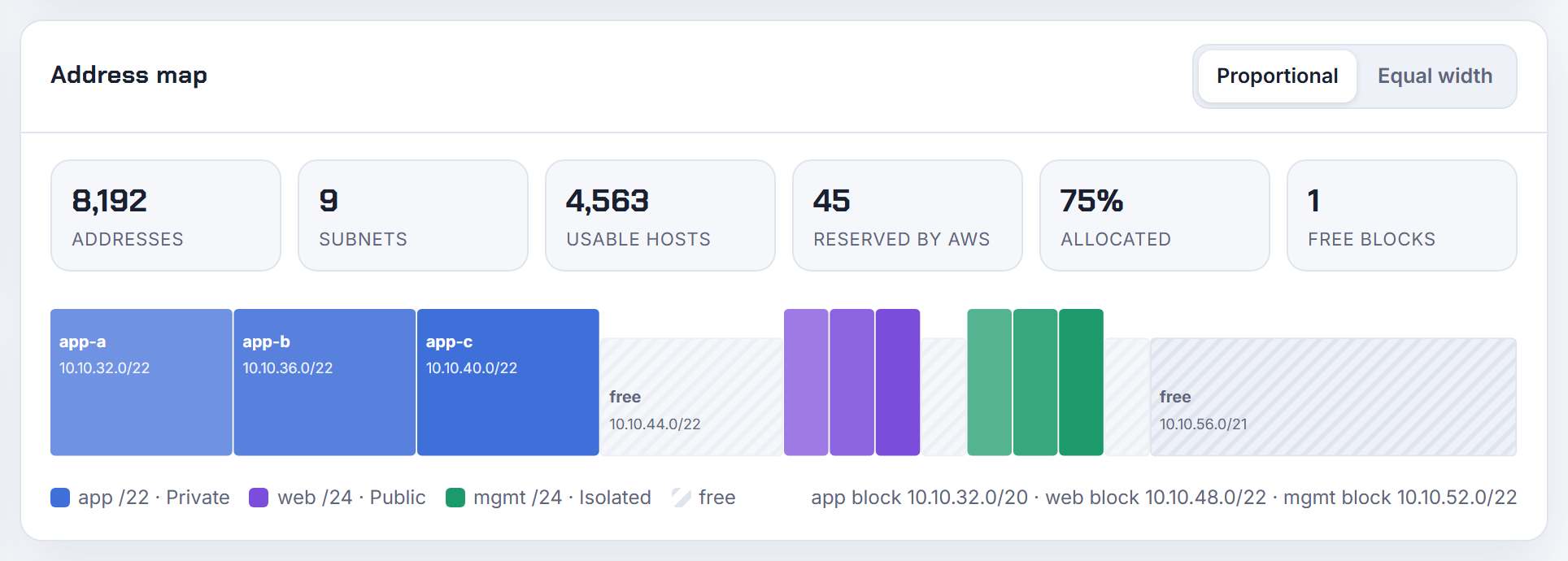
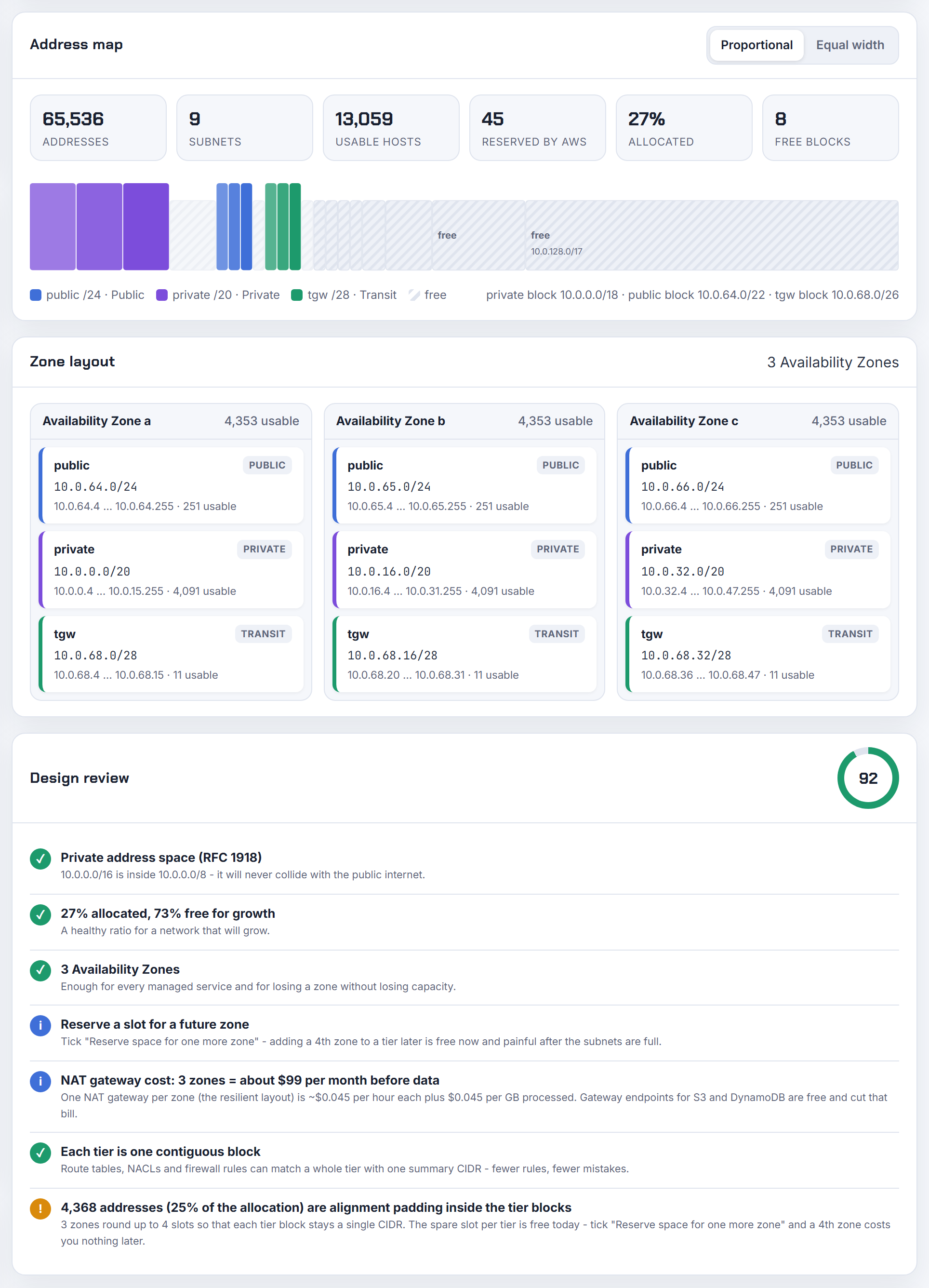
The "fill it" habit comes from on-premises networks where unused space in a VLAN is wasted. In a VPC, unused space costs nothing and the VPC is free, so there is no reason to spend it early. My rule: allocate what the first two years need, keep at least a quarter of the block unassigned, and keep each tier contiguous so one summary route or security group rule can describe it. The planner reserves a slot for a future zone and lists the leftover space as CIDR blocks so you can see what is still free.
Why is a VPC limited to a /16 as the largest IPv4 block?
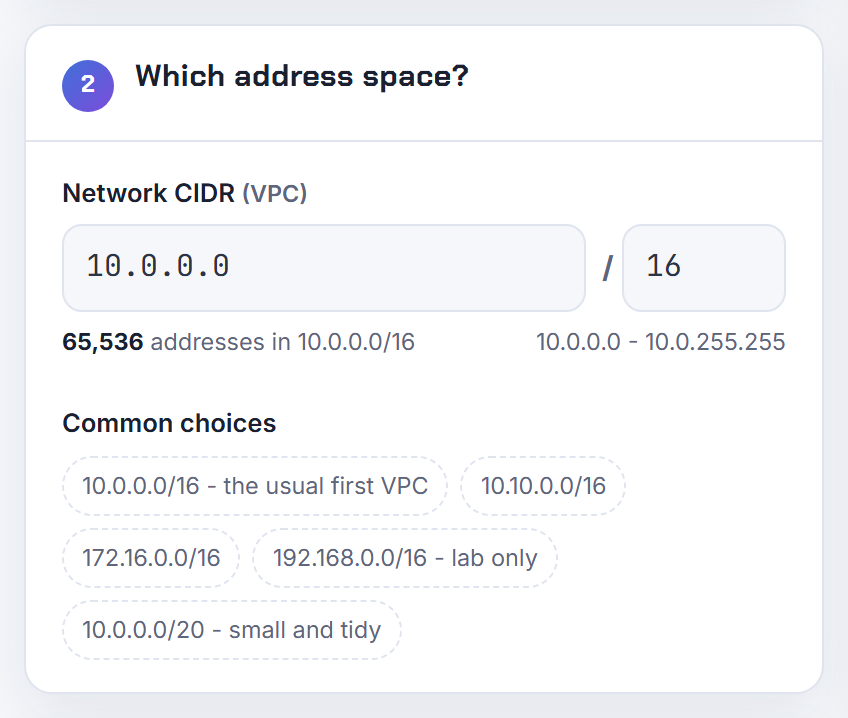
AWS fixes the largest VPC IPv4 block at a /16, 65,536 addresses, and the documentation states the limit without giving a design reason, so any explanation beyond that is speculation. What matters for your design is how to get past it: a VPC can have up to 5 IPv4 CIDR blocks, adjustable to 50, and each secondary block can also be a /16. So a single VPC can grow to 5 x 65,536 = 327,680 addresses by default without any quota request.
Secondary blocks have rules: they must not overlap existing blocks, routes already in your route tables, or a peer's CIDR, and the association restrictions table stops you from mixing, for example, a 10.x primary with a 172.16.x secondary. If you expect to outgrow a /16, plan the second /16 now so it stays adjacent and summarisable. The EKS IP exhaustion post shows the secondary CIDR route in practice.
Can I create a VPC smaller than a /28, for example a /29?
No. The smallest VPC and the smallest subnet on AWS are both a /28, 16 addresses, and the console's "/16 to /28" message is the hard limit, not a default. Of those 16 addresses, 5 are reserved (network, router, DNS, future use, broadcast), so a /28 VPC with one subnet gives you 11 usable addresses.
If you wanted a /29 to mirror a tiny on-premises network or a partner's expectation, the practical answers are:
- Create the /28 and simply use only the addresses you need; nothing forces you to fill it.
- If the /29 has to be a route target, add a static route for that /29 pointing at the VPN or Transit Gateway; a route destination can be any size.
- On Azure and Google Cloud the floor is a /29, so if the design is cloud agnostic, keep /28 as the common minimum.
The planner enforces /28 for AWS and /29 for Azure and Google Cloud when it lays out tiers.

The docs allow /16 to /28 but recommend an RFC 1918 block of /16 or smaller: is that a contradiction?
No. "Smaller" in that sentence means a smaller network, which is a larger prefix number. A /16 is the largest VPC block AWS permits (65,536 addresses) and a /28 is the smallest (16 addresses); both limits are stated on the same page, and the RFC 1918 advice is about where the block comes from, not how big it is.
The misreading is that "/16 or smaller" excludes 10.0.0.0/8 and 172.16.0.0/12. It does not. Those ranges are bigger than any single VPC, so you carve a /16 or smaller piece out of them:
- 10.0.0.0/8 contains 256 different /16 blocks (10.0.0.0/16, 10.1.0.0/16, up to 10.255.0.0/16).
- 172.16.0.0/12 contains 16 /16 blocks (172.16.0.0/16 to 172.31.0.0/16).
- 192.168.0.0/16 is exactly one /16.
So all of RFC 1918 is available; you just cannot give one VPC more than a /16 of it in a single block. The CIDR explainer covers why a bigger prefix number means a smaller network.
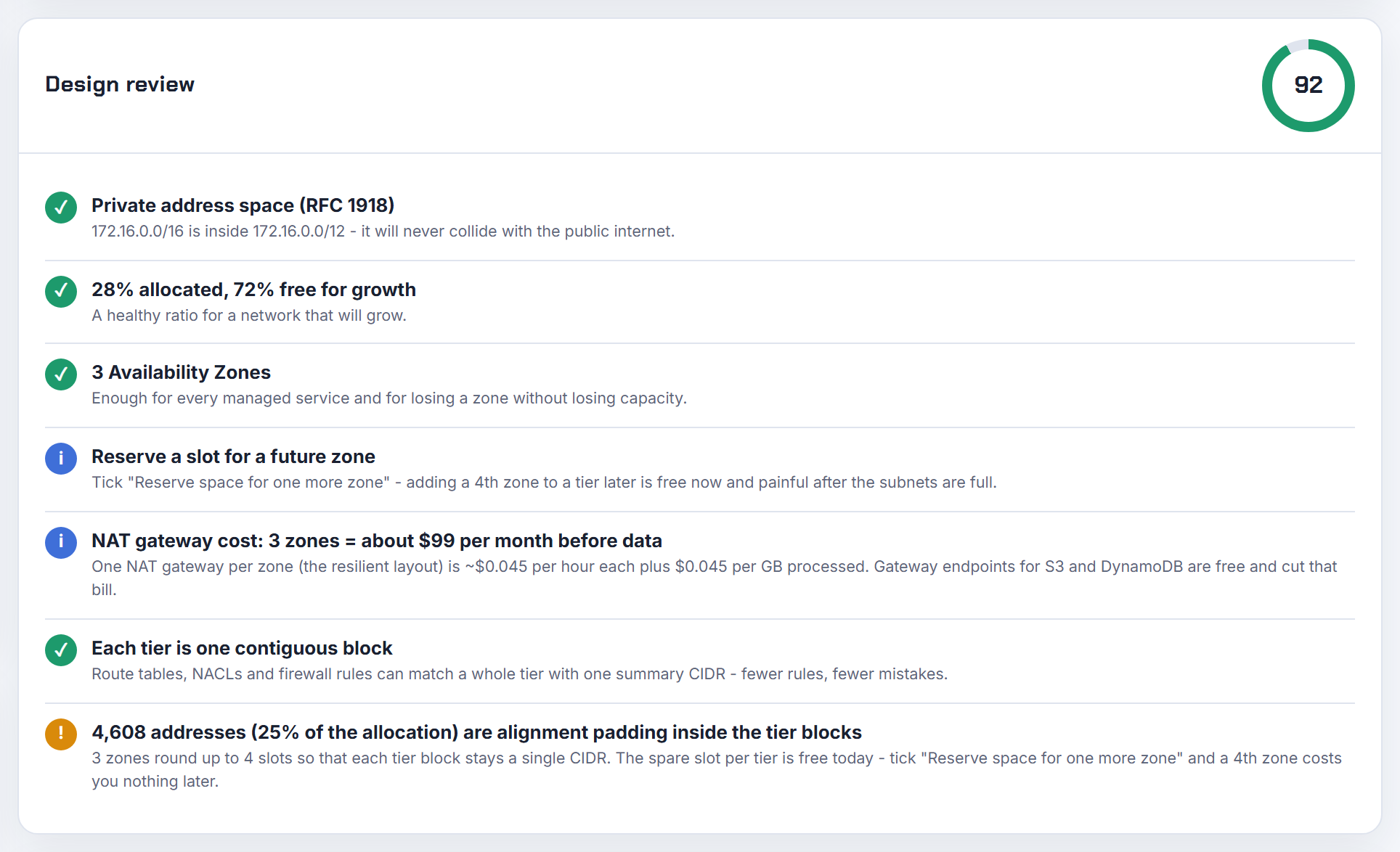
Should I use one VPC per environment, or one VPC with subnets per environment?
One VPC per environment, and ideally one account per environment. AWS's multi-VPC whitepaper notes that the number of VPCs customers run is usually tied to their number of accounts, users and staged environments, which is the pattern AWS Control Tower sets up.
Why separate VPCs win:
- Isolation is structural. Dev cannot reach prod unless you deliberately peer them, instead of relying on security groups and NACLs to keep tiers apart inside one network.
- Quotas are per VPC. 200 subnets and 200 route tables per VPC go fast when three environments share one.
- You can give each environment its own /16 and still peer them later, as long as the blocks do not overlap.
One VPC with environment subnets is reasonable only for a single person sandbox where cost of NAT gateways per environment matters more than isolation. Even then, carve the environments as separate contiguous tier blocks so they can be moved out later. The planner's tier layout keeps each tier contiguous for exactly this reason.
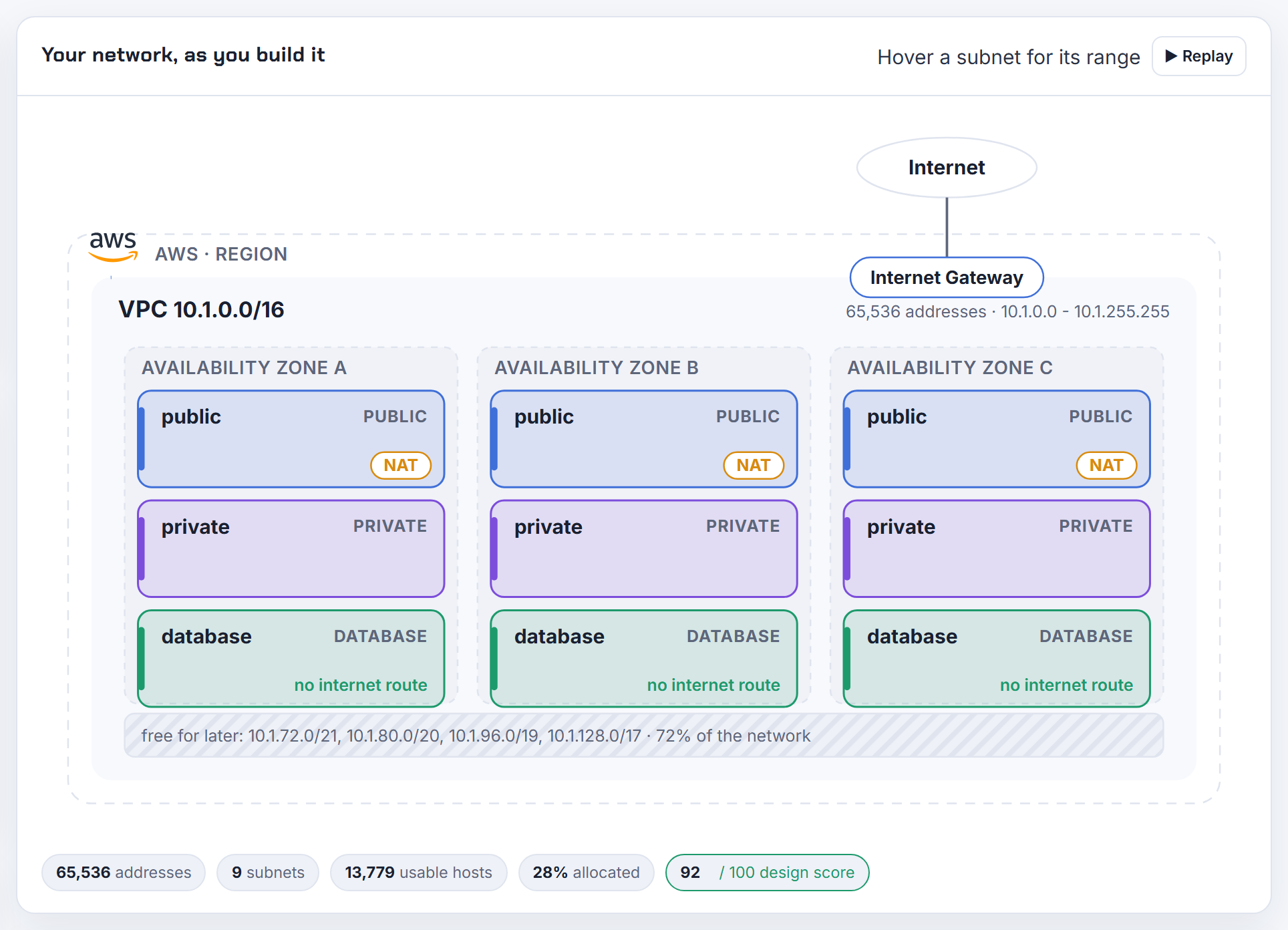
What criteria decide how many VPCs to use for about 50 applications, and does inter-VPC traffic matter?
Decide by blast radius and ownership, not by application count. AWS's whitepaper describes the usual driver as accounts, users and staged environments; fifty apps that one team runs in one environment can share a VPC, while fifty apps from ten teams across three environments want many.
Criteria I use:
- Environment boundary: prod and non-prod never share a VPC.
- Team or account boundary: a VPC per account keeps IAM, billing and quotas separate.
- Address space: each VPC needs its own non-overlapping block, and VPCs per Region default to 5, adjustable into the hundreds.
- Shared services: put things like directory, logging and CI in a hub VPC that others reach through a Transit Gateway.
Inter-VPC traffic does matter. Traffic inside a VPC just routes; traffic between VPCs needs a peering connection or a Transit Gateway attachment, both of which require non-overlapping CIDRs and add routes to maintain. Apps that talk constantly to each other belong in the same VPC. See the Transit Gateway walkthrough for the hub pattern.
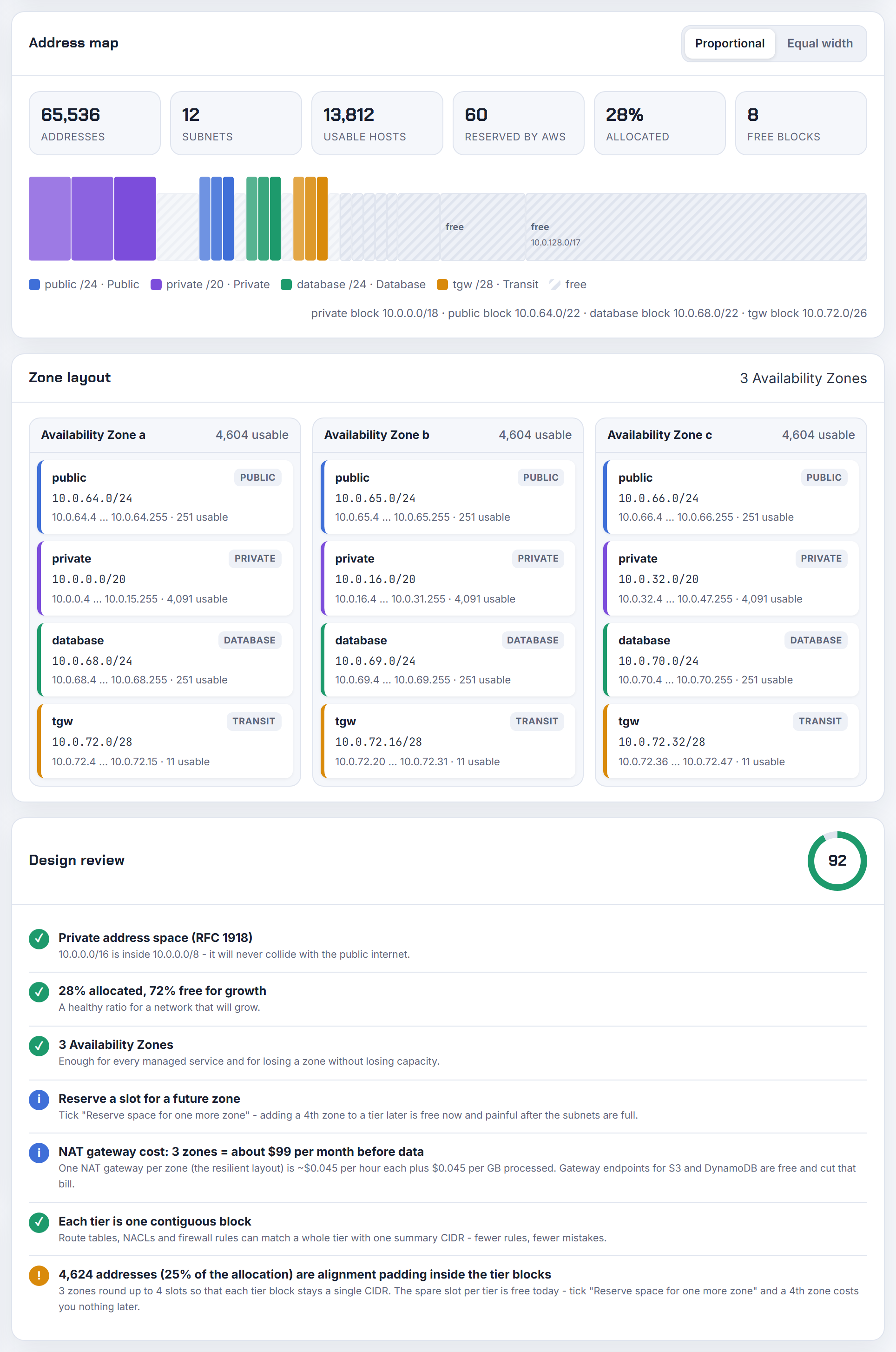
Can two VPCs or two accounts use the same CIDR, and how does AWS keep them apart?
Yes. Every VPC is a logically isolated virtual network, so two VPCs in the same account, or in different accounts, can both be 10.0.0.0/16 and never see each other. Nothing is shared between them unless you connect them. Every default VPC proves this: AWS creates one in each Region with the same 172.31.0.0/16 block.
The problem appears the moment you try to connect them. You cannot create a peering connection between VPCs with matching or overlapping IPv4 or IPv6 blocks, and the same applies to Transit Gateway route tables and VPN routes: a router cannot have two different next hops for 10.0.0.0/16.
So duplicates are allowed, but they are a liability. If one of the two VPCs is young, recreate it with a unique block now. If both are established, the ways out are PrivateLink for specific services or NAT between them. The overlapping CIDR post compares those options, and the planner's overlap check flags a duplicate against networks you paste in.

Does a smaller VPC CIDR cost less, and is there any advantage to starting small?
No. AWS states there are no additional charges for creating and using the VPC itself; a /16 and a /28 cost the same, which is nothing. You pay for the things inside it: NAT gateways, which the VPC pricing page lists at $0.045 per hour plus $0.045 per GB processed in US East (Ohio) as of 2026-10-21, public IPv4 addresses, VPN connections and data transfer.
Starting small has a real disadvantage. The primary CIDR block is the one thing you cannot disassociate from a VPC, so a VPC created as a /24 stays a /24 forever and can only grow by adding secondary blocks, each with restrictions on which ranges it can come from. A VPC created as a /16 has room for years of subnets without any of that.
The only argument for a smaller block is address conservation across many VPCs in a plan where RFC 1918 space is genuinely scarce. Even then, I would start at a /20 rather than a /24, and keep the cost discussion where it belongs: the number of NAT gateways, which the planner counts per zone in its design review.
I created my VPC in 172.168.0.0/16, a public range: what breaks?
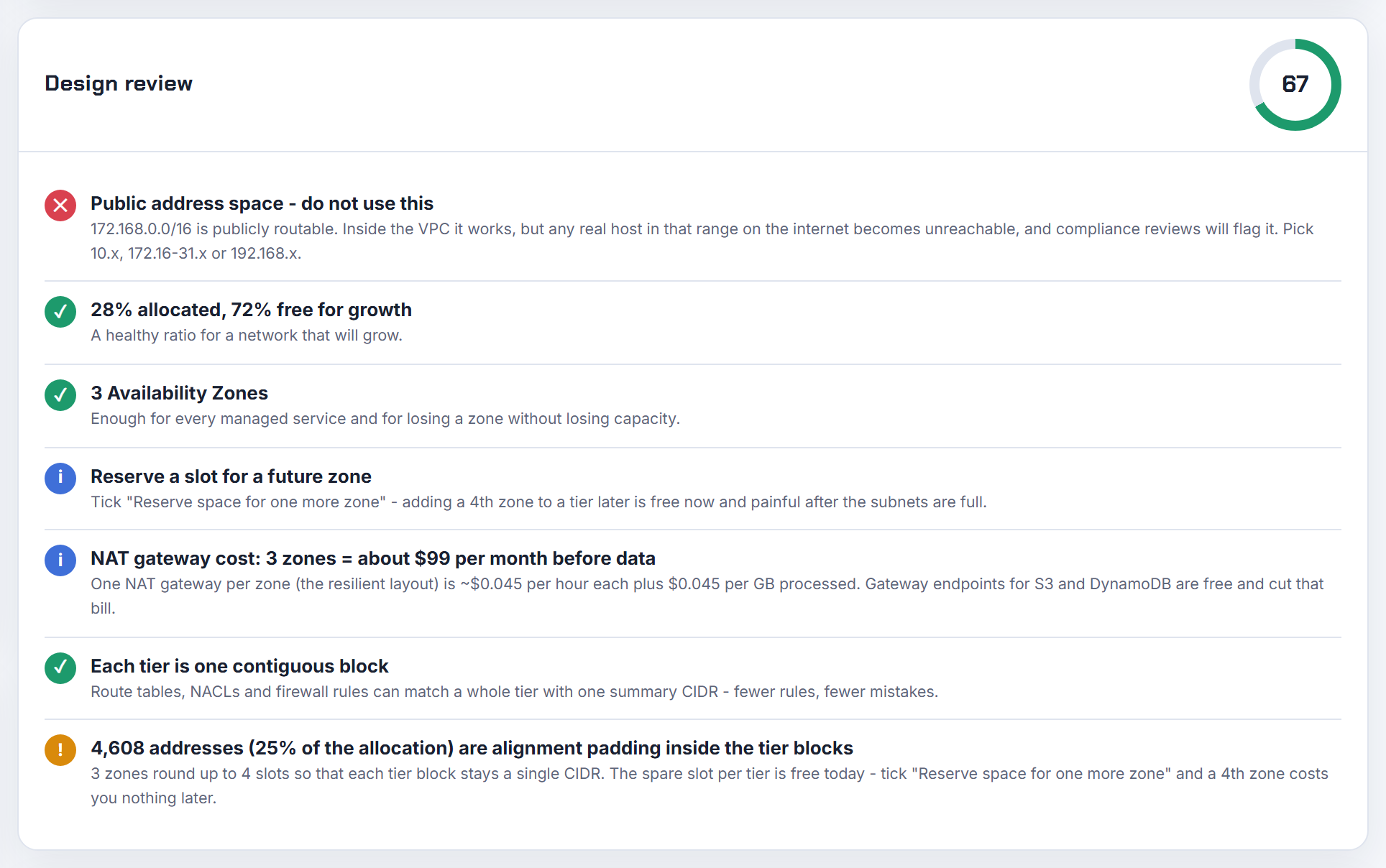
Anything on the real internet inside 172.168.0.0/16 becomes unreachable from that VPC. 172.168.x.x is not private space; RFC 1918 only covers 172.16.0.0 to 172.31.255.255. AWS lets you create a VPC with a publicly routable block, but every route table contains a local route for the VPC CIDR, so a packet to 172.168.5.5 is delivered inside the VPC and never reaches the internet host that actually owns that address.
The same thing happens with the related question about an instance that cannot reach an internet IP that shares its VPC's prefix: the local route wins.
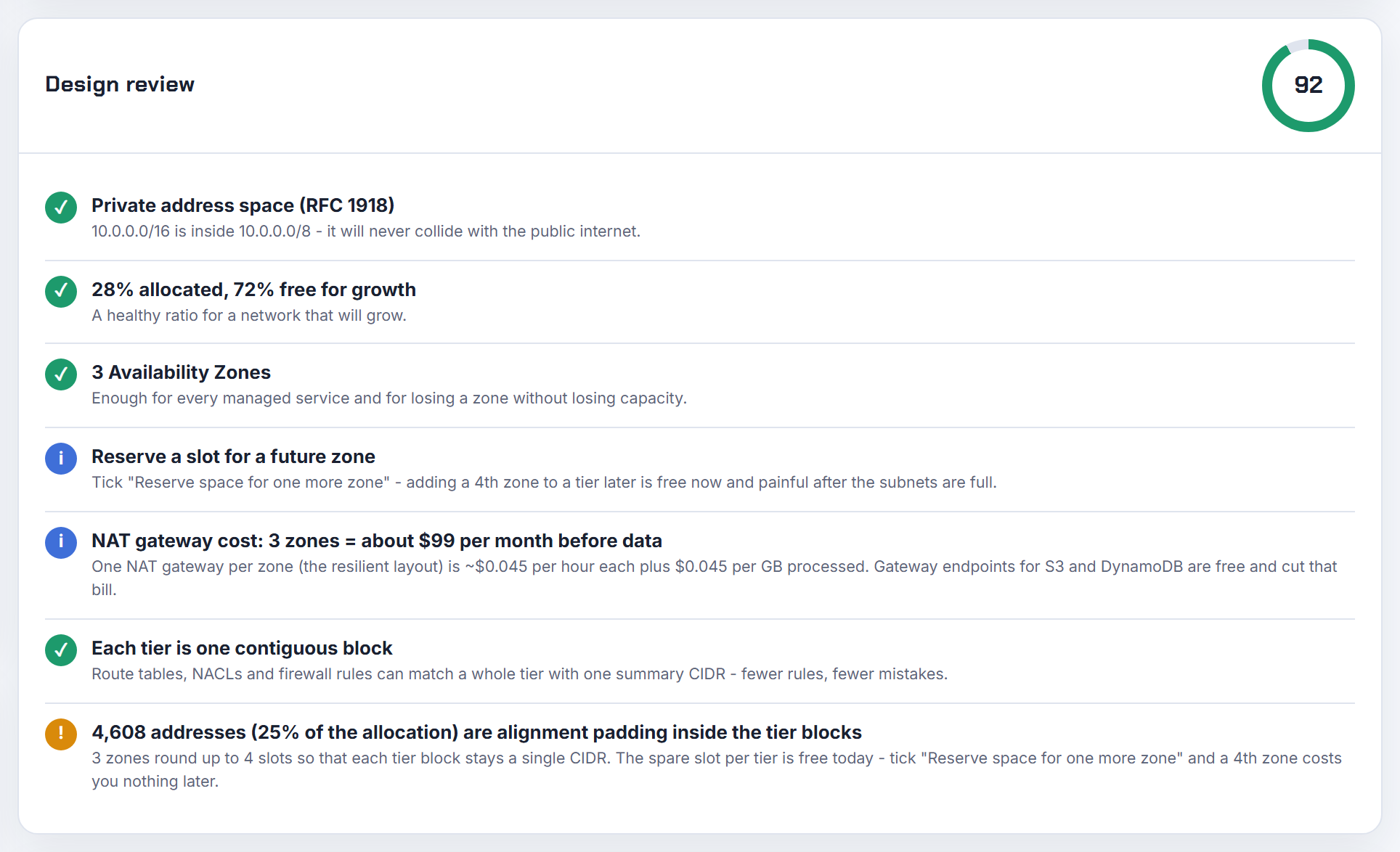
What does not break: traffic to every other destination, NAT, load balancers and peering with VPCs that do not overlap. The fix depends on how much is deployed. The primary CIDR cannot be removed, so the clean fix is a new VPC in RFC 1918 space and a migration. A partial fix is to add an RFC 1918 secondary block, move workloads into subnets from it, and accept that the public range stays attached. The planner's design review warns the moment a block is outside RFC 1918.
Must my VPC addresses start with 10.0.0.0?
No. 10.0.0.0/16 is only the example AWS uses most. A VPC can take any block from the three RFC 1918 ranges, and the VPC guide lists examples from all three:
| RFC 1918 range | Example VPC block |
|---|---|
| 10.0.0.0 to 10.255.255.255 (10/8) | 10.0.0.0/16 |
| 172.16.0.0 to 172.31.255.255 (172.16/12) | 172.31.0.0/16 |
| 192.168.0.0 to 192.168.255.255 (192.168/16) | 192.168.0.0/20 |
AWS also accepts the shared address space 100.64.0.0/10 from RFC 6598 and even publicly routable blocks, though public blocks shadow the real internet hosts in that range. The only hard exclusions are 0.0.0.0/8, 127.0.0.0/8, 169.254.0.0/16 and 224.0.0.0/4, plus the warning to avoid 172.17.0.0/16 because Cloud9 and SageMaker use it.
Pick the range that does not collide with your office or your other clouds; 10.x is popular precisely because it is the biggest, which is also why it collides most often. The usable IP post shows the per prefix counts for any range you choose.
Can I make a default VPC with my own CIDR in every region so automation does not hard-code IDs?
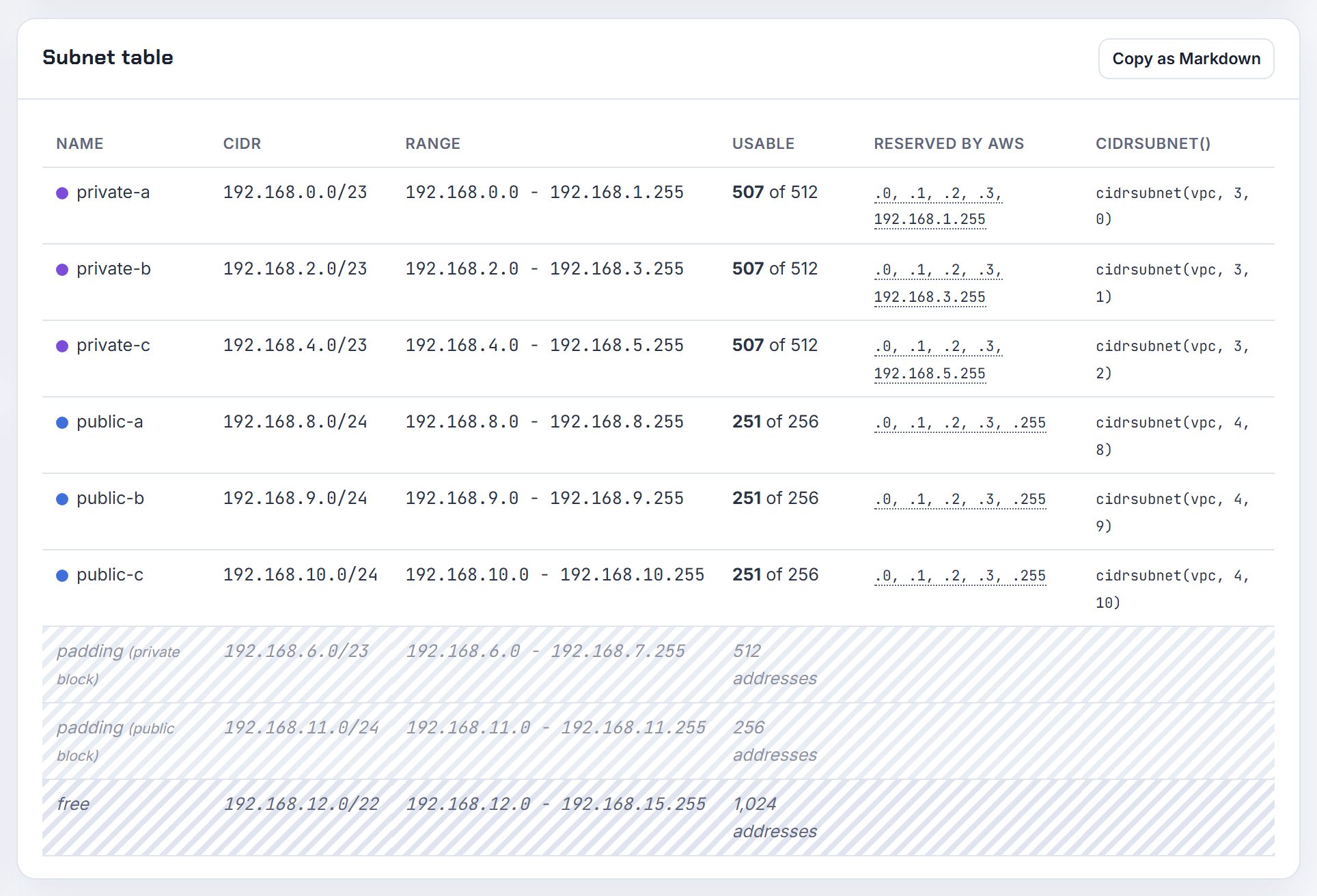
No. A default VPC is always 172.31.0.0/16 with a /20 subnet per Availability Zone. When you recreate one, you cannot specify your own components, you cannot mark an existing VPC as the default, and the create-default-vpc command takes no parameters. Because every default VPC in every Region shares the same block, two of them can never be peered.
The automation friendly alternative is a convention instead of a flag:
- Create one VPC per Region from a plan where each Region gets its own /16 (10.0.0.0/16, 10.1.0.0/16, and so on).
- Tag it, for example
Role=primary, and have scripts look it up by tag withaws ec2 describe-vpcs --filters Name=tag:Role,Values=primaryrather than by ID. - Delete or ignore the default VPC.
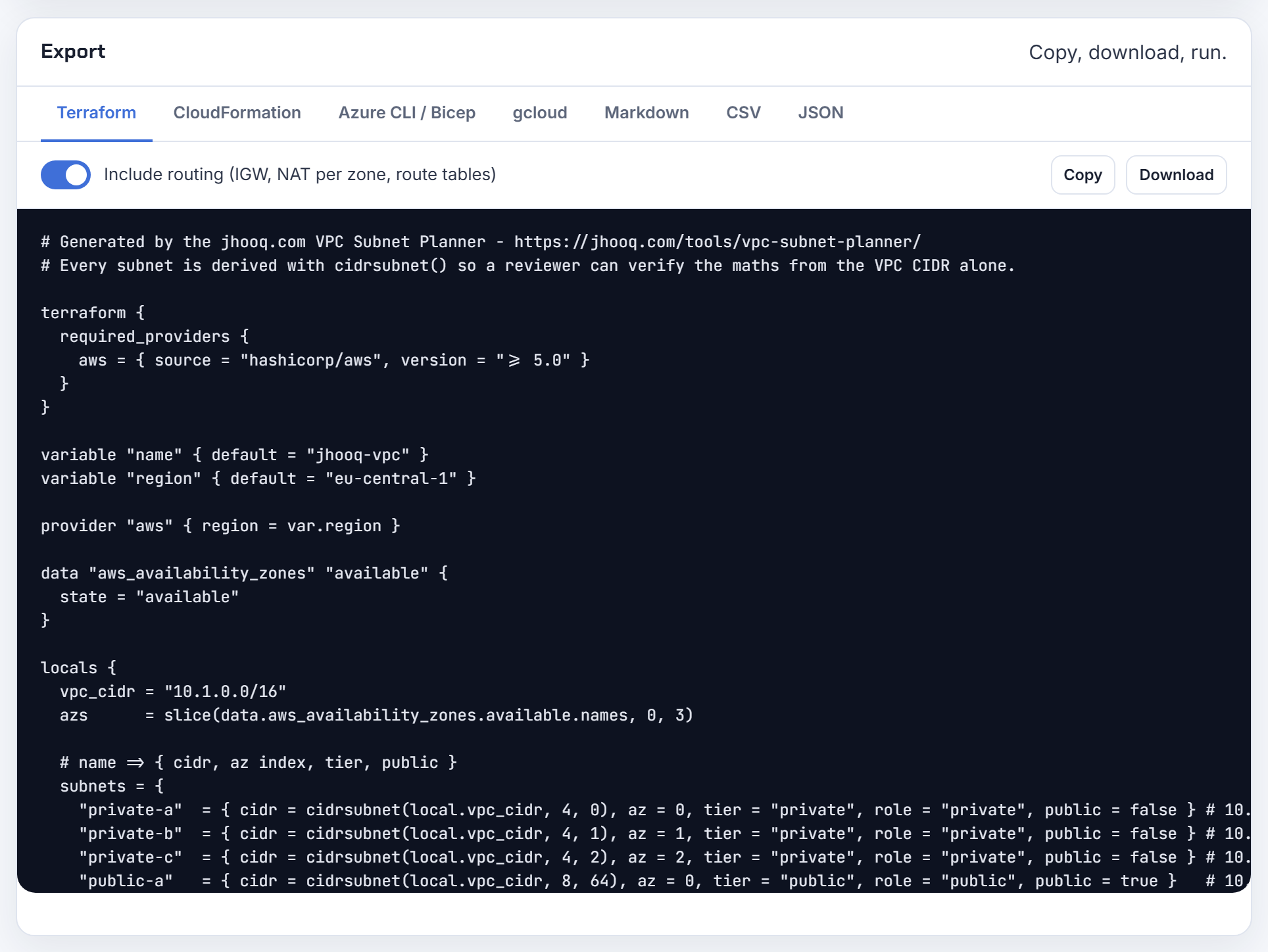
If you use Terraform, a data "aws_vpc" lookup by tag gives you the same "no hard-coded IDs" result. The planner can generate the per Region VPC with its subnets as Terraform or CloudFormation so each Region is a copy with a different block.
Why can't I type my own IPv4 CIDR for the VPC in the console?
Because the field is in IPAM mode. In the VPC console's create form, the IPv4 CIDR block control has two options: IPv4 CIDR manual input, which gives you a text box, and "IPAM-allocated IPv4 CIDR block", which replaces the text box with a pool and netmask picker. Choose manual input and the box accepts a value such as 10.0.0.0/16.
Two more things trip up course followers:
- In the "VPC and more" flow, the subnet CIDRs are pre-filled from the VPC block; you can still edit them, and the preview pane redraws when you do.
- The value must be a valid block between /16 and /28 whose first address is the network address. 10.0.5.0/16 is rejected in the form; 10.0.0.0/16 is accepted.
If the form still fights you, the CLI does the same job in one line and the API normalises the block to its canonical form:
1aws ec2 create-vpc --cidr-block 10.0.0.0/16
The step by step VPC post shows the console screens.
Subnet size per zone and tier
One subnet per tier per Availability Zone is what multiplies the subnet count; these answers do the arithmetic and list what each managed service needs.
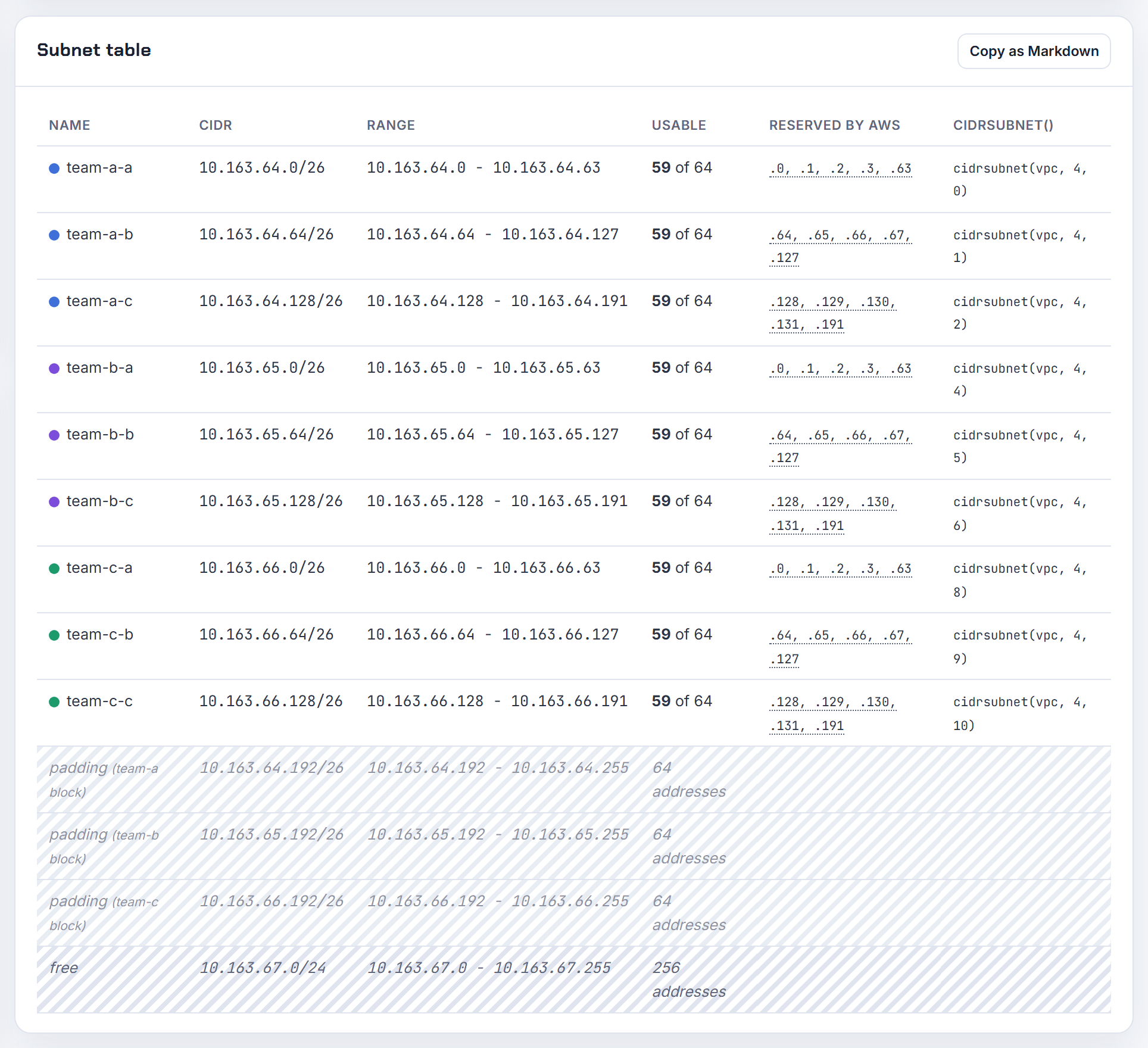
How do I split 10.163.64.0/22 into /25 subnets for three teams across three Availability Zones?
It does not fit. A /22 holds 1,024 addresses, a /25 holds 128, so the block contains exactly eight /25s and three teams times three zones needs nine. Drop one size to a /26 (64 addresses, 59 usable on AWS after the five reserved) and you get sixteen slots, nine of which you use:
1locals {
2  subnets = [for i in range(9) : cidrsubnet("10.163.64.0/22", 4, i)]
3  # 10.163.64.0/26, 10.163.64.64/26, 10.163.64.128/26, 10.163.64.192/26,
4  # 10.163.65.0/26, 10.163.65.64/26, 10.163.65.128/26, 10.163.65.192/26,
5  # 10.163.66.0/26
6}
cidrsubnet takes the parent prefix, the number of extra bits (4 turns a /22 into /26) and the index. Assign index 0 to 2 to team A across zones a, b, c, 3 to 5 to team B, 6 to 8 to team C. If one team genuinely needs /25s, give that team three /25s (indices 0 to 2 with 3 new bits) and the other two teams /26s from the remaining half; cidrsubnets accepts mixed sizes in one call. The planner lays out tiers by zone and shows the same cidrsubnet() derivation.
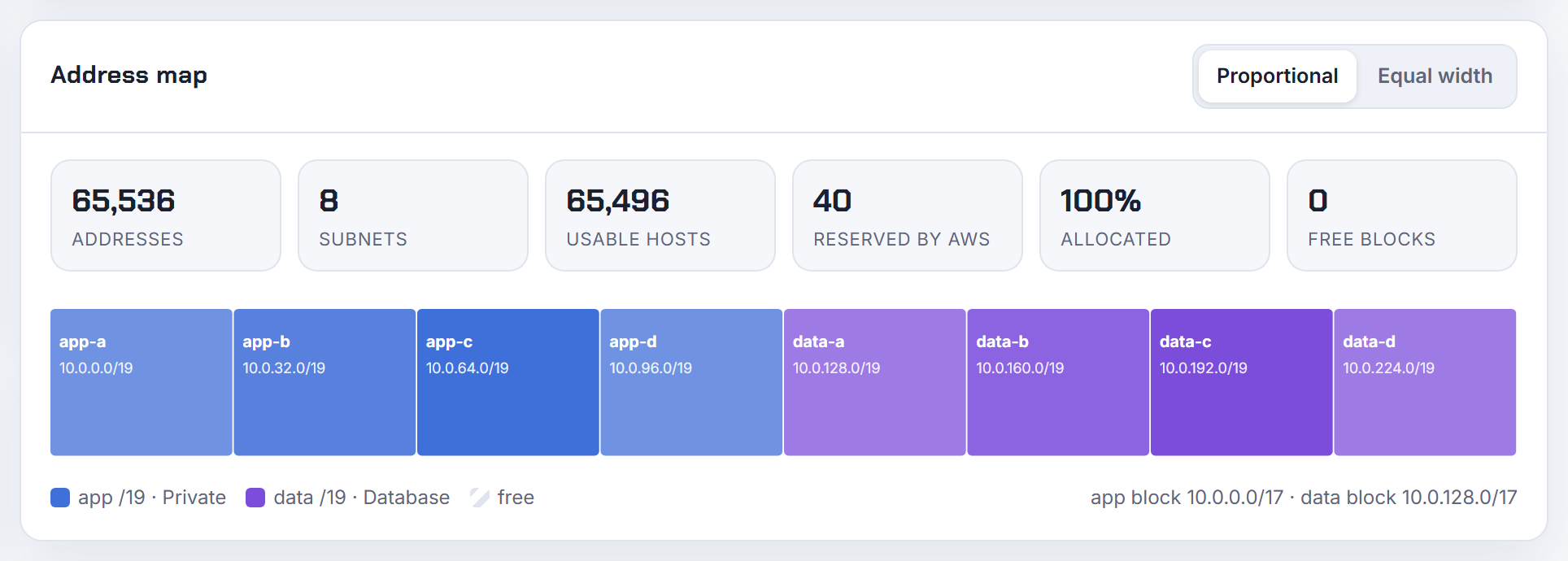
Given a /16, how do I carve eight subnets of 8,192 addresses, and what are the blocks after 10.0.0.0/19?
8,192 addresses is a /19 (2 to the power of 13), and a /16 contains exactly eight of them. The increment is 32 in the third octet, because a /19 spans 32 values of that octet:
| # | Subnet | Range |
|---|---|---|
| 0 | 10.0.0.0/19 | 10.0.0.0 to 10.0.31.255 |
| 1 | 10.0.32.0/19 | 10.0.32.0 to 10.0.63.255 |
| 2 | 10.0.64.0/19 | 10.0.64.0 to 10.0.95.255 |
| 3 | 10.0.96.0/19 | 10.0.96.0 to 10.0.127.255 |
| 4 | 10.0.128.0/19 | 10.0.128.0 to 10.0.159.255 |
| 5 | 10.0.160.0/19 | 10.0.160.0 to 10.0.191.255 |
| 6 | 10.0.192.0/19 | 10.0.192.0 to 10.0.223.255 |
| 7 | 10.0.224.0/19 | 10.0.224.0 to 10.0.255.255 |
The general rule: block size in the changing octet = 256 divided by 2 to the power of (prefix bits inside that octet). For a /19 that is 256 / 8 = 32. On AWS each of these subnets gives 8,187 usable addresses after the five reserved. In Terraform, cidrsubnet("10.0.0.0/16", 3, n) for n from 0 to 7 produces the same list, and the planner's address map shows the eight blocks proportionally.
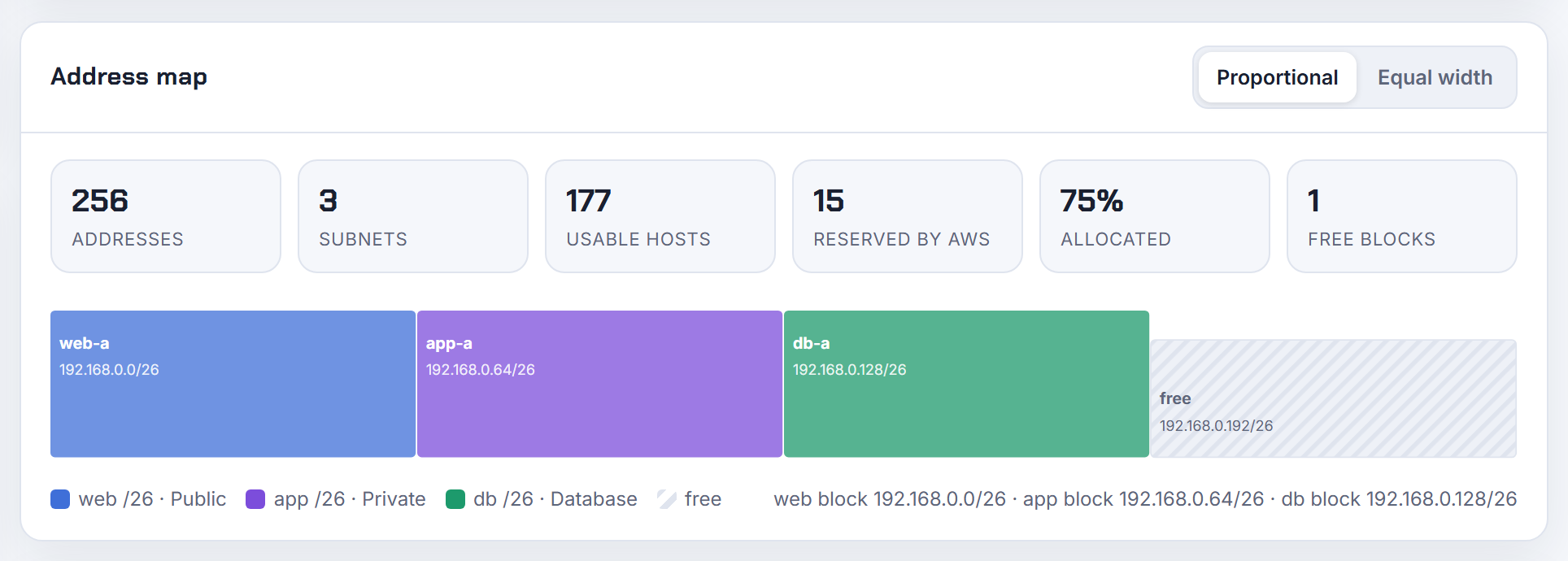
Can I fit three subnets in a 192.168.0.0/24 VPC, and what is the formula?
Yes. A /24 has 256 addresses; split it into four /26 blocks of 64 and use three of them, or into one /25 and two /26s if one tier needs more room.
| Subnet | Addresses | Usable on AWS |
|---|---|---|
| 192.168.0.0/26 | 64 | 59 |
| 192.168.0.64/26 | 64 | 59 |
| 192.168.0.128/26 | 64 | 59 |
| 192.168.0.192/26 (spare) | 64 | 59 |
The formula has three parts:
- Addresses in a block = 2 to the power of (32 minus prefix). /26 gives 2 to the power of 6 = 64.
- Each extra prefix bit halves the block, so a /24 contains 2 to the power of (26 minus 24) = 4 subnets of /26.
- The start of each block is a multiple of its size: 0, 64, 128, 192 in the last octet.
AWS then takes five addresses from every subnet, so usable = block minus 5. A subnet must sit entirely inside the VPC block and be between /28 and /16. The CIDR explainer walks through the binary, and the planner draws this split as a proportional address map.
I have 10.10.32.0/19 and need six /24 subnets plus three larger ones: why do I lose 512 addresses?
Because of alignment. A block must start at a multiple of its own size, so after six /24s (10.10.32.0/24 to 10.10.37.0/24, ending at 10.10.37.255) the next /23 can start at 10.10.38.0, but the next /22 cannot: /22 blocks start at third octets that are multiples of 4, so it must start at 10.10.40.0 and the 512 addresses in 10.10.38.0/23 are skipped. That hole is normal and is exactly what Terraform's cidrsubnets does when you list a bigger block after smaller ones.
The fix is ordering: allocate the largest blocks first, then the /24s, and the arithmetic packs with no gap:
1cidrsubnets("10.10.32.0/19", 3, 3, 3, 5, 5, 5, 5, 5, 5)
2# 10.10.32.0/22, 10.10.36.0/22, 10.10.40.0/22,
3# 10.10.44.0/24, 10.10.45.0/24, ... 10.10.49.0/24
That uses 3 x 1,024 + 6 x 256 = 4,608 of the 8,192 addresses with nothing skipped, leaving 10.10.50.0/23 and 10.10.52.0/22 free. Remember each /24 gives 251 usable addresses on AWS, not 255, because of the five reserved addresses. The planner sorts tiers so the biggest blocks come first and lists leftover space as CIDR blocks.
How many subnets does a web tier plus Multi-AZ RDS need at minimum?
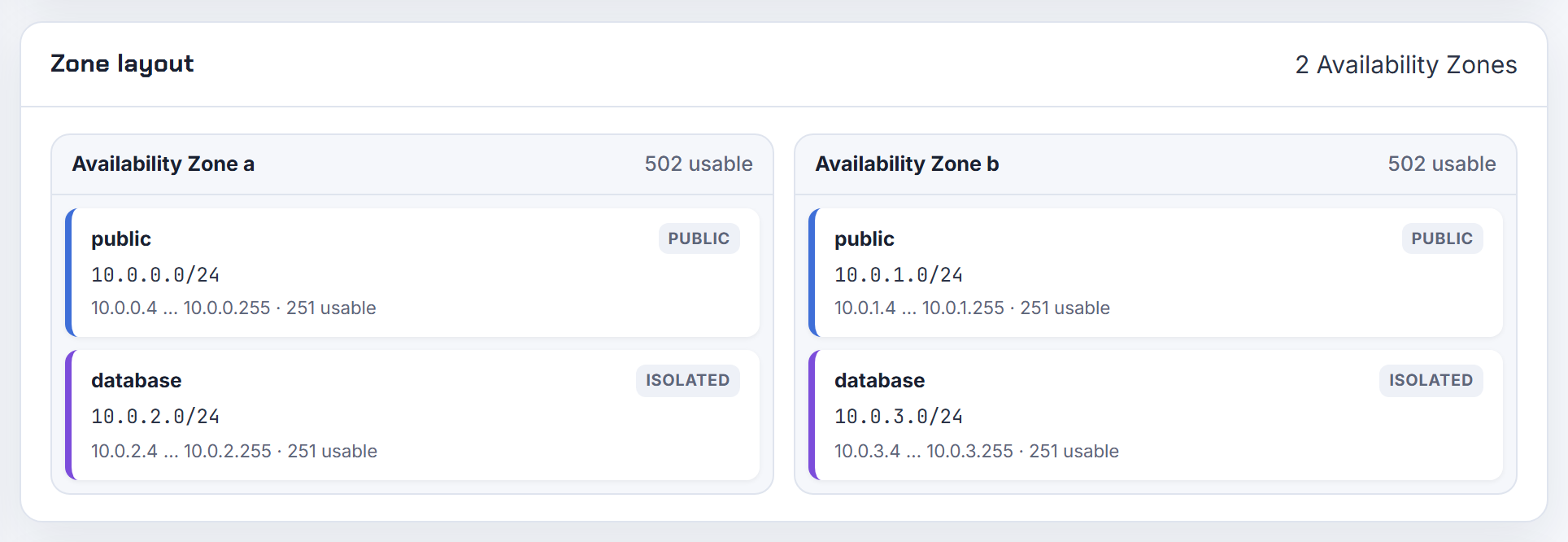
Four: two public subnets in two Availability Zones for the web tier, and two private subnets in the same two zones for the database. Each subnet lives in exactly one Availability Zone, so "one subnet" never covers two zones.
The two requirements that set the floor:
- An Application Load Balancer must be given subnets in at least two Availability Zones, one subnet per zone.
- An RDS DB subnet group must contain subnets in at least two Availability Zones, and for Multi-AZ that is where the standby goes.
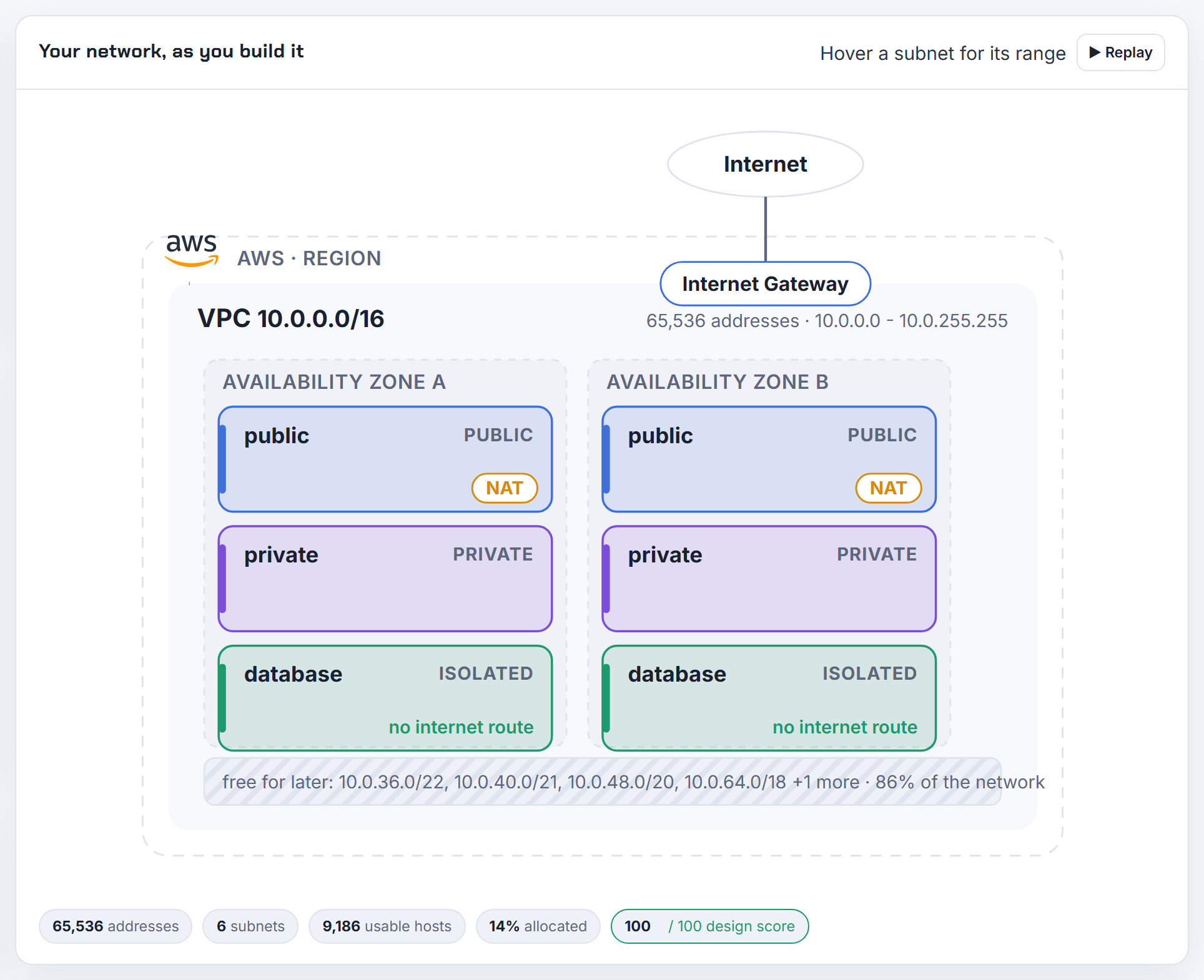
Strictly, two subnets would satisfy both if the web servers and the database shared them, but then the database sits in a subnet with a route to the internet gateway. The usual design is three tiers times the number of zones: public, private app, isolated database. With three zones that is nine subnets, which is why a /16 is the comfortable VPC size. The step by step VPC post builds the four subnet version; the planner generates the tier per zone grid and a separate isolated route table for the database tier in its Terraform export.
How many subnets can I add to a VPC, and why can't I add a subnet from a different address block?
The default quota is 200 subnets per VPC, adjustable. A subnet's CIDR must be a piece of one of the VPC's own CIDR blocks; a block from an unrelated range is rejected because the VPC has no local route for it.
If your VPC is a single /26 and you need space from another range, first associate a secondary CIDR block with the VPC, then create the subnet inside the new block. Up to 5 blocks per VPC are allowed by default. The secondary block has to follow the association restrictions:
- It cannot overlap an existing block or a route in any of the VPC's route tables.
- A 10.x VPC can only add other 10.x blocks (or 100.64.0.0/10 and public ranges), never 172.16.x or 192.168.x, and if the VPC already has a block inside 10.0.0.0/15 it cannot add anything from 10.0.0.0/16.
So for a VPC at 10.0.0.0/26, the next block should come from 10.1.0.0/16 or beyond, for example 10.1.0.0/24. The planner's overlap check tells you which candidate blocks are free against the networks you paste in.
Should subnets be nested inside bigger tier blocks, the way the Practical VPC Design layout does it?

Yes, and the reasoning has not aged. Nesting means every subnet of a tier comes from one contiguous parent block, for example all private subnets from 10.0.0.0/18 and all public subnets from 10.0.192.0/20. AWS does not mandate it, but it pays off in three places:
- Security group and NACL rules can say "the whole private tier" with one CIDR instead of one per zone.
- On-premises firewalls and Transit Gateway route tables can carry one summary route per tier. Route tables have a quota of 500 routes, and summaries keep you far from it.
- Adding a fourth zone later is just the next slot in the tier block.
Terraform expresses this directly with nested cidrsubnets: split the VPC into tier blocks, then split each tier block into zones. The cost is some unused space between tiers, which is cheap in a /16.
One caveat: keep the tier blocks aligned so they are real CIDR blocks, otherwise the summary route does not exist. The planner builds contiguous tier blocks by default and exports the matching cidrsubnet() calls.
Should private subnets have one route table per Availability Zone, or one shared route table?
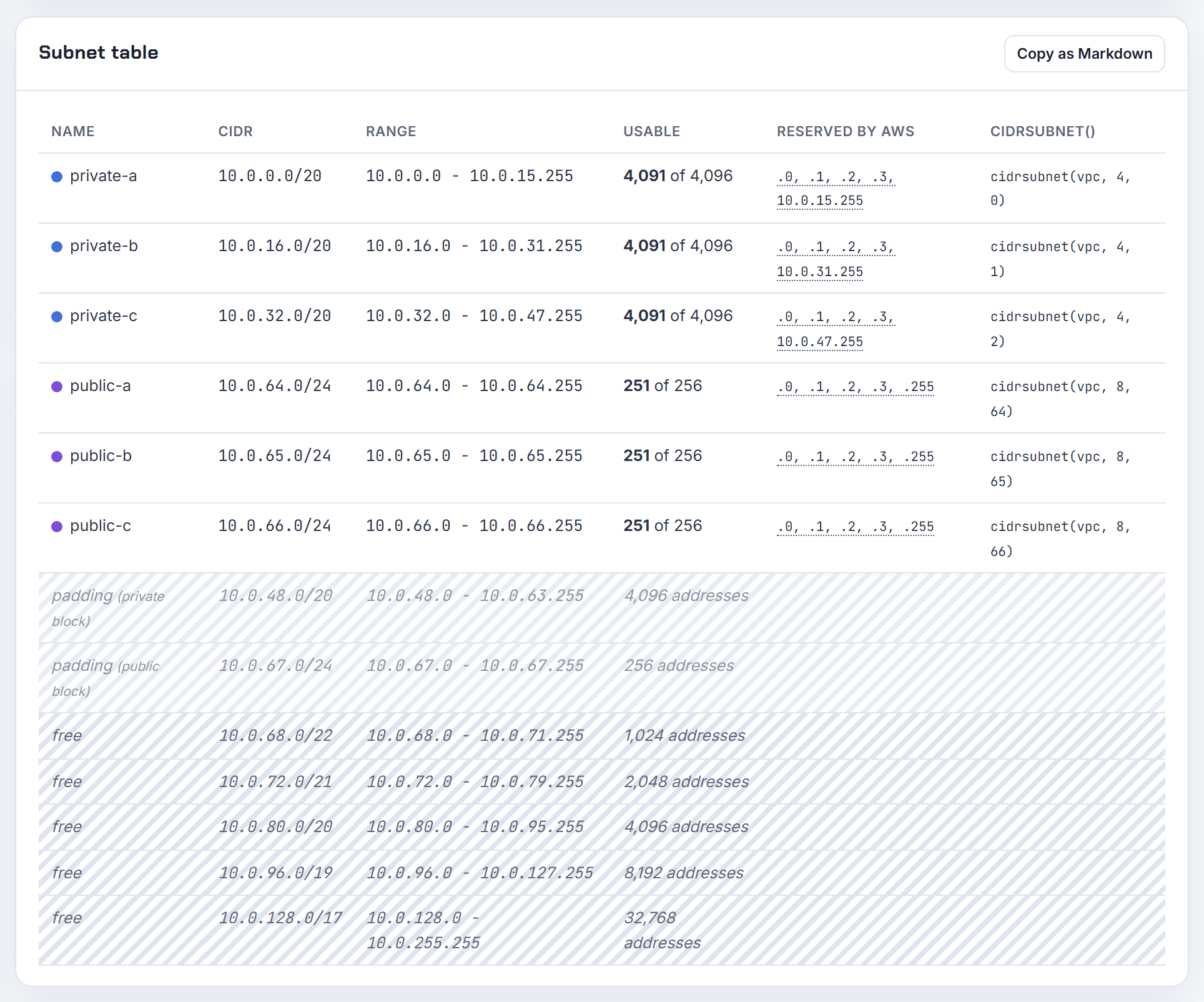
One route table per Availability Zone for private subnets, one shared table for public subnets. The reason is the NAT gateway: each NAT gateway lives in one Availability Zone, and AWS recommends a NAT gateway in each zone so that a zone failure does not cut internet access for the others. A private subnet's 0.0.0.0/0 route must point at the NAT gateway in its own zone, and a route table has only one 0.0.0.0/0 route, so you need one table per zone.
Public subnets all point 0.0.0.0/0 at the single internet gateway, so they can share one route table; a subnet can be associated with only one route table, but many subnets can use the same one.
Isolated database subnets with no internet route can also share one table. So a three zone, three tier VPC usually has five route tables: one public, three private, one isolated, well inside the 200 per VPC quota. The planner's Terraform export creates a NAT gateway and route table per zone and an isolated route table for the database tier.
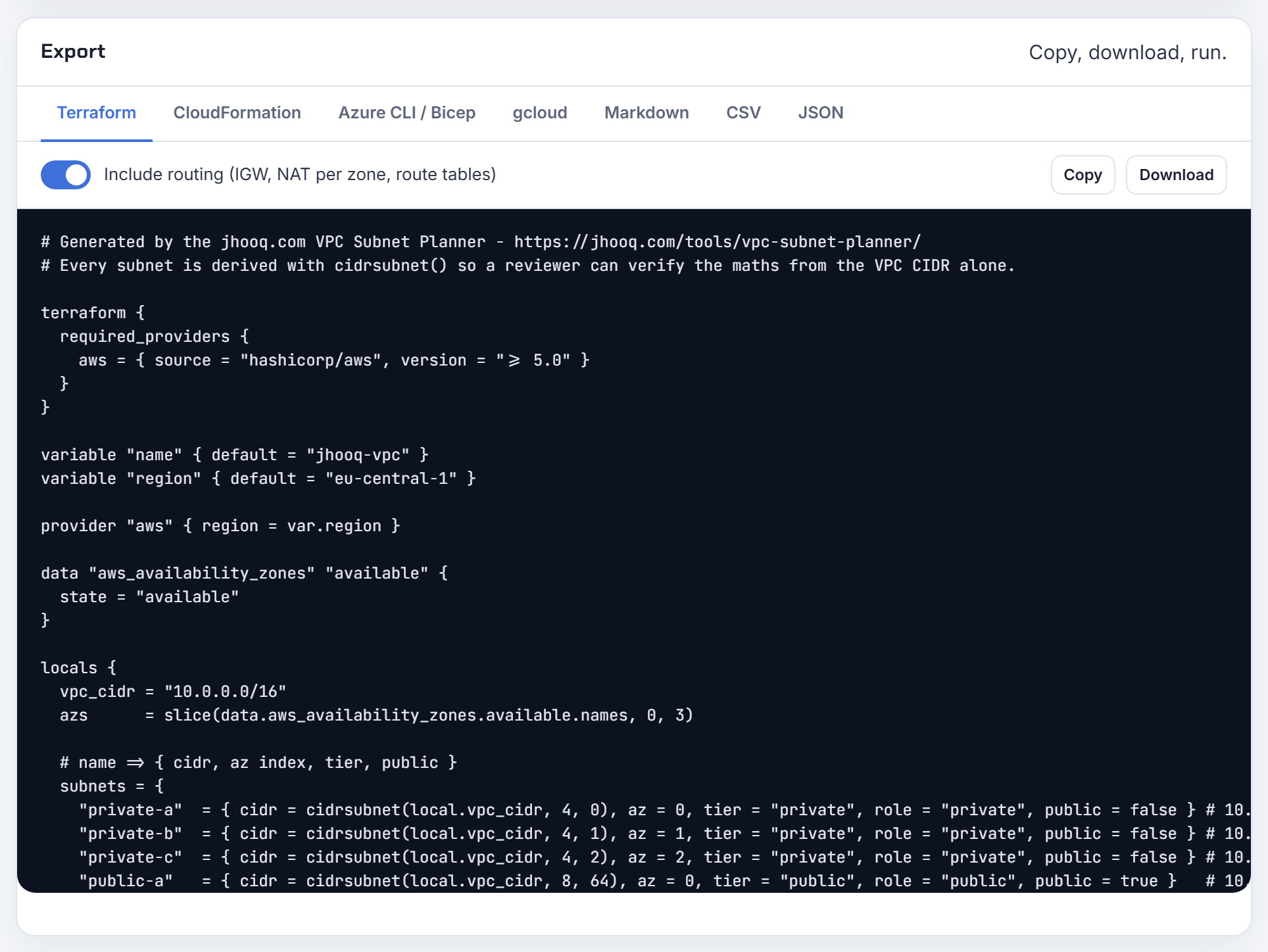
Why can't a subnet span Availability Zones?
Because an Availability Zone is an isolated failure domain, and AWS defines a subnet as something that resides entirely within one Availability Zone. The point of a subnet in a VPC is to say "these addresses are in this zone", so routing, placement and zonal services such as NAT gateways and load balancer nodes know where an address physically is. A subnet across two zones would make the zone of an IP address ambiguous.
That is also why zonal services multiply subnets: an RDS DB subnet group needs subnets in at least two Availability Zones, so "three subnets across three AZs for RDS" is one subnet in each of three zones, not one subnet stretched across three.
The practical rule is one subnet per tier per zone. Two tiers in three zones is six subnets; three tiers is nine. The planner lets you pick 1 to 6 zones and generates that grid.
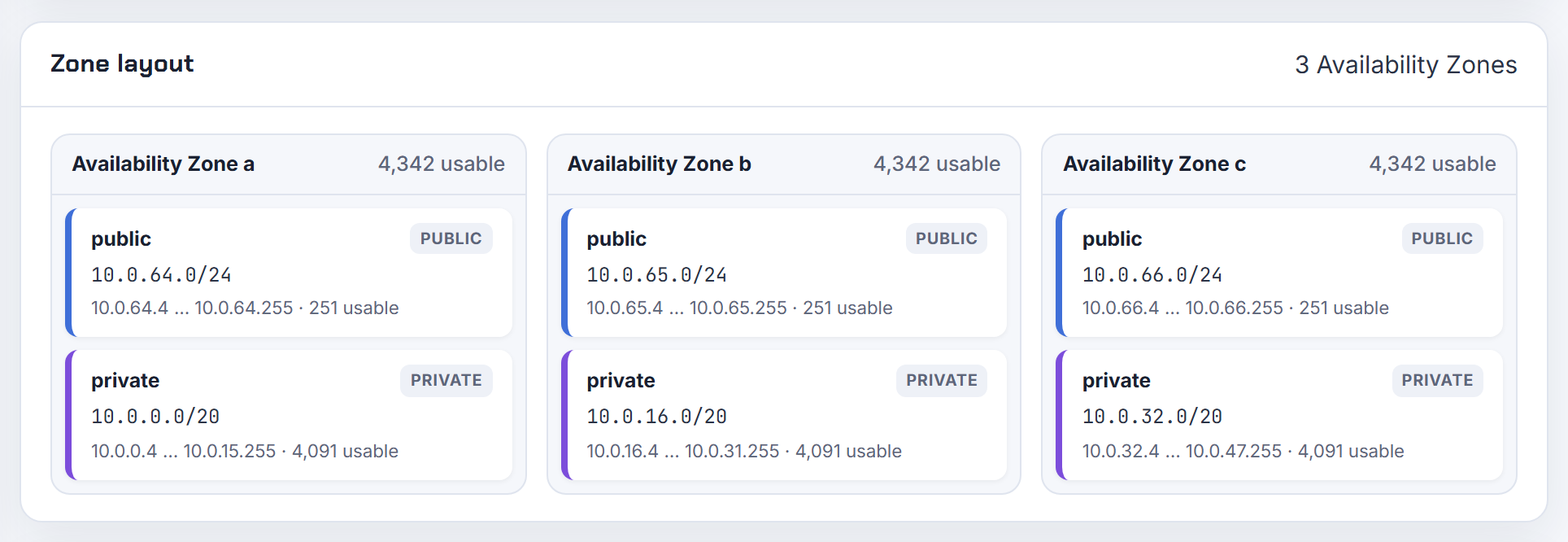
Which Availability Zones can host my subnets, given that zone availability varies per account?
Only the zones your account sees as available in that Region, and the letters are not the same across accounts. AWS maps zone names independently per account: us-east-1a in your account might not be the same physical location as us-east-1a in another account. The stable identifier is the AZ ID such as use1-az1.
Before scripting subnet creation, list what the account can actually use:
1aws ec2 describe-availability-zones --region us-east-1 \
2  --query 'AvailabilityZones[].[ZoneName,ZoneId,State]' --output table
The describe-availability-zones output is the list to iterate over; hard-coding a, b, c fails in Regions where a zone is not exposed to your account. Some services also exclude specific zones, for example EKS disallows certain AZ IDs for cluster subnets.
In Terraform, the aws_availability_zones data source with state = "available" gives the same list, and when a layout must match across accounts, select zones by AZ ID. The planner keeps a reserved slot for a future zone so a later zone fits the address plan.
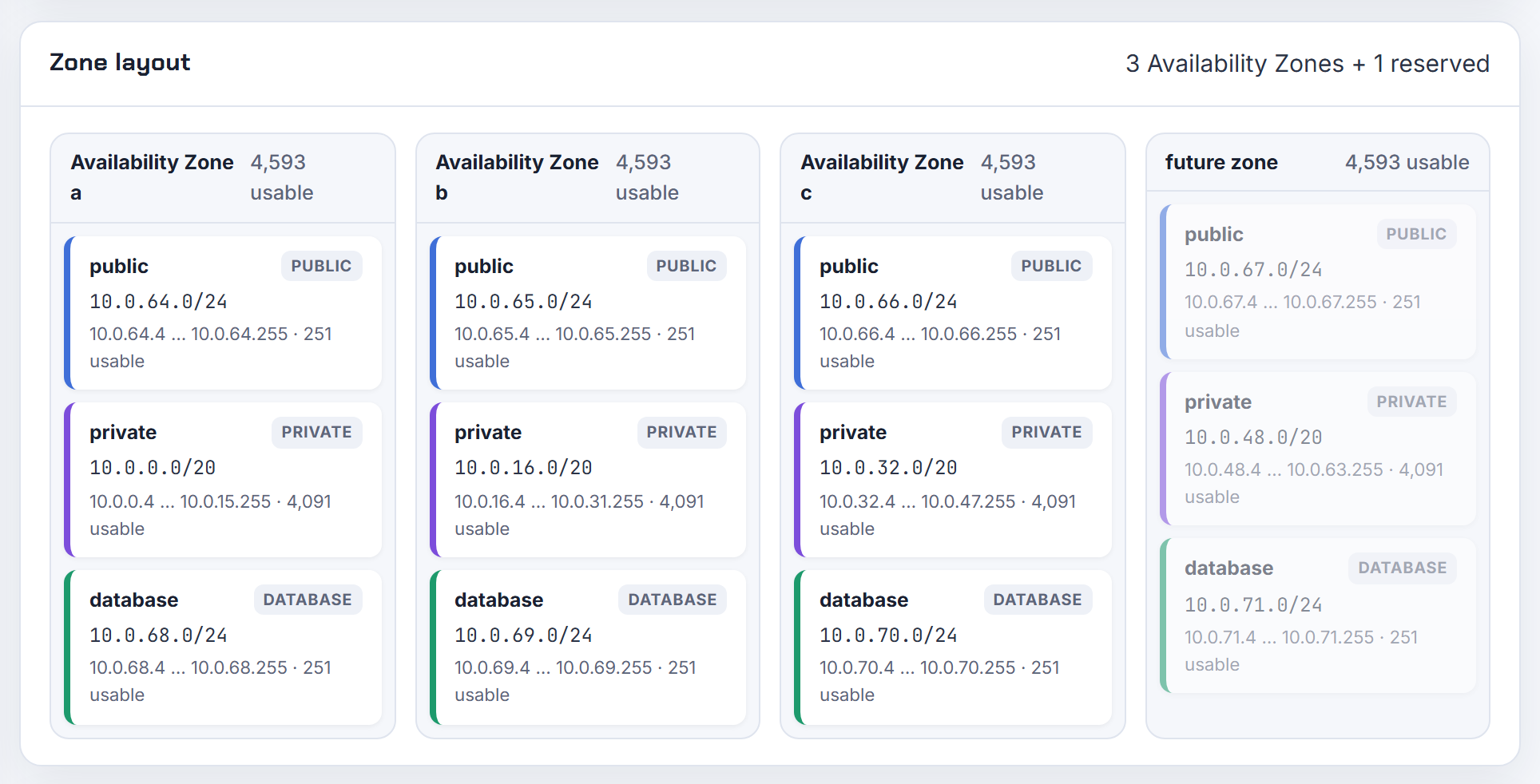
Can I have more than one subnet per Availability Zone for an interface endpoint, a load balancer or a TGW attachment?
You can have as many subnets per zone as you like in the VPC, but each of these services accepts only one subnet per Availability Zone:
| Service | Rule |
|---|---|
| Interface VPC endpoint | one subnet per Availability Zone |
| Application Load Balancer | each subnet from a different Availability Zone |
| Network Load Balancer | one subnet per enabled zone |
| Transit Gateway VPC attachment | one subnet from each Availability Zone |
The error "a load balancer cannot be attached to multiple subnets in the same Availability Zone" is this rule. None of it stops a multi-subnet-per-zone layout; the service just uses one subnet per zone as its entry point and can still reach targets in the other subnets of that zone through normal routing (for Transit Gateway the attachment subnet's route table must have routes to the target subnets).
The clean pattern is a small dedicated subnet per zone for these shared endpoints: a /27 is enough for an ALB (eight free addresses) and a /28 for an endpoint or an attachment. The planner adds such a tier when you give it a host count per zone.
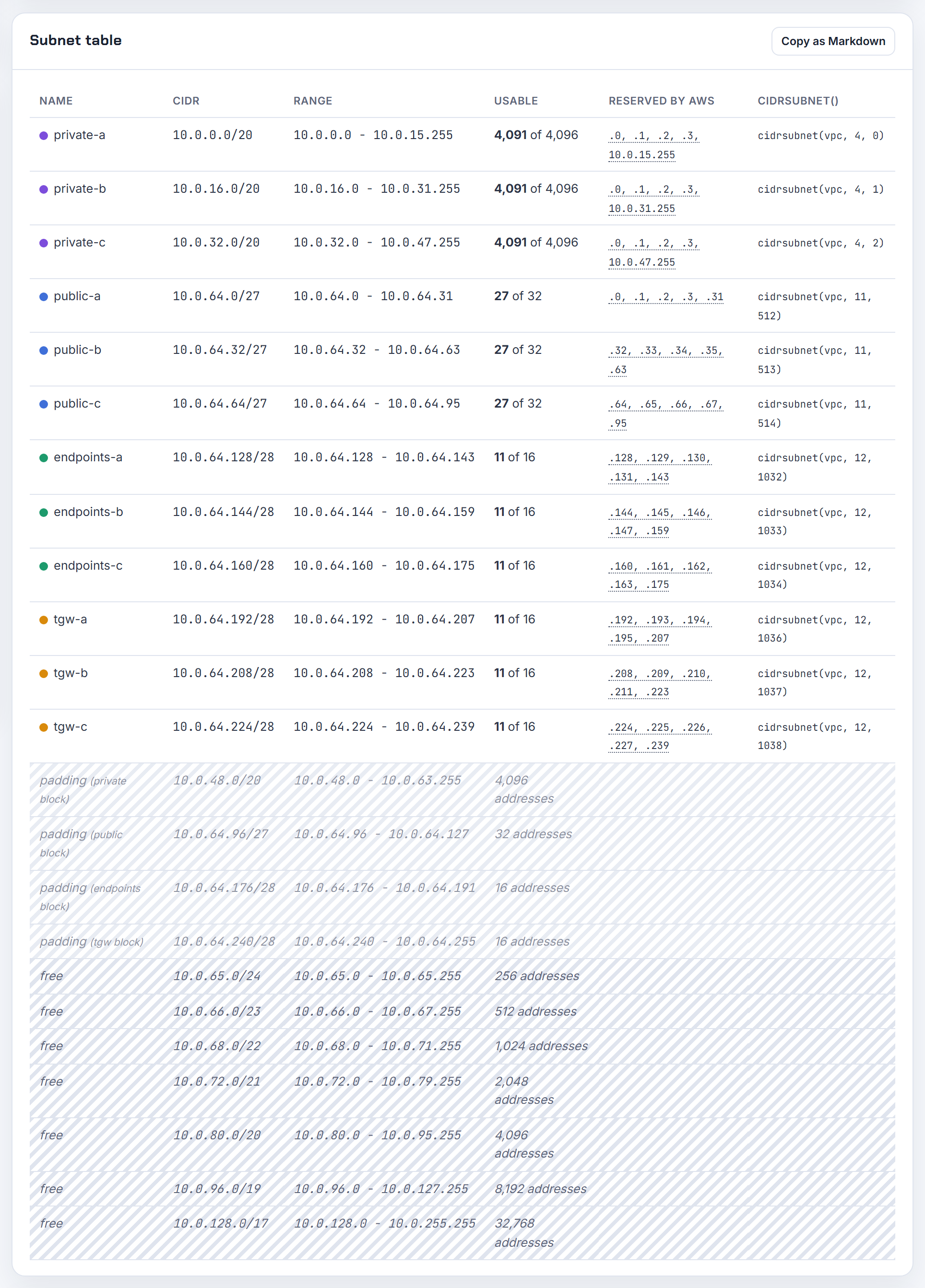
Why does an Application Load Balancer need subnets in two Availability Zones when a Network Load Balancer does not?
Because the two products have different minimums. An Application Load Balancer must be given at least two Availability Zone subnets, each from a different zone, each a /27 or larger with eight free addresses. A Network Load Balancer can be created with at least one Availability Zone, one subnet per zone, and an internet-facing NLB needs eight available addresses in each subnet it uses.
AWS documents the ALB rule as a scaling and availability requirement rather than explaining it further, so a single-zone ALB is simply not an option. If your workload is single-zone, you still need a second subnet in another zone for the ALB; it can be a small /27 that holds nothing else, and the load balancer will keep its nodes in both zones while your targets stay in one.
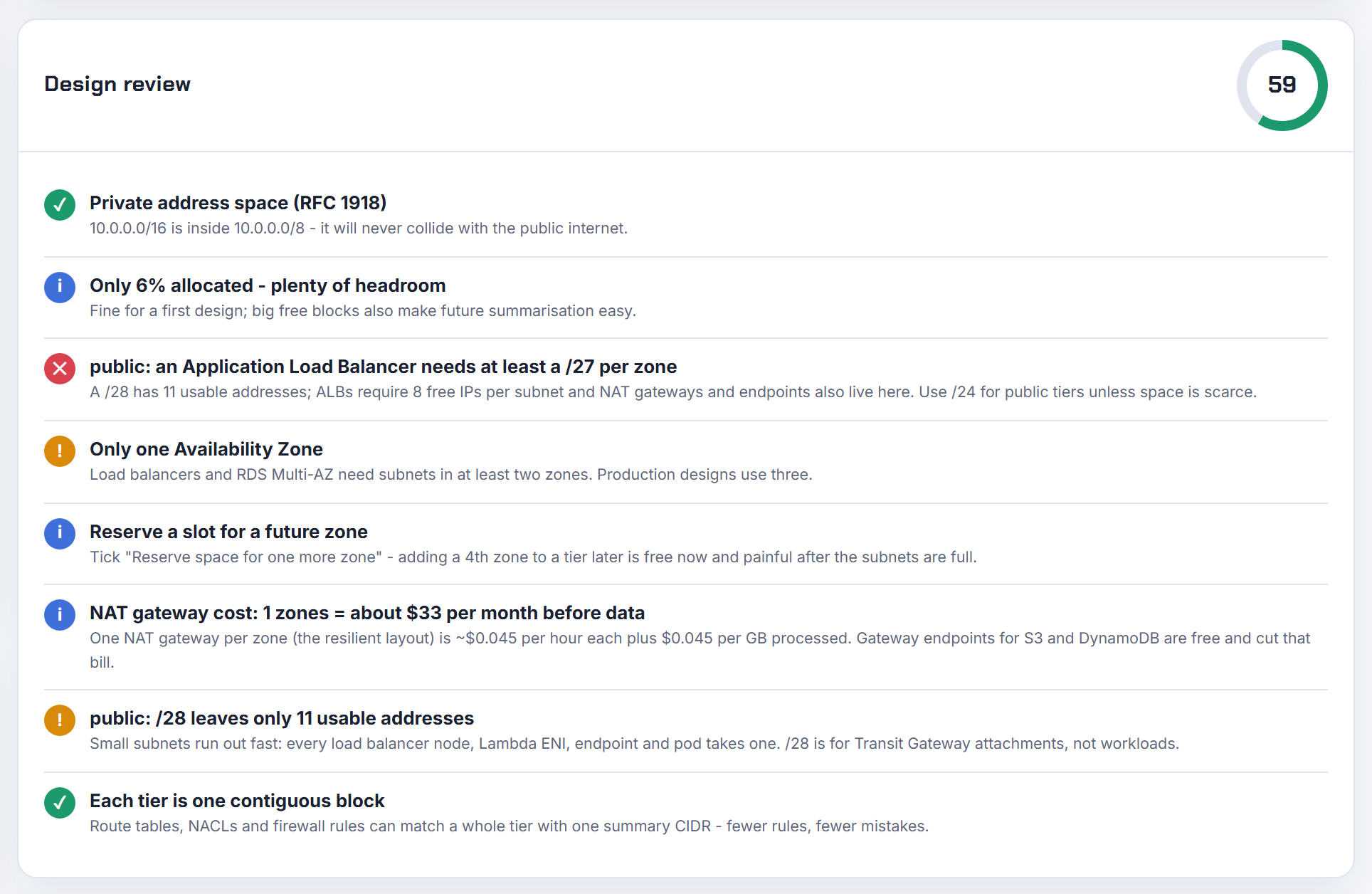
When you add the second subnet, keep it in the same VPC and make it public (route to the internet gateway) if the ALB is internet-facing. The planner's design review flags public subnets smaller than /27 for exactly this reason.
Why does an RDS subnet group need two Availability Zones even for a Single-AZ instance?
Because RDS requires it for every deployment, not just Multi-AZ. The RDS guide says your VPC must have at least two subnets in two different Availability Zones, and to do this even for Single-AZ deployments "just in case you want to convert them to Multi-AZ". The error "DB subnet group doesn't meet Availability Zone coverage requirement" means all the subnets you chose are in one zone.
The fix is one more subnet:
- Create a private subnet in a second Availability Zone (a /28 is enough for a DB subnet group entry, though RDS wants spare addresses for maintenance and failover, so I would use a /26 or larger).
- Add it to the DB subnet group.
- If you want the instance in a specific zone, set the Availability Zone on the instance; RDS still needs the group to cover two zones.
The instance itself stays Single-AZ and is billed as such; the second subnet just has to exist. The planner lays out the database tier with one subnet per zone, so the subnet group is always valid.
What is the optimal size for EKS control plane subnets, and is a /27 enough?
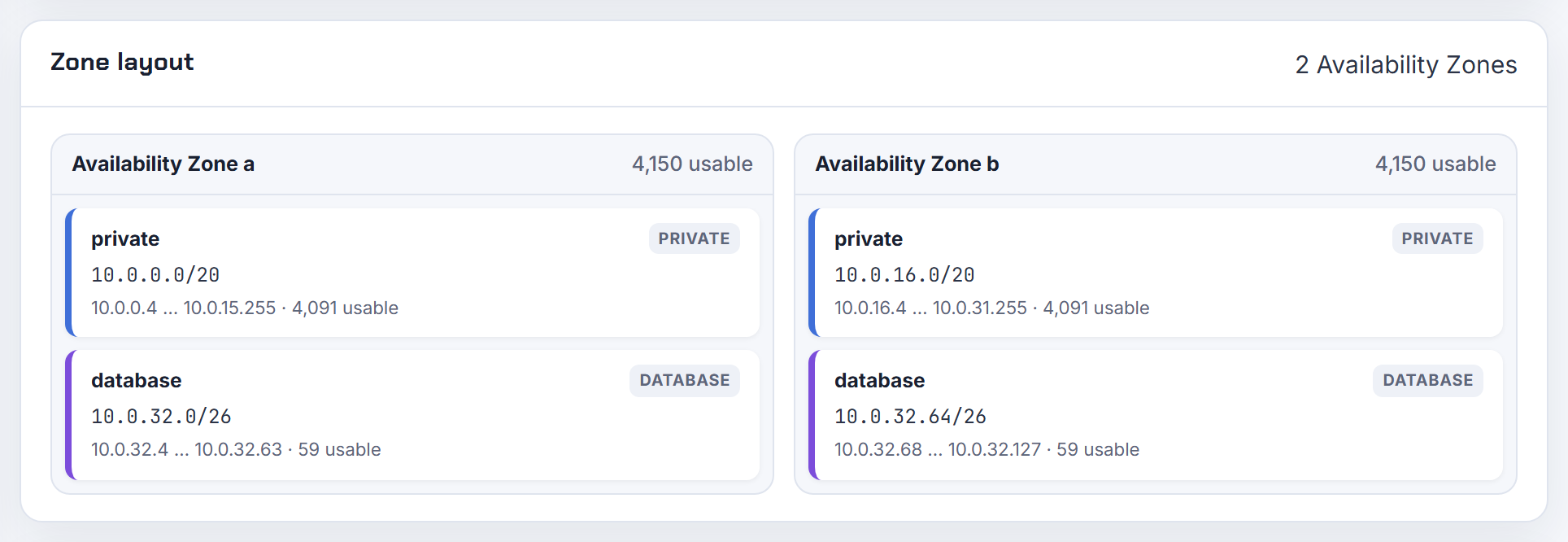
A /27 per zone is enough and is what I would use. The subnets you hand to the EKS control plane must each have at least six IP addresses, with sixteen recommended, and they must be in at least two Availability Zones. A /27 gives 27 usable addresses after the five AWS reserves, a /28 gives 11, which meets the minimum but not the recommendation.
Why dedicated subnets at all: EKS creates its network interfaces in any subnet you listed, and when you upgrade the cluster it deletes and recreates them, possibly in different listed subnets. The documentation's own advice is to limit the list to two subnets to control where those interfaces go. Two small dedicated subnets, one per zone, do exactly that and keep the control plane interfaces out of the busy node subnets.
Nodes and pods go in separate, much larger subnets. That is where capacity really matters, and the Kubernetes IP Calculator sizes those from the instance type and node count. Pass only the two control plane subnets in the cluster's subnetIds and tag the node subnets for load balancers separately.
What subnet size does AWS Network Firewall need?
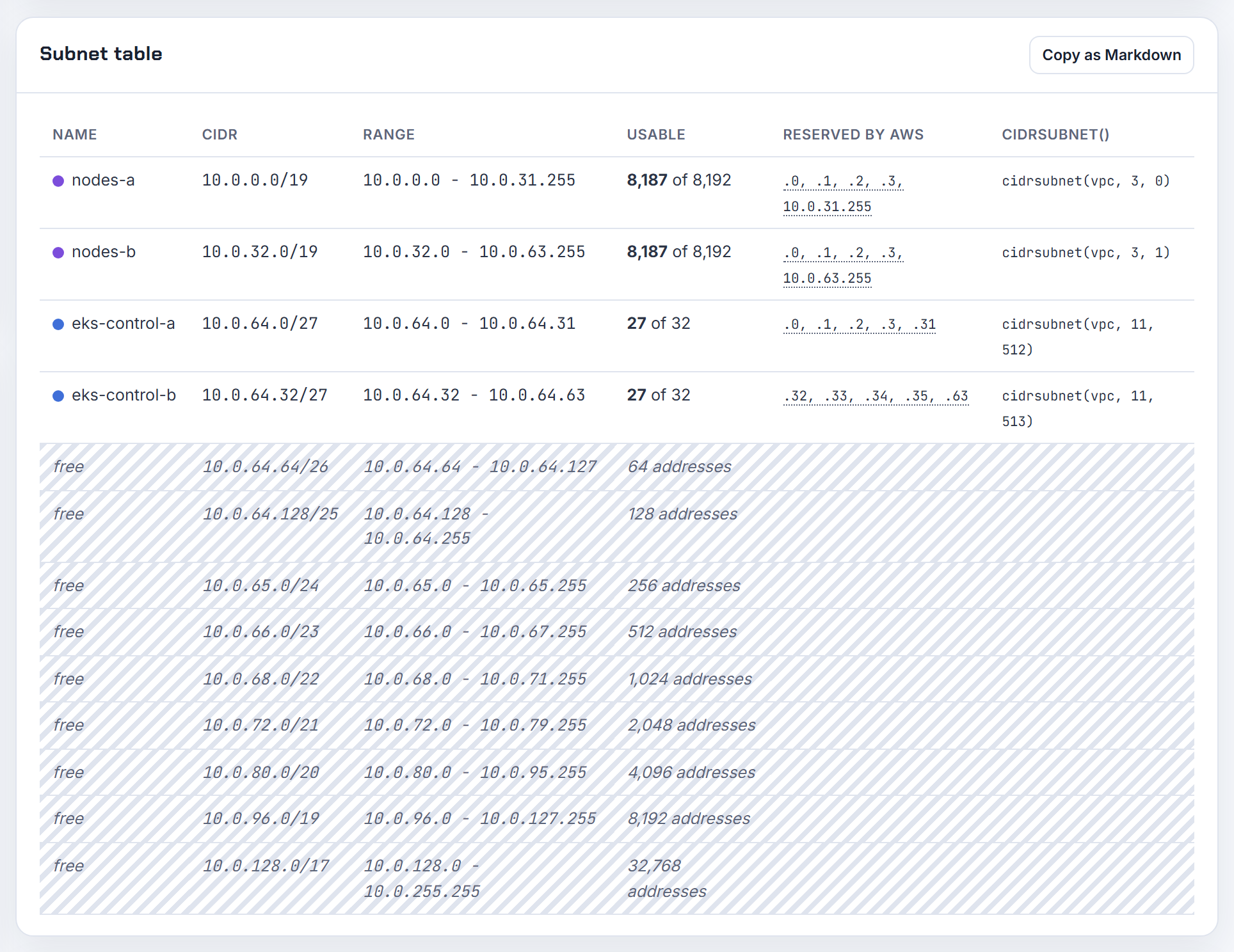
Very little: each firewall subnet must have at least one IP address available, and you need one subnet per Availability Zone where you want a firewall endpoint. AWS asks you to reserve those subnets for Network Firewall only, because an endpoint cannot filter traffic that enters or leaves its own subnet, so nothing else should live there.
That makes a /28 per zone the right size: 16 addresses, 11 usable after the five AWS reserves, which covers the endpoint and leaves room for a second endpoint added through a VPC endpoint association. There is no reason to go bigger, and /28 is the smallest subnet AWS allows.
For a VPC with three Availability Zones:
| Zone | Firewall subnet |
|---|---|
| a | 10.0.255.0/28 |
| b | 10.0.255.16/28 |
| c | 10.0.255.32/28 |
Put them at the end of the VPC block so they do not fragment the application tiers, and remember the protected subnets' route tables and the internet gateway's edge route table must send traffic through the endpoints. The planner's tier list accepts a /28 tier for this purpose.
Is a /28 enough for Aurora Serverless v2 subnets?
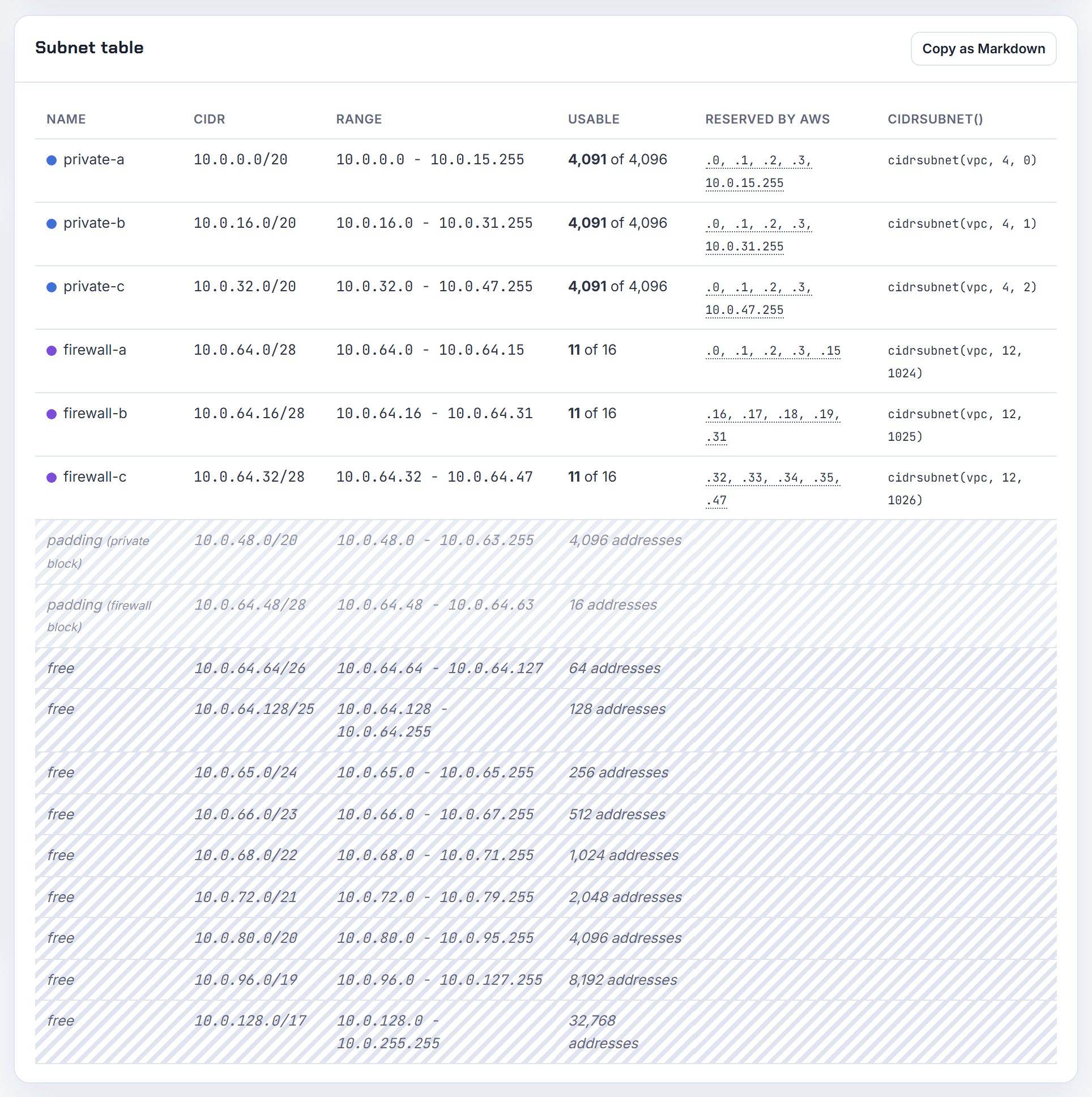
It can work, but AWS does not document a minimum subnet size for Aurora, and the guidance it does give points to a bigger subnet. The Aurora VPC guide says each subnet's CIDR must be large enough to accommodate spare IP addresses that Aurora uses during maintenance, failover and compute scaling, and gives 10.0.0.0/24 and 10.0.1.0/24 as a range that is "typically large enough". The Serverless v2 requirements page adds no subnet rule of its own.
A /28 gives 11 usable addresses per subnet after the five AWS reserves. One writer plus a reader fits; a failover that provisions a replacement instance before releasing the old address, a Blue/Green deployment, or two more readers can run it out.
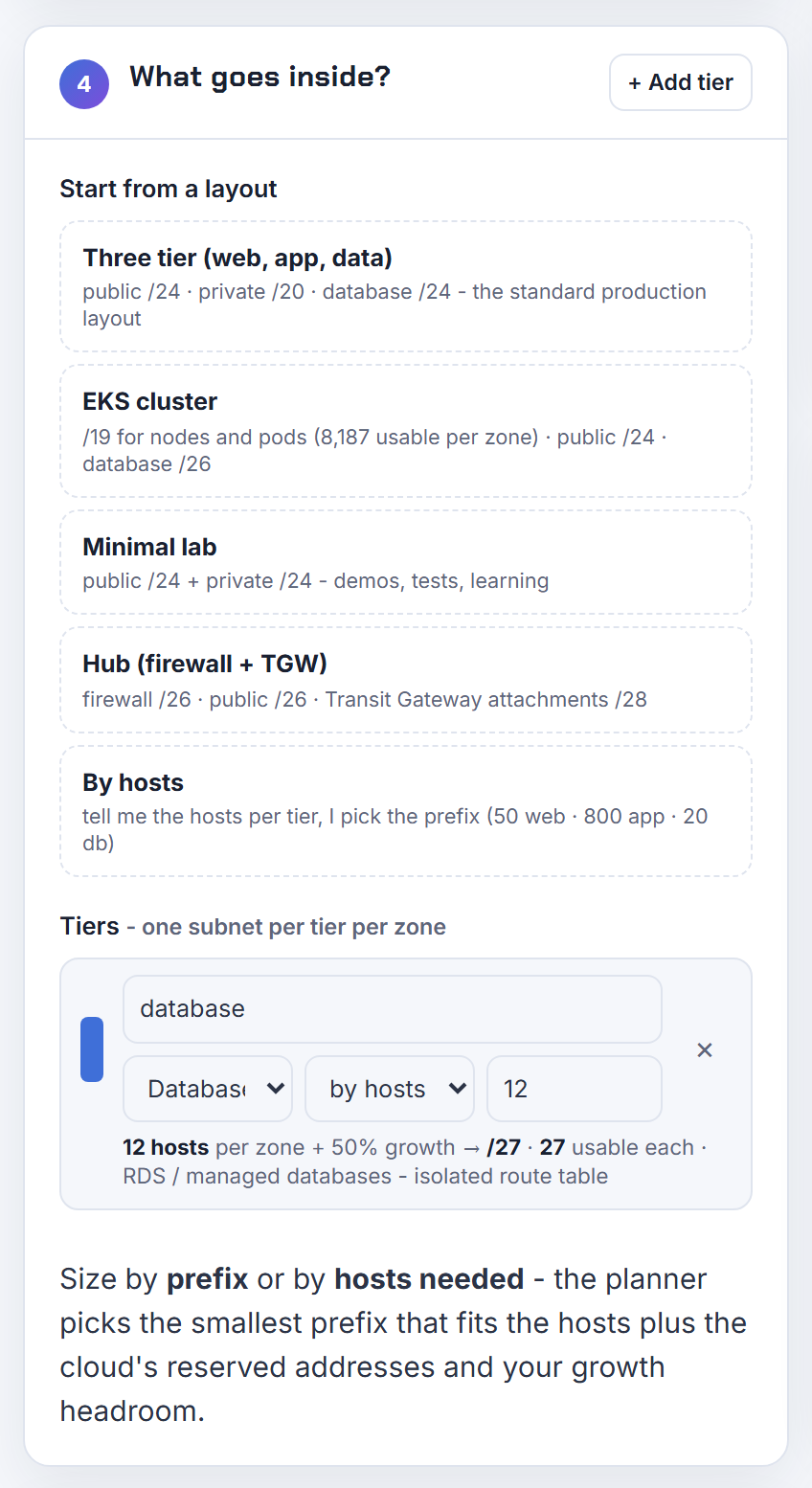
My recommendation: a /27 at minimum, a /26 if the cluster will have several readers, in at least two Availability Zones as the DB subnet group requires. Address space is free; a failed scaling event is not. The planner's database tier takes a host count with a growth percentage so the subnet is sized with headroom.
Do EMR Serverless and Redshift Serverless need a minimum number of free IPs in the VPC?
Yes, both do, and the numbers are documented:
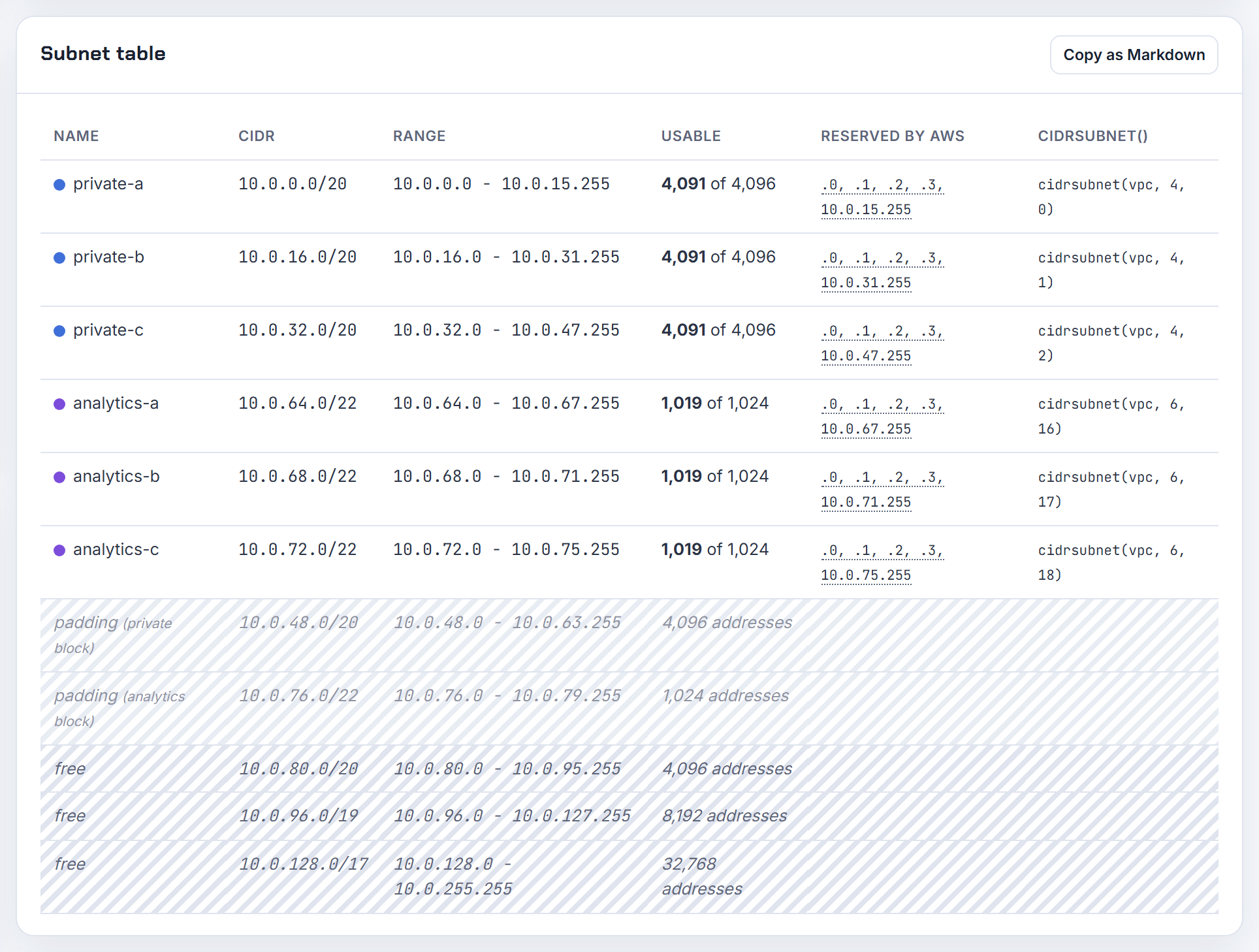
EMR Serverless: every worker takes a network interface and an address in the subnet. AWS's subnet planning guidance uses an application that scales to 1,000 workers as the example and says each subnet in at least two Availability Zones should then have more than 1,000 available addresses, which means a /22 or larger. Size the subnet to the application's maximum worker count, not its usual one.
Redshift Serverless: without enhanced VPC routing you need two subnets in two zones and at least three free IP addresses in each. With enhanced VPC routing you need three subnets in three zones and the requirement grows with capacity:
| RPUs | Free IPs per subnet | Minimum subnet |
|---|---|---|
| 4 to 8 | 9 | /27 |
| 16 to 32 | 13 | /27 |
| 64 | 21 | /27 |
| 128 | 37 | /26 |
| 256 | 69 | /25 |
| 512 | 133 | /24 |
| 1024 | 261 | /23 |
Both services consume addresses silently, so keep them out of the subnets your EKS nodes use. The planner lets you add a separate analytics tier with its own host count.
How do I size the address pool for 5,000 OpenVPN users on an Azure point-to-site gateway?
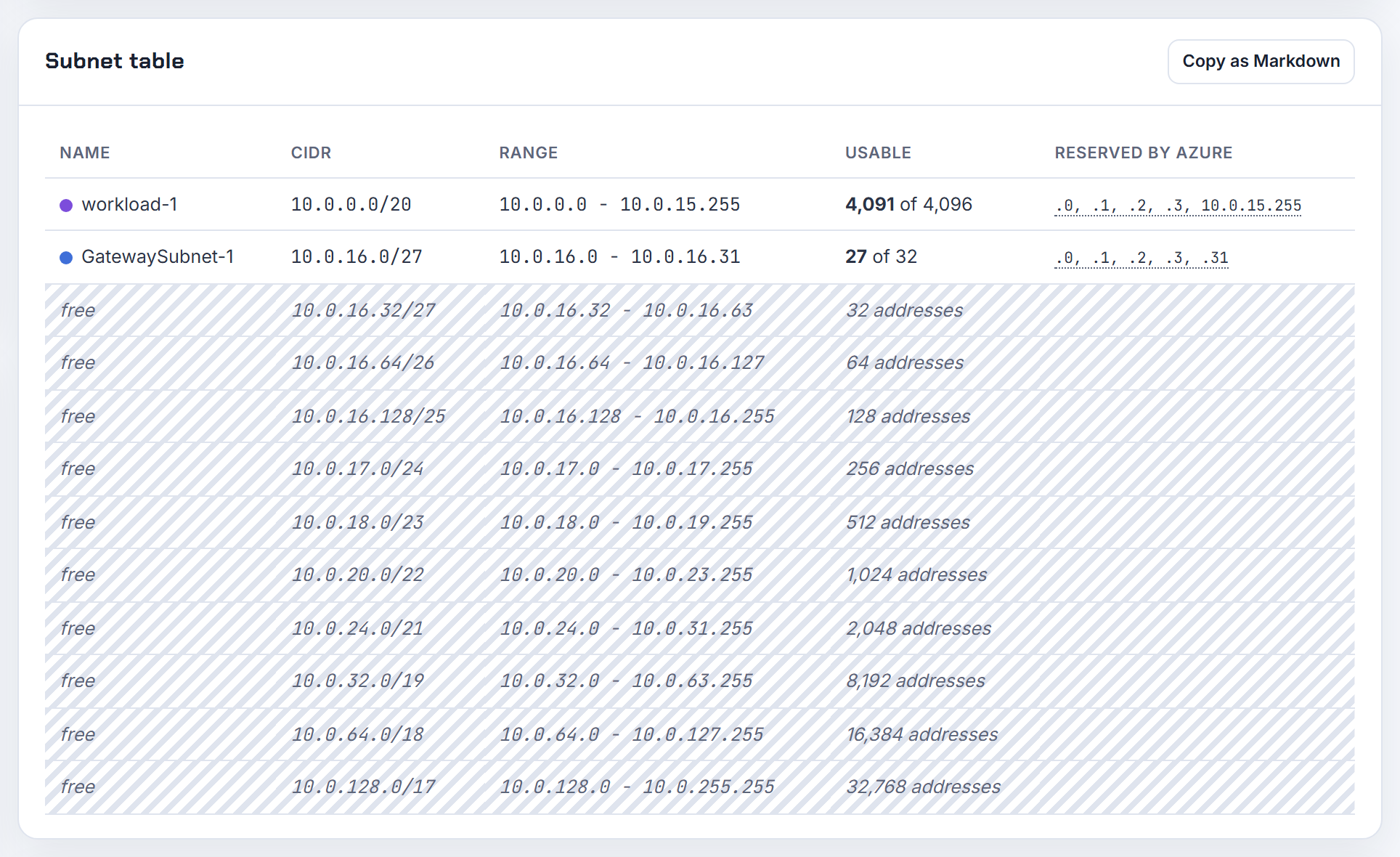
Pick a gateway SKU that supports the connection count, then a client address pool bigger than it. The gateway SKU table lists Generation2 VpnGw4AZ at a maximum of 5,000 IKEv2/OpenVPN connections and VpnGw5AZ at 10,000; SSTP is capped at 128 on every SKU. For 5,000 concurrent users, VpnGw5AZ is the only SKU with headroom.
The address pool is a private range you type into the point-to-site configuration; connecting clients receive an address from it, and it must not overlap the VNet or your on-premises ranges. A /20 is 4,096 addresses and is too small; a /19 is 8,192. If SSTP is also enabled, the pool is split equally between protocols, so turn SSTP off or double the pool.
The pool is not a VNet subnet; it comes from unused space such as 172.16.0.0/19. Two more rules: the GatewaySubnet must be /27 or larger for all non-Basic SKUs, and the pool's minimum mask is /29 for active/passive and /28 for active/active gateways. Keep both pool and VNet in the planner's overlap check so a later peering does not collide.
Can I let AWS pick the subnet CIDR automatically if I only give it a size?
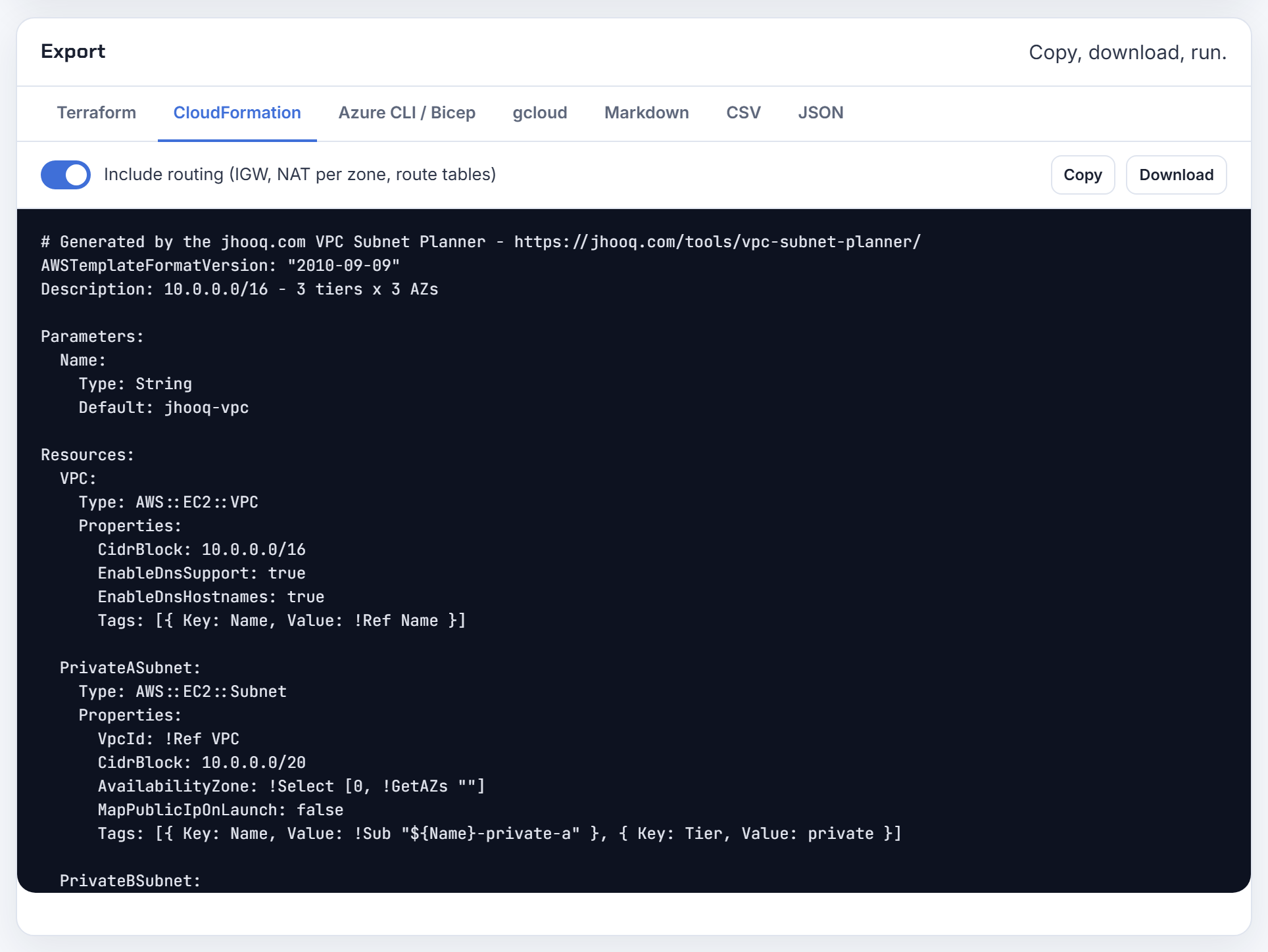
Yes, in two ways. With Amazon VPC IP Address Manager, the AWS::EC2::Subnet resource accepts Ipv4IpamPoolId and Ipv4NetmaskLength instead of CidrBlock; IPAM then allocates the next free block of that size from the pool. The same pair of properties exists on AWS::EC2::VPC, so the whole address plan can live in IPAM.
Without IPAM, let the template do the arithmetic instead of you. CloudFormation's Fn::Cidr splits a VPC block into equal subnets:
1CidrBlock: !Select [0, !Cidr [!GetAtt VPC.CidrBlock, 6, 8]]
That returns the first of six /24s (8 host bits) from the VPC block; change the index for each subnet. Terraform's cidrsubnet does the same. Both remove the typo risk of static CIDRs while keeping the result deterministic, which IPAM allocation is not. The planner generates the CloudFormation and Terraform versions with the derivation already filled in.
Reserved addresses and usable IPs
Each cloud takes a few addresses from every subnet, and managed services quietly take more; here is what disappears and how to see it.
Why does AWS show n minus 5 usable addresses per subnet instead of n minus 2, for example 11 in a /28?
Because AWS reserves the first four addresses and the last address of every subnet, not the two a textbook describes. For 10.0.0.0/24:
| Address | Reserved for |
|---|---|
| 10.0.0.0 | Network address |
| 10.0.0.1 | VPC router |
| 10.0.0.2 | DNS server (VPC base plus two) |
| 10.0.0.3 | Future use |
| 10.0.0.255 | Broadcast; VPCs do not support broadcast, so it is held |
A /28 has 16 addresses, so 16 minus 5 = 11 instances, which is what the console shows. The textbook's two (network and broadcast) are still there; the router, DNS and spare address are the extra three. One exception: in a BYOIP range you can use every address, including the first and the last.
Counting instances is only the start. Each instance can have several interfaces and secondary addresses, and load balancers, endpoints and Lambda functions take addresses too, so "11 machines in a /28" is the ceiling, not a plan. The usable IP post has the full table per prefix, and the planner applies these five addresses automatically.
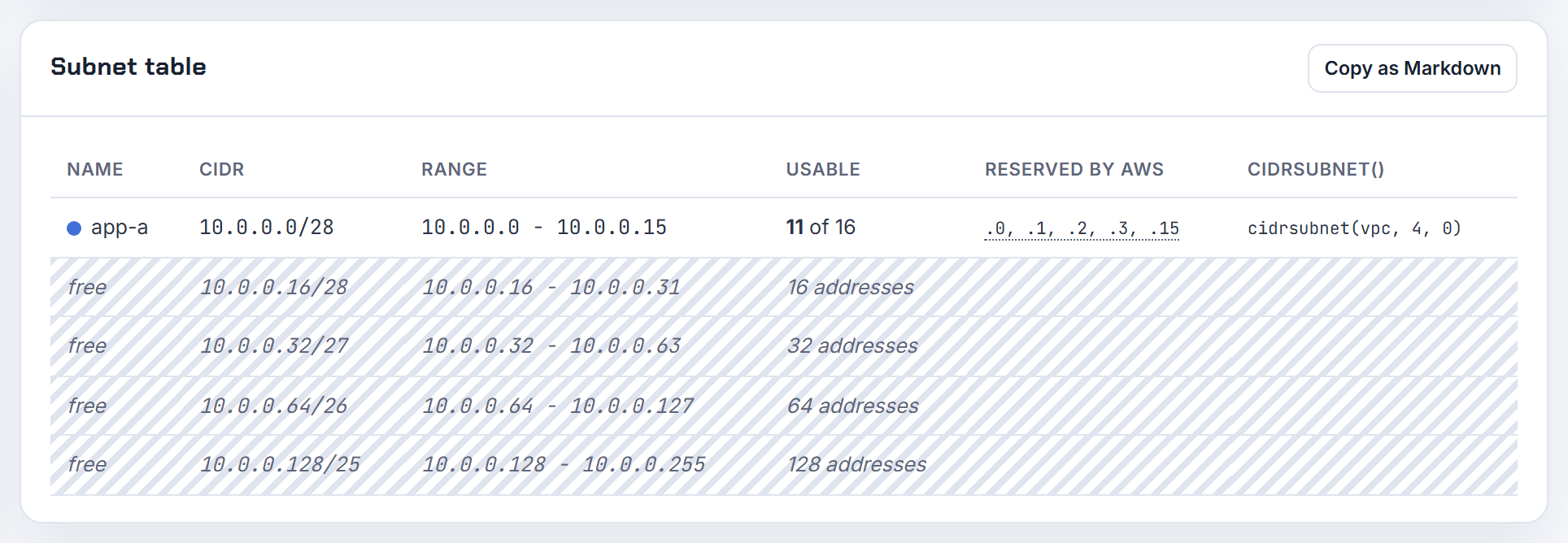
Why does Azure reserve the first four and the last IP address of every subnet?
Azure keeps five addresses in every subnet for the platform itself. For 192.168.1.0/24:
| Address | Reserved for |
|---|---|
| 192.168.1.0 | Network address |
| 192.168.1.1 | Default gateway |
| 192.168.1.2, 192.168.1.3 | Mapping the Azure DNS addresses into the VNet |
| 192.168.1.255 | Network broadcast |
The first and last exist for protocol conformance; the middle three are the platform's gateway and DNS plumbing that every VM relies on. The practical effect on small subnets is sharp: the smallest Azure subnet is a /29, which has eight addresses and leaves three usable. A /28 leaves 11, a /27 leaves 27.
Azure also refuses the ranges 224.0.0.0/4, 255.255.255.255/32, 127.0.0.0/8, 169.254.0.0/16 and 168.63.129.16/32, and does not support broadcast or multicast inside a VNet. If you size Azure subnets with an AWS habit the numbers happen to match (both reserve five), but Google Cloud reserves four. The planner uses the right count per cloud, and the usable IP post compares all three.

A /24 should have 251 free addresses on AWS but shows 250 with nothing running: what is using the IP?
A network interface you did not create by hand. Every elastic network interface holds a primary private IPv4 address from its subnet, and many services create interfaces on your behalf: interface VPC endpoints, NAT gateways, load balancers, Lambda functions attached to the VPC, RDS instances, EFS mount targets, Transit Gateway attachments. The subnet's available count drops by one for each, whether or not an instance is running.
List them with the subnet filter:
1aws ec2 describe-network-interfaces \
2  --filters Name=subnet-id,Values=subnet-0123456789abcdef0 \
3  --query 'NetworkInterfaces[].[PrivateIpAddress,InterfaceType,RequesterId,Description]' \
4  --output table
The InterfaceType column names the service (vpc_endpoint, nat_gateway, lambda, load_balancer, network_load_balancer, transit_gateway and so on) and Description usually names the resource. The same command explains an "available IPv4 addresses: 0" subnet with no visible service. A subnet CIDR reservation of type prefix also lowers the count immediately. The EKS IP exhaustion post covers the Kubernetes version of this, where the warm pool holds addresses no pod is using.

How do I list which IP addresses in a subnet are allocated and to what?
Use describe-network-interfaces with a subnet filter; every allocated private address in a VPC belongs to a network interface, so this is the complete inventory:
1aws ec2 describe-network-interfaces \
2  --filters Name=subnet-id,Values=subnet-0123456789abcdef0 \
3  --query 'NetworkInterfaces[].{ip:PrivateIpAddress,type:InterfaceType,owner:RequesterId,attached:Attachment.InstanceId,desc:Description}' \
4  --output table
InterfaceType distinguishes instances (interface) from endpoints, NAT gateways, load balancers, Lambda and other service-managed interfaces, and RequesterManaged is true when an AWS service owns the interface. Secondary addresses appear under PrivateIpAddresses on the same interface, so add that field if you assign extra IPs or run Kubernetes pods.
For the totals, describe-subnets returns AvailableIpAddressCount per subnet, which is what the console shows. An empty interface list with a non-zero used count usually means a subnet CIDR reservation of type prefix.
Run the interface query before resizing or deleting a subnet; a subnet cannot be deleted while any interface remains in it. The planner can then take the live CIDRs you paste in and check a replacement layout against them.
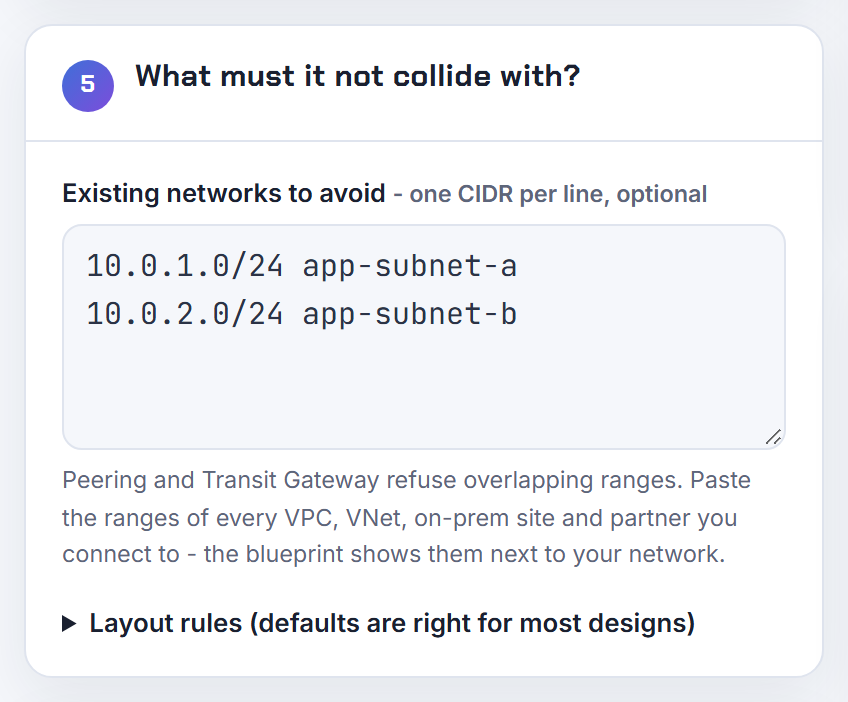
How do I reserve a block of IP addresses inside a subnet so auto-assignment never uses them?
Create a subnet CIDR reservation. A subnet CIDR reservation is a range of addresses you set aside so AWS will not assign them to network interfaces; you then assign addresses from it explicitly where you need them, such as cluster virtual IPs or appliances with fixed addresses. Reserve a range with the explicit type:
1aws ec2 create-subnet-cidr-reservation \
2  --subnet-id subnet-0123456789abcdef0 \
3  --cidr 10.0.1.192/26 \
4  --reservation-type explicit
Rules from the documentation: the range can include addresses already in use (they are not unassigned), multiple reservations in a subnet cannot overlap, and deleting the reservation returns the unused addresses to the auto-assignment pool. An explicit reservation does not lower the subnet's available count until you assign addresses; a prefix type reservation lowers it immediately.
In Terraform, aws_ec2_subnet_cidr_reservation manages the same object, and an aws_network_interface with private_ips set to an address inside the reserved range still works because explicit assignment is allowed. Azure has no equivalent: its FAQ states you cannot reserve a private IP for a future VM. The planner's reserved slot operates at the VPC level, for a future zone, not inside a subnet.
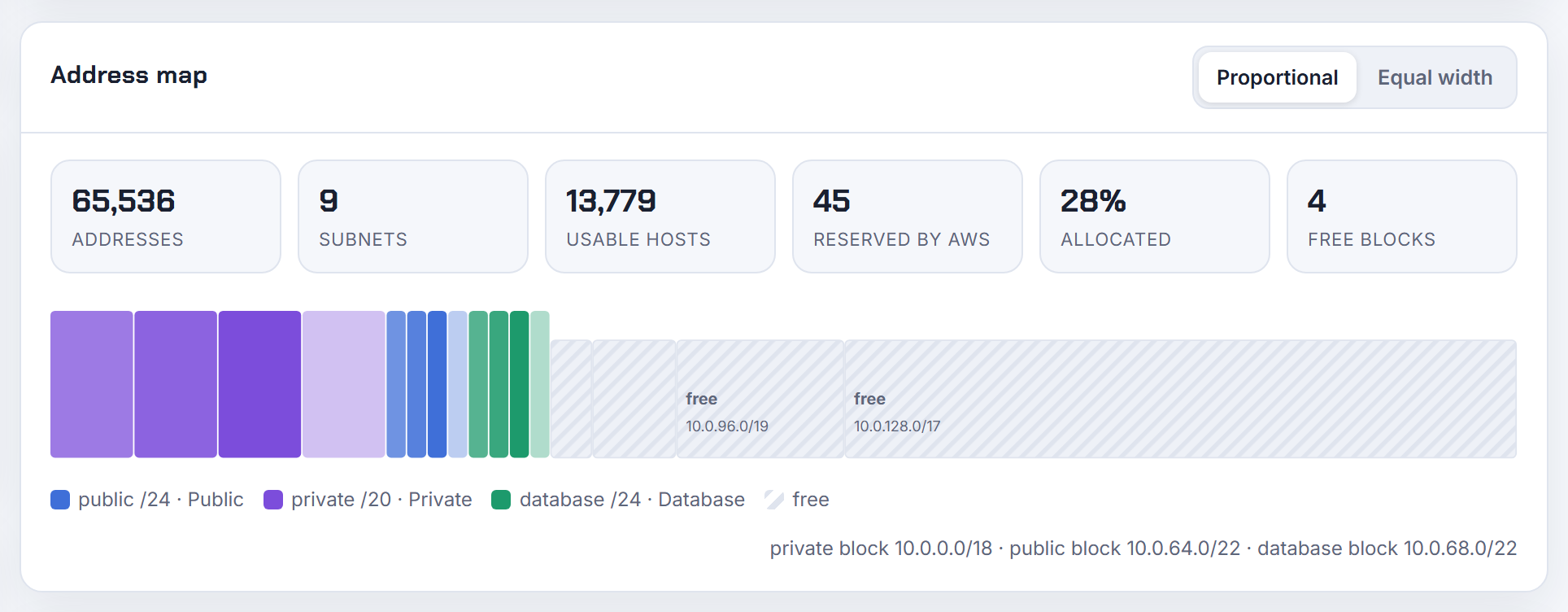
The CIDR reservations tab is missing in some Regions: is subnet CIDR reservation a regional feature?
The VPC user guide describes subnet CIDR reservations without a Region availability list, so I cannot point at a document that says which Regions have it. What you can do is test the API in the Region that worries you, which is more reliable than looking for a console tab:
1aws ec2 get-subnet-cidr-reservations \
2  --subnet-id subnet-0123456789abcdef0 --region me-central-1
If the call succeeds (even with an empty list), the feature exists there and you can create reservations with create-subnet-cidr-reservation from the CLI, CloudFormation or Terraform regardless of what the console shows. If the API returns an unsupported-operation error, the feature is not yet in that Region and the only workaround is to assign the addresses you want to protect to placeholder network interfaces so auto-assignment cannot take them.
Newer Regions and opt-in Regions do get features later than the large ones, so check the API before building a design on it, and check again before copying a Terraform module from eu-west-1 to a new Region.
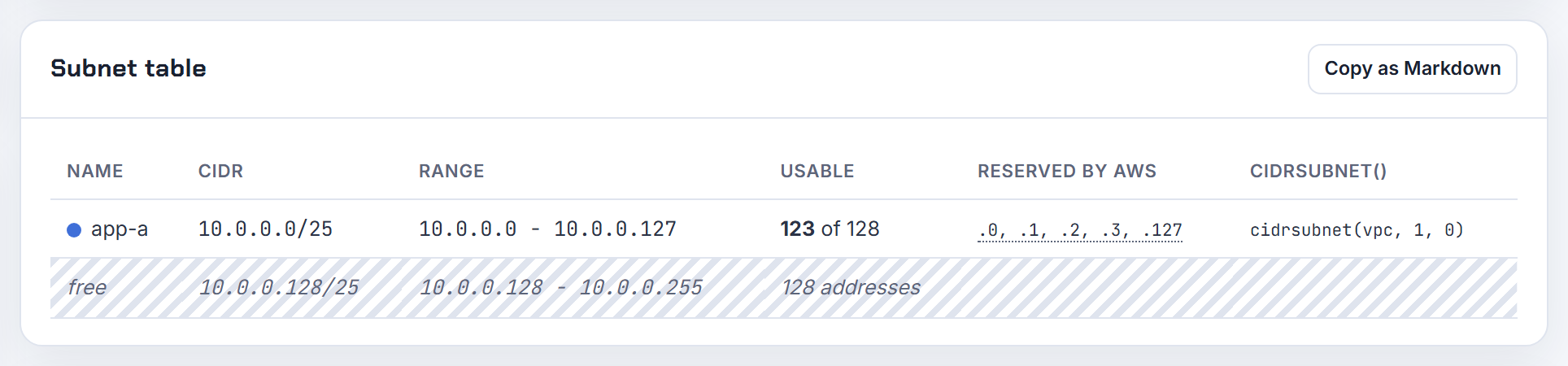
What is the difference between 10.0.0.0/32 and 10.0.0.1/24, and is .0 the broadcast address?
The number after the slash says how many leading bits are the network; the rest are the host. RFC 4632 defines this prefix notation.
- 10.0.0.0/32: all 32 bits fixed, so exactly one address. In a security group or route, /32 means "this host only".
- 10.0.0.1/24: the first 24 bits (10.0.0) are the network, the last 8 are the host. Written as a network it is 10.0.0.0/24, which spans 10.0.0.0 to 10.0.0.255. Writing 10.0.0.1/24 describes the host 10.0.0.1 inside that network; most cloud APIs reject it as a block because the host bits are not zero.
.0 is not the broadcast; it is the network address. The broadcast is the last address of the block, 10.0.0.255 in a /24. AWS reserves both, plus three more (router, DNS, future use), and does not support broadcast at all, so the last address is simply held.
Practical rule for writing rules: use /32 for one machine, the network address with its real prefix for a whole subnet, and never a host address with a prefix shorter than 32. The CIDR explainer has the bit diagrams.

Can a subnet have more than one CIDR range, like a Google Cloud primary plus secondary range?
On Google Cloud, yes. A VPC subnet has one primary IPv4 range and can have one or more secondary IPv4 ranges, which are used only for alias IP ranges, the mechanism GKE uses to give pods and services their own addresses. The quota is 170 secondary ranges per subnet and it cannot be increased. Secondary ranges do not have to be adjacent to the primary range and Google lets you use every address in them, while the primary range loses its first two and last two addresses.
This is why the classic "a subnet is one broadcast domain with one prefix" mental model breaks: a Google Cloud subnet is a regional software-defined object that can own several disjoint prefixes, all routed as one subnet.
On AWS a subnet has exactly one IPv4 CIDR (plus optionally one IPv6 block); extra space goes into the VPC as a secondary VPC CIDR and then into new subnets. The Kubernetes IP Calculator sizes the GKE pod and service secondary ranges from the node count and max pods.
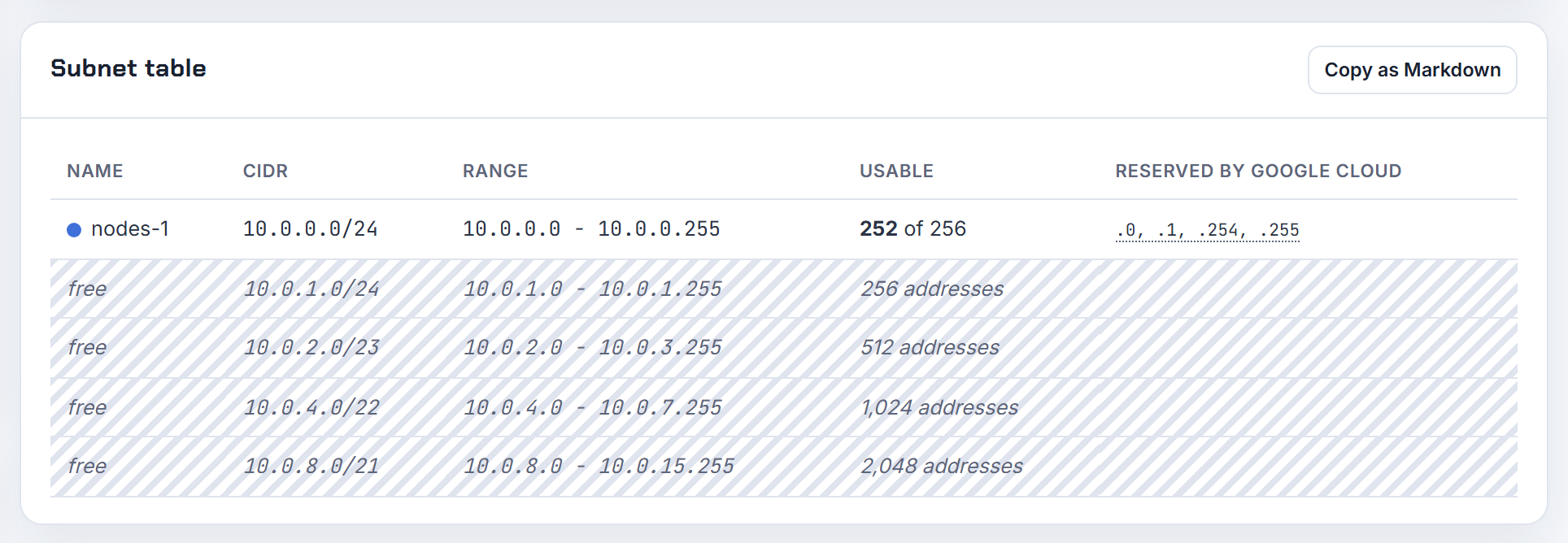
Smallest and largest subnets, and CIDR errors
The limits per cloud, and the three errors behind almost every rejected subnet form: not aligned, not inside the VPC, or overlapping a neighbour.
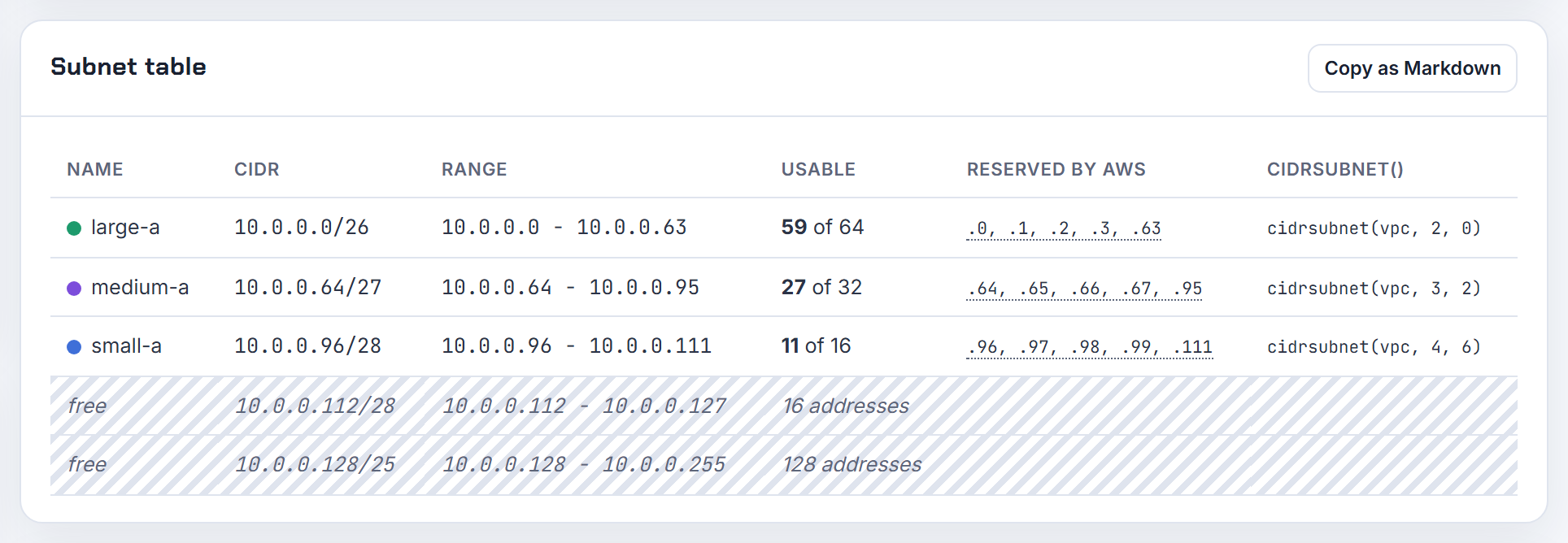
What is the smallest subnet I can create in an AWS VPC?
A /28, which is 16 addresses. The VPC guide sets the subnet range at between a /28 and a /16, and the error "IPv4 block sizes must be between a /16 netmask and /28 netmask" is that rule being enforced. Because AWS reserves five addresses in every subnet, a /28 leaves 11 usable addresses.
| Prefix | Addresses | Usable |
|---|---|---|
| /28 | 16 | 11 |
| /27 | 32 | 27 |
| /26 | 64 | 59 |
| /25 | 128 | 123 |
| /24 | 256 | 251 |
Using subnet size to cap the number of instances works, but remember that every network interface counts, not just instances, and that managed services need free space: an Application Load Balancer refuses subnets smaller than a /27 with eight free addresses. A /28 is fine for a NAT gateway, a Network Firewall endpoint, a Transit Gateway attachment or a VPC endpoint. For comparison, Azure and Google Cloud both go down to a /29. The planner's cloud setting switches the minimum and the reserved count for you.
What are the minimum and maximum CIDR sizes for a Google Cloud VPC subnet?
The smallest primary or secondary range is a /29, eight addresses; the shortest mask the API accepts is a /4, but Google recommends a /8 as the practical maximum because larger ranges collide with reserved space. Google uses the first two and last two addresses of a primary range, so a /29 leaves four usable addresses, and secondary ranges have no reserved addresses at all.
Valid ranges are broader than on AWS:
| Range | Use |
|---|---|
| 10.0.0.0/8, 172.16.0.0/12, 192.168.0.0/16 | RFC 1918 private |
| 100.64.0.0/10 | RFC 6598 shared address space |
| 192.0.0.0/24, 192.0.2.0/24, 198.51.100.0/24, 203.0.113.0/24 | IETF and documentation ranges |
| 192.88.99.0/24, 198.18.0.0/15, 240.0.0.0/4 | Relay, benchmark and class E |
| Public ranges you own or use privately | Not announced to the internet |
Prohibited: Google's own public netblocks, 199.36.153.4/30 and 199.36.153.8/30, 0.0.0.0/8, 127.0.0.0/8, 169.254.0.0/16, 224.0.0.0/4 and 255.255.255.255/32. A single range also cannot span two RFC ranges, so 192.0.0.0/8 is invalid. Ranges in one VPC cannot overlap each other. The GCP peering post covers what happens when two VPCs' ranges collide, and the planner applies the /29 floor and four reserved addresses in Google Cloud mode.
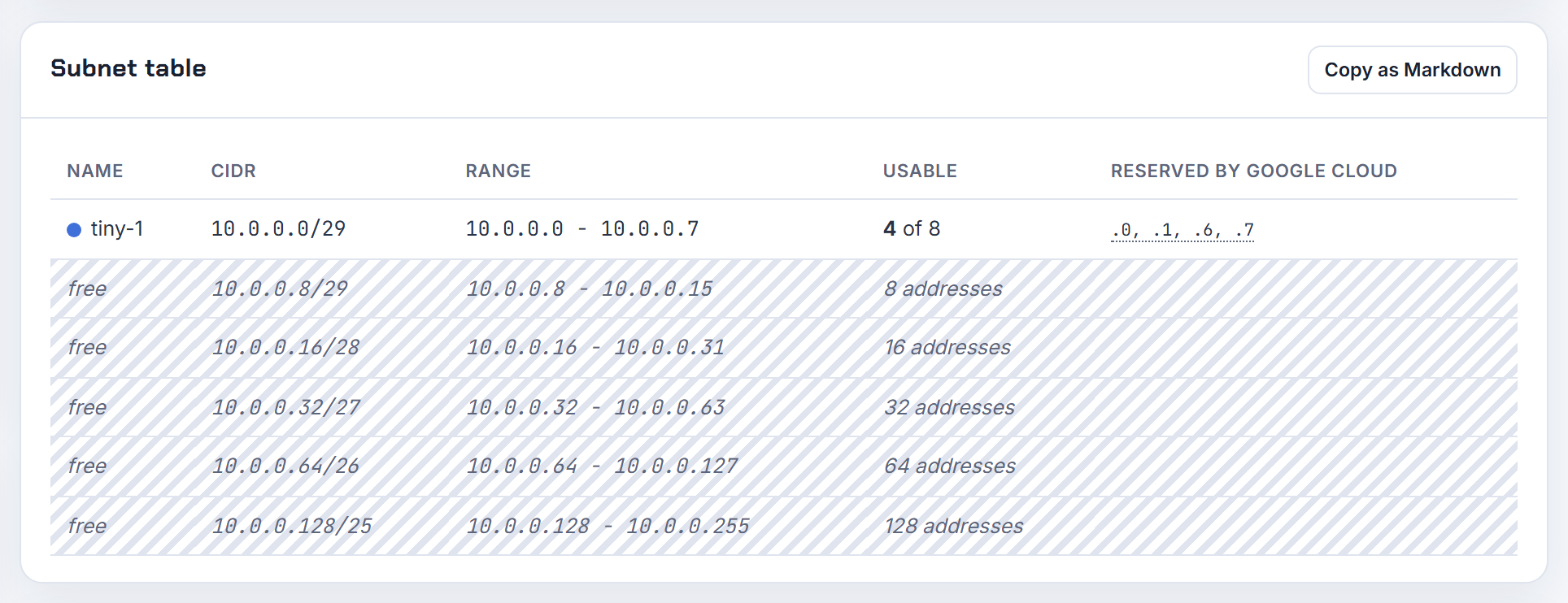
Can I get a /28 of public addresses for a subnet, and can I attach a BYOIP /28 to an interface?
Not as a /28. AWS does not sell public address blocks for subnets; a VPC subnet uses private addresses and public reachability comes from Elastic IPs or auto-assigned public IPv4 addresses drawn from Amazon's pool one at a time. The only way to have a public block of your own inside a VPC is Bring Your Own IP, and the most specific IPv4 range you can bring is a /24; a /28 cannot be onboarded.
Once a /24 is in your account you can do more than most people expect:
- Create the VPC, or a secondary VPC CIDR, from the publicly routable block; AWS allows non-RFC 1918 VPC blocks.
- Carve /28 subnets from it as usual, and in BYOIP space every address is usable, including the first and the last, so a /28 gives 16 instead of 11.
- Assign addresses from it to network interfaces in those subnets like any other VPC address.
The range must be registered with ARIN, RIPE or APNIC, and you prove control with an X.509 certificate in the registry's RDAP record or, through IPAM, with a DNS TXT record. If you only need a few fixed public addresses, Elastic IPs are the simpler answer; the planner only models private blocks and the public tier's size, not public pools.
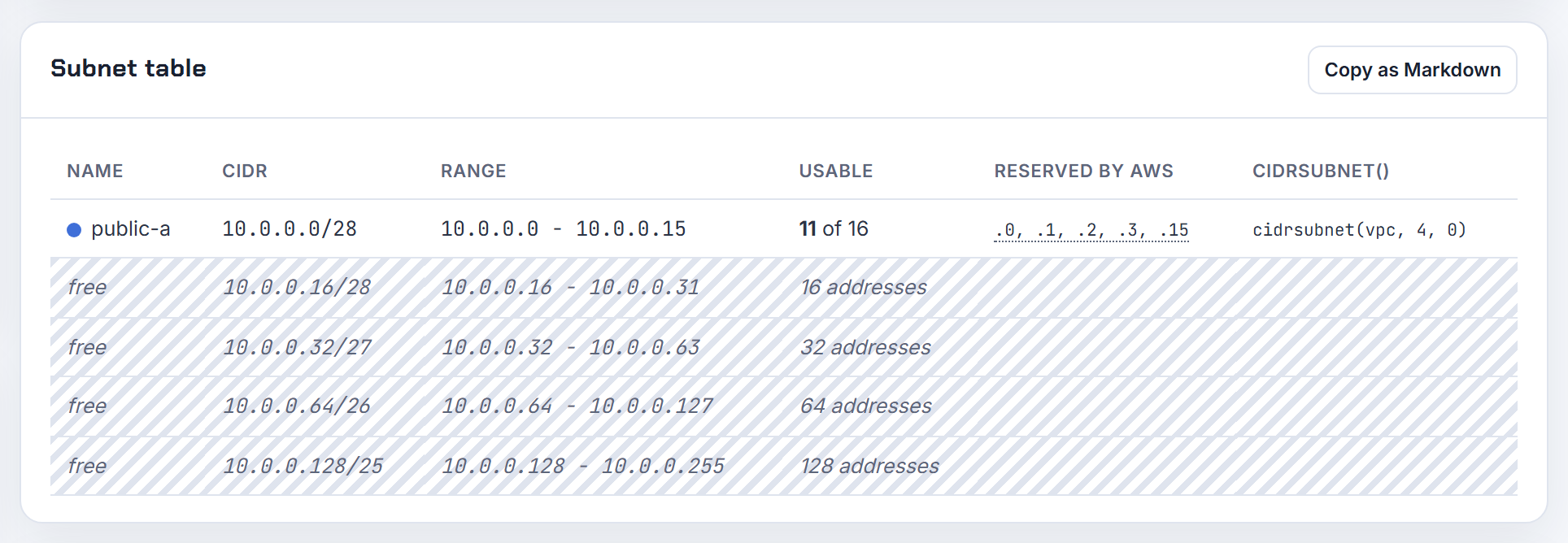
My client needs a /30, so how can a VPC host a /30 when the minimum subnet is a /28?
It cannot, and it does not need to. A VPC subnet is never smaller than a /28, but a /30 on the partner's side is just a destination prefix. Routing does not care that your subnet is bigger than theirs: add a route for their /30 towards the virtual private gateway, Transit Gateway or peering connection, and the two addresses in it are reachable from any subnet in the VPC. Route destinations can be any size; only subnets have the /28 floor.
Three cases hide behind "they need a /30":
- They want to reach one or two of your hosts. Give them the host addresses as /32s, or tell them your /28; nothing in your VPC changes.
- They want a /30 transfer network between the two sides. That is the tunnel or interconnect addressing, not a VPC subnet; it is configured on the VPN or Direct Connect virtual interface, not in the subnet list.
- They want to see a /30 that contains an address of yours, and the address must be in a /28 in your VPC. Create a /28, put the host at the right address, and tell them the /30 that contains it; the /30 is a valid subset of your /28 as far as their route table is concerned.
The overlapping CIDR post shows how routes and summaries behave on each side.
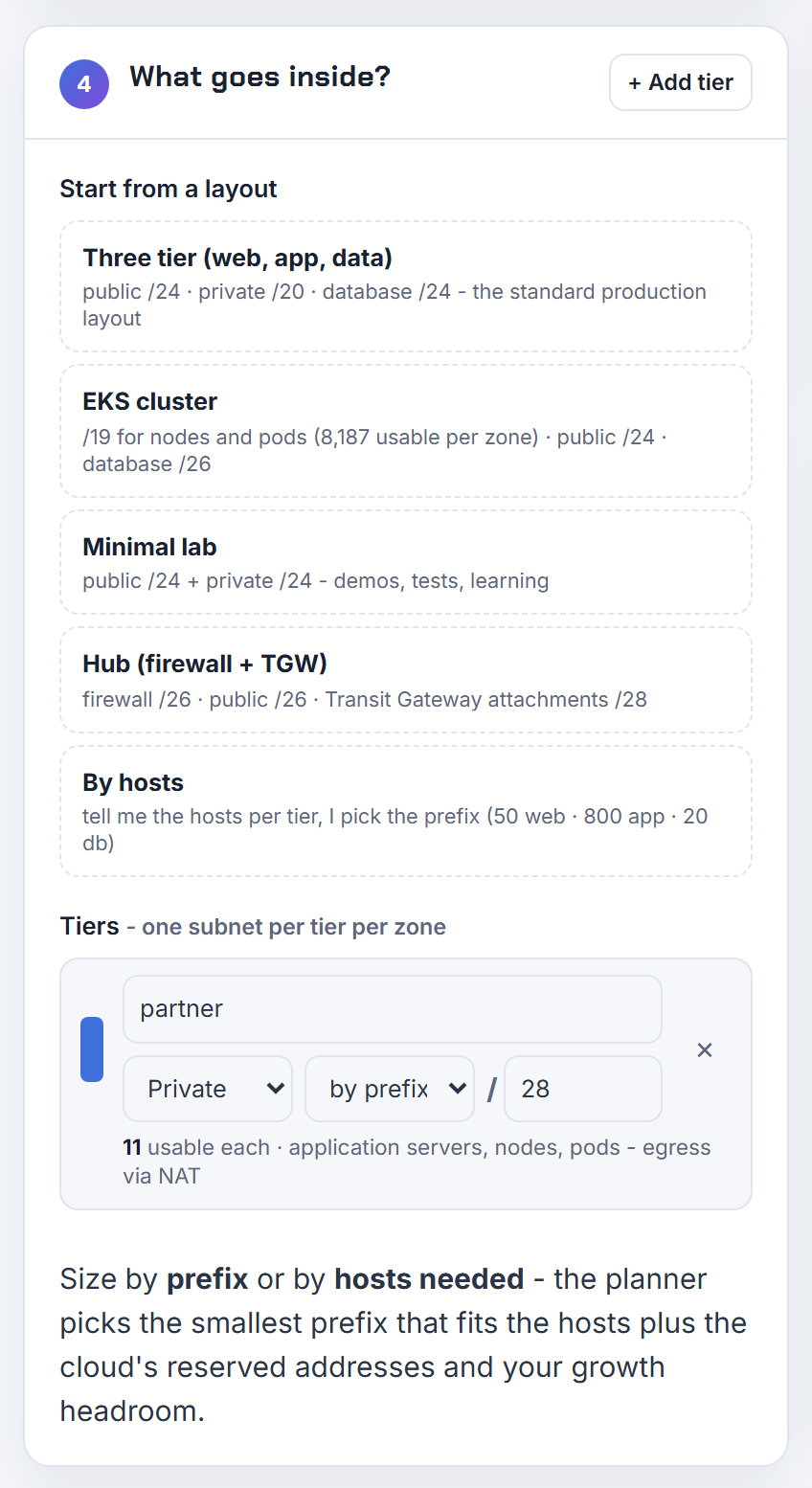
Why is 10.0.0.1/28 (or 10.0.15.15/28, or 10.200.113.0/20) not a valid CIDR, and where may a block start?
A block must start on a multiple of its own size, and these three do not. The first address of a CIDR block is the network address, which has all host bits set to zero; AWS states that the API rewrites a value to its canonical form, turning 100.68.0.18/18 into 100.68.0.0/18, while the console form simply reports "must be a valid IPv4 CIDR".
The rule per prefix, for the octet where the block boundary falls:
| Prefix | Block size | Valid starting values in that octet |
|---|---|---|
| /28 | 16 in the last octet | 0, 16, 32, 48, ... 240 |
| /27 | 32 in the last octet | 0, 32, 64, ... 224 |
| /26 | 64 in the last octet | 0, 64, 128, 192 |
| /24 | 1 in the third octet | any, last octet 0 |
| /22 | 4 in the third octet | 0, 4, 8, ... 252 |
| /20 | 16 in the third octet | 0, 16, 32, ... 240 |
So 10.0.0.1/28 should be 10.0.0.0/28, 10.0.15.15/28 should be 10.0.15.0/28 or 10.0.15.16/28, 10.0.0.8/28 should be 10.0.0.0/28 or 10.0.0.16/28, and 10.200.113.0/20 should be 10.200.112.0/20. The test: the start address in binary must end in as many zeros as there are host bits. The CIDR explainer shows the binary; the planner only ever emits aligned blocks.
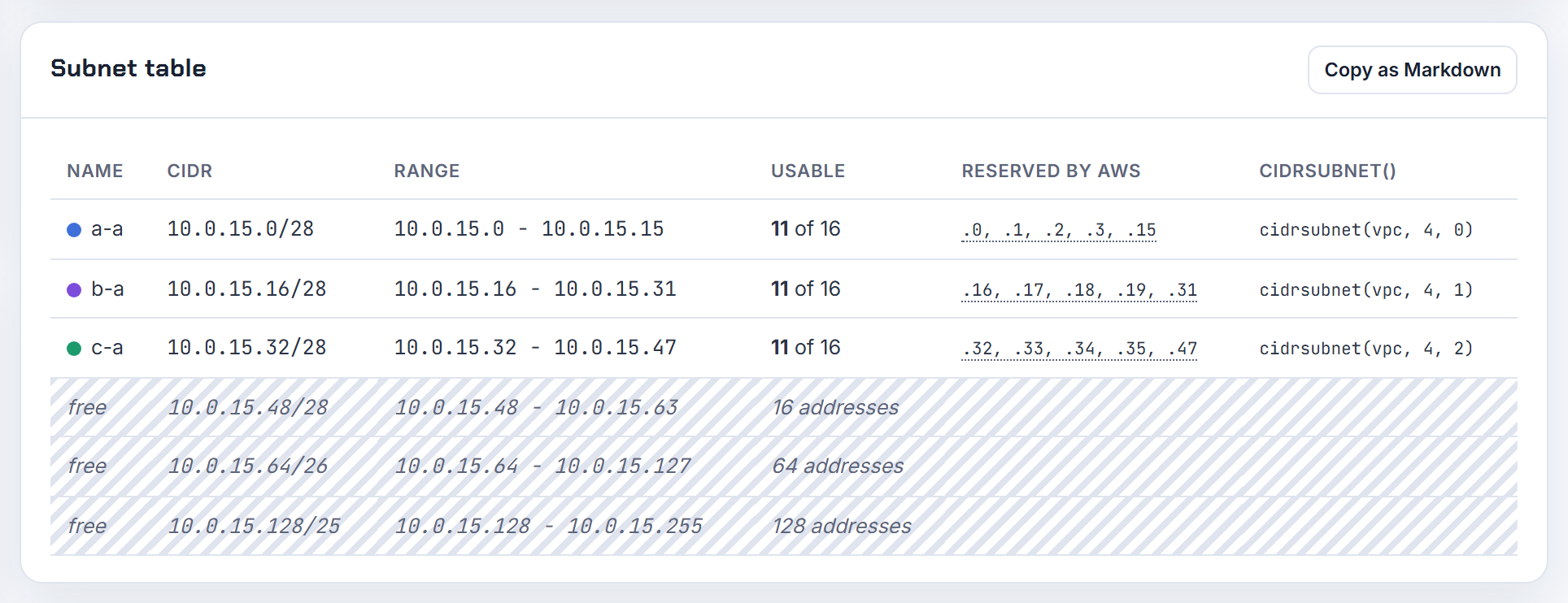
The console says the CIDR is not within the CIDR ranges of the VPC: how do I pick a subnet inside my VPC block?
Take the VPC's address range and choose a block whose every address lies inside it. A VPC of 10.0.0.0/16 covers 10.0.0.0 to 10.0.255.255: the first two octets are fixed at 10.0, so 10.8.0.0/24 is outside (second octet 8) and 10.0.8.0/24 is inside. The subnet must also be a valid, aligned block between /28 and /16.
A quick method:
- Write the VPC block as a range. /16 fixes two octets, /20 fixes two octets plus the top four bits of the third (10.0.0.0/20 is 10.0.0.0 to 10.0.15.255), /24 fixes three octets.
- Keep the fixed part identical and vary only the remaining octets.
- Start the subnet on a multiple of its size: for a /24 inside 10.0.0.0/16 that is 10.0.N.0/24 for any N from 0 to 255.
If the VPC is a legacy /24 and one subnet already uses the whole block, there is no space left inside it. The only way to add a subnet is to associate a secondary CIDR block with the VPC first, subject to the association restrictions, and then create the subnet in the new block. The planner's derivation shows every subnet as a child of the VPC block so this error cannot happen in its exports.
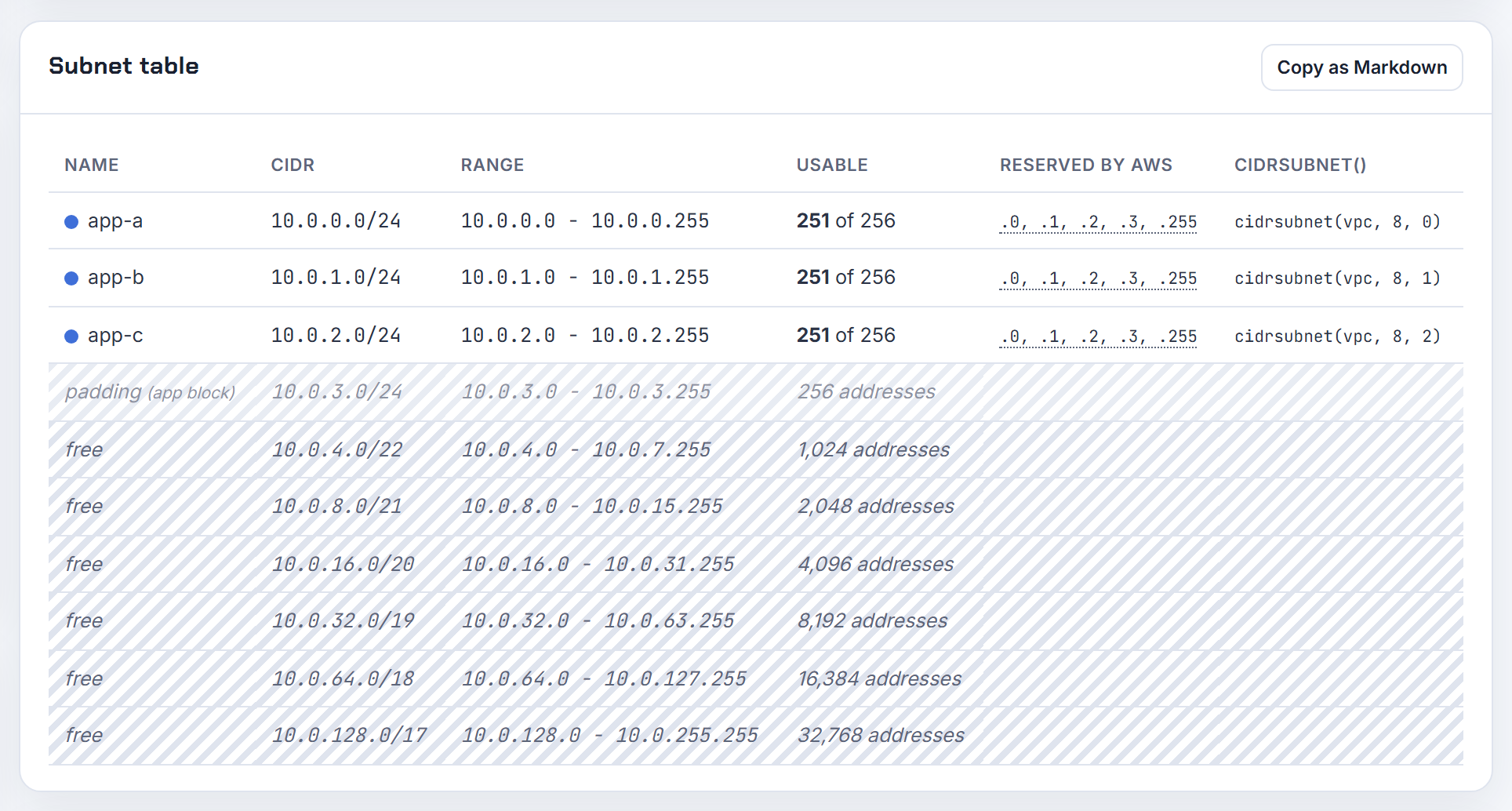
The console says the CIDR conflicts with or overlaps an existing subnet: which adjacent block can I use?
The block you typed shares addresses with a subnet that already exists, so take the next free block of the same size after the last used one. Two things make this hard to see:
- Unaligned input hides the real block. 10.0.2.0/20 is really 10.0.0.0/20 (10.0.0.0 to 10.0.15.255), which contains 10.0.0.0/24. 10.0.96.32/18 is really 10.0.64.0/18 and swallows 10.0.96.0/28. Fix the alignment first and the overlap usually explains itself.
- A larger existing subnet contains your smaller one. The default VPC's /20 subnets cover 172.31.0.0/20, 172.31.16.0/20, 172.31.32.0/20, 172.31.48.0/20 and so on, so 172.31.56.0/22 is inside 172.31.48.0/20.
List what is taken:
1aws ec2 describe-subnets --filters Name=vpc-id,Values=vpc-0123456789abcdef0 \
2  --query 'Subnets[].[CidrBlock,AvailabilityZone]' --output table
Then pick the next aligned block. For a VPC of 10.30.0.0/16 with 10.30.0.0/24 and 10.30.1.0/24 used, the next /24 is 10.30.2.0/24; for a second ALB subnet in another zone after 10.0.1.0/24, use 10.0.2.0/24. The same rule applies to IPv6 subnets, where each is a /64 from the VPC's /56. Subnets in a VPC cannot overlap, so there is no trick around it. The planner's overlap check lists free alternatives when you paste the existing subnets.

What CIDR does not overlap with 10.0.0.0/16 for a second VPC or a secondary block?
Anything that does not start with 10.0. 10.0.0.0/16 is 10.0.0.0 to 10.0.255.255, so 10.1.0.0/16, 10.2.0.0/16, 172.16.0.0/16 and 192.168.0.0/16 all sit outside it. The random tries fail for different reasons: 10.0.0.0/8 and 0.0.0.0/0 contain 10.0.0.0/16 and are also bigger than the /16 maximum, 10.0.0.0/16 is the same block, and a /32 is smaller than the /28 minimum.
For a second VPC, any non-overlapping RFC 1918 block between /16 and /28 works; 10.1.0.0/16 keeps them adjacent and summarisable as 10.0.0.0/15.
For a secondary block on the same VPC, the association restrictions narrow it further:
| Candidate | Allowed with a 10.0.0.0/16 primary? |
|---|---|
| 10.1.0.0/16 | Yes; the rule that blocks 10.0.0.0/16 additions when the VPC already has a block inside 10.0.0.0/15 does not cover 10.1.x |
| 10.2.0.0/16 | Yes |
| 172.16.0.0/16 or 192.168.0.0/16 | No, other RFC 1918 ranges cannot be mixed with 10.x |
| 100.64.0.0/16 | Yes, RFC 6598 space is permitted |
| 198.19.0.0/16 | No |
The block also must not overlap any route already in the VPC's route tables. The planner's overlap check takes 10.0.0.0/16 as an existing network and proposes free blocks.

How can 10.0.128.0/23 overlap 10.0.136.0/20 when the ranges look different?
Because 10.0.136.0/20 is not a real block; its canonical form is 10.0.128.0/20. A /20 fixes the top four bits of the third octet, so its starting third octet must be a multiple of 16: 128 qualifies, 136 does not. Written correctly, 10.0.128.0/20 spans 10.0.128.0 to 10.0.143.255 and plainly contains 10.0.128.0/23 (10.0.128.0 to 10.0.129.255). Python's ipaddress.ip_network("10.0.136.0/20", strict=False) and AWS's API both normalise the block this way, which is why the overlap check says yes while the eye says no.
The test for any two blocks: normalise both, then they overlap if either network address lies inside the other. Two blocks of the same size overlap only if they are identical.
By the same test, 10.10.0.0/16 and 10.11.0.0/16 do not overlap: 10.10.0.0 to 10.10.255.255 and 10.11.0.0 to 10.11.255.255 share no address, so those two VPCs can be peered. If peering still fails, one VPC has a secondary CIDR that overlaps; peering refuses if any block overlaps. The overlapping CIDR post has the rules, and the planner's overlap check normalises what you paste before comparing.

I typed 10.0.5.0/16: why does the cloud snap it to 10.0.0.0/16 or reject it?
Because a /16 fixes the first two octets and sets the rest to zero, so the only /16 that contains 10.0.5.0 is 10.0.0.0/16. The EC2 API and CLI rewrite the value to its canonical form; the console form and most validators reject it because the host bits (the 5) are not zero.
To list the valid children of a block, decide the child size and step by it. For 10.0.0.0/22 (10.0.0.0 to 10.0.3.255):
| Child size | Valid blocks |
|---|---|
| /23 | 10.0.0.0/23, 10.0.2.0/23 |
| /24 | 10.0.0.0/24, 10.0.1.0/24, 10.0.2.0/24, 10.0.3.0/24 |
| /25 | 10.0.0.0/25, 10.0.0.128/25, 10.0.1.0/25, ... 10.0.3.128/25 |
| /26 | sixteen blocks stepping by 64 in the last octet |
Validation in code is one line: in Python, ipaddress.ip_network(value) with the default strict mode raises ValueError for 10.0.5.0/16, and strict=False returns the snapped block. Terraform's cidrsubnet only ever produces aligned children. On AWS the child must also stay between /28 and /16. The planner shows the child blocks of any parent in its address map.
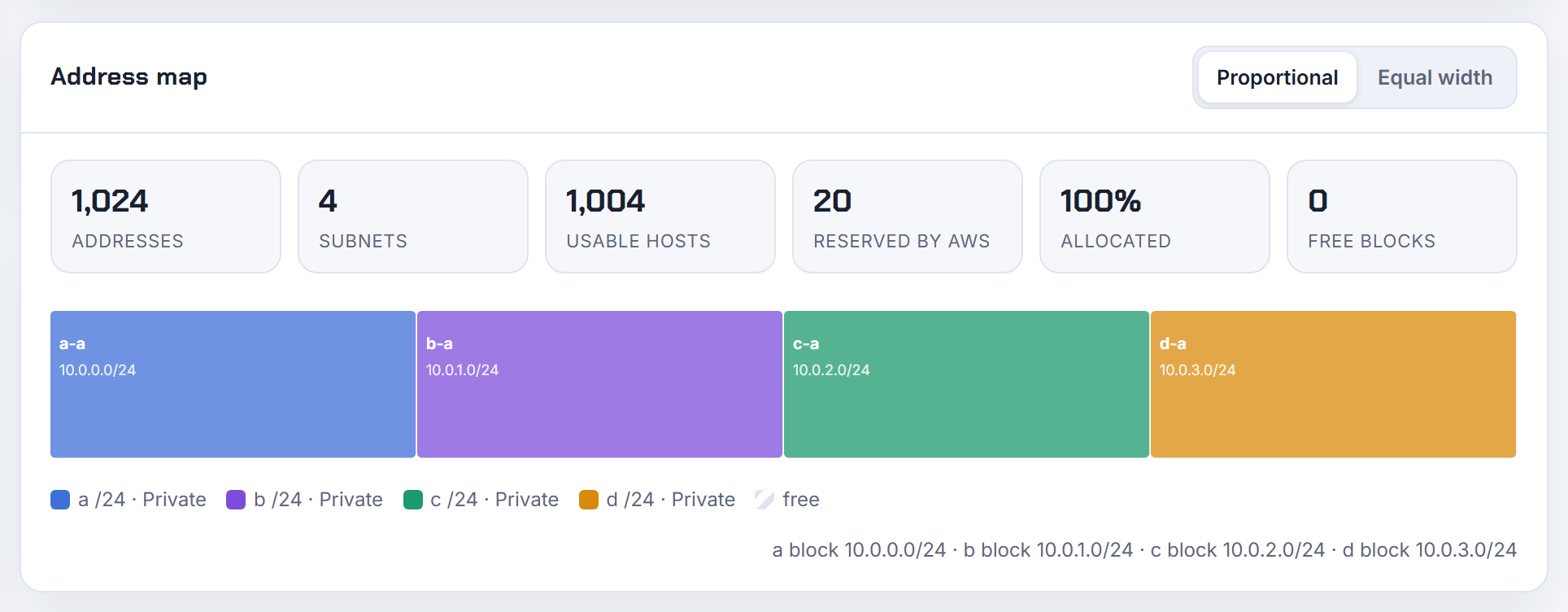
Why does Terraform or CloudFormation say my CIDR is invalid when the console accepted the same values?
Usually because the value is not an aligned block and the console or API silently fixed it while your template passes it through literally. 10.0.1.0/22 is the classic example: a /22 must start on a multiple of 4 in the third octet, so the valid blocks are 10.0.0.0/22 and 10.0.4.0/22. The EC2 API rewrites such a value to its canonical form, and the AWS::EC2::VPC reference documents the same for the VPC block; a subnet resource that validates the string before calling the API fails with "The CIDR ... is invalid" instead.
Checklist when the template fails but the console did not:
- Alignment: for a /22, third octet divisible by 4; for a /23, even; for a /20, divisible by 16.
- Range: a VPC block between /16 and /28; a subnet inside one of the VPC's blocks.
- The string itself: no spaces, a parameter of type String not Number, and in Terraform a real interpolation.
"$var.cidr"or a variable that is still a map or list yields a value that is not a CIDR at all. - Secondary VPC blocks: the association restrictions apply in templates exactly as in the console.
Derive subnets with cidrsubnet or Fn::Cidr instead of typing them, and alignment errors disappear. The planner's Terraform export is validated before download for this reason.
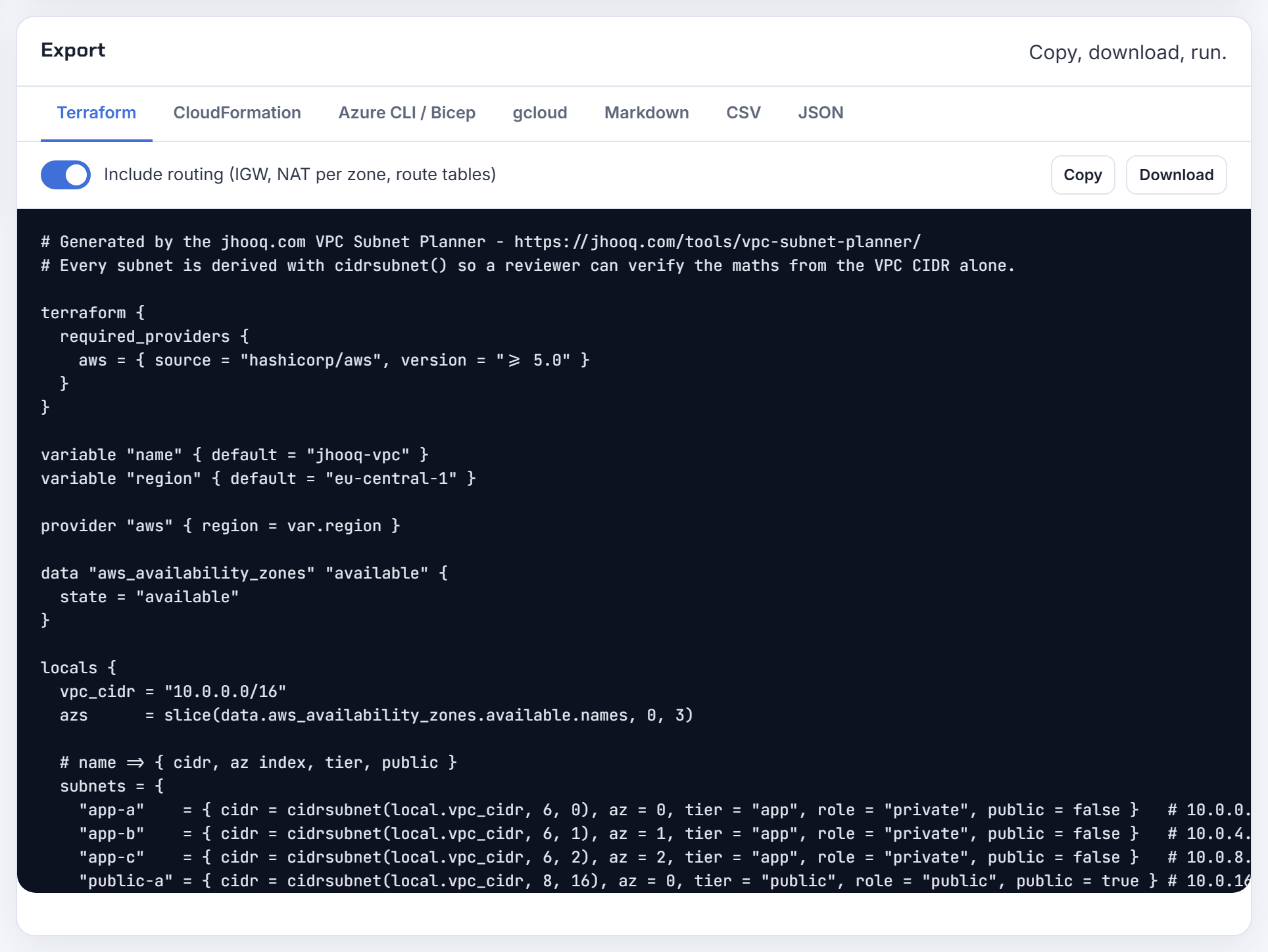
CIDR overlap and peering
Overlap is the mistake you discover last, usually when a peering request fails. These answers cover what overlap means, how to detect it, and the ways out on AWS, Azure and Google Cloud.
What does it mean when two CIDR blocks overlap, and can you give an example?
Two CIDR blocks overlap when at least one IP address belongs to both of them. 10.0.0.0/16 covers 10.0.0.0 to 10.0.255.255, so it overlaps with 10.0.1.0/24 (fully inside it), with 10.0.0.0/16 (identical) and with 10.0.128.0/17 (half of it). It does not overlap with 10.1.0.0/16, because that range starts at 10.1.0.0.
Overlap matters because a router can hold only one path for a given destination. If VPC A and VPC B both use 10.0.0.0/16, a packet to 10.0.1.5 has two possible homes and no way to pick. That is why AWS refuses it outright: you cannot create a VPC peering connection between VPCs that have matching or overlapping IPv4 or IPv6 CIDR blocks, and a single overlapping secondary CIDR is enough to block the whole peering, as listed under VPC peering limitations. Inside one VPC the same rule applies to subnets: if you create more than one subnet, their CIDR blocks cannot overlap (subnet CIDR blocks).
If the notation itself is the sticking point, start with the CIDR explainer. The planner's overlap check lets you paste existing networks and shows which candidate blocks are free.

How do I check in code whether two CIDR ranges overlap?
Use your language's IP library rather than string tricks. In Python the standard library does it in one call: IPv4Network.overlaps(other) returns True if this network is partly or wholly contained in the other, or the other is wholly contained in this one, per the ipaddress module docs. subnet_of() and supernet_of() answer the stricter containment questions.
1from ipaddress import ip_network
2
3a = ip_network("10.0.0.0/16")
4b = ip_network("10.0.128.0/17")
5print(a.overlaps(b))   # True
6print(b.subnet_of(a))  # True
The logic behind it is simple: two ranges overlap when the first address of one is less than or equal to the last address of the other, in both directions. For a 4,000-line list, sort by network address and compare each entry with the next one; a longer list needs no more than that.
If the goal is to lay out non-overlapping blocks rather than to test them, Terraform's cidrsubnet() derives child blocks from one parent so they cannot collide. The planner runs the same overlap test against networks you paste in and lists free alternatives.
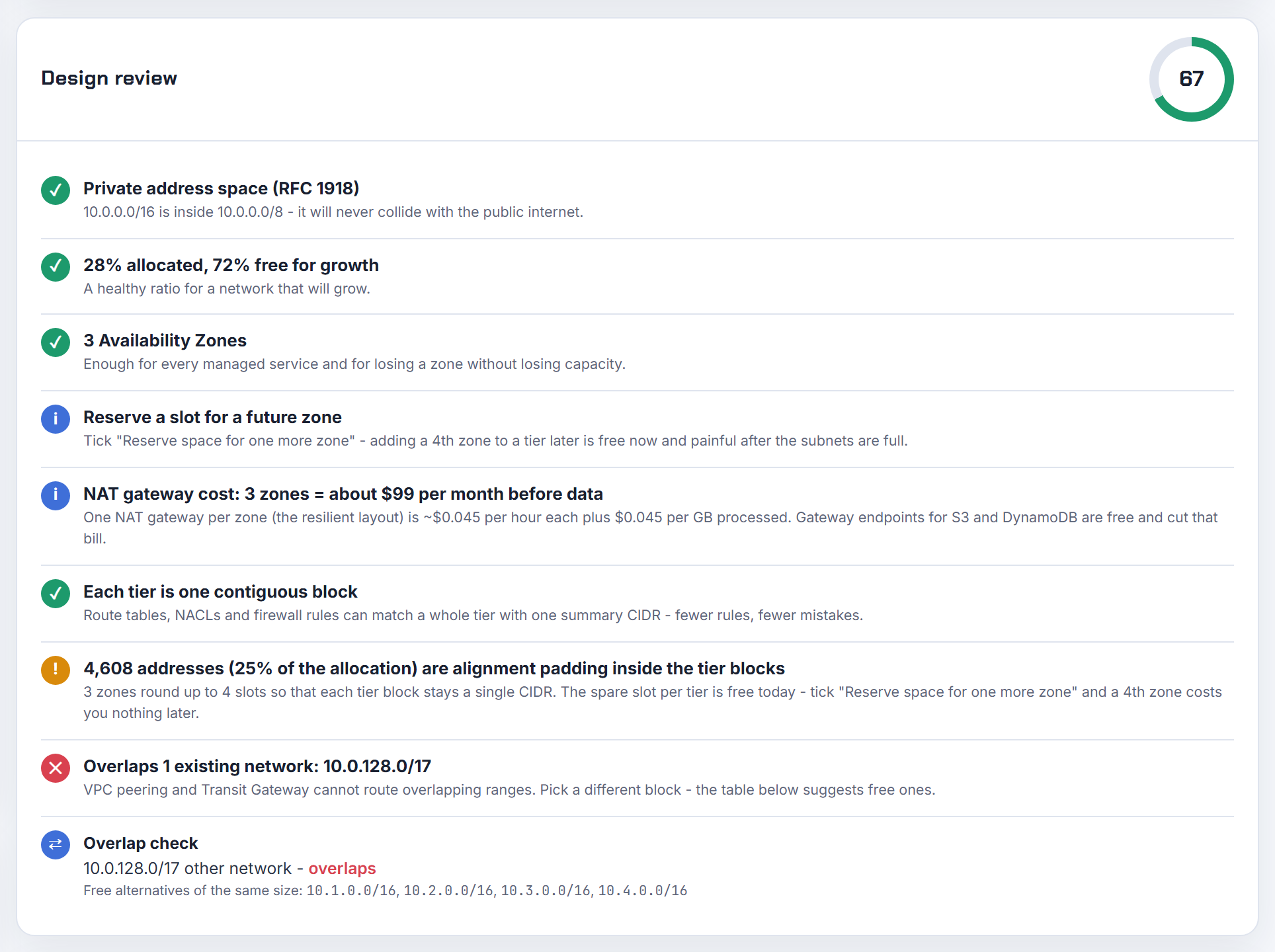
How do I peer two AWS VPCs that both use 10.0.0.0/16?
You cannot. AWS rejects a peering request when the accepter VPC has a CIDR block that overlaps the requester VPC, and the rule applies to every associated CIDR, not only the one you intend to route (VPC peering limitations). Two default VPCs are the classic case: both are created with 172.31.0.0/16, so they can never peer.
The real options, in order of effort:
| Option | When it fits |
|---|---|
| Rebuild one VPC on a new primary CIDR | Anything small; the primary CIDR cannot be changed |
| AWS PrivateLink | One side only consumes a service; the whitepaper states consumer and provider VPCs can have overlapping IP address ranges (AWS PrivateLink) |
| Private NAT gateway plus a routable secondary CIDR | Full L3 access is needed; AWS documents the exact route tables under enable communication between overlapping networks |
For the long term, allocate every VPC from one plan. There are 256 /16 blocks in 10.0.0.0/8 alone, so running out of non-overlapping space is a planning problem, not a shortage. Overlapping CIDR blocks with peering and Transit Gateway walks through each escape route.
Can I change the CIDR of an existing VPC so it can be peered?
No. The primary IPv4 CIDR block of a VPC is fixed for the life of the VPC: you cannot disassociate the CIDR block with which you originally created the VPC, and you cannot increase or decrease the size of an existing CIDR block (VPC CIDR blocks). Changing an EC2 instance's address does not help either, because the peering check is made against the VPC's CIDR list, not against which addresses are in use.
What you can do is add a secondary CIDR block, between /16 and /28, that does not overlap any CIDR of the VPC or of an active peer. Adding one is also governed by the association table: a VPC in 10.0.0.0/8 cannot take a block from 172.16.0.0/12 or 192.168.0.0/16, and if any associated CIDR falls in 10.0.0.0/15 you cannot add from 10.0.0.0/16 (association restrictions). The order matters only in one case: an RFC 1918 block must be the first CIDR if you later want to add a non-RFC 1918 or 100.64.0.0/10 block.
A secondary block does not unblock peering while the overlapping primary still exists, so the honest answer is a new VPC with a planned CIDR and a migration.
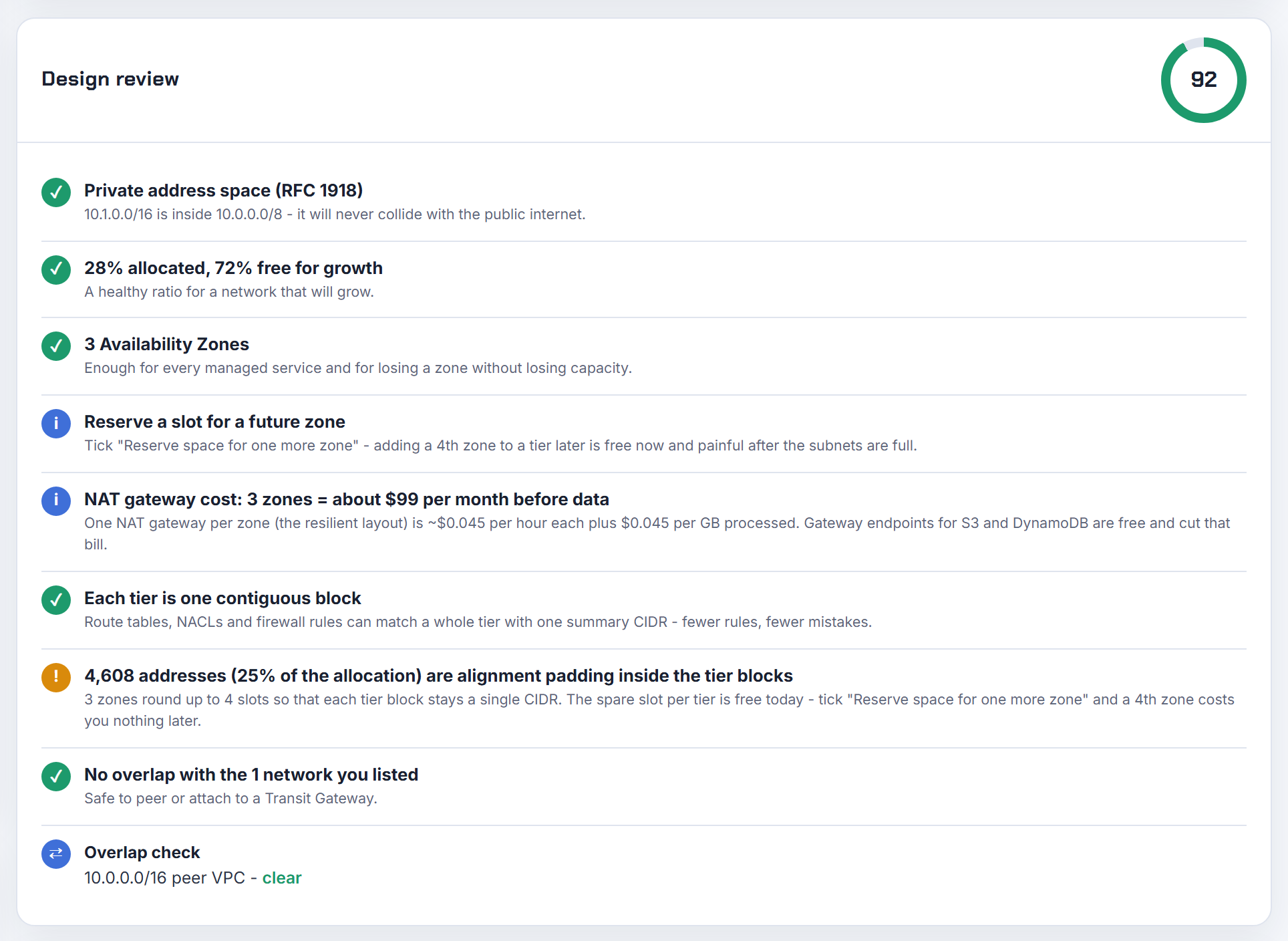
How do I stop Terraform or CloudFormation creating VPCs that overlap in one account?
Give every environment its CIDR from one allocation, instead of hard-coding 10.0.0.0/16 in each module. Two approaches work.
First, derive blocks from a single supernet with cidrsubnet(): cidrsubnet("10.0.0.0/8", 8, 7) is 10.7.0.0/16, and each environment gets its own index. Blocks derived from one parent with distinct indexes cannot overlap.
1locals {
2  supernet = "10.0.0.0/8"
3  env_index = { dev = 1, test = 2, prod = 3 }
4}
5resource "aws_vpc" "this" {
6  cidr_block = cidrsubnet(local.supernet, 8, local.env_index[var.env])
7}
Second, let AWS allocate. Amazon VPC IPAM holds pools of contiguous CIDRs and allocates from them; when you create a VPC and choose an IPAM pool, the CIDR is allocated from the pool's CIDR and monitored for overlap (how IPAM works). In Terraform set ipv4_ipam_pool_id and ipv4_netmask_length on aws_vpc; in CloudFormation use Ipv4IpamPoolId and Ipv4NetmaskLength on the VPC or on AWS::EC2::VPCCidrBlock.
The planner's cidrsubnet() derivation shows the exact arguments for each tier so the Terraform export matches the address map.
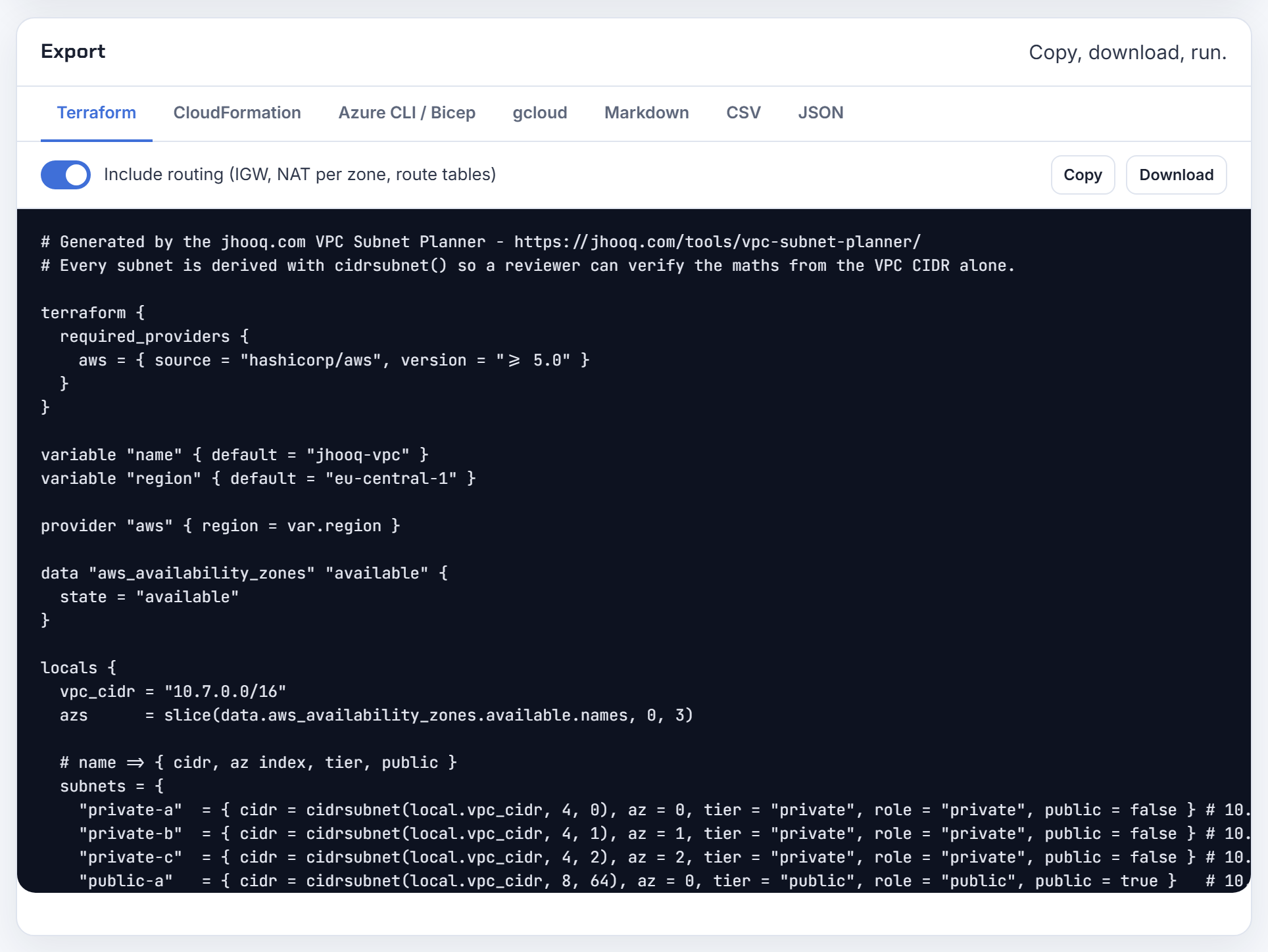
Why did AWS let me add a secondary CIDR that another account already uses, and can it check?
Because the overlap check at association time looks only at the VPC's own CIDRs, its active peering connections and any Direct Connect gateway it is associated with. The documented rules are: the new block must not overlap an existing CIDR of the VPC; with an active peering it must not overlap the peer VPC; and VPCs on the same Direct Connect gateway must not overlap (manage IPv4 CIDR blocks). An unconnected VPC in another account is invisible to that check, so the association succeeds and the clash surfaces only when you try to connect them.
The organisation-wide check is Amazon VPC IPAM. Once a member account is delegated as the IPAM account, IPAM assumes a service-linked role in every member account, discovers their VPC CIDRs and imports them (integrate IPAM with AWS Organizations). The Resources view then flags each CIDR as Nonoverlapping or Overlapping within a scope, and unmanaged VPCs are still monitored for overlap (monitor CIDR usage by resource). The OverlappingResourceCidrs scope metric can drive a CloudWatch alarm (IPAM metrics).
Prevention is simpler than detection: allocate secondary CIDRs from an IPAM pool so the overlap is refused before it exists.

On Google Cloud, can non-RFC 1918 ranges overlap between peered VPCs if they are not exported?
Only while the routes for those ranges are not imported, and Google Cloud will block the configuration change that would import a conflict. The base rule is strict: no subnet IP range can exactly match, contain, or fit within another subnet IP range in a peered VPC network, and Google Cloud checks this when the peering is created and again whenever you add a subnet, add a secondary range or expand a primary range (VPC Network Peering limitations).
Privately used public IPv4 ranges are the exception in mechanics. Subnet routes for private IPv4 ranges are always exported and imported and that cannot be disabled, while subnet routes using privately used public IPv4 addresses are exported by default but not imported by default, controlled by --export-subnet-routes-with-public-ip and --import-subnet-routes-with-public-ip on the same page. The documented example is a local static route to 11.0.0.0/24 and a peered subnet 11.0.0.0/8: you cannot enable import on the peered side, because that would bring in the conflicting subnet route.
So an overlapping public range survives only as long as nobody flips the import flag. Treat it as a future outage and plan distinct ranges; the planner's overlap check accepts non-RFC 1918 networks too.

If two peered VPCs each have a subnet with the same CIDR, can response traffic still be routed correctly?
Only if the route table in the middle VPC is specific enough, because AWS does not do the check for you. The documented scenario is VPC A peered with VPC B and VPC C, where B and C have matching CIDRs and matching subnets. AWS does not support unicast reverse path forwarding in VPC peering connections, so a reply from VPC A is routed purely by destination; if A's route table sends the whole shared range to pcx-aaaacccc, an instance in VPC C with the same IP receives the reply meant for VPC B (routing for response traffic).
The fix is longest prefix match. Add a route in VPC A for the exact subnet CIDR of VPC B pointing to pcx-aaaabbbb; it is more specific than the VPC-wide route to C, so traffic for that subnet goes back to B. AWS also shows the variant with one route per subnet per peering, and even a /32 route for a single instance.
That works for a handful of subnets. It breaks down as soon as B and C both need the same subnet reachable, which is why the limitation page simply forbids overlapping VPCs in the first place.
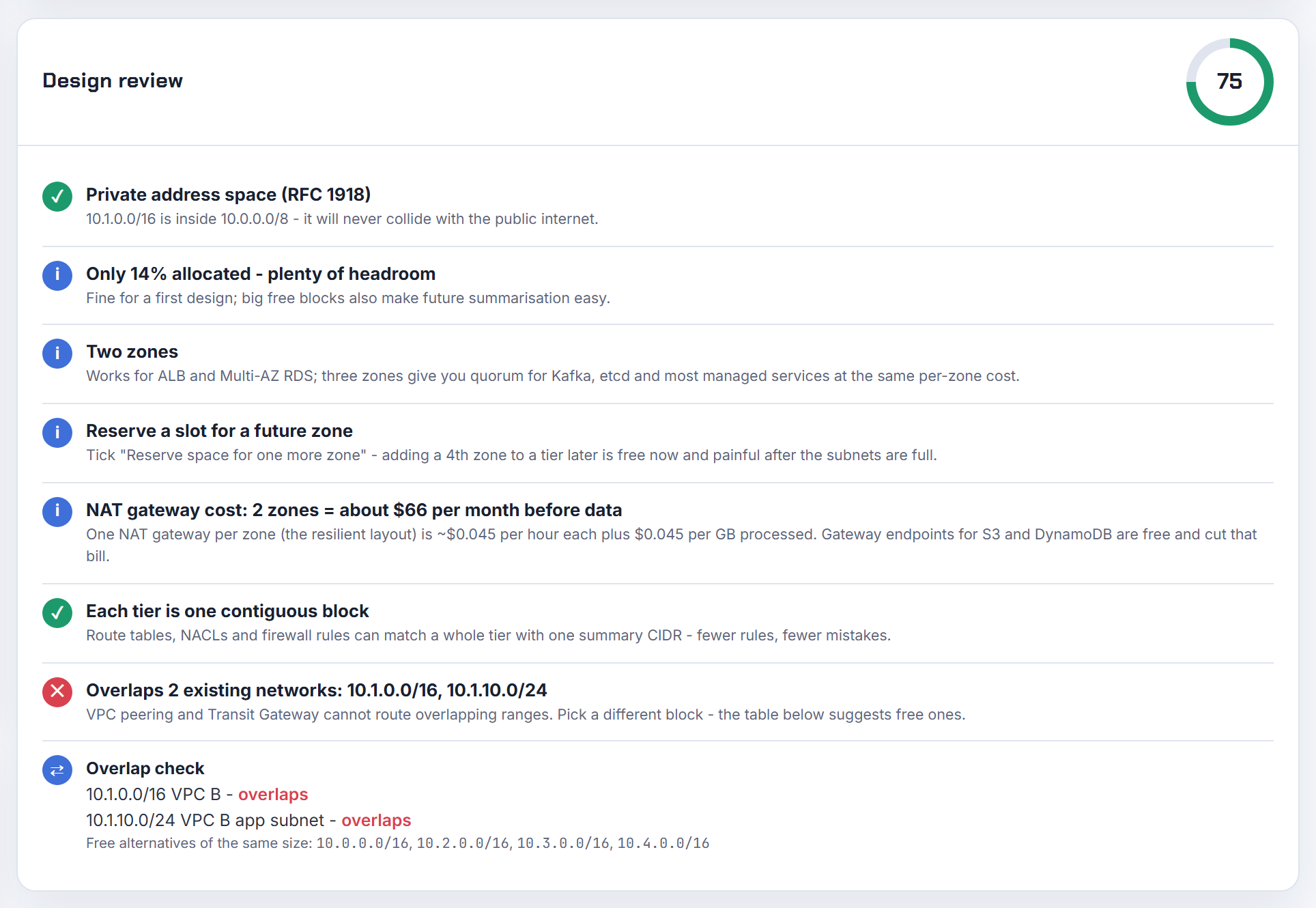
How do I reach a 192.168.0.0/16 pod range in VPC A from peered VPC B when it is not a VPC CIDR?
Over peering you cannot. A route whose target is a peering connection carries traffic to the CIDR block, or a portion of the CIDR block, of the peer VPC (update route tables for a peering connection). An overlay range that exists only inside the Kubernetes nodes is not a VPC CIDR, so VPC B has nothing valid to route to, and VPC A's own route tables only know the local CIDRs.
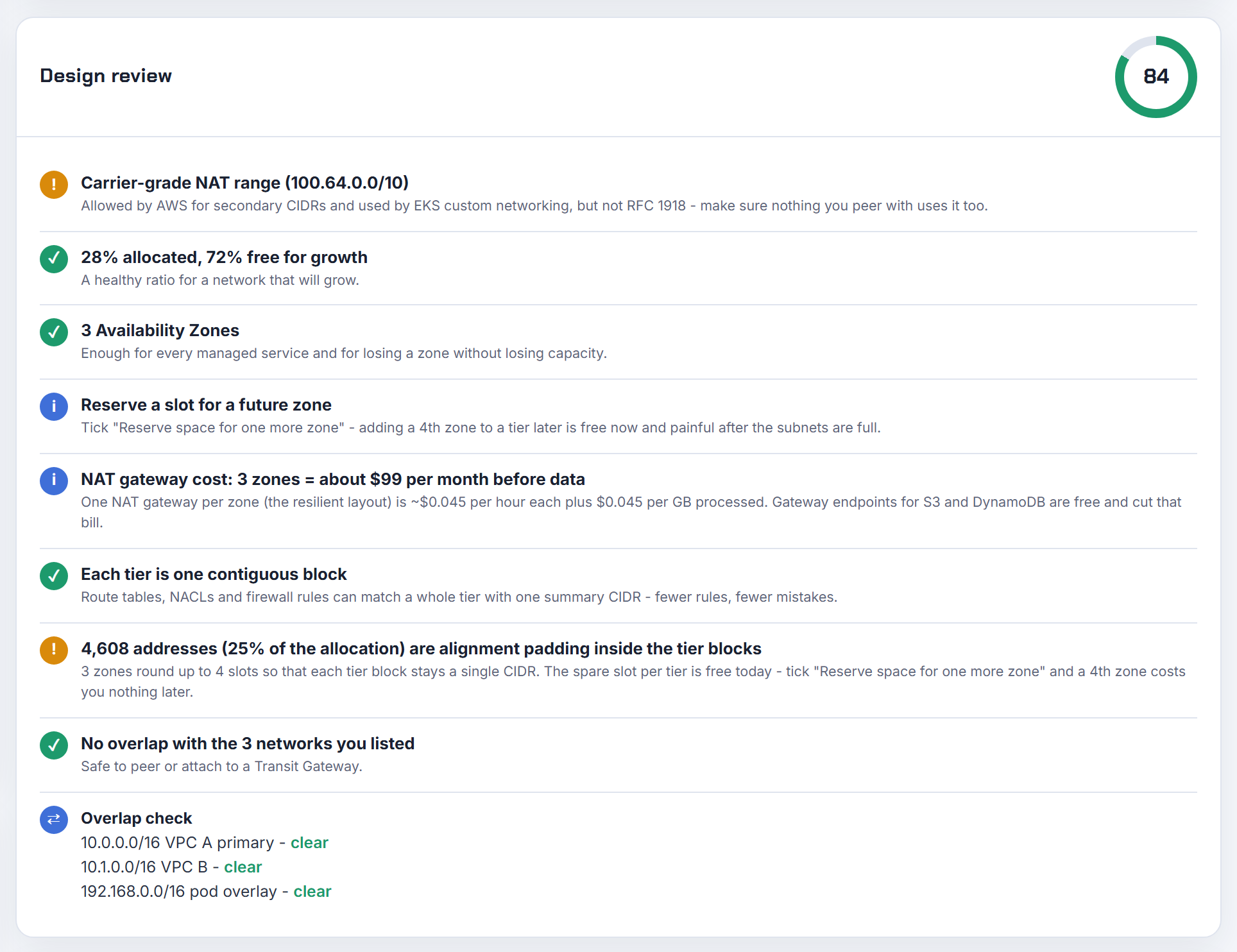
Making the pod range a real VPC CIDR is the clean fix, but the association rules bite here: when the existing range is in 10.0.0.0/8, CIDR blocks from 172.16.0.0/12 and 192.168.0.0/16 are restricted as secondary blocks (association restrictions). A block from 100.64.0.0/10 is permitted, which is exactly what EKS custom networking uses: pods get addresses from a secondary subnet carved from a secondary VPC CIDR such as 100.64.0.0/16 (custom networking), and that range can then be routed over peering like any other.
If re-addressing pods is off the table, expose the workloads through a load balancer whose addresses live in VPC A's CIDR. EKS running out of IP addresses covers the secondary-CIDR move step by step.
Can I use VPC peering and a Transit Gateway between the same two VPCs?
Yes. Both can exist at once; the VPC route table decides which path a packet takes. Routes are chosen by longest prefix first, then static routes, then prefix list routes, then propagated routes (route priority). So the usual split is a specific route for the peer VPC's full CIDR via the peering connection and a wider summary, for example 10.0.0.0/8, via the Transit Gateway. Bulk traffic between the two VPCs matches the longer prefix and uses peering; everything else goes through the hub.
The cost argument is real. On the VPC pricing page, peering traffic that crosses Availability Zones in the same Region is charged $0.01 per GB in both directions, as of 2026-10-21 (Amazon VPC pricing). The Transit Gateway pricing example for US East (Ohio) uses $0.05 per VPC attachment per hour and $0.02 per GB of data processed, as of 2026-10-21 (AWS Transit Gateway pricing).
Two cautions from the docs: a Transit Gateway supports an MTU of 8500 bytes while same-Region peering supports 9001 (peering limitations), and an MTU mismatch between the two paths can drop jumbo packets on asymmetric flows (Transit Gateway quotas), so update both VPCs together. Transit Gateway step by step shows the route table layout.
Do both VPCs need routes after peering, and why can I not reach RDS across the peering?
Yes, both sides. To enable traffic between instances in peered VPCs you must add a route to the route tables associated with the subnets of both instances, with the peer VPC's CIDR as destination and the peering connection ID as target; the owner of the peer VPC must also complete these steps (update your route tables). Nothing is propagated automatically.
The RDS case usually fails on one of three things:
- The route exists in the EC2 subnet's table but not in the table of the subnets the RDS instance uses, or the other way round. Check the specific route tables, not the main one.
- The RDS security group does not allow the EC2 VPC's CIDR. Within the same Region you can reference the peer VPC's security group directly (how VPC peering works).
- Name resolution. With default peering options a public DNS hostname resolves to the public IP; enable DNS hostname resolution on the peering connection so it resolves to the private address, as described on the same page.
Peering is also non-transitive, so an RDS instance two hops away is never reachable this way. VPC peering step by step has the full checklist with screenshots.
How do I plan ranges for MongoDB Atlas or ScyllaDB peering so a second cluster does not overlap?
Treat the SaaS network as one more peered VPC in your plan and reserve its block before the first cluster exists. On Google Cloud the provider's project is connected with VPC Network Peering, and no subnet IP range can exactly match, contain, or fit within another subnet IP range in a peered VPC network, including secondary ranges (VPC Network Peering limitations). GKE pod and service ranges are subnet secondary ranges, so a pod range that collides with the vendor's CIDR fails the peering just as a primary range would.
A workable layout:
| Block | Purpose |
|---|---|
| 10.0.0.0/16 | Your VPC subnets, including GKE node subnets |
| 10.64.0.0/14 | GKE pod secondary ranges, one per cluster |
| 10.100.0.0/16 | Vendor network A (Atlas project), never used elsewhere |
| 10.101.0.0/16 | Vendor network B (ScyllaDB cluster) |
Peering is not transitive, so each App Engine or GKE project that needs the database peers separately and each of those project networks must avoid the vendor block too. Keep a written inventory; the planner's overlap check lets you paste every existing network, including vendor ranges, and reports free blocks. For the peering mechanics see GCP VPC peering and cross-project peering.
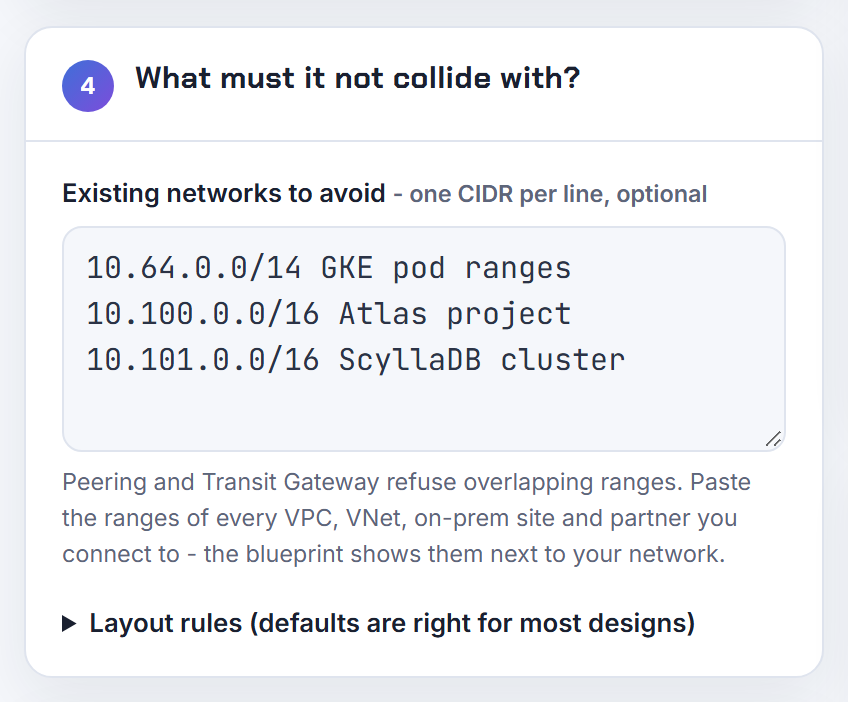
How do I route between overlapping subnets in different Google Cloud projects?
You cannot route them directly; you translate or re-address. VPC Network Peering refuses any overlap and Shared VPC is one network, so both are out. The remaining tools:
- Private NAT through Network Connectivity Center. A Cloud NAT gateway for Private NAT performs source NAT on egress from a subnet of purpose
PRIVATE_NAT, so the overlapping source range appears as a unique range to the other spoke. Read the limitation carefully: a VM can only access destinations in a non-overlapping, not in an overlapping, subnetwork, and destinations reached through VPC peering are not supported (Private NAT). It fixes "my source overlaps", not "both sides overlap". - Private Service Connect for service-style access. PSC uses NAT, so no IP address coordination or other shared resource dependencies exist between the consumer and producer VPC networks, and the consumer only sees an endpoint IP in its own subnet (Private Service Connect).
- Re-addressing. A primary subnet range can be expanded but not replaced or shrunk (subnets), so moving off an overlap means a new subnet and a migration.
For production, PSC for the handful of services that need to cross is usually the least disruptive first step.

How do I write an Azure Policy that denies a new VNet whose CIDR already exists in the management group?
You cannot write that exact policy, because a policy rule only sees the resource being created. Conditions evaluate the properties in the resource request payload through field expressions, and functions such as reference(), resourceId() and list* are not available in a policy rule (policy rule structure). There is no way to look up other VNets at evaluation time.
What Azure Policy can enforce is an allow-list. The same page shows a count over Microsoft.Network/virtualNetworks/addressSpace.addressPrefixes[*] using ipRangeContains() against an approvedPrefixes parameter; deny when any prefix falls outside the approved space. That keeps teams inside their assigned block but does not catch two teams picking the same block.
For real collision prevention use Azure Virtual Network Manager IP address management: it creates pools, automatically assigns non-overlapping CIDRs to Azure resources, and the system ensures that the automatically allocated CIDRs do not overlap within the pool (IPAM in Virtual Network Manager). Combine the two: a deny policy for prefixes outside the pool, and pool allocation for the prefix itself. Peering still fails on overlap regardless, since the virtual networks you peer must have nonoverlapping IP address spaces (manage peering).

Transit Gateway, multi-account and IPAM
A hub turns every VPC's CIDR into a shared routing table. These answers cover overlap inside a Transit Gateway, attachment subnets, and running Amazon VPC IPAM across accounts.
How do I route through a Transit Gateway when VPC A and VPC B overlap but both need VPC C?
The Transit Gateway will not do it on its own. A transit gateway does not support routing between VPCs with identical CIDRs, or if a CIDR overlaps a CIDR in an attached VPC; when you attach the second VPC its routes are simply not propagated (VPC attachments). Forward traffic can be made to work with two route tables (A's table and B's table each hold a route to C), but C's route table can only point the shared 10.0.0.0/16 at one attachment, so replies to the other VPC go to the wrong place.
Route precedence does not rescue you either. For the same CIDR the order is static routes, prefix list routes, then VPC-propagated routes; for two routes of the same type AWS cannot guarantee a consistent order (route evaluation order).
The supported design is a private NAT gateway: give A and B each a small routable secondary CIDR, put a private NAT gateway in a subnet from that range, attach the VPCs to the Transit Gateway using only the routable ranges with propagation disabled, and add static routes for them (enable communication between overlapping networks). C then sees unique source addresses. Overlapping CIDRs with peering and Transit Gateway has the route tables drawn out.

How do I attach several customers who all use 172.22.0.0/16 on-premises to one Transit Gateway?
Isolate each customer in its own Transit Gateway route table, and translate before anything has to see two of them at once. A Transit Gateway can act as multiple isolated routers: each isolated router has a single route table, attachments associated with it can reach each other but cannot reach attachments of another router (isolated VPCs). Customer 1's VPN attachment and customer 1's VPCs share table 1, so the propagated 172.22.0.0/16 in table 1 never meets the identical route in table 2.
The problem appears at any shared service, including an inspection VPC with a firewall. Its attachment is associated with one table, and that table can hold 172.22.0.0/16 once. Options:
- NAT at each customer's edge so each site arrives as a unique range (customer 1 as 100.64.1.0/24, customer 2 as 100.64.2.0/24).
- A private NAT gateway per customer VPC in a routable secondary range, following the overlapping networks pattern.
- One shared service per customer, if the service is small.
Two VPN attachments advertising the same prefix into the same table do not load-balance across customers; same-CIDR routes of the same type have no guaranteed order (route evaluation order).

What is the optional Transit Gateway CIDR block for and how big should it be?
It is an address pool the Transit Gateway itself uses, not a range for your VPCs. You specify an address from it when you create a Transit Gateway Connect peer, and the blocks form a shared pool used by private IP VPN tunnel outside IPs, Client VPN endpoints and Connect peers (Connect attachments and peers). If you never use Connect (GRE tunnels to SD-WAN appliances), private IP VPN or Client VPN on the Transit Gateway, you can leave it empty.
The rules when you do set one:
| Rule | Value |
|---|---|
| Minimum size | /24 for IPv4, /64 for IPv6 (create a transit gateway) |
| Forbidden | 169.254.0.0/16, and anything overlapping your VPC attachments or on-premises networks (transit gateways) |
| Quota | 5 CIDR blocks per Transit Gateway, not adjustable (quotas) |
The BGP session inside a Connect peer uses a separate /29 from 169.254.0.0/16, with several reserved blocks such as 169.254.0.0/29 to 169.254.5.0/29 and 169.254.169.248/29, so that part needs no planning in your address space. My rule: reserve one /24 per Transit Gateway from the same supernet as the VPCs, mark it in the plan, and it is there when SD-WAN shows up.
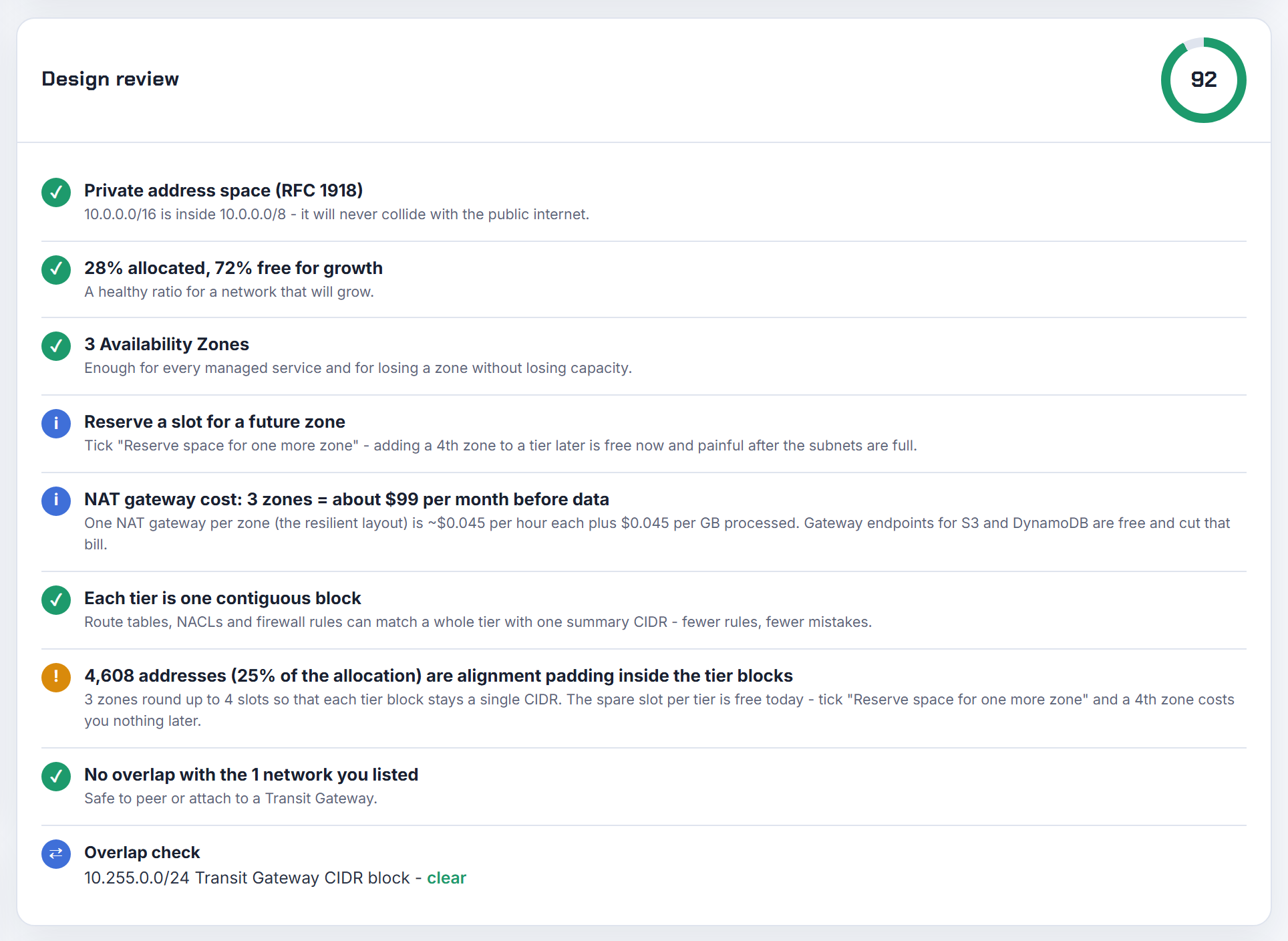
Should Transit Gateway attachments use dedicated subnets, and which subnet per AZ?
Dedicated, small, one per Availability Zone. AWS's design guidance is to use a separate subnet for each transit gateway VPC attachment, with a small CIDR such as /28, keep the network ACLs on those subnets open in both directions, and associate the same VPC route table with all of them (design best practices). Public or private does not matter to the attachment; what matters is the route table on the attachment subnet, which must contain routes to every destination inside the VPC that should be reachable through the hub (route table requirements).
Why one subnet per AZ: the Transit Gateway places a network interface in exactly one subnet per enabled zone, using one IP address from it, and resources in an AZ without an attachment subnet cannot reach the gateway (Availability Zones). A /28 leaves 11 usable addresses after the five AWS reserves, which is plenty for one interface.
Keeping the subnet empty is a convention, not something the service enforces; a /28 does it for you because nobody will launch a fleet into 11 addresses. In the planner, add a tier named transit at /28 per zone so the block is carved out before the first attachment. Transit Gateway step by step shows the attachment screens.
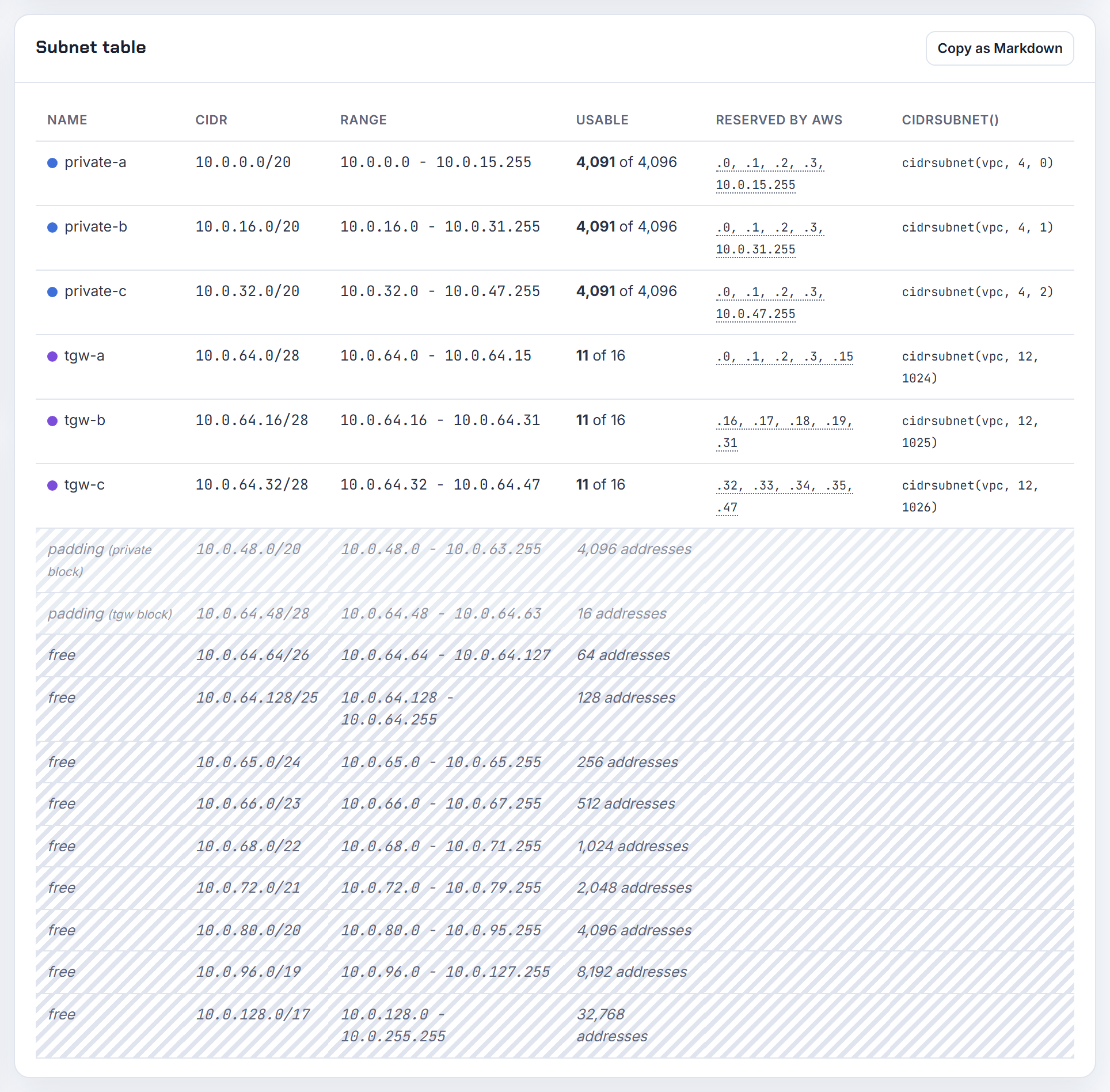
Do I need routes in both directions for a Transit Gateway between two accounts?
Yes. A Transit Gateway forwards packets by destination only, so a reply needs its own route back. The reference setup has every VPC route table pointing the other VPC's CIDR (or 0.0.0.0/0) at the Transit Gateway, and the Transit Gateway route table holding a propagated route for each attached VPC's CIDR (centralized router example). Remove any one of those four entries and one direction of the conversation is dropped, which looks like a one-way connection that "half works".
Specifically, for VPC A (account 1) to reach VPC B (account 2):
- VPC A subnet route table: route to VPC B's CIDR, target tgw.
- Transit Gateway route table associated with A's attachment: route to VPC B's CIDR, target attachment B.
- Transit Gateway route table associated with B's attachment: route to VPC A's CIDR, target attachment A.
- VPC B subnet route table: route to VPC A's CIDR, target tgw.
If you want A to initiate but never B, keep all four routes and enforce direction with security groups and network ACLs on B's resources, or, for a hard block, a blackhole route for A's CIDR in B's associated table, which drops traffic that matches it (route tables). Security group referencing across the same Transit Gateway is supported for inbound rules (security group referencing).
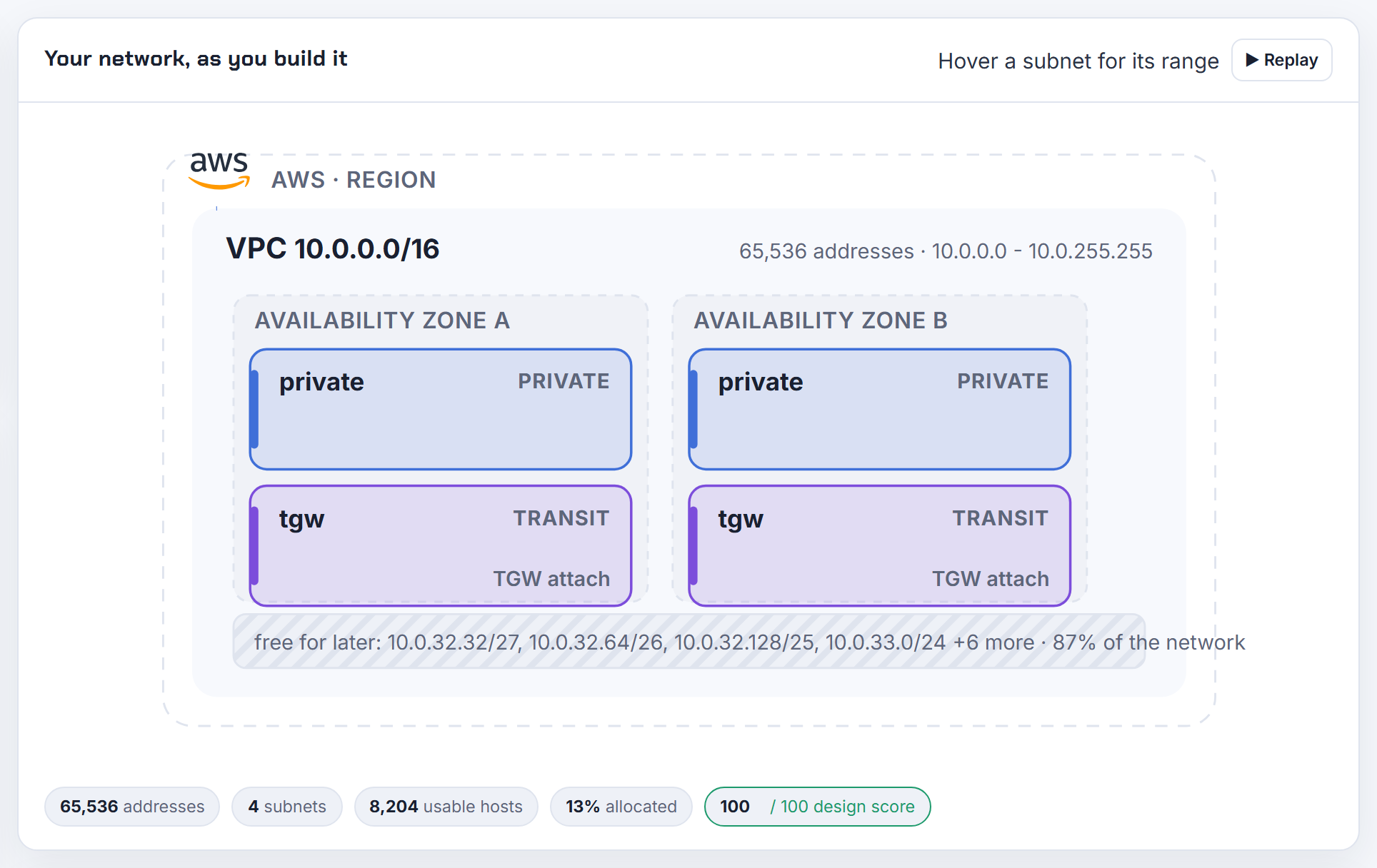
How do I allocate VPC CIDRs with AWS IPAM in Terraform without the next CIDR changing on every run?
Let the VPC resource allocate from the pool, and avoid the preview data source for anything that must stay stable. The provider's own note is explicit: once a CIDR range has been allocated that was previewed, the next refresh will find a new CIDR and may force new resources downstream, so use lifecycle { ignore_changes } if that is undesirable (aws_vpc_ipam_preview_next_cidr). The preview reserves nothing; it is a read.
The stable pattern:
1resource "aws_vpc" "this" {
2  ipv4_ipam_pool_id   = aws_vpc_ipam_pool.regional.id
3  ipv4_netmask_length = 20
4}
cidr_block can be explicitly set or derived from IPAM using ipv4_netmask_length (aws_vpc). The allocation is made once at create time and stored in state, so later plans see the same CIDR. If you need the block before the VPC exists, for example to size subnets with cidrsubnet(), reserve it first with aws_vpc_ipam_pool_cidr_allocation, which allocates (reserves) a CIDR from the pool, then reference its cidr attribute.
Pool rules still apply: the pool's locale must match the VPC's Region and the requested netmask must fall between the pool's minimum and maximum netmask length (create a top-level pool).
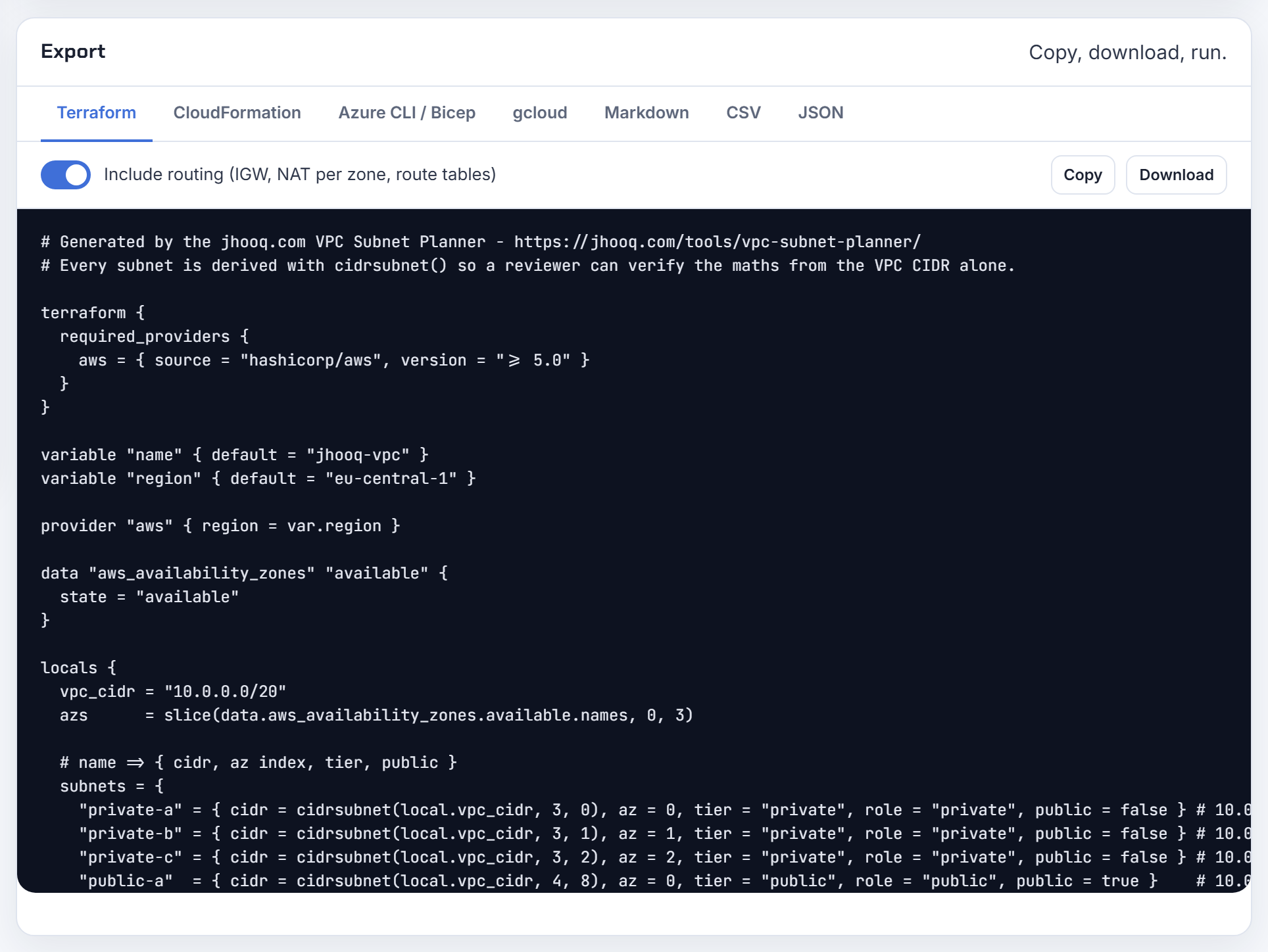
How should I design IPAM pools, and why can I not delete a pool or allocate the size I asked for?
Design the hierarchy as the address plan itself, top down. AWS's reference shape is a top-level pool (10.0.0.0/8) in the private scope, a Regional pool per Region (10.0.0.0/16) with a locale, and development or production pools beneath it (10.0.0.0/24), each provisioned with a portion of its parent (create a top-level pool, create a Regional pool). A pool's locale cannot be changed once set, and only pools whose locale matches the VPC's Region can allocate to it.
Quotas shape the tree: pool depth 10, 50 pools per scope and 50 CIDRs per pool by default, all adjustable (IPAM quotas). Splitting a /48 across Regions therefore means one child pool per Region, each provisioned with a slice.
"Allocation size too big" comes from allocation rules: the minimum netmask length defines the largest block that can be allocated and the maximum netmask length the smallest, and a request outside that band, or larger than any free gap in the pool's provisioned CIDR, fails.
Deleting is strictly ordered: you cannot delete a pool with allocations, and you cannot deprovision CIDRs that are allocated (delete a pool). A VPC allocation is released only after the VPC CIDR is deleted or the resource is set to ignored; the release takes a few minutes in the Advanced tier and up to 48 hours in the Free tier (release an allocation).
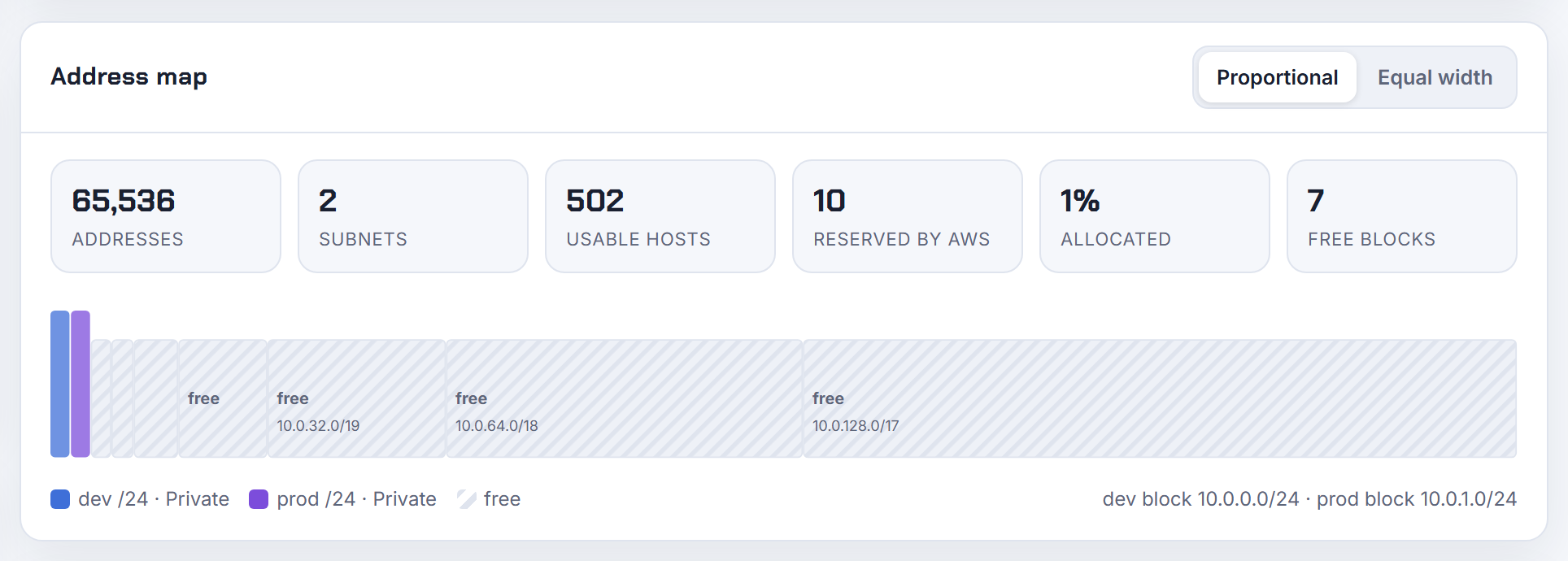
Can AWS IPAM hand out subnet CIDRs as well as VPC CIDRs?
Yes, through resource planning pools. You create a pool with the option "Plan IP space within a VPC", provision it with the VPC's own CIDR, then create child subnet pools (dev, prod) beneath it; when someone creates a subnet they choose "IPAM-allocated IPv4 CIDR block", pick the pool and a netmask, and IPAM allocates the block (plan VPC IP address space for subnet allocations). The tutorial's example is a 10.0.0.0/20 VPC with a dev subnet pool 10.0.0.0/24 and prod subnet pool 10.0.1.0/24, each handing out /28 subnets.
Rules worth knowing from the same page: the CIDR provisioned to the resource planning pool must match a CIDR provisioned to the VPC, each VPC CIDR can be assigned to one pool at a time, and a VPC with two CIDRs can have two resource planning pools. Subnet pools can be shared to other accounts with RAM like any pool. Cascade-deleting the pools does not delete the subnets; they keep their CIDRs.
IPAM also publishes a SubnetIPUsage metric, so an alarm at 80 percent of a /24 is a few clicks. If you only need the layout rather than a registry, the planner carves the same tiers per zone and exports them; IPAM is the right tool when many teams create subnets.
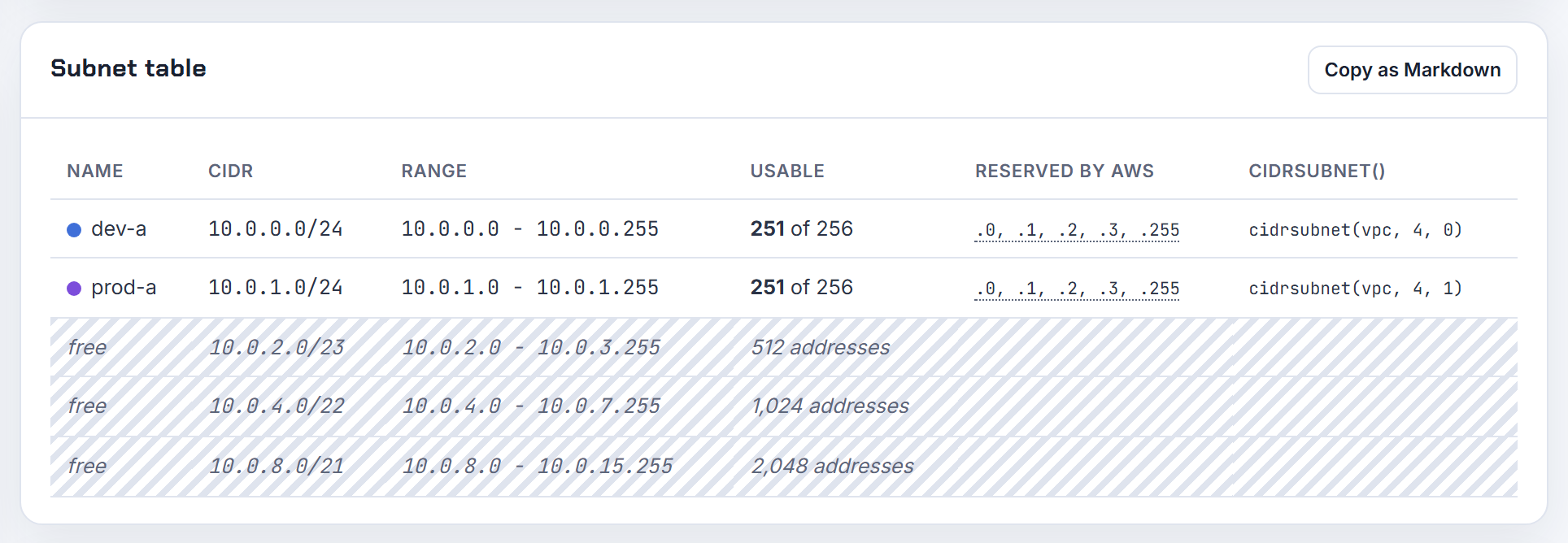
How do I get events for every IPAM pool allocation so the on-premises IPAM can track AWS ranges?
Use CloudTrail events delivered to EventBridge, because IPAM itself documents CloudWatch metrics and an address history, not native allocation events. Every allocation is an EC2 API call (AllocateIpamPoolCidr for manual allocations, CreateVpc or AssociateVpcCidrBlock with an IPAM pool for VPCs), and EventBridge receives EC2 API calls recorded by CloudTrail with the detail-type AWS API Call via CloudTrail; narrow the rule with an eventName list (Amazon EC2 events in EventBridge).
1{
2  "source": ["aws.ec2"],
3  "detail-type": ["AWS API Call via CloudTrail"],
4  "detail": {
5    "eventSource": ["ec2.amazonaws.com"],
6    "eventName": ["AllocateIpamPoolCidr", "CreateVpc", "AssociateVpcCidrBlock"]
7  }
8}
Target a Lambda function or API destination that pushes the CIDR to the corporate IPAM. Two supporting pieces: the get-ipam-address-history API returns the status changes of a CIDR for up to three years, which lets the integration reconcile after a missed event (view IP address history), and the AWS/IPAM namespace exposes PercentAssigned and PercentAvailable per pool for exhaustion alarms (IPAM metrics).
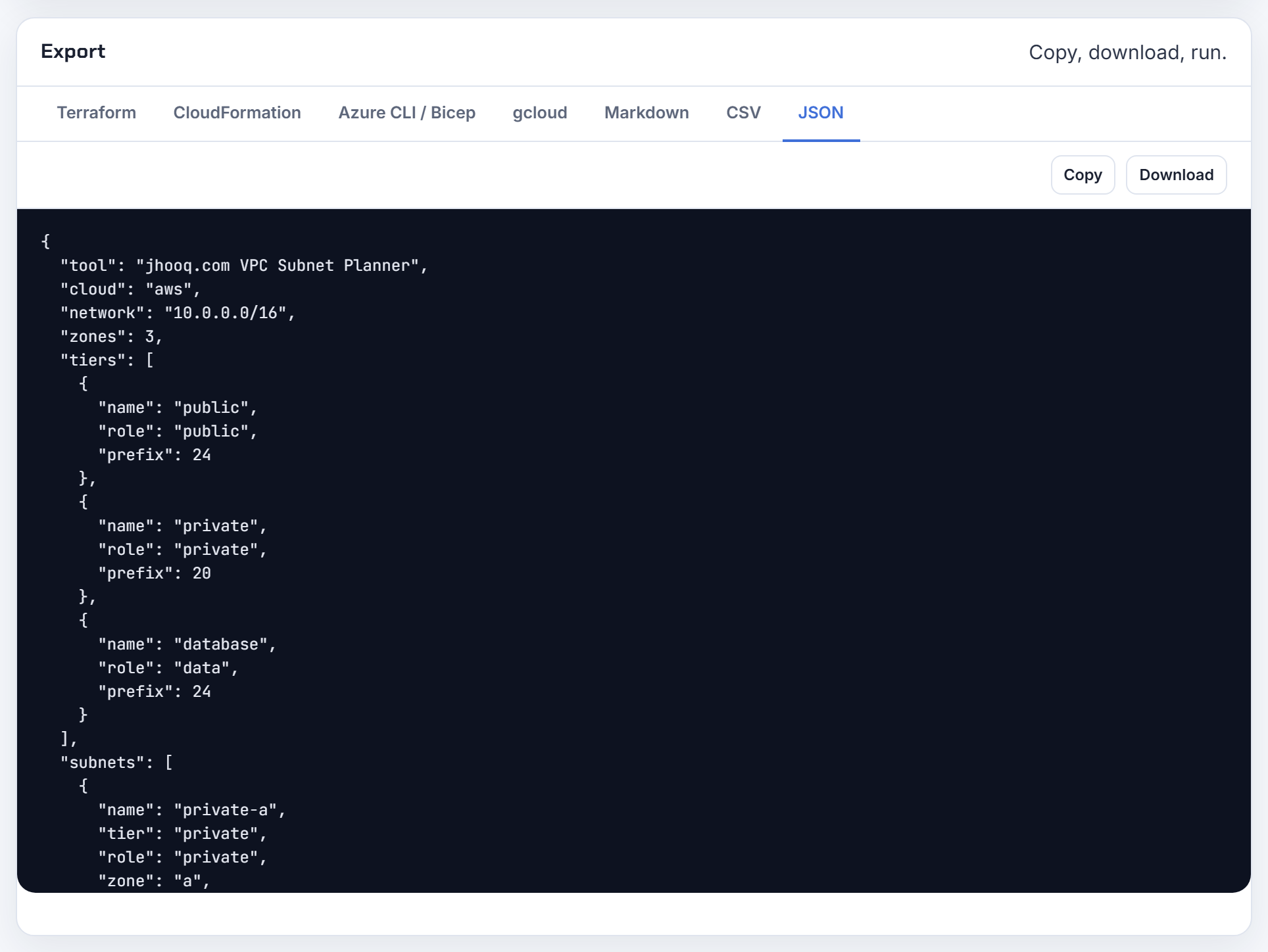
How do I share an IPAM pool with a dev account so its VPCs get CIDRs from the pool?
Share the pool with AWS RAM, then create the VPC in the dev account with the IPAM option. Prerequisites: IPAM must be integrated with AWS Organizations with a member account delegated as the IPAM account (the management account cannot be it), RAM sharing must be enabled for the organisation, and the share must be created in the IPAM's home Region, not the pool's Region (share an IPAM pool). Attach the AWSRAMDefaultPermissionsIpamPool permission so principals can view and allocate CIDRs.
In the dev account the VPC is then created with the pool ID and a netmask instead of a CIDR, from the console, with --ipv4-ipam-pool-id and --ipv4-netmask-length in the CLI, or ipv4_ipam_pool_id in Terraform (aws_vpc). The pool's locale must be the VPC's Region.
Existing VPCs do not need to move. Enable the "Automatically import discovered resources" allocation rule on the pool and IPAM continuously imports CIDRs it finds within the pool's range as allocations; where it discovers overlapping CIDRs it imports only the largest, and a VPC with a CIDR larger than the pool's maximum netmask is imported but flagged noncompliant (create a top-level pool).

What is the best practice for connecting many VPCs: peering mesh, hub or Transit Gateway?
Count the VPCs and the direction of traffic. Peering is one-to-one and non-transitive, so a full mesh of n VPCs needs n(n-1)/2 connections and each VPC has a default quota of 50 active peering connections, raisable to 125 (peering quotas). Every peering also adds a route per VPC route table, against a default of 500 non-propagated routes per table (VPC quotas).
| Design | Fits when |
|---|---|
| Peering | Under roughly 10 VPCs, bulk traffic, no transit needed; same-AZ traffic is cheap |
| Transit Gateway | Many VPCs, shared on-premises access, isolation via route tables; 5,000 attachments per gateway (Transit Gateway quotas) |
| PrivateLink | Client to service access only, including overlapping CIDRs (PrivateLink) |
Whatever the topology, the addressing rule is the same: no two VPCs that will ever connect may overlap. A hub-and-spoke with peering still needs the hub's route table to list every spoke, and the spokes cannot talk to each other through the hub (multiple peering connections). Allocate from one supernet, ideally through IPAM, so the move from peering to Transit Gateway later is a routing change, not a re-addressing project.
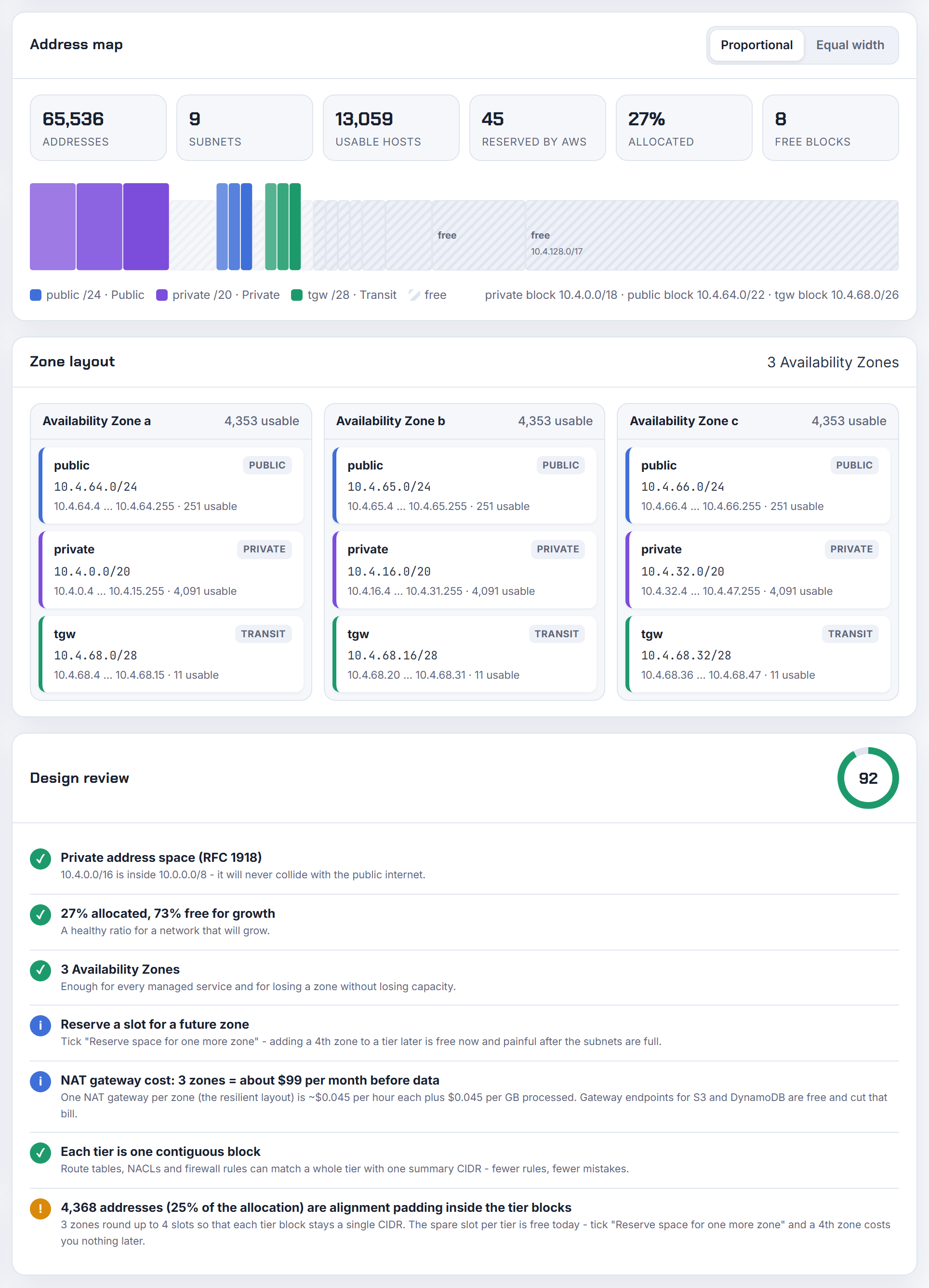
VPN, Direct Connect and on-premises overlap
Hybrid connectivity is where a VPC CIDR chosen years ago meets the office network. These answers cover overlap over VPN and Direct Connect, Client VPN pools, tunnel addressing and the Azure and Google Cloud equivalents.
What strategies handle overlapping IP ranges between a VPC and on-premises over VPN or Direct Connect?
Four strategies, from least to most invasive:
| Strategy | What it solves | Source |
|---|---|---|
| PrivateLink | One side consumes a service; consumer and provider networks can overlap | AWS PrivateLink |
| Private NAT gateway with a routable secondary CIDR | Full access from VPC to on-prem through a unique range | overlapping networks |
| NAT on the customer gateway device | On-prem hosts presented as a non-overlapping range | your device's documentation |
| Re-address one side | Everything else, permanently | planning |
The VPC side has no NAT built into Site-to-Site VPN or Direct Connect. What AWS gives you is the private NAT gateway pattern: associate a routable range (100.64.1.0/24 in the example) as a secondary CIDR, place a private NAT gateway in a subnet from it, route on-prem destinations from the overlapping subnets to the NAT gateway, and route from the NAT subnet to the virtual private gateway or Transit Gateway. On-prem then sees only the routable range.
The same page documents a variant for an allow-listed range, where on-prem accepts traffic only from, say, 100.64.1.0/28 and the NAT gateway supplies that source. For an ECS task in VPC A needing an on-prem VPC with an identical CIDR, that is the path; the Transit Gateway must carry only the routable ranges, with propagation disabled.

My VPC CIDR contains the on-premises host address, so Site-to-Site VPN cannot reach it. What now?
That host is unreachable from the VPC as long as its address sits inside the VPC CIDR. The VPC local route wins over everything: if propagated routes from a Site-to-Site VPN or Direct Connect connection overlap with the local route, the local route is most preferred even if the propagated routes are more specific (route priority). A VPC on 10.0.0.0/16 will never send 10.0.50.1 down the tunnel, and neither will 10.4.0.0/16 reach a VPN whose remote side is also 10.4.0.0/16.
Ways out:
- Translate on-prem. Present the office as a different range on the customer gateway device, for example 10.0.50.1 becomes 192.168.50.1, and advertise that range to AWS.
- Translate on the AWS side with a private NAT gateway in a routable secondary CIDR, following the allow-listed range pattern. This also answers the "the VPN only accepts a /27" case: add the /27 as a secondary CIDR, put the NAT gateway in it, and every instance leaves with an address from that /27.
- Re-address the VPC. New VPC, new CIDR, migrate.
The default 10.0.0.0/16 is picked by the console wizard, by most tutorials and by many office routers, which is why I avoid it entirely; the planner's design review flags it as the most collision-prone choice.

How do I run a site-to-site VPN when both ends use the same subnet, with NAT on the tunnel?
You translate one side, or both, to unique ranges before the tunnel, and the rules you must follow depend on who owns the gateway.
On Azure VPN Gateway NAT is built in: an IngressSNAT rule maps the on-premises space to a translated range and an EgressSNAT rule maps the VNet space, external mappings must not overlap each other or any network connected without NAT, and the documented example connects two branches that both use 10.0.1.0/24 to a VNet on 10.0.1.0/24 by mapping them to 192.168.1.0/24, 192.168.2.0/24 and 192.168.3.0/24 (NAT on VPN Gateway). Limits: VpnGw2 to VpnGw5 SKUs, route-based IPsec connections only, up to 500 rules per gateway, and a /26 maximum external mapping for dynamic NAT. When the two sites overlap each other but not the VNet, only ingress rules are needed.
On AWS the VPN endpoint does not translate. Do the NAT on your device, or use a private NAT gateway inside the VPC with a routable secondary range, as in the overlapping networks scenario.
For the 10.1.2.0/24 versus partner 10.0.0.0/8 case, the partner's supernet contains you, so you are the side that must NAT. Note that one translated range per connected network is the planning unit; reserve those ranges in the same inventory as your VPCs.
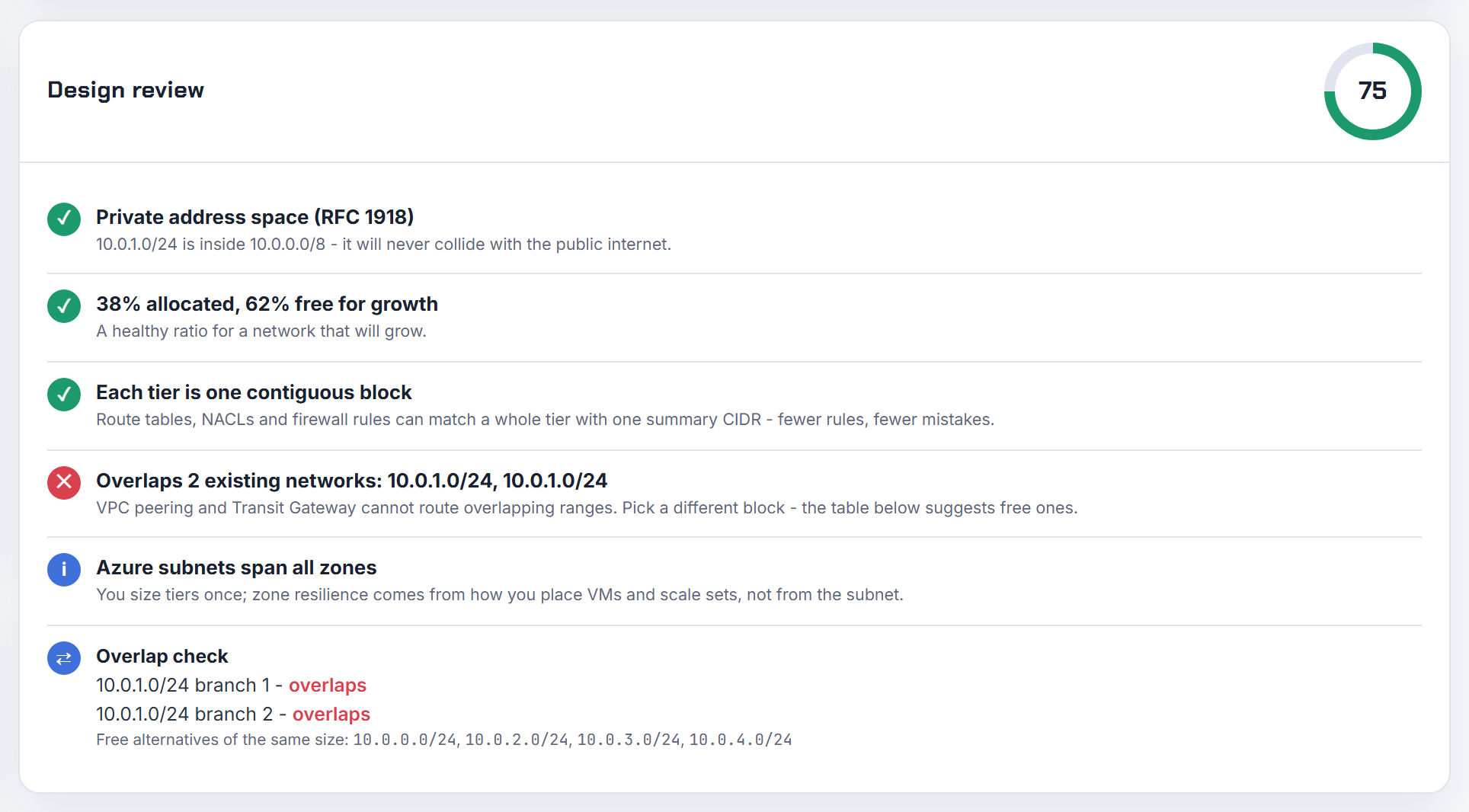
Why does file sharing break when the company VPN and my home network are both 192.168.1.0/24?
Because your laptop ends up with two routes to the same prefix and can only use one. The VPN client installs a route for 192.168.1.0/24 toward the tunnel while the operating system already has a route for 192.168.1.0/24 on the Wi-Fi adapter. Whichever wins, half the world disappears: either the office file server is unreachable or the printer at home is.
Every VPN vendor documents the same constraint. Azure says the point-to-site client address pool must be a private range that does not overlap with the on-premises location you connect from, or the virtual network you connect to (point-to-site certificate gateway). AWS Client VPN goes further: if the client LAN range is outside 10.0.0.0/8, 172.16.0.0/12, 192.168.0.0/16 or 169.254.0.0/16, the endpoint pushes redirect-gateway block-local and forces all LAN traffic into the tunnel (Client VPN rules and best practices).
The fix on your side is a less common home subnet, such as 192.168.37.0/24. The fix on the company side is to stop using 192.168.0.0/24 and 192.168.1.0/24, which consumer routers ship with; the planner's design review warns about those two blocks for exactly this reason.

What should the AWS Client VPN client CIDR be, why must it not overlap, and how large?
The client CIDR is the pool each connected user gets an address from, and it is a routing destination like any other, so it cannot collide with what the endpoint routes to. The rules: block size between /22 and /12; it cannot overlap the local CIDR of the VPC in which the associated subnet is located or any route added manually to the endpoint's route table; and it cannot be changed after the endpoint is created (rules and best practices). The target subnet's CIDR must also not overlap the client range (target networks).
Why non-overlap even though source NAT happens: traffic into the VPC is translated to the Client VPN network interface's address (what is Client VPN), but the endpoint's own route table still has to distinguish "a client" from "the VPC" for the return path and for client-to-client traffic, and a 10.0.0.0/22 pool inside a 10.0.0.0/16 VPC makes that ambiguous.
Size: a portion of the pool supports the endpoint's availability model, so AWS recommends twice the number of addresses you need for the maximum concurrent connections. For 400 users that is at least 800 addresses, so a /22 (1,024). Give the pool its own line in the address plan, outside every VPC and every on-premises range you will ever route through the endpoint; users' home LANs on 192.168.x are the next collision.

Can an AWS Client VPN endpoint reach more than three subnets or Availability Zones?
Yes, and it already does. Associating a subnet does not limit access to that subnet: when you associate a subnet, AWS automatically adds the local route of the VPC to the endpoint's route table, so every subnet in the VPC becomes reachable as long as authorization rules and security groups allow it (target networks).
The association rules are about zones, not subnet count:
- You cannot associate multiple subnets from the same Availability Zone with one endpoint (rules and best practices).
- Each associated subnet needs a /27 or larger and at least 20 available IP addresses at all times.
- All associations must be in the same VPC; AWS recommends at least two for AZ redundancy.
So a VPC with 12 subnets across three zones needs three associations at most, one per zone, and the remaining nine subnets are reached through the VPC local route. If you later add a secondary CIDR to the VPC, the endpoint's local route does not update on its own; disassociate and re-associate, or add the route manually, as the same page notes. Each association is billed per hour, which is the practical reason not to associate every subnet.
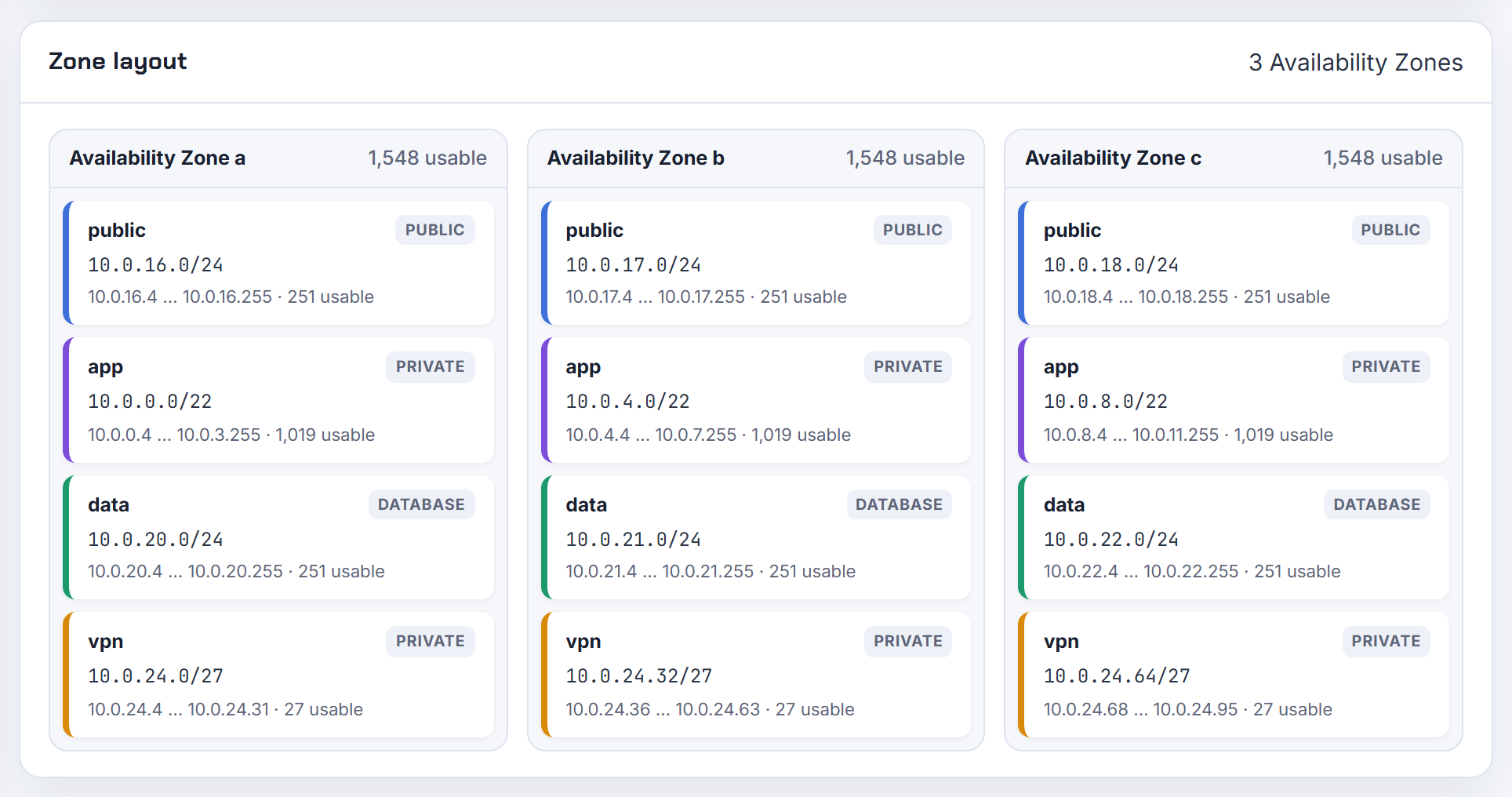
What is the inside tunnel IPv4 CIDR on a Site-to-Site VPN, and does it matter if my subnets are bigger than /30?
It is the point-to-point link between the two VPN endpoints, not a range your subnets live in. Each tunnel gets a /30 from 169.254.0.0/16: one address for the AWS side, one for your customer gateway, and the BGP session runs between them. The constraints from the CloudFormation reference: a size /30 CIDR block from 169.254.0.0/16, unique across all VPN connections on the same virtual private gateway, and never one of the reserved blocks 169.254.0.0/30, 169.254.1.0/30, 169.254.2.0/30, 169.254.3.0/30, 169.254.4.0/30, 169.254.5.0/30 or 169.254.169.252/30 (VpnTunnelOptionsSpecification). The IPv6 equivalent is a /126 from fd00::/8.
Your subnet sizes are irrelevant to it. The tunnel addresses are link-local and are not routed into your VPC or your LAN, which is also why pinging the inside address from an instance fails and why a route to 169.254.x.x in a VPC route table does nothing. AWS lists 169.254.0.0/16 among the ranges you cannot use for a VPC at all (VPC CIDR blocks).
Leave the option blank unless your device vendor's template wants specific values; AWS picks a valid /30 per tunnel otherwise. What you do plan is the traffic that crosses the tunnel, which is the next question.
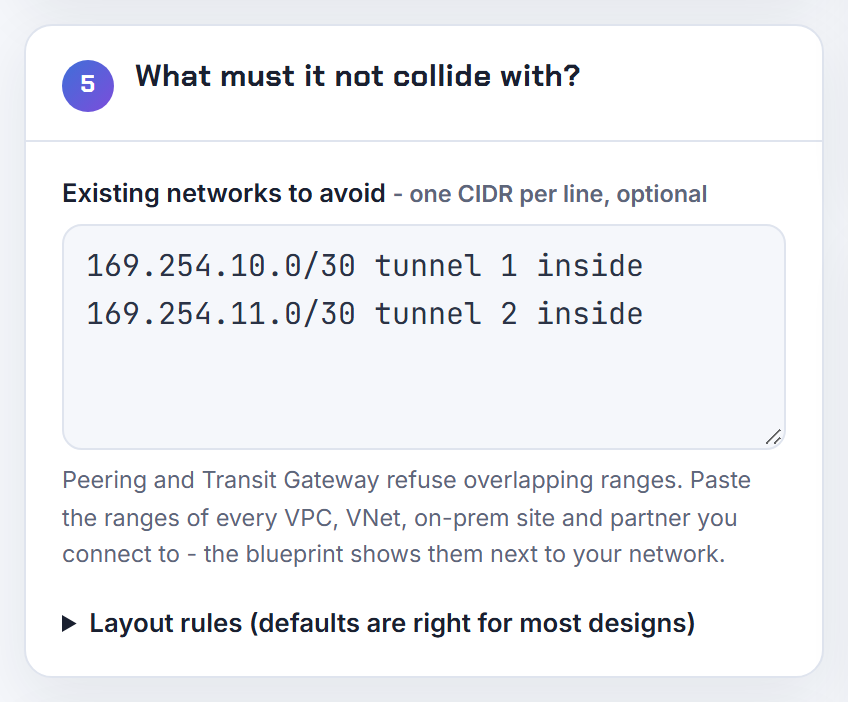
Which local and remote CIDRs do I set on a route-based Site-to-Site VPN, and is 0.0.0.0/0 right?
For a route-based VPN, leave both at the default. The connection options are the IPv4 CIDR on the customer gateway (local) side and on the AWS (remote) side that can communicate over the tunnels, and the default is 0.0.0.0/0 for both (modify VPN connection options). They are traffic selectors, not routes; a wide selector lets BGP or your route tables decide what actually crosses. Narrow them only when a policy-based device on the other side insists on exact selectors, and note that changing them replaces the resource in CloudFormation (AWS::EC2::VPNConnection).
Routes are separate. With BGP the device advertises its prefixes; with static routing you add each on-premises prefix as a VPN connection route, whose DestinationCidrBlock is the CIDR block associated with the local subnet of the customer network (AWS::EC2::VPNConnectionRoute). Quotas to plan against: 100 static routes per VPN connection on a virtual private gateway, 100 dynamic routes advertised from your device on a virtual private gateway, and 1,000 on a Transit Gateway (Site-to-Site VPN quotas).
Summarise on-prem prefixes before you hit those numbers; a route for 10.1.0.0/16 covers all the /24s behind it, and a tidy supernet per site is the whole point of planning the data centre ranges first.
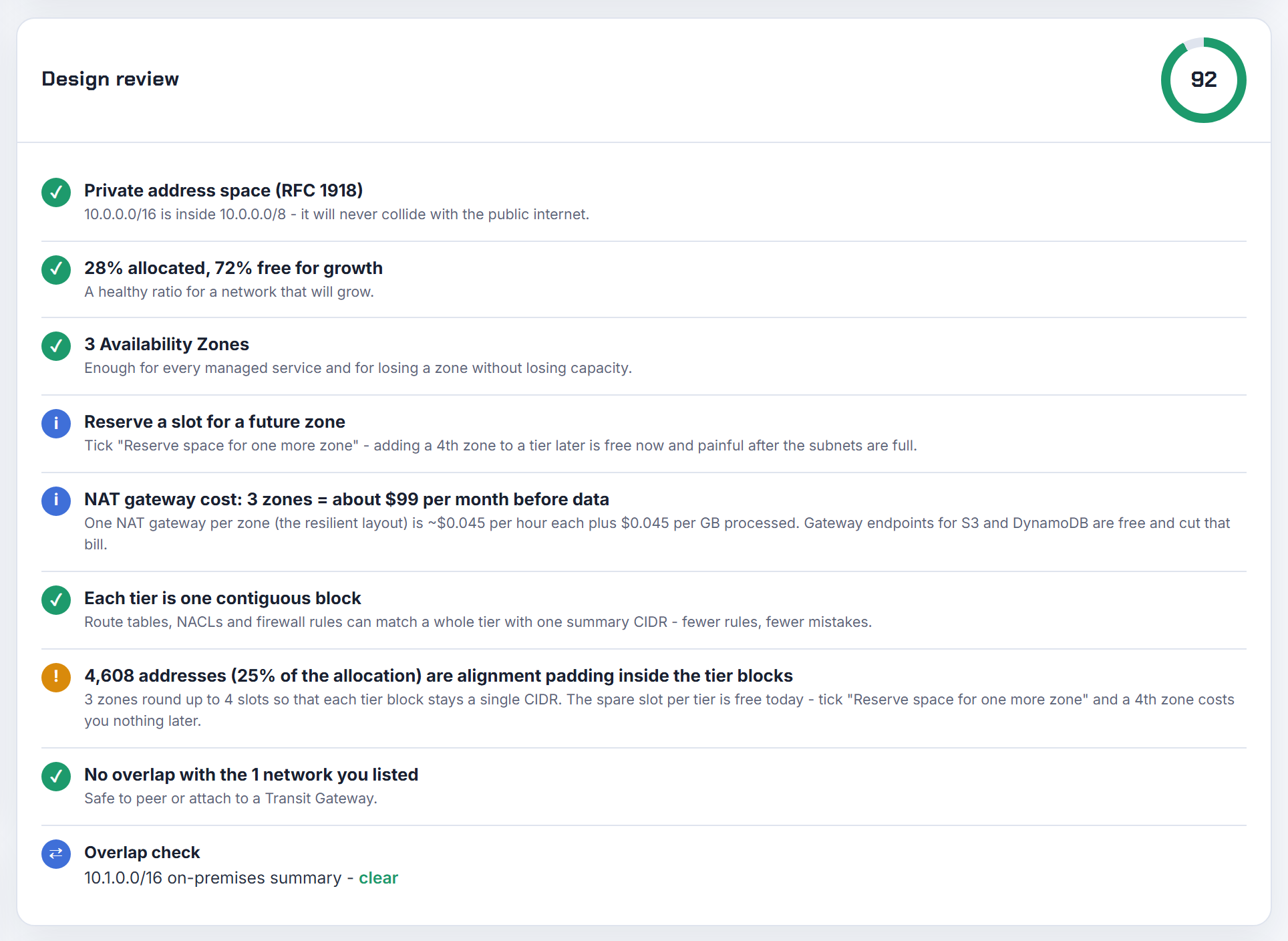
Does a secondary CIDR added to a VPC with Direct Connect get advertised to on-premises?
Over a virtual private gateway, every CIDR associated with the VPC is a candidate for advertisement, filtered by the allowed prefixes on the Direct Connect gateway association. The allowed prefix list is a filter: only the associated VPC CIDR is advertised to the customer gateway, and an entry must be the same as or wider than a VPC CIDR to let it through (allowed prefixes interactions). So a 10.x primary and a 100.64.x secondary are both advertised if the list says 10.0.0.0/16 and 100.64.0.0/16, and the secondary is hidden if the list contains only 10.0.0.0/16.
With a Transit Gateway association the behaviour flips: only the allowed prefixes entered are advertised, exactly as typed, whether or not they match a VPC CIDR. To hide a pod CIDR there, simply do not list it. Overlapping allowed prefixes across multiple Transit Gateways on one Direct Connect gateway are rejected, so 0.0.0.0/0 is not an option once a second gateway is attached.
Two constraints before you add the block: VPCs associated with the same Direct Connect gateway must not have overlapping CIDRs, including new secondary blocks (VPC CIDR blocks), and on-prem BGP must accept the prefix. If the secondary is a non-routable pod range from 100.64.0.0/10, keeping it off the allowed list is usually what you want, with NAT or a load balancer in the routable range for anything on-prem must reach.
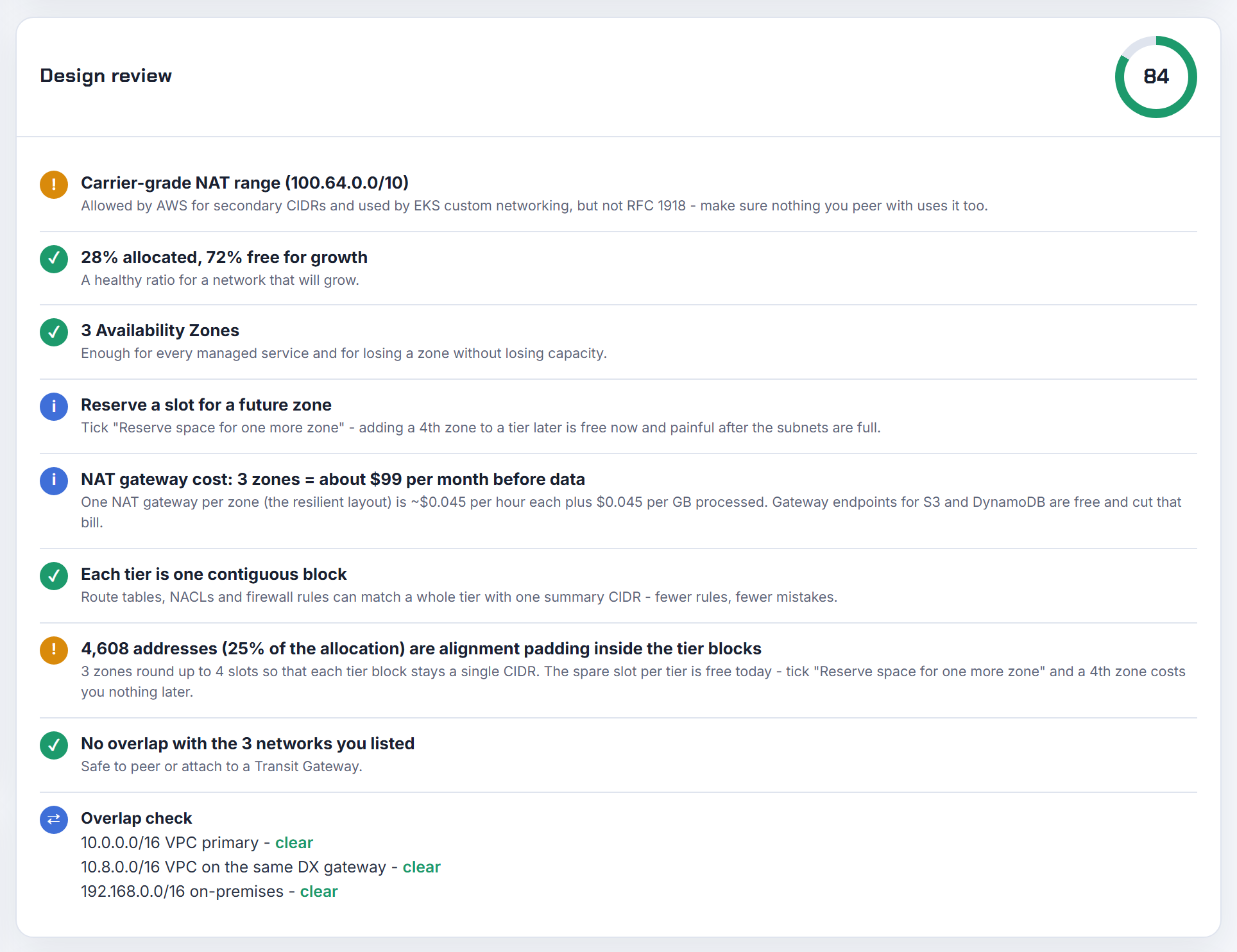
How should CIDRs be arranged for several VPCs behind one VPN across Regions so failover works?
Give each Region one contiguous block that summarises all its VPCs, and attach the VPCs to a Transit Gateway per Region. The arrangement does two things: your on-premises router only needs one prefix per Region, and a backup path can advertise the same summary.
The AWS pieces: a virtual private gateway attaches to one VPC at a time, and to connect one Site-to-Site VPN to multiple VPCs AWS recommends a Transit Gateway instead (Site-to-Site VPN quotas). Transit Gateways in different Regions are joined with a peering attachment, which supports static routes only; the reference example points 0.0.0.0/0 at the peering from one side and the VPC CIDRs at the peering from the other (peered transit gateways).
A layout that summarises cleanly:
| Region | Block | VPCs inside |
|---|---|---|
| us-east-1 | 10.0.0.0/14 | 10.0.0.0/16 to 10.3.0.0/16 |
| eu-west-1 | 10.4.0.0/14 | 10.4.0.0/16 to 10.7.0.0/16 |
Each Region's VPN advertises its /14; the other Region's VPN can advertise the same /14 as a backup, and AWS prefers the path by longest prefix, then static over BGP, then shortest AS PATH, then lowest MED (route priority). AWS recommends advertising more specific routes to steer the primary path, which only works if the blocks were allocated contiguously in the first place.
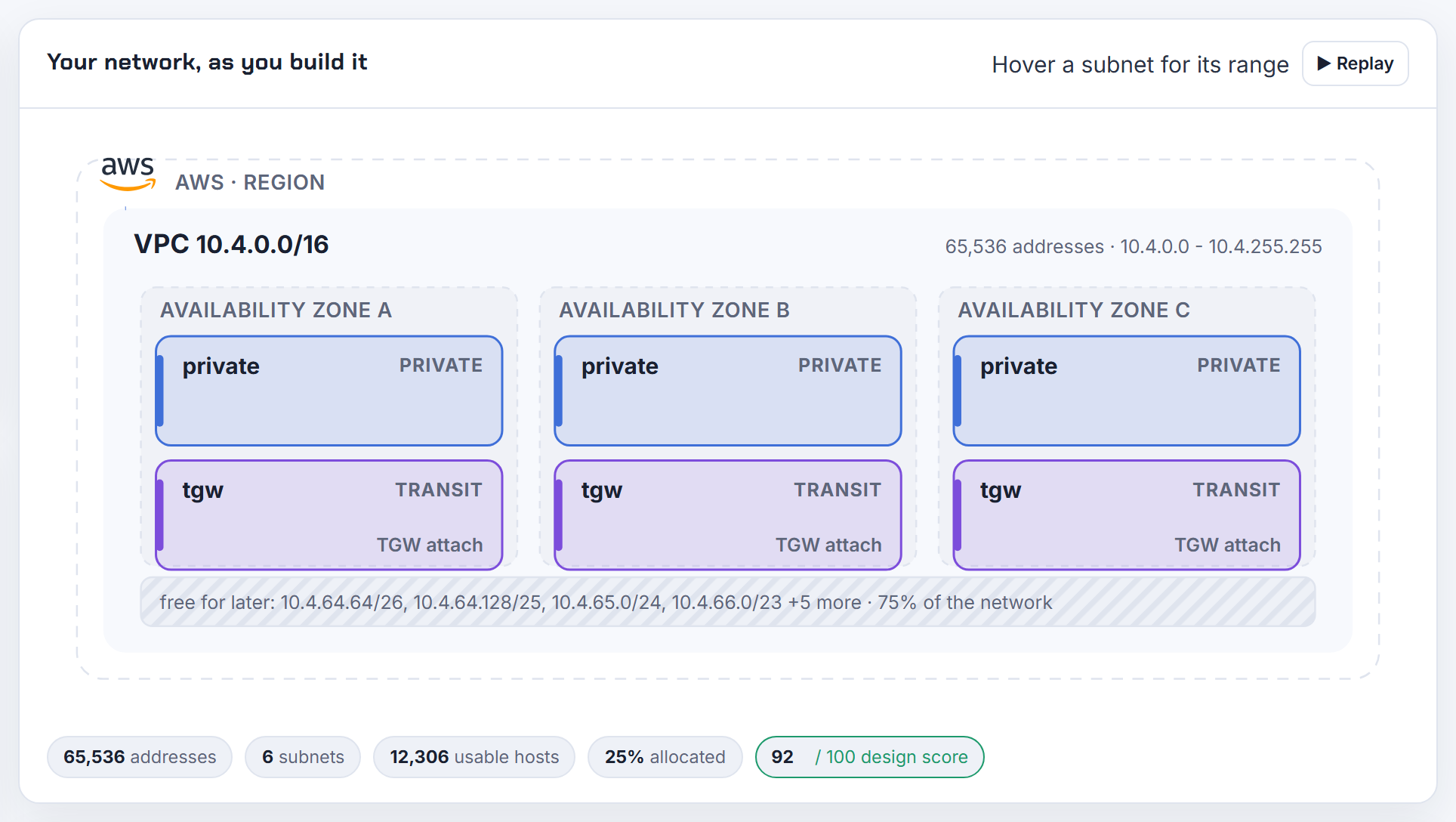
My Cloud SQL private IP range overlaps an on-premises subnet reached over Interconnect. Can I still connect?
Not with that range. Cloud SQL private IP uses private services access, which is a VPC Network Peering connection to the producer's network built on an allocated range in your VPC; the two networks must use distinct IP address ranges, and you cannot change the IP address range associated with an allocated range, only which allocated ranges are associated with the private connection (private services access). If the allocated block also exists on-prem, routing from the office to the instance is ambiguous and peering constraints mean the range cannot simply be shrunk.
Two ways forward:
- Allocate a new, non-overlapping range, associate it with the private connection, and create the instance (or a replica) so it lands in the new range. On-prem reachability then needs custom route export on the peering, because the VPC network and service producer network exchange subnet routes only and on-premises hosts cannot reach the producer network by default.
- Move to Private Service Connect, which Google recommends over private services access because it provides better IP address space management and lets you connect from multiple VPC networks including on-premises (Cloud SQL private IP). The endpoint takes one address in a subnet you choose, so there is no producer range to collide.
Before allocating anything for a managed service, check it against the on-prem plan; the planner's overlap check accepts on-prem ranges alongside VPC ranges.

In Azure, why does my point-to-site gateway subnet overlap the default subnet, and how do I fix it?
Because the only subnet in the VNet already uses the entire address space, and the gateway needs its own subnet named GatewaySubnet. The gateway VMs are deployed to a subnet that must be named GatewaySubnet; a /29 is possible for the Basic SKU only, every other SKU requires /27 or larger, and you must never deploy anything else into it (VPN Gateway settings). A VNet of 10.0.0.0/24 with a default subnet of 10.0.0.0/24 has no room, hence the error.
Fix in one of two ways:
- Shrink the default subnet, which is allowed only if no resources are deployed within it; otherwise move or delete them first (change subnet settings).
- Add a second address range to the VNet and create GatewaySubnet there, for example add 10.0.1.0/24 and use 10.0.1.0/27. Address ranges can be added as long as they do not overlap peers or on-premises (add or remove an address range).
Do not attach an NSG to GatewaySubnet, and set the client address pool to a private range that overlaps neither the VNet nor the networks you connect from (point-to-site certificate gateway). The planner's Azure mode reserves five addresses per subnet and a /29 minimum, so carving a /27 gateway slot up front avoids the whole problem; Azure VNet step by step shows the layout.
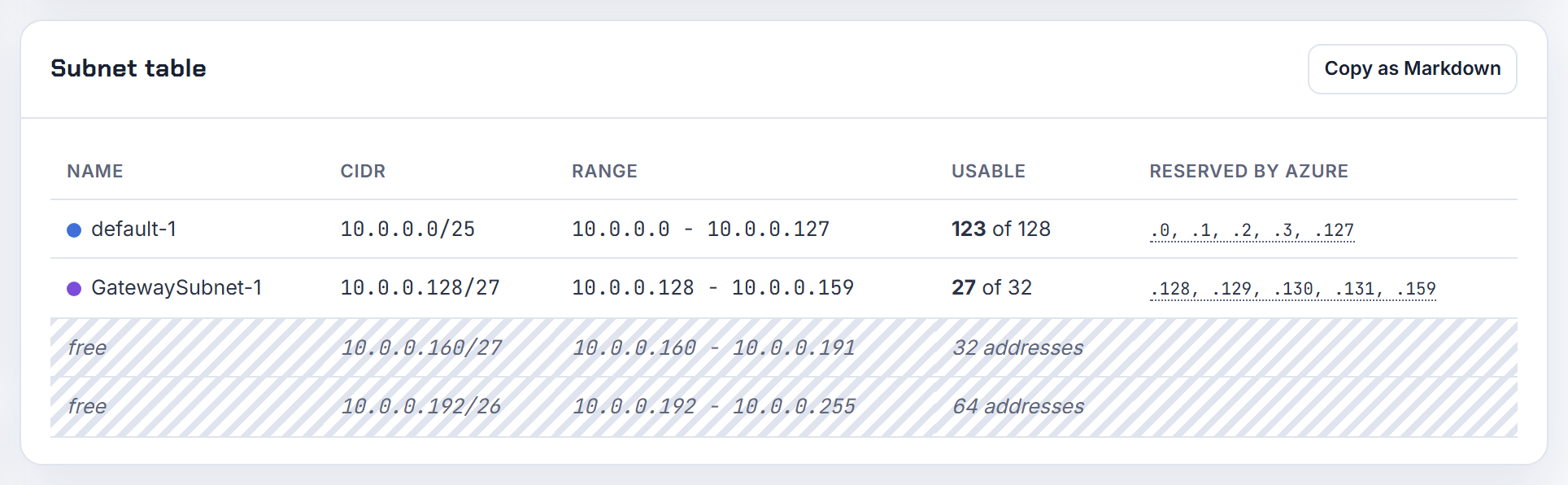
How do I lay out an Azure VNet on 10.20.0.0/16 that connects to an on-premises 10.1.0.0/16?
One VNet per region with 10.20.0.0/16 as its address space, subnets carved from it, a GatewaySubnet of /27, and the on-premises prefixes declared on the local network gateway. Azure's tutorial sets the rules: none of the subnets of your on-premises network can overlap with the virtual network subnets you want to connect, and the local network gateway's address space is the set of on-premises ranges Azure routes to the VPN device, which can be updated later (site-to-site tutorial). Overlap between connected networks is simply not supported (VPN Gateway FAQ).
A starting layout:
| Subnet | Range |
|---|---|
| GatewaySubnet | 10.20.255.0/27 |
| app | 10.20.0.0/22 |
| data | 10.20.4.0/22 |
| aks | 10.20.16.0/20 |
Resource groups do not affect addressing: a VNet lives in one region and one subscription, and resources connected to it must be in the same subscription and region, though they can sit in other resource groups (create a virtual network). Adding a second on-premises range later is an edit to the local network gateway's address prefixes (VPN Gateway settings). Azure reserves five addresses per subnet, so the planner's Azure mode is the quickest way to size each tier; Azure VNet step by step covers the gateway and route tables.
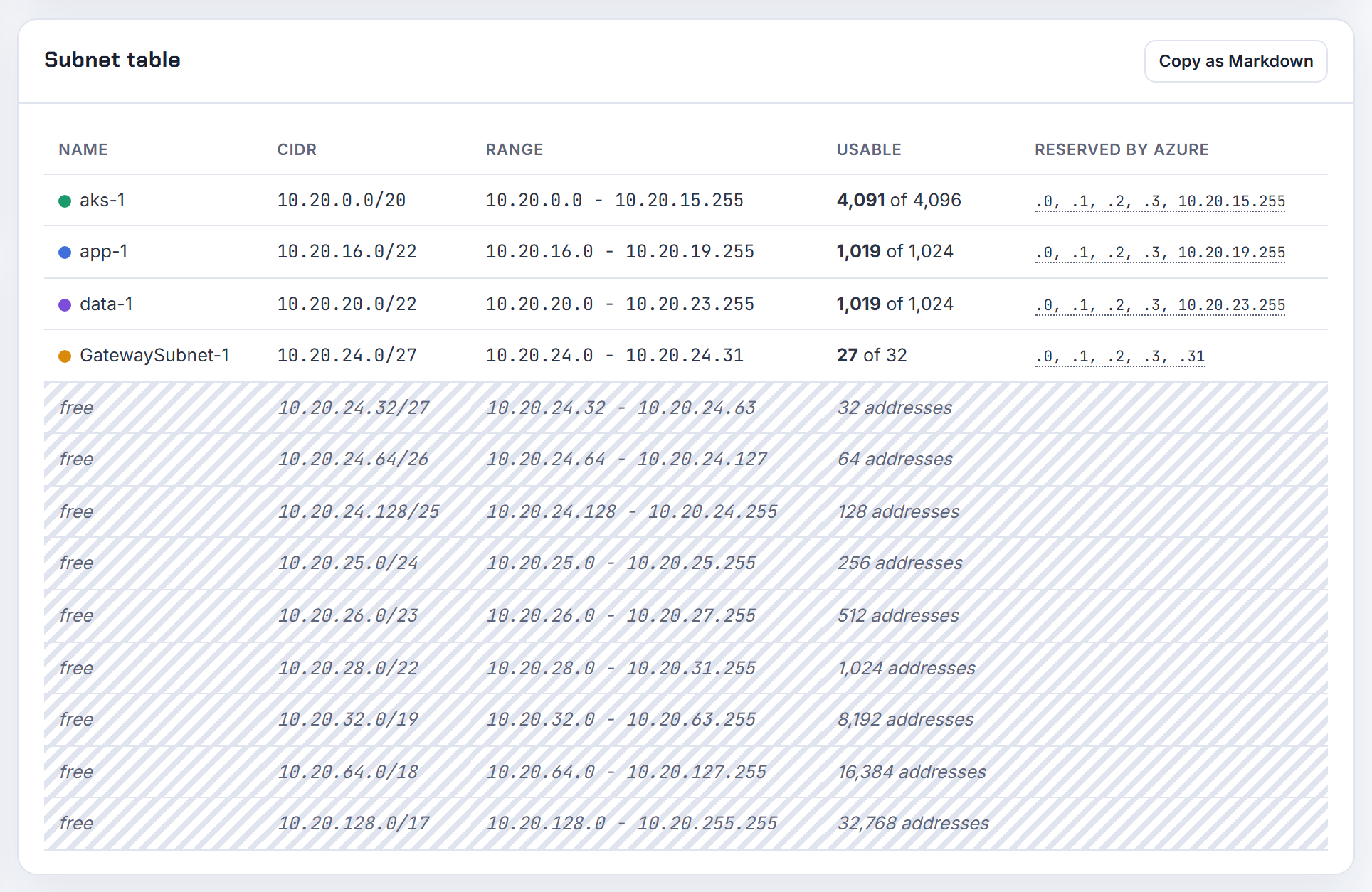
Why does Docker's default bridge on 172.17.0.0/16 clash with internal networks over the VPN, and how do I move it?
Because the container host adds its own route for the bridge network, and that route shadows anything in 172.17.0.0/16 reached through the VPN or Transit Gateway. Docker creates networks from default address pools, and the documentation's example configuration carves 256 networks out of 172.17.0.0/16 as 172.17.0.0/24, 172.17.1.0/24 and so on (Docker networking). The "pool overlaps with other one on this address space" error is Docker refusing to create a network whose range collides with an existing network or route on the host.
Move the pools in /etc/docker/daemon.json and restart the daemon:
1{
2  "bip": "10.200.0.1/24",
3  "default-address-pools": [
4    { "base": "10.201.0.0/16", "size": 24 }
5  ]
6}
bip sets the default bridge address and default-address-pools the base ranges for user-defined networks; both are documented on the dockerd reference. Pick a base that is reserved in your plan as "host-local, never routed".
AWS has the same warning from the other direction: some AWS services use 172.17.0.0/16, Cloud9 and SageMaker AI among them, and AWS advises not to use this range when creating your VPC (VPC CIDR blocks). The planner's design review raises the 172.17.0.0/16 Docker warning for exactly that block.
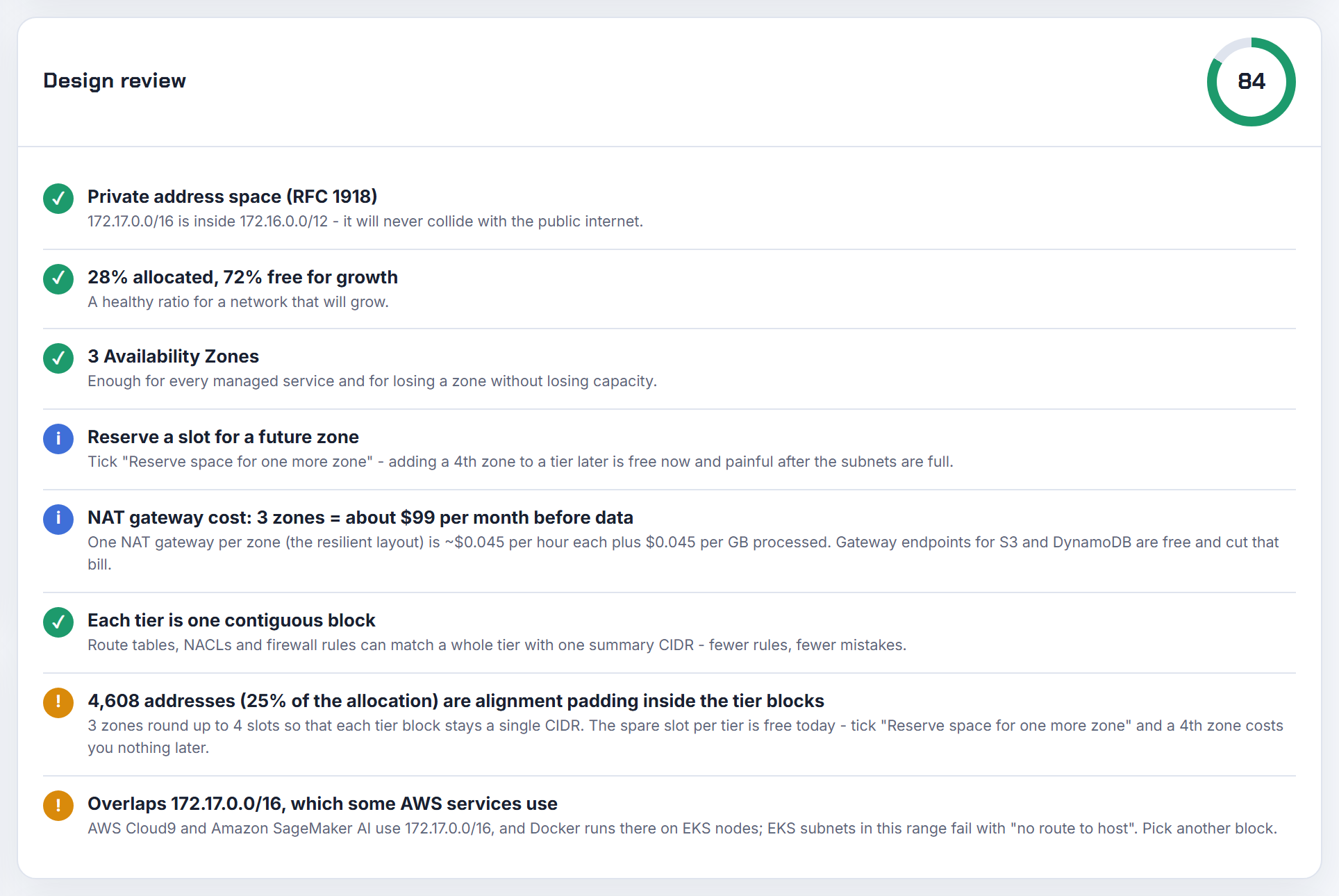
Secondary CIDRs and running out of IP addresses
The VPC was sized for day one. These answers cover adding address space on AWS, Azure and Google Cloud, and what EKS, AKS, GKE, ECS, Lambda and managed services really consume.
How do I add a secondary CIDR to a VPC, and why is 10.0.0.0/16 restricted when the primary is 192.168.0.0/16?
Add it from the VPC's CIDRs tab, or with aws ec2 associate-vpc-cidr-block --vpc-id vpc-123 --cidr-block 192.168.16.0/20; a local route for the new block appears in every route table automatically (manage IPv4 CIDR blocks). The block must be /16 to /28, must not overlap existing CIDRs or an active peer, and you can have 5 IPv4 CIDRs per VPC by default, adjustable up to 50 (VPC quotas).
The restriction you hit is the association table. The reason AWS gives is that some AWS services use cross-VPC and cross-account features that require non-conflicting CIDR blocks on the service side (association restrictions):
| Existing range | Restricted secondary | Permitted secondary |
|---|---|---|
| 10.0.0.0/8 | 172.16.0.0/12, 192.168.0.0/16, 198.19.0.0/16; nothing from 10.0.0.0/16 if any CIDR is in 10.0.0.0/15 | other 10/8 blocks, public ranges, 100.64.0.0/10 |
| 172.16.0.0/12 | 10/8, 192.168/16, 172.31.0.0/16, 198.19.0.0/16 | other 172.16/12 blocks, public, 100.64/10 |
| 192.168.0.0/16 | 10/8, 172.16/12, 198.19.0.0/16 | other 192.168/16 blocks, public, 100.64/10 |
So a 192.168.0.0/16 primary can add 192.168.x only within that /16, which is already the primary, leaving public ranges or 100.64.0.0/10. A 172.31.104.0/21 primary can add another 172.16/12 block, but not from 172.31.0.0/16. Plan the primary with growth inside the same RFC 1918 family; the planner's 95 percent headroom warning exists to make that visible before the primary is exhausted.
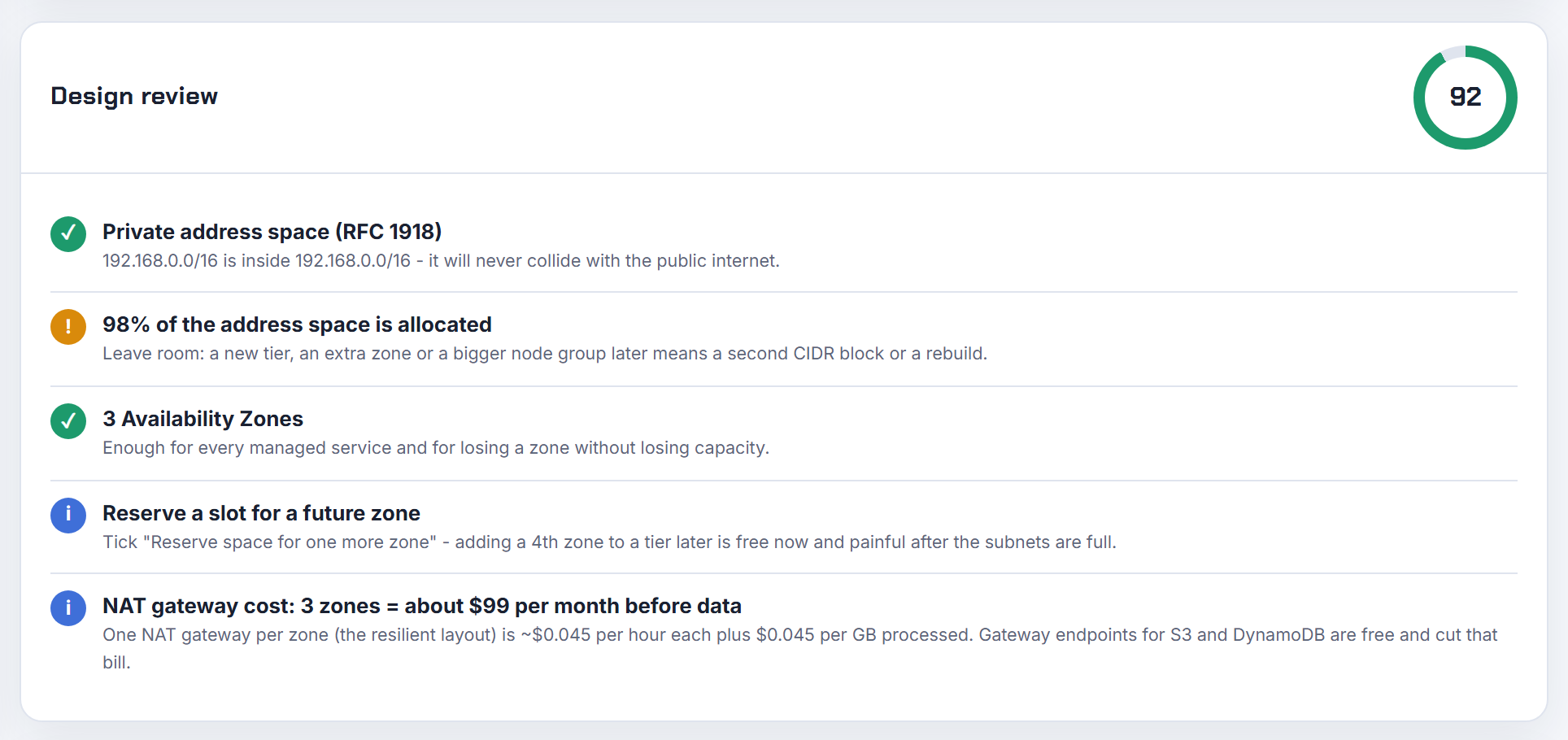
Does Terraform support secondary VPC CIDR blocks, and why does adding one recreate my subnets?
Yes. aws_vpc_ipv4_cidr_block_association associates additional IPv4 CIDR blocks with an existing VPC, either an explicit cidr_block or one derived from an IPAM pool with ipv4_netmask_length:
1resource "aws_vpc_ipv4_cidr_block_association" "secondary" {
2  vpc_id     = aws_vpc.main.id
3  cidr_block = "100.64.0.0/16"
4}
Subnets get recreated when their cidr_block is computed from a list that shifts. A module that builds subnets with cidrsubnet(var.cidrs[count.index], ...) renumbers everything when you insert a block at the front, and a changed cidr_block forces replacement because a subnet is created with its CIDR and AWS has no operation to change it (subnet CIDR blocks). Append new blocks at the end, use for_each keyed by name instead of count, and reference the new association with depends_on so the subnet is created after the CIDR is associated.
CloudFormation has the same shape: AWS::EC2::VPCCidrBlock associates the block, every property is replacement-on-update, and Ref returns the association ID rather than the CIDR. To output the CIDR, read !GetAtt VPC.CidrBlockAssociations or just output the parameter you passed in. EKS running out of IP addresses has a worked Terraform example.
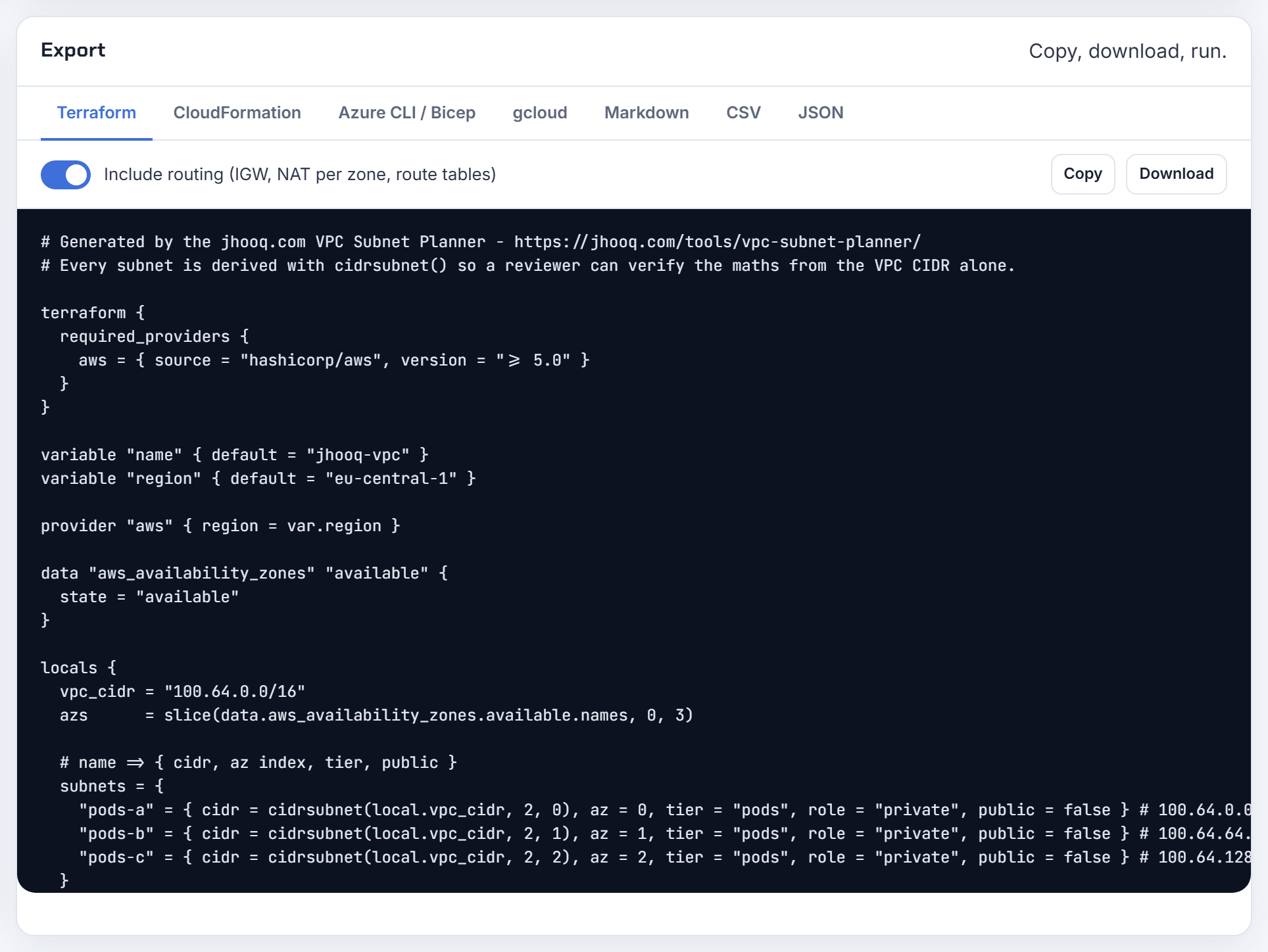
Can I attach 100.64.0.0/10 to a VPC as a secondary block for EKS pods?
Not as a /10. A secondary block from 100.64.0.0/10 is permitted, but like every VPC CIDR it must be between a /16 and a /28 (association restrictions). Attach 100.64.0.0/16, and if one cluster needs more, 100.65.0.0/16 and so on, up to the 5 CIDRs per VPC default (adjustable to 50). The Terraform module error about a /10 is this VPC rule, not a module limitation.
EKS's own guidance is to use this space for custom networking: the node's primary ENI stays in the 10.x subnet and pods get addresses from secondary ENIs in subnets carved from 100.64.0.0/16, chosen because it is less likely to be used in a corporate setting than RFC 1918 (custom networking). The VPC CNI's subnet discovery can also pick up new subnets tagged kubernetes.io/role/cni without custom networking (optimizing IP utilization).
Max pods change with custom networking because the primary ENI no longer serves pods: (ENIs minus 1) times (IPs per ENI minus 1) plus 2, which for an m5.large is 2 times 9 plus 2, that is 20, or 290 with prefix delegation. The Kubernetes IP Calculator applies the custom networking formula and sizes the 100.64 pod subnets per zone.
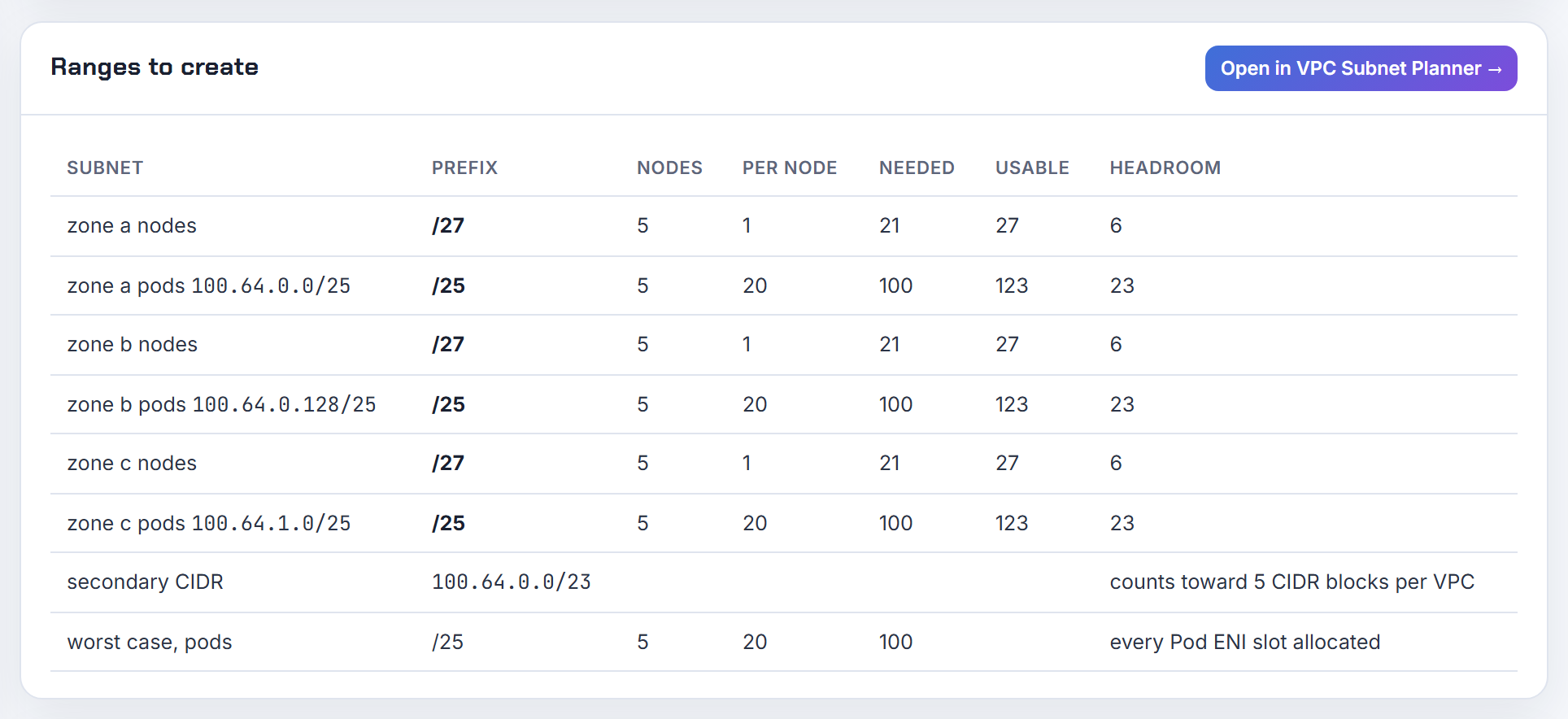
Is the SAP overlay IP range just a secondary CIDR on the same VPC?
No. The overlay IP is deliberately outside the VPC: AWS lets you configure an Overlay IP outside your VPC CIDR block, a non-overlapping RFC 1918 address that resides outside the VPC range, and the cluster software directs SAP traffic to the active node by changing the routing entry in AWS (SAP high availability setup). The point is that a subnet, and therefore any VPC CIDR, belongs to one Availability Zone, so an address that must float between zones cannot come from a subnet.
What you plan is a small block, a /28 or /27 is plenty for a few SAP systems, that is:
- not in any VPC CIDR, primary or secondary;
- not overlapping any peered VPC or on-premises range, because it will be routed;
- documented, since nothing in AWS reserves it for you.
Reachability from other VPCs or on-premises goes through a Transit Gateway with a static route for the overlay address, or through a Network Load Balancer when there is no Transit Gateway, as the same guide describes. If you ever consider making it a secondary CIDR for convenience, remember the /16 to /28 rule and the fact that a CIDR is per VPC, not per zone, which defeats the purpose. In the planner, record it as an existing network so the overlap check keeps future VPCs away from it.
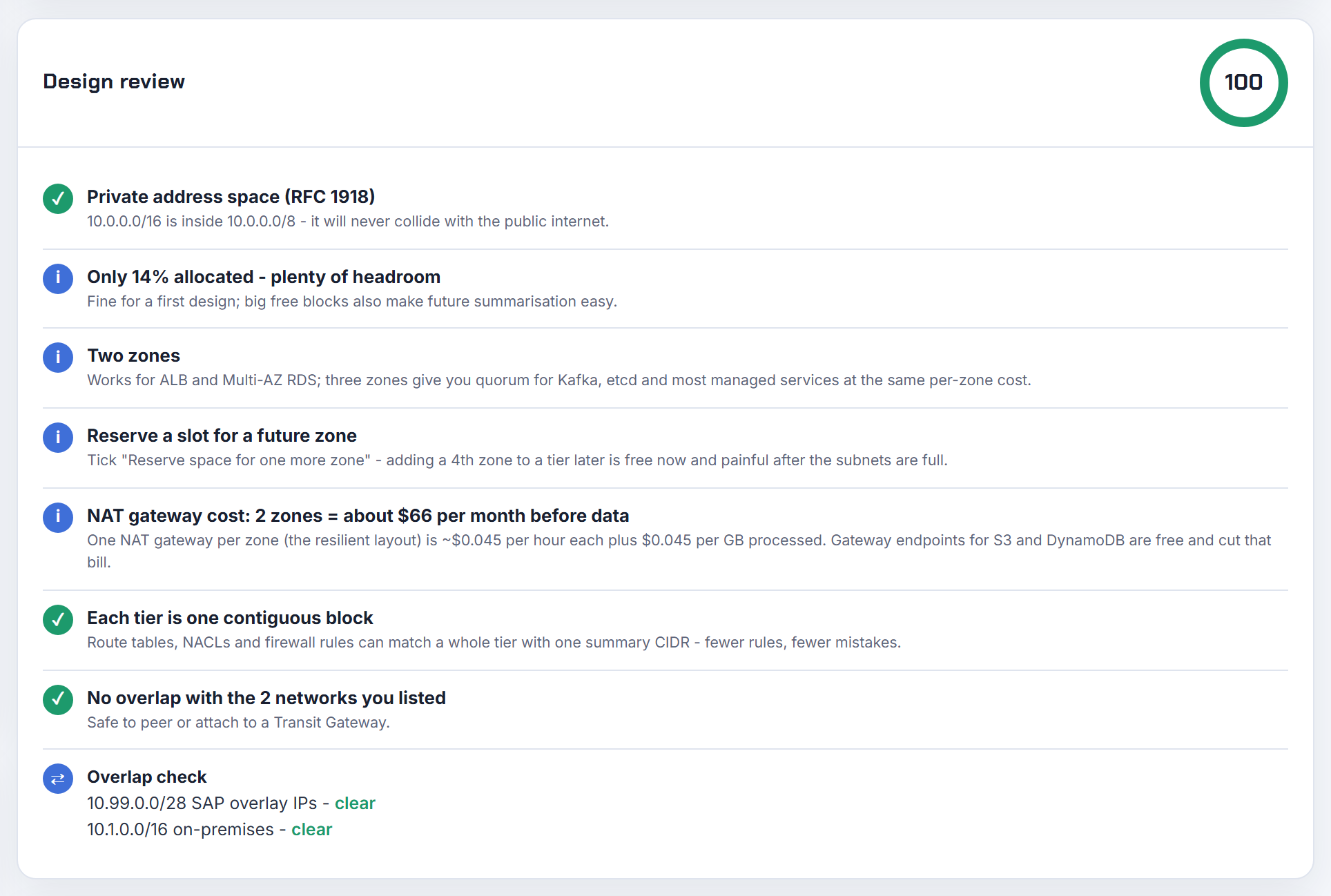
Can I split an active AWS subnet into two /25s without disturbing the instances in it?
Not in place. A subnet's CIDR is set when you create it, the VPC user guide defines only the creation rules (between /16 and /28, no overlap with other subnets) and offers no resize operation (subnet CIDR blocks), and a new subnet cannot overlap the one that already covers the whole VPC. So the only path is new subnets and a move.
The least disruptive sequence when one subnet equals the VPC CIDR:
- Associate a secondary CIDR with the VPC, for example a second /24 or larger from the same RFC 1918 family (manage IPv4 CIDR blocks).
- Create the new subnets there, at least two in different zones for the RDS subnet group.
- Launch replacements, or create the RDS instance in the new subnets, and retire the old subnet when it is empty.
Instances keep running throughout; nothing about step 1 touches them. The lesson is to never make the first subnet as large as the VPC. The planner's default layout leaves a reserved slot and lists leftover space as CIDR blocks, so a VPC always has room for the subnet you did not think of; AWS VPC step by step builds the multi-subnet layout.
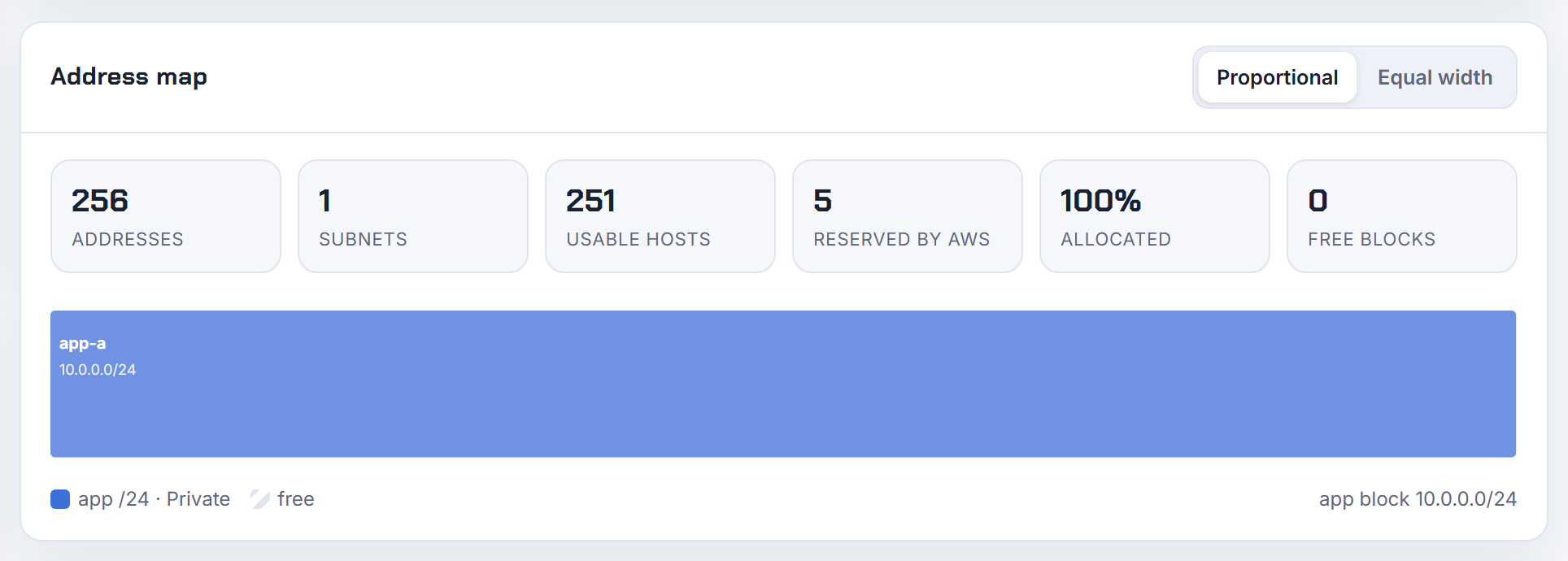
How do I find an unused block of a given size in a VPC whose subnets are fragmented?
Subtract every existing subnet from the VPC CIDR and look for an aligned gap of the size you need. The rules the gap must satisfy are the same on every cloud: a new subnet must sit entirely inside a VPC CIDR and must not overlap any other subnet (subnet CIDR blocks), and a /25 must start on a 128-address boundary.
A short script does it. List the used ranges (aws ec2 describe-subnets --filters Name=vpc-id,Values=vpc-123 --query 'Subnets[].CidrBlock'), then in Python walk the candidate /25s and keep those that overlaps() nothing (ipaddress module):
1from ipaddress import ip_network
2vpc = ip_network("10.0.0.0/16")
3used = [ip_network(c) for c in cidrs]
4free = [c for c in vpc.subnets(new_prefix=25)
5        if not any(c.overlaps(u) for u in used)]
Azure helps a little: az network vnet create reserves a /24 (or as large as available) when you omit --subnet-prefixes, and az network vnet subnet list-available-ips shows free addresses, but neither hands you an arbitrary free block (az network vnet). ARM and Bicep take the explicit addressPrefix you compute.
The planner does this without code: paste the existing subnets as networks and it lists the leftover space as CIDR blocks and offers free alternatives of the size you pick.

Why are my EKS subnets out of IP addresses when few pods run, and how do I fix the CNI warm pool?
Because the VPC CNI reserves addresses ahead of demand. With the default configuration the CNI keeps an entire ENI, and all of its secondary IPs, in a warm pool on every node, which can consume a large number of IPs, especially on larger instance types (optimizing IP address utilization). A node on a large instance type can hold dozens of reserved addresses while running ten pods, and Karpenter or the autoscaler then fails with no available private IPs.
What to count per node: one IP per ENI for the node itself, the warm ENI's full IP set, and under prefix delegation whole /28 prefixes. Prefix mode needs contiguous /28 blocks, and in a fragmented subnet the attachment fails with InsufficientCidrBlocks: There are not enough free cidr blocks in the specified subnet; AWS recommends subnet CIDR reservations, or a fresh subnet dedicated to pods, to keep contiguous space (prefix mode for Linux). A /23 reservation inside a /20 only protects that /23; prefixes outside it are still at the mercy of fragmentation (subnet CIDR reservations).
Fixes, in order: set MINIMUM_IP_TARGET to the pods you expect per node and WARM_IP_TARGET to a small number (the same page warns that too low a value causes EC2 API throttling), move pods to a secondary CIDR with custom networking, or go IPv6. The Kubernetes IP Calculator shows VPC addresses per node including the warm ENI, and EKS running out of IP addresses walks through each setting.
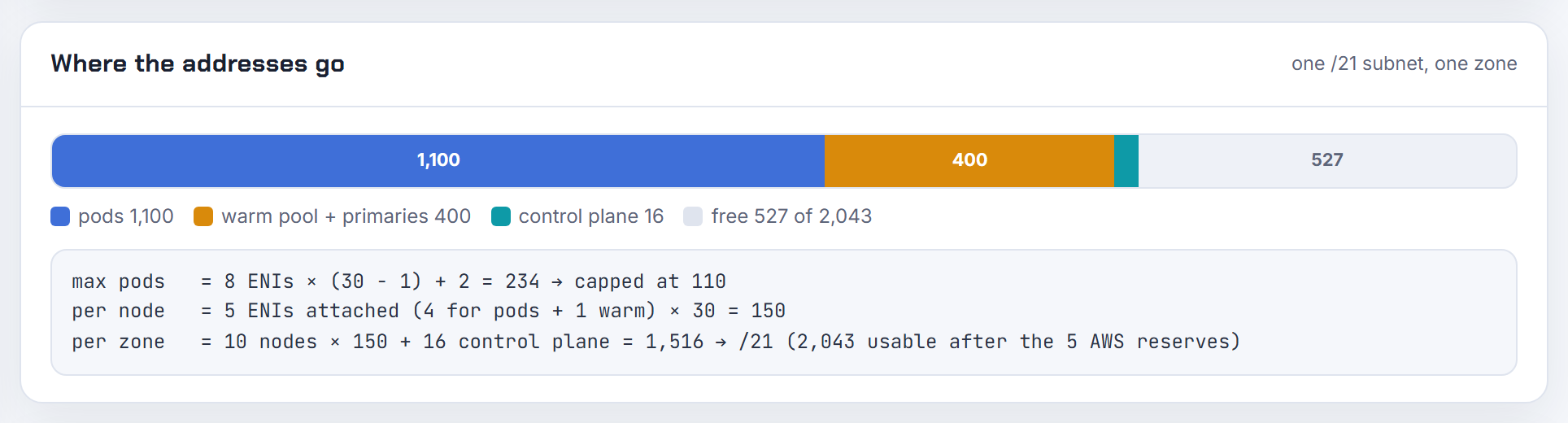
How big must an AKS subnet be to avoid InsufficientSubnetSize and not enough capacity errors?
Size it with Azure's formula: (number of nodes + max surge nodes) + ((number of nodes + max surge nodes) * maximum pods per node). For a 50-node cluster at the legacy Azure CNI default of 30 pods per node that is 51 + 51 * 30 = 1,581 addresses, a /21 or larger; planning to scale to 60 nodes gives 61 + 61 * 30 = 1,891, still a /21 (IP address planning for AKS). The upgrade error comes from the surge node: a rolling upgrade adds at least one node, so an exactly-full subnet cannot upgrade.
Why the number is so high: with the flat Azure CNI models every pod takes a VNet address up front. Defaults differ by plugin: 30 for Azure CNI legacy, 110 for Azure CNI Pod Subnet and kubenet, 250 for Azure CNI Overlay, all configurable up to 250 on the same page.
The cheaper design is Azure CNI Overlay: pods come from a private CIDR outside the VNet, 10.244.0.0/16 by default, each node gets a /24 from it, and the VNet subnet only has to hold the nodes (configure Azure CNI Overlay). Remember the five reserved addresses per Azure subnet and the first-address rule for the service CIDR. The Kubernetes IP Calculator has the Overlay, Pod Subnet and legacy formulas side by side.

ECS on Fargate is exhausting my /22 subnet. Should I add a secondary CIDR or bigger subnets?
Both, because the arithmetic is one address per task. Every Amazon ECS task on Fargate is provided an elastic network interface with a primary private IP address from the subnet (Fargate task networking). A /22 has 1,019 usable addresses after AWS's five reserved, so about a thousand tasks per subnet is the hard ceiling, with deployments needing headroom for the new and old task sets at once.
Options in order of disruption:
- Spread across more subnets: a service's
awsVpcConfigurationaccepts up to 16 subnets, so give each zone two or three. - Associate a secondary CIDR with the VPC and create large task subnets there, a /20 per zone is 4,091 usable addresses; the block must be /16 to /28 and non-overlapping (manage IPv4 CIDR blocks).
- For the EC2 launch type, enable
awsvpcTrunking: a c5.large goes from two awsvpc tasks to ten because of the trunk interface (container instance ENIs). That solves the ENI-per-instance limit behind the ResourceENI error, not the address count; each task still takes a subnet IP.
Size task subnets for peak tasks plus one deployment's worth of replacements. The planner's "by host count with growth" tier sizing produces that number directly.
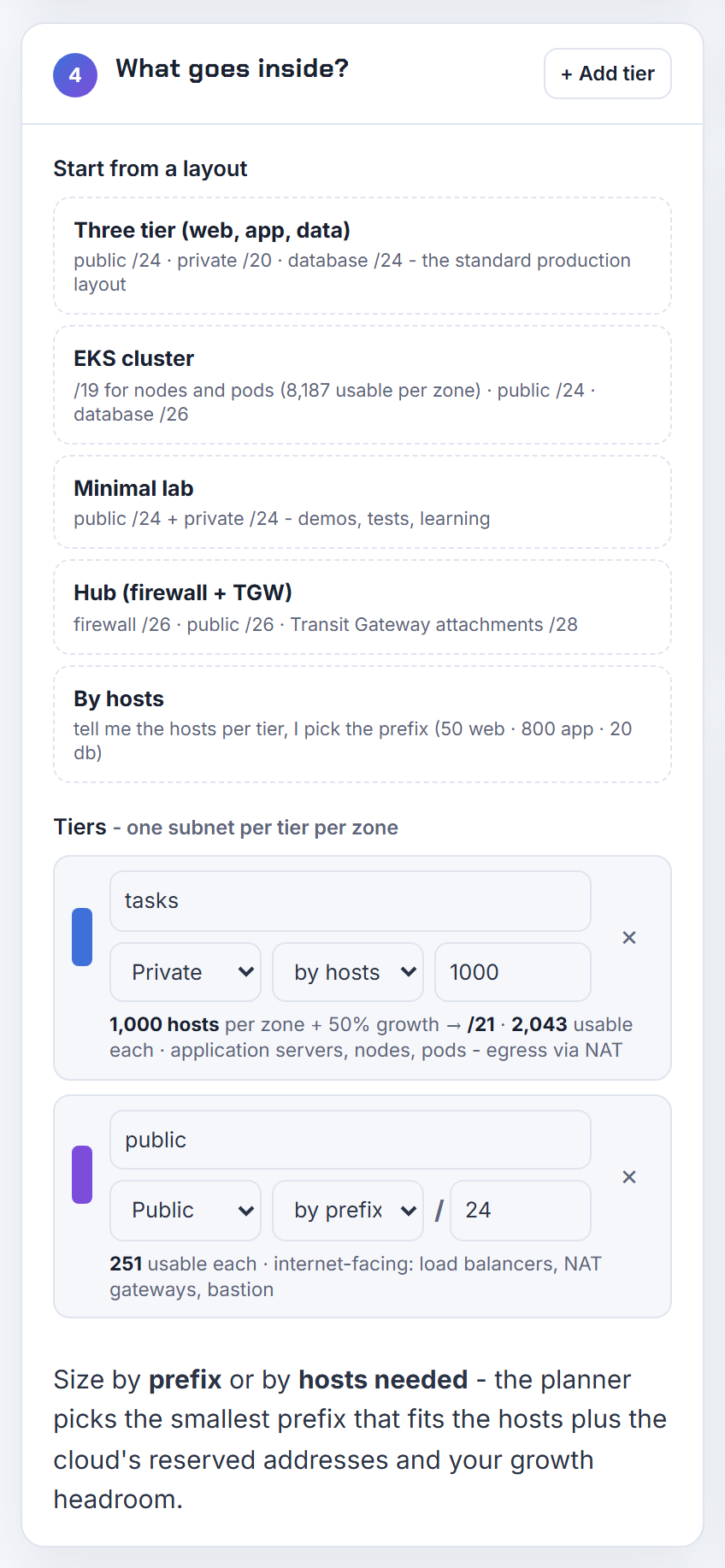
AWS Glue, WorkSpaces or a load balancer ran out of IPs in its subnet. How do I add more?
Give the service a bigger subnet, usually in a secondary CIDR, and repoint the service at it; the subnet itself cannot grow. What each service consumes:
- Glue: a job that runs in your VPC gets elastic network interfaces, each assigned a private IP address from the subnet you specified, and a job can only access one VPC and subnet at a time (setting up network access to data stores). Create a connection on a larger subnet and attach it to the jobs.
- WorkSpaces: each WorkSpace has a primary private IP address on its network interface, and the directory's subnets sit in two Availability Zones (configure a VPC for WorkSpaces); I would start at a /20 per zone for a few thousand desktops.
- Application Load Balancer: each subnet needs a /27 or larger and at least eight free IP addresses so the load balancer can scale, and a subnet that runs dry leaves it with insufficient capacity and 5xx errors (ALB subnets).
The mechanics: associate a secondary CIDR (/16 to /28, 5 per VPC by default), create subnets per zone from it, then update the Glue connection, the WorkSpaces directory or the load balancer's subnets. Public IPs are a separate matter: WorkSpaces in public subnets use Elastic IPs, which are a per-Region quota of 5 by default (VPC quotas). The planner's ALB /27 minimum check catches the load balancer case before it ships.
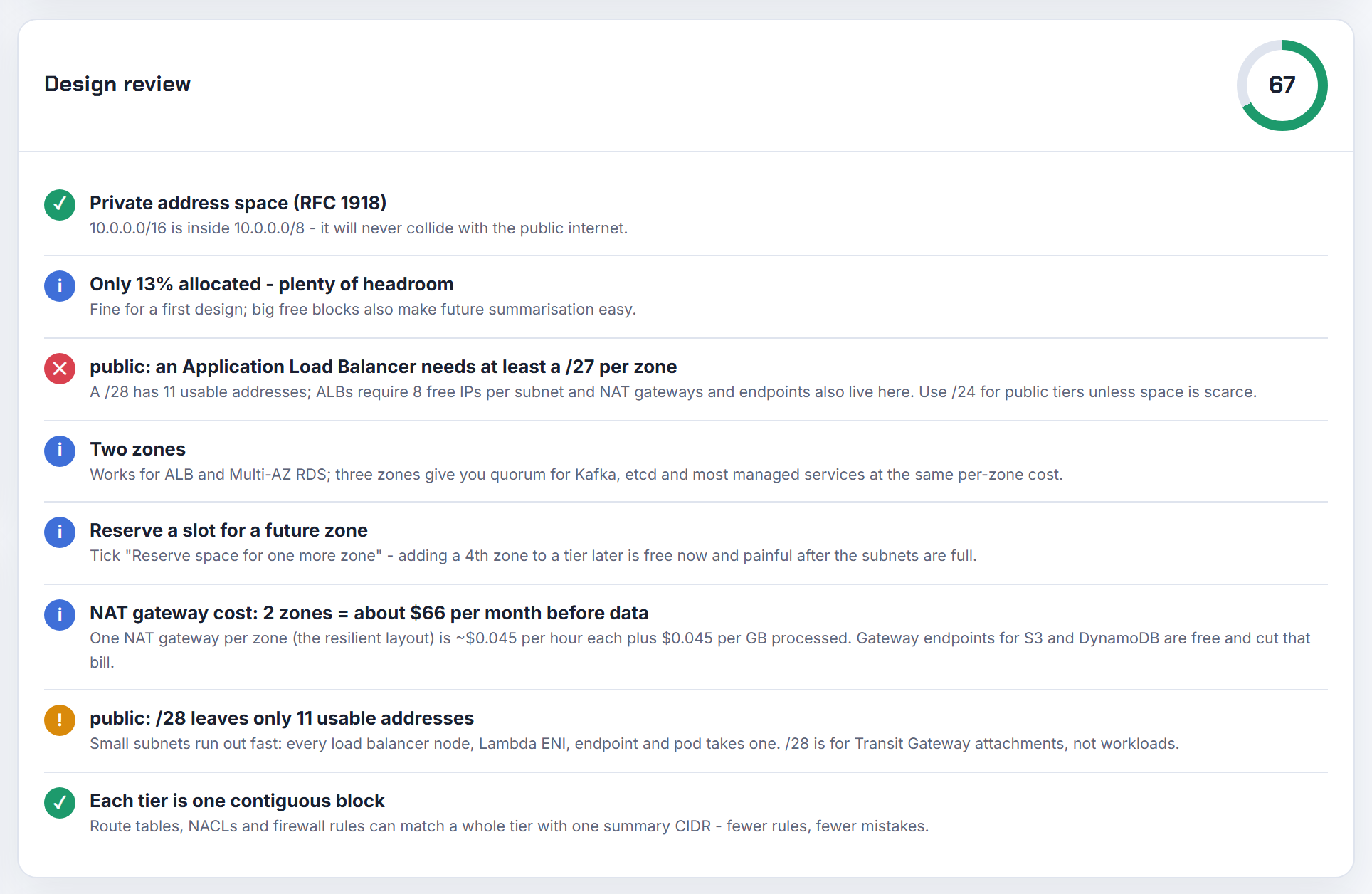
How can I increase the size of an Azure subnet without moving the servers in it?
You cannot resize a subnet that has resources in it. Azure's rule: if no resources are deployed within the subnet you can change the address range; if any resources exist, you must first move them to another subnet or delete them (change subnet settings). The VNet is more flexible: you can extend its address range, for example changing a /16 to a /8, or add a new range, as long as nothing overlaps a peered VNet or on-premises network (add or remove an address range).
So the pattern that keeps servers running is:
- Add a new address range to the VNet, or extend the existing one.
- Create a new, larger subnet there.
- Move workloads at your pace: new VMs go to the new subnet, old ones are migrated when convenient.
- Delete the old subnet when it is empty, then reuse its range.
If the VNet is peered, sync the peering after the address change (update the address space of a peered VNet). The old "unable to allocate the required address spaces" error was the same thing from the other side: a /26 VNet has no room for the second subnet or for the gateway subnet. Azure reserves five addresses per subnet, so a /29 yields three usable; the planner's Azure mode applies both numbers.
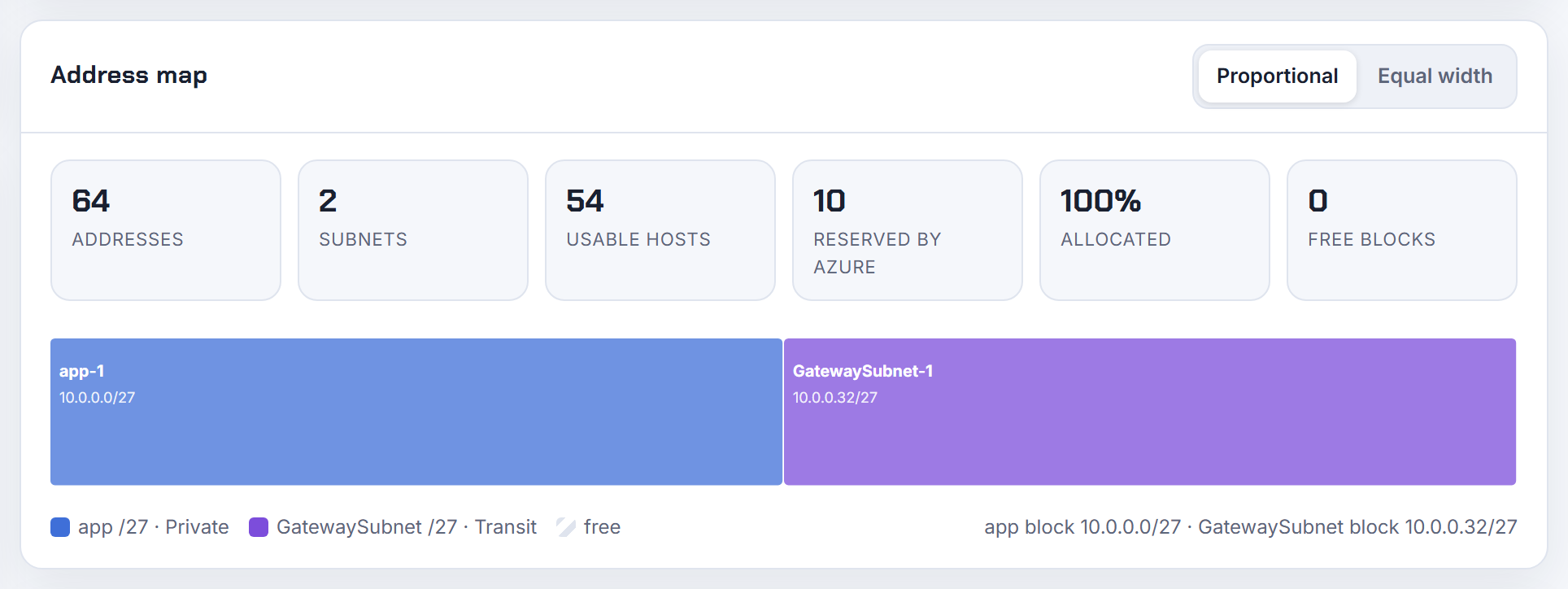
How do I add an address space to an existing Azure VNet with PowerShell, ARM or Bicep?
Append the range to addressSpace.addressPrefixes; the VNet keeps its existing ranges and subnets. The new range must not overlap other ranges in the VNet, peered VNets or connected on-premises networks (add or remove an address range).
PowerShell, from the same page:
1$vnet = Get-AzVirtualNetwork -ResourceGroupName rg -Name vnet
2$vnet.AddressSpace.AddressPrefixes.Add("10.1.0.0/16")
3Set-AzVirtualNetwork -VirtualNetwork $vnet
Azure CLI replaces the whole list, so pass every range: az network vnet update -g rg -n vnet --address-prefixes 10.0.0.0/16 10.1.0.0/16 (az network vnet update).
ARM and Bicep use the same property; addressPrefixes is a string array of CIDR blocks on Microsoft.Network/virtualNetworks (virtualNetworks template reference):
1resource vnet 'Microsoft.Network/virtualNetworks@2026-03-01' = {
2  name: 'vnet'
3  location: location
4  properties: {
5    addressSpace: { addressPrefixes: ['10.0.0.0/16', '10.1.0.0/16'] }
6  }
7}
Keep the template's subnet list complete when you redeploy it. After the change, sync each peering so the remote side learns the new prefix (update a peered VNet's address space). The planner exports Bicep with the address space and subnets already filled in.
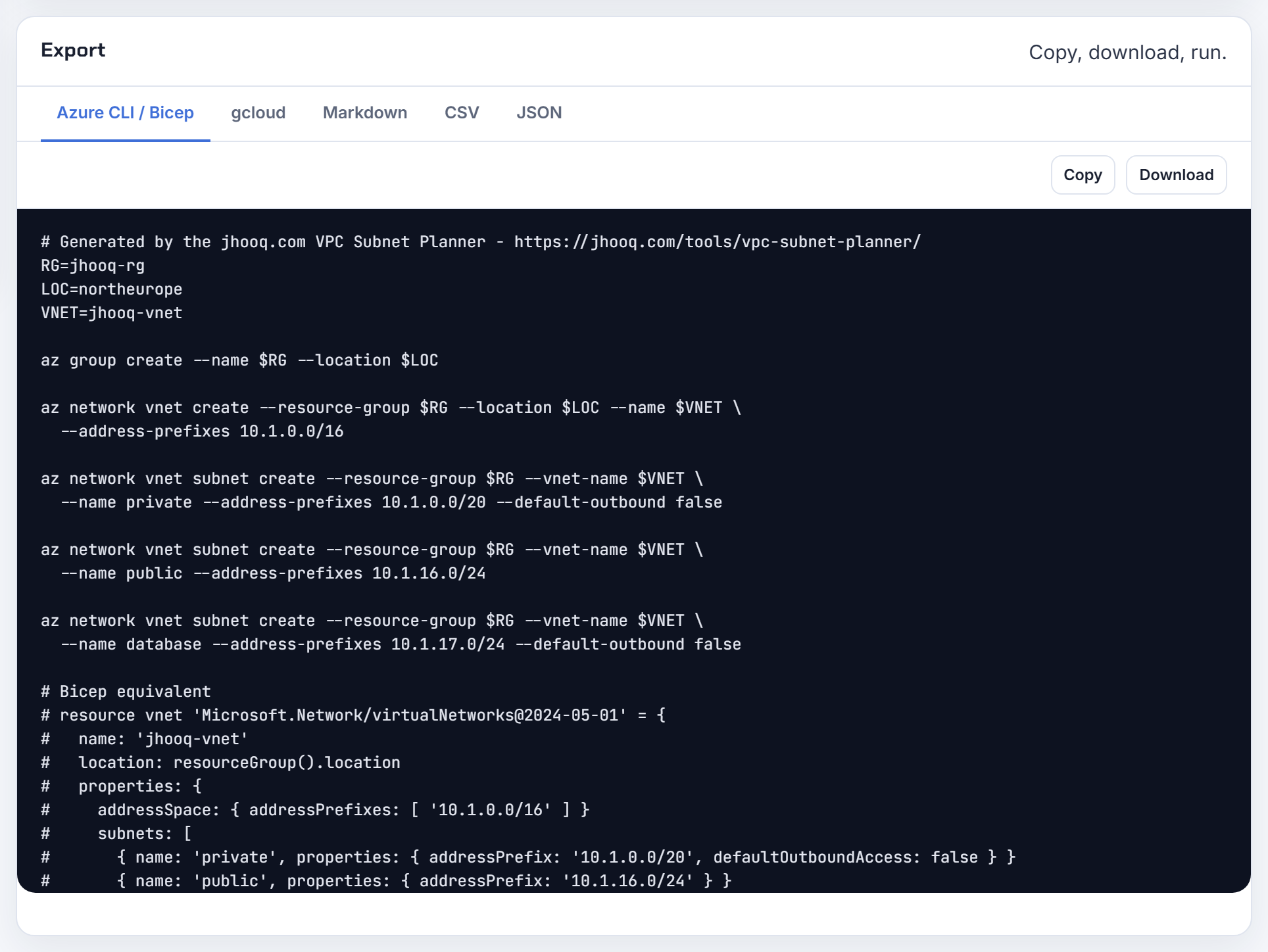
GKE is running out of service or pod IPs. Can I expand the ranges of a live cluster?
Pods yes, services no. The Service range is fixed: GKE assigns Service IPs from a /20 by default and this range cannot be changed once the cluster is created; the largest possible Service range is a /16 (VPC-native clusters). Running out of Service IPs on a /20 (4,096 services) means a new cluster with a bigger --services-ipv4-cidr.
Pod space can be added with discontiguous multi-Pod CIDR. Add a secondary range to the subnet, attach it to the cluster, then create node pools on it; existing node pools keep their original range (multi-Pod CIDR):
1gcloud container clusters update CLUSTER \
2  --additional-pod-ipv4-ranges=RANGE_NAME --location=LOCATION
3gcloud container node-pools create POOL --cluster=CLUSTER \
4  --pod-ipv4-range RANGE_NAME --location=LOCATION
Size the new range from the per-node rule: each node takes a /24 for up to 110 pods, so a /18 holds 64 nodes. A subnet supports up to 170 secondary ranges, which is rarely the limit.
Two clusters built with the same Pod CIDR cannot be peered, because secondary ranges are subnet ranges and no subnet range may overlap in peered networks (VPC Network Peering); one of them is a rebuild. The Kubernetes IP Calculator derives the GKE node range from max pods and sizes the pod secondary range for the node count you enter.
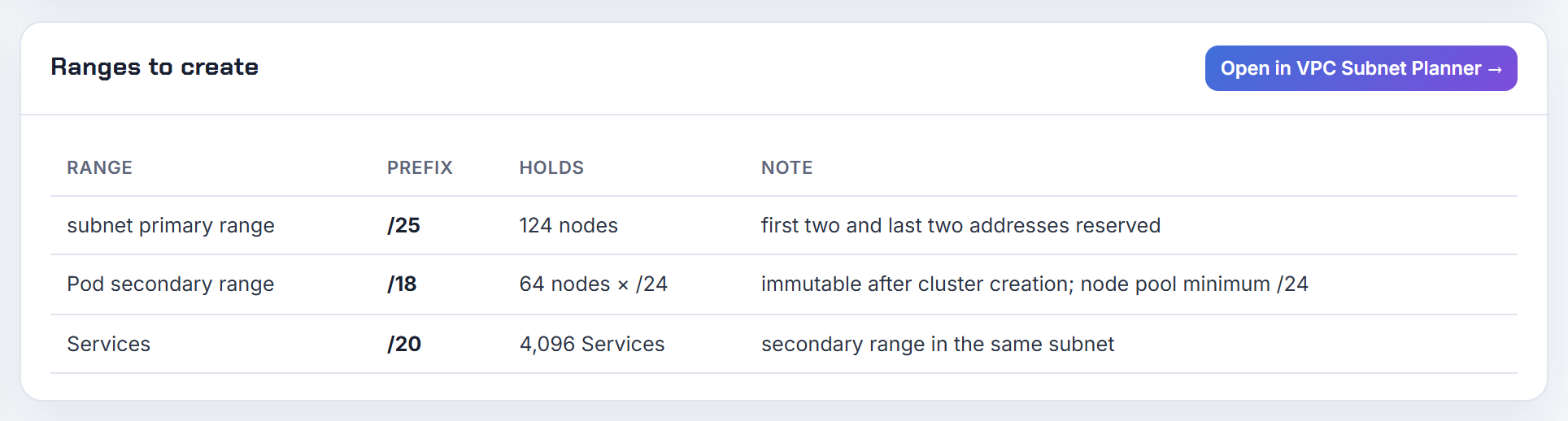
How many Lambda functions can mount EFS in a /16 VPC, and is the ENI quota the real cap?
The /16 is almost never the limit, because Lambda does not create one interface per function. The first time you attach a function to a VPC with a given subnet and security group combination, Lambda creates a Hyperplane ENI, and other functions in the account that use the same combination share it; each ENI supports up to 65,000 connections before Lambda adds another (Lambda VPC access). A thousand functions on two subnets and one security group therefore consume two addresses, not a thousand.
The quotas that do apply:
| Quota | Default |
|---|---|
| Lambda elastic network interfaces per VPC, shared with services such as EFS | 3,000, increasable (Lambda quotas) |
| Network interfaces per Region, enforced per Availability Zone | 5,000, adjustable (VPC quotas) |
EFS adds one mount target per Availability Zone, so a handful of addresses. What eats IPs in practice is variety: every distinct subnet plus security group pairing is another ENI, and scaling under heavy concurrency adds more. Keep functions on a few shared subnets and security groups, give those subnets a /24 or larger, and treat 3,000 as the number to raise through Service Quotas if you really approach it.
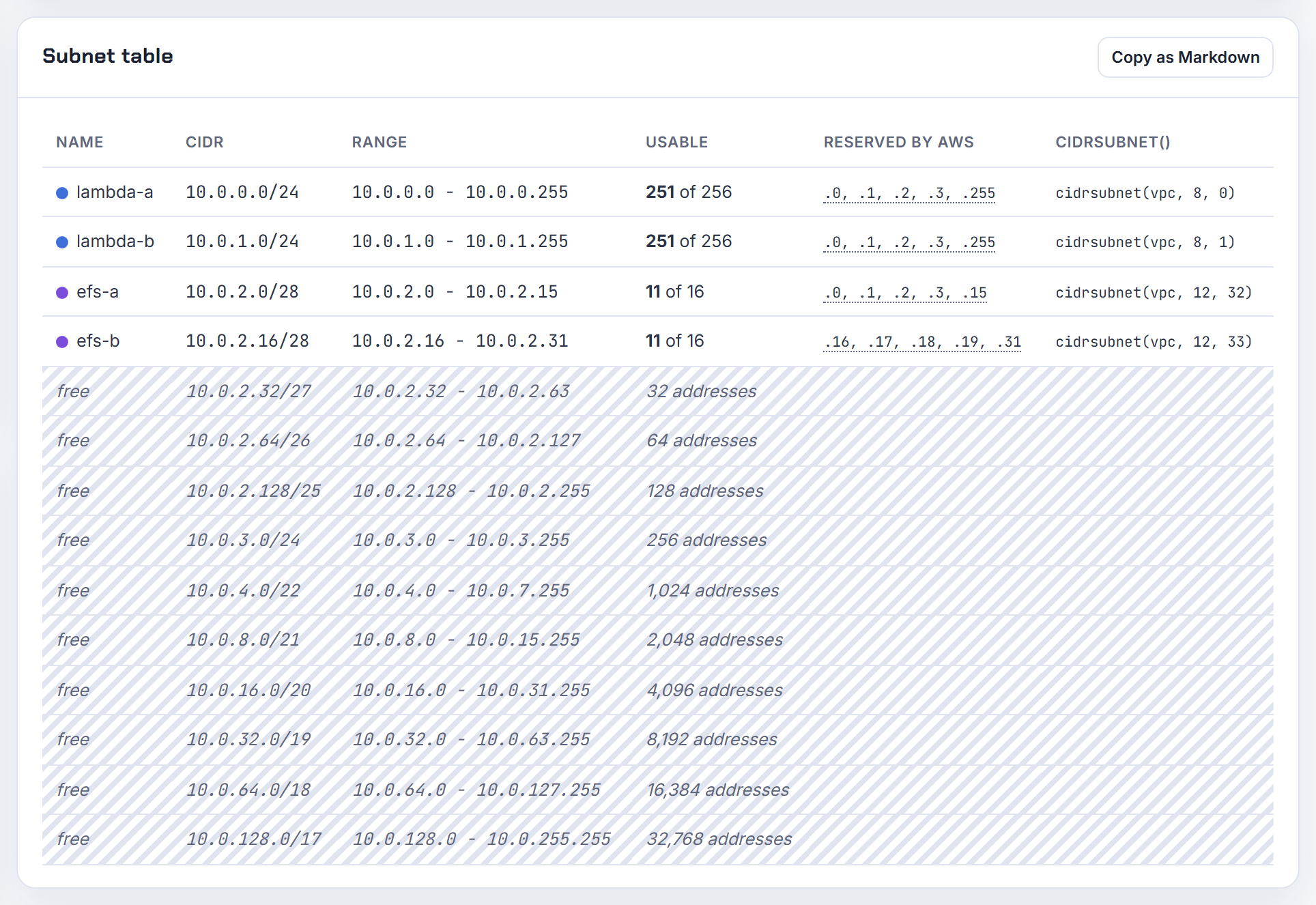
IPv6
Dual-stack and IPv6-only layouts on AWS and Google Cloud, and the arithmetic behind the /56 and /64 blocks.
How do I derive /64 IPv6 subnet blocks from the VPC /56 in Terraform or CloudFormation?
You do not need to know the prefix in advance. Both tools read it after the VPC is created and carve it. AWS assigns the /56 from its own pool and you cannot choose it (IPv6 VPC CIDR blocks); a subnet block can be anything from /44 to /64 in steps of /4, and /64 is the normal choice (subnet sizing for IPv6).
Terraform: cidrsubnet() accepts IPv6 prefixes. Eight new bits turn a /56 into 256 /64s:
1ipv6_cidr_block = cidrsubnet(aws_vpc.main.ipv6_cidr_block, 8, count.index)
CloudFormation: Fn::Cidr with cidrBits 64 on the Ipv6CidrBlocks attribute, plus a DependsOn on the AWS::EC2::VPCCidrBlock resource:
1Ipv6CidrBlock: !Select [0, !Cidr [!Select [0, !GetAtt Vpc.Ipv6CidrBlocks], 256, 64]]
If the VPC block comes from an IPAM pool it can be /44 to /60 (add a CIDR block), so compute newbits as 64 minus the VPC prefix length instead of hardcoding 8. The planner shows the same cidrsubnet() derivation for its IPv4 blocks.
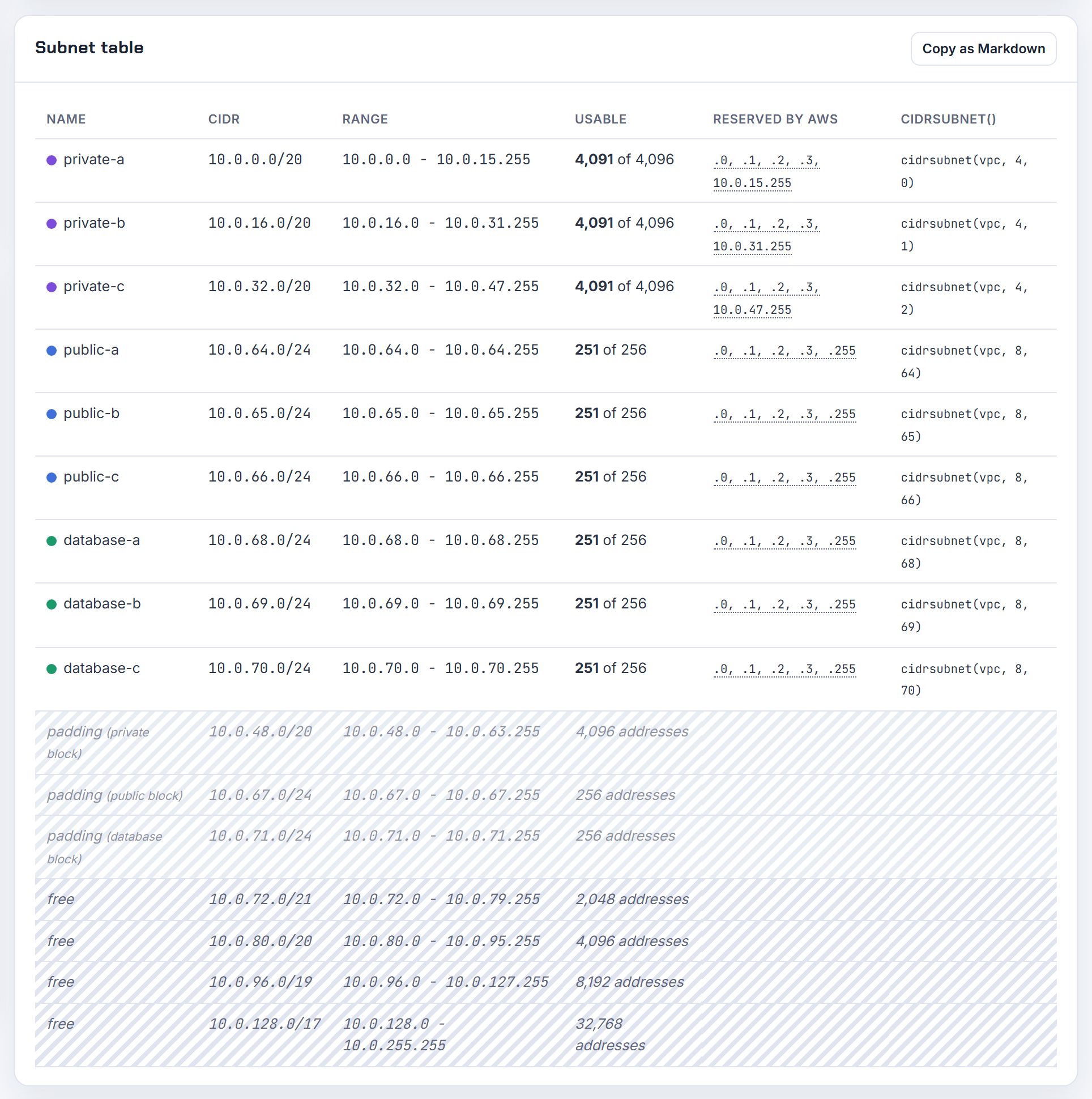
I added an IPv6 CIDR to my VPC, so how do I carve /64s for my subnets and why does one conflict with another subnet?
Each subnet takes one /64 out of the VPC /56, and no two subnets may use the same /64. A /56 holds 256 /64s that differ only in the two hex digits just before the double colon. With 2600:1f18:abcd:1a00::/56 the first three subnets are 2600:1f18:abcd:1a00::/64, 2600:1f18:abcd:1a01::/64 and 2600:1f18:abcd:1a02::/64. The console pre-fills the VPC block and lets you edit those digits for exactly this reason (add IPv6 to subnets).
The "conflicts with another subnet" error means the block you typed is already used by another subnet (for example two subnets on 00) or sits inside a larger block another subnet owns. Subnet IPv6 blocks must be /44 to /64 in /4 steps and inside the VPC block; the first four and the last address of each are reserved (subnet sizing for IPv6).
For a Local Zone subnet that rejects the block, add a second IPv6 CIDR to the VPC (up to five are allowed) and pick the Network Border Group that matches the Local Zone when you add it (add or remove a CIDR block).

How do I migrate an existing IPv4-only VPC and its subnets to dual-stack without recreating them?
In place, in four steps, with nothing recreated (add IPv6 support for your VPC):
- Associate an IPv6 CIDR with the VPC, then a /64 with each subnet.
- Routes: public subnets get ::/0 to the internet gateway; private subnets get ::/0 to an egress-only internet gateway, because NAT gateways do not forward IPv6.
- Security groups and custom network ACLs need IPv6 rules. AWS adds an outbound allow-all IPv6 rule to security groups automatically unless you changed the default outbound rules.
- Assign IPv6 addresses to instances, or turn on auto-assign for the subnet.
Two limits: "There is no migration path from IPv4-only subnets to IPv6-only subnets" and you cannot disable IPv4 (IPv6 support for your VPC). Instances launched before the change keep running but get no IPv6 address until you assign one; a missing default IPv6 route inside an older guest is an OS configuration issue, current AMIs come configured for IPv6.
In Terraform, adding the IPv6 attributes to existing VPC and subnet resources should plan as updates. Read the plan before applying; a replacement means a module default changed something else, such as the NAT subnet index.
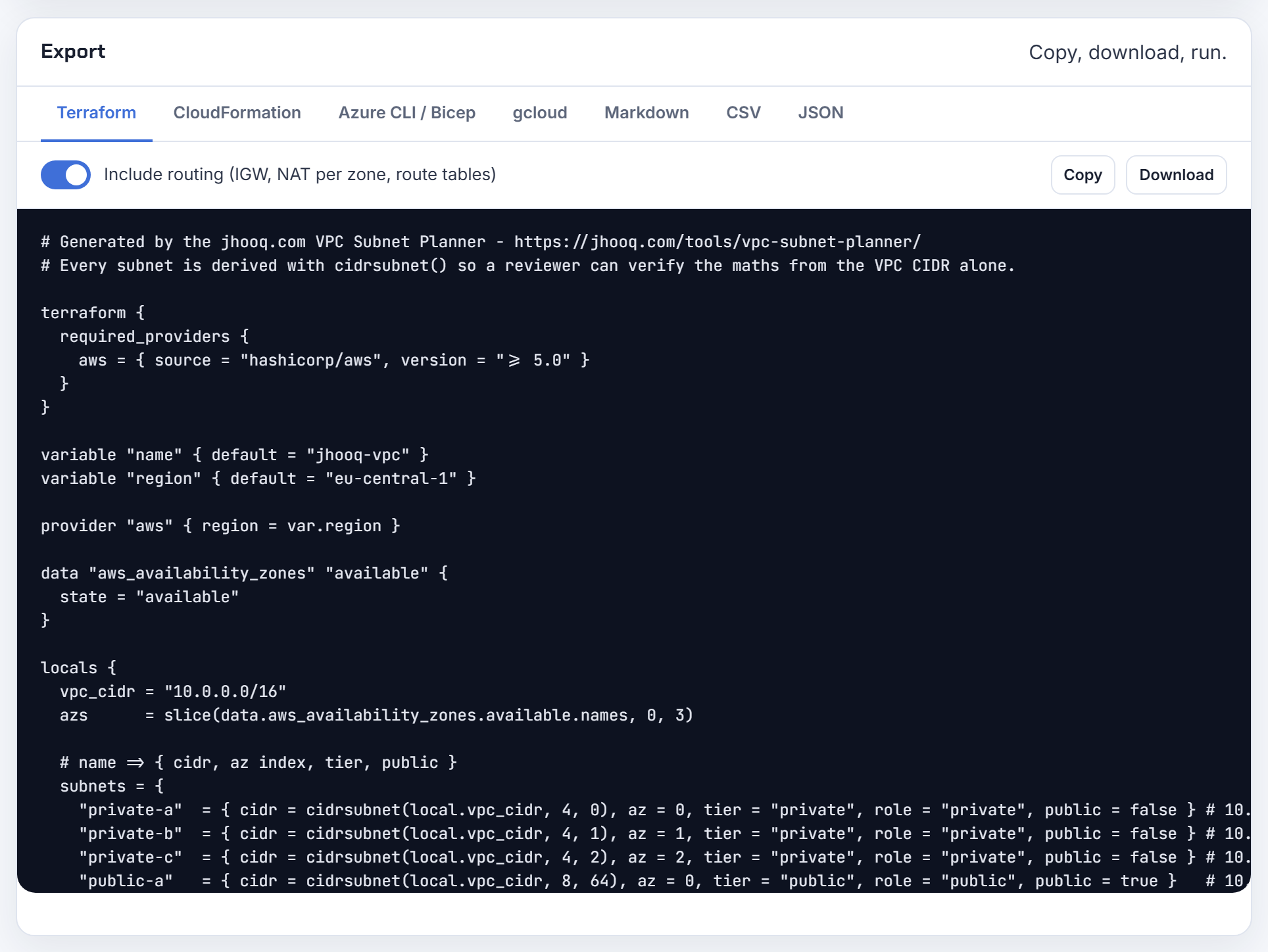
Is it a valid layout to make only the public subnets dual-stack and keep the private subnets IPv4-only?
Yes. Dual-stack is a per-subnet property: inside one VPC "you can create subnets that are IPv4 only, dual stack, or IPv6 only" (AWS services that support IPv6). IPv4 and IPv6 routing are independent, so the private tier keeps its NAT gateway route and never sees the IPv6 block.
What has to stay consistent is each service's set of subnets:
| Service | Subnet requirement |
|---|---|
| ALB or NLB dualstack | Subnets must have both IPv4 and IPv6 ranges (IP address types) |
| Lambda with IPv6 | All attached subnets must be dual-stack (Lambda IPv6 support) |
| Fargate tasks | Get an IPv6 address only in dual-stack or IPv6-only subnets, with the dualStackIPv6 account setting (Fargate task networking) |
So a load balancer in dual-stack public subnets with IPv4-only targets in private subnets is a normal design. Add IPv6 to the private tier later with an egress-only internet gateway when a workload needs it.
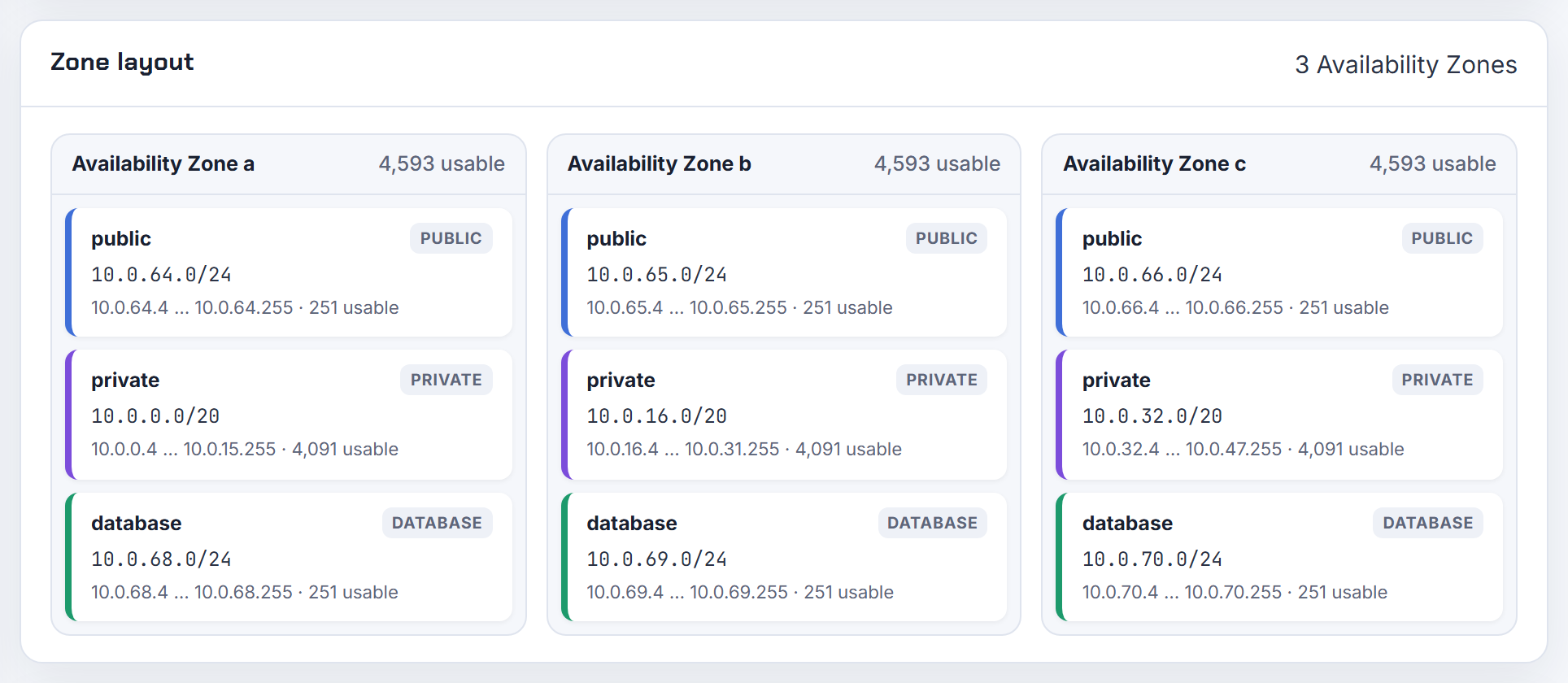
Can I build an IPv6-only VPC or subnets, and which services work there (Lambda, Fargate, EFS, ALB)?
Subnets can be IPv6-only; the VPC itself cannot, because "A VPC must have an associated IPv4 CIDR block" (VPC CIDR blocks). Support is uneven, which is why the service matrix matters:
| Service | IPv6-only subnets |
|---|---|
| EC2 (Nitro) | Yes (service table) |
| ECS on Fargate | Yes, platform 1.4.0 or later, Linux only, needs dualstack load balancers with IPv6 target groups and ECR dualstack image URIs (Fargate IPv6-only mode) |
| EFS | Yes (service table) |
| Lambda | No: "Lambda doesn't support outbound IPv6 connections for IPv6-only subnets" (Lambda VPC) |
| ALB and NLB | No: dualstack requires subnets with IPv4 and IPv6 ranges, and an ALB subnet needs a /27 with eight free IPv4 addresses (ALB subnets) |
| RDS and Aurora | Dual-stack only (service table) |
The layout that works: IPv6-only subnets for compute, small dual-stack subnets for load balancers and Lambda, and DNS64 plus NAT64 for IPv4-only dependencies. The calculator applies the EKS IPv6 rule of one IPv4 per node and a /80 IPv6 prefix per node.
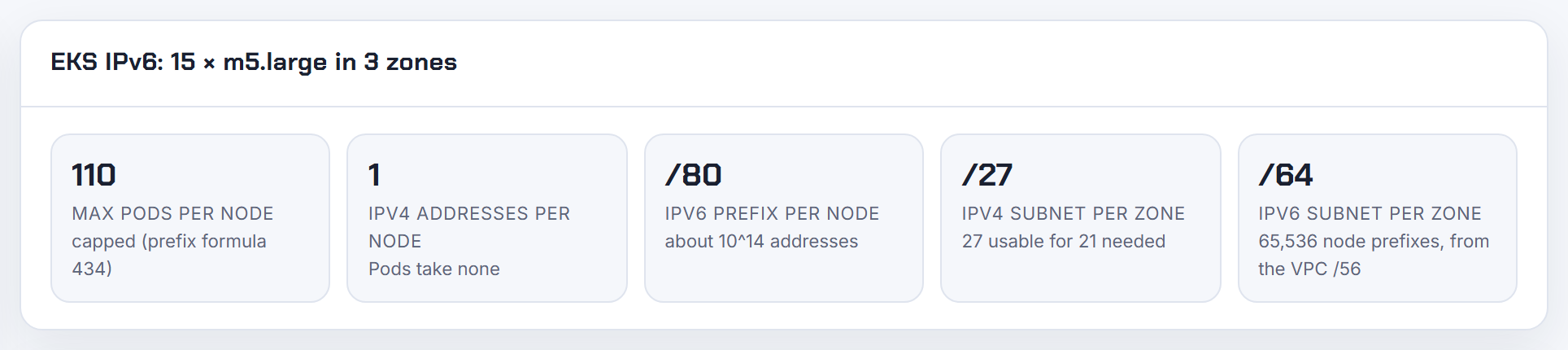
How do I remove public IPv4 from a small dual-stack setup and still reach IPv4-only services?
Three pieces. First, stop handing out public IPv4: every in-use or idle public IPv4 address is billed at $0.005 per hour on the VPC pricing page (as of 2026-10-21), so put instances in IPv6-only subnets or dual-stack subnets with auto-assign public IPv4 off.
Second, egress. Route ::/0 to an egress-only internet gateway, which is free and stateful (egress-only internet gateway). For IPv4-only destinations enable DNS64 on the subnet and route 64:ff9b::/96 to a NAT gateway; NAT64 is on every NAT gateway and its subnet does not need to be dual-stack (DNS64 and NAT64):
1aws ec2 modify-subnet-attribute --subnet-id subnet-123 --enable-dns64
2aws ec2 create-route --route-table-id rtb-123 --destination-ipv6-cidr-block 64:ff9b::/96 --nat-gateway-id nat-123
DNS64 only synthesizes an AAAA record when the name has none, and it is per subnet, which is the source of the "confusing behaviour" in public subnets.
Third, ingress. An internet-facing ALB supports dualstack-without-public-ipv4 (NLB does not), and the subnets still need IPv4 ranges (IP address types). One NAT gateway keeps one Elastic IP; see NAT gateway deep dive.
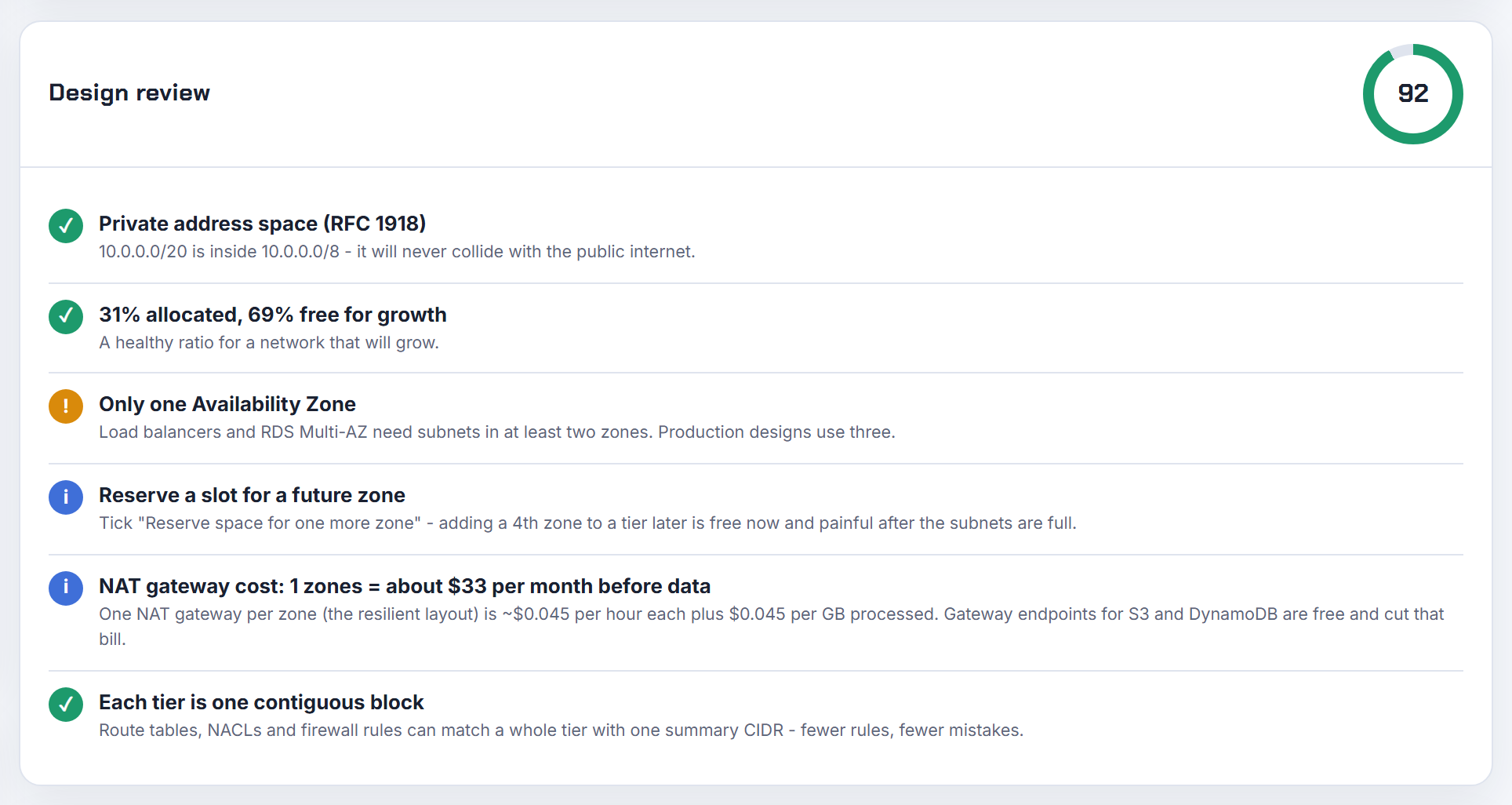
Why can't a NAT gateway and an egress-only internet gateway share the ::/0 route in one route table?
A route table holds one route per destination, so ::/0 can point at one target only. AWS states it for the IPv6 case: "A route table cannot have the same destination (::/0) pointing to both an internet gateway and an egress-only internet gateway simultaneously" (add IPv6 support). The Terraform error "route ::/0 already exists" comes from declaring it twice, often once by a module and once by you.
A dual-stack private tier needs two default routes with different destinations, not two targets for one destination (example routing options):
| Destination | Target |
|---|---|
| 0.0.0.0/0 | NAT gateway |
| ::/0 | Egress-only internet gateway |
| 64:ff9b::/96 | NAT gateway, only when DNS64 is on (NAT64) |
A NAT gateway is never a valid target for ::/0. In CloudFormation the "provide one of DestinationCidrBlock" error means the IPv6 route must use DestinationIpv6CidrBlock. The planner's Terraform export creates the NAT route per zone; add the IPv6 routes beside it.
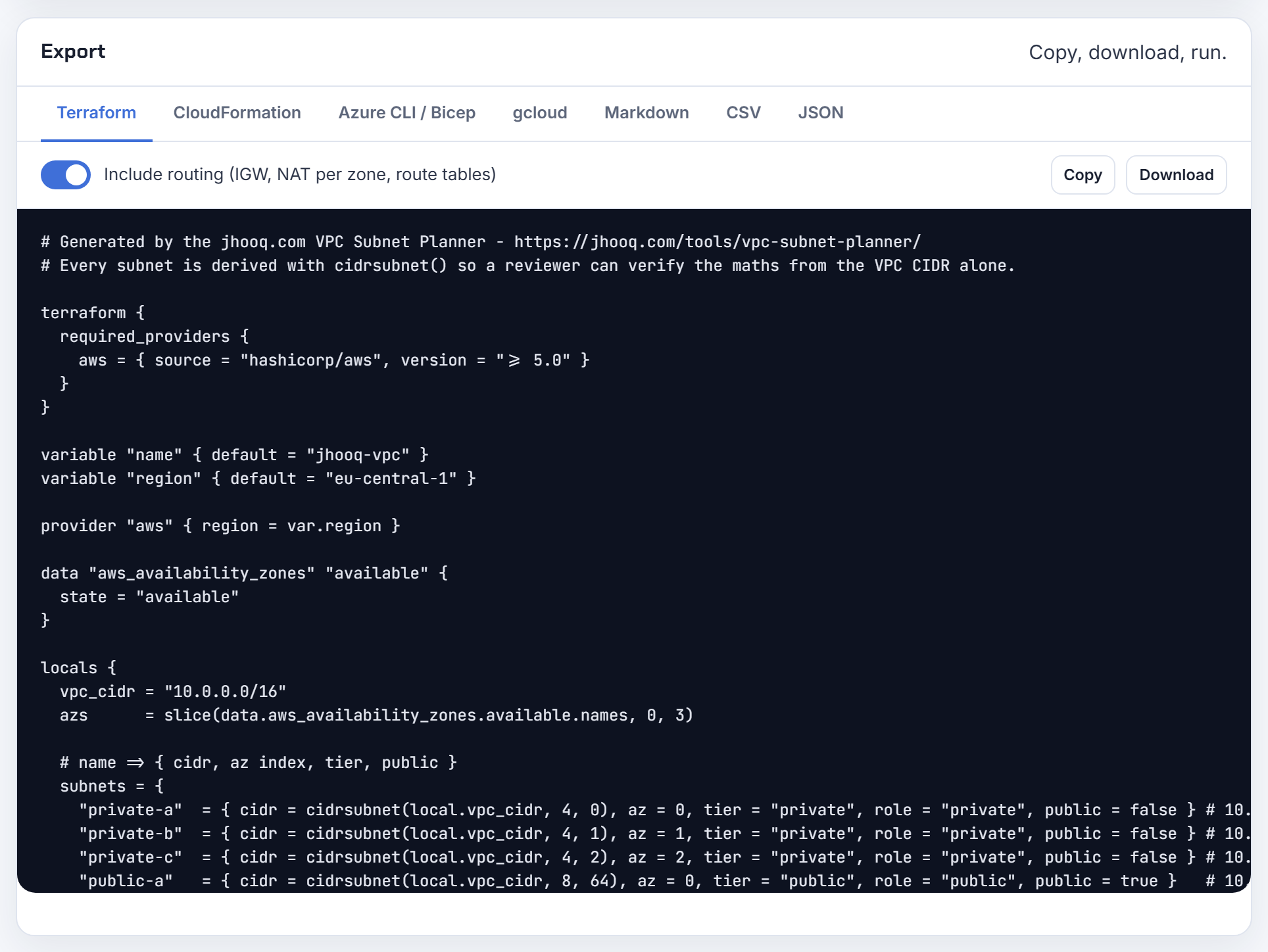
How do I route two whole /64 IPv6 subnets to a single EC2 instance?
Use prefix delegation if the instance just needs to own address blocks, and a route to its network interface if other subnets must send traffic to it.
Prefix delegation assigns IPv6 prefixes of exactly /80 to a network interface; you can assign several, each counts as one IP against the instance type limit, and the instance can hand addresses from them to containers or VPN clients (prefix delegation). A /64 cannot be delegated this way.
For a true /64 behind the instance, AWS routes to appliances through a route whose target is the appliance's network interface. The constraints: the destination of a route more specific than the local route "must match the entire IPv4 or IPv6 CIDR block of a subnet in your VPC", the appliance sits in a different subnet from the traffic, and source/destination checking must be off (routing for a middlebox appliance). So create the two /64s as empty subnets, then add a route for each /64 with the instance's network interface as target in the route tables that need to reach them, including a gateway route table on the internet gateway for inbound traffic.
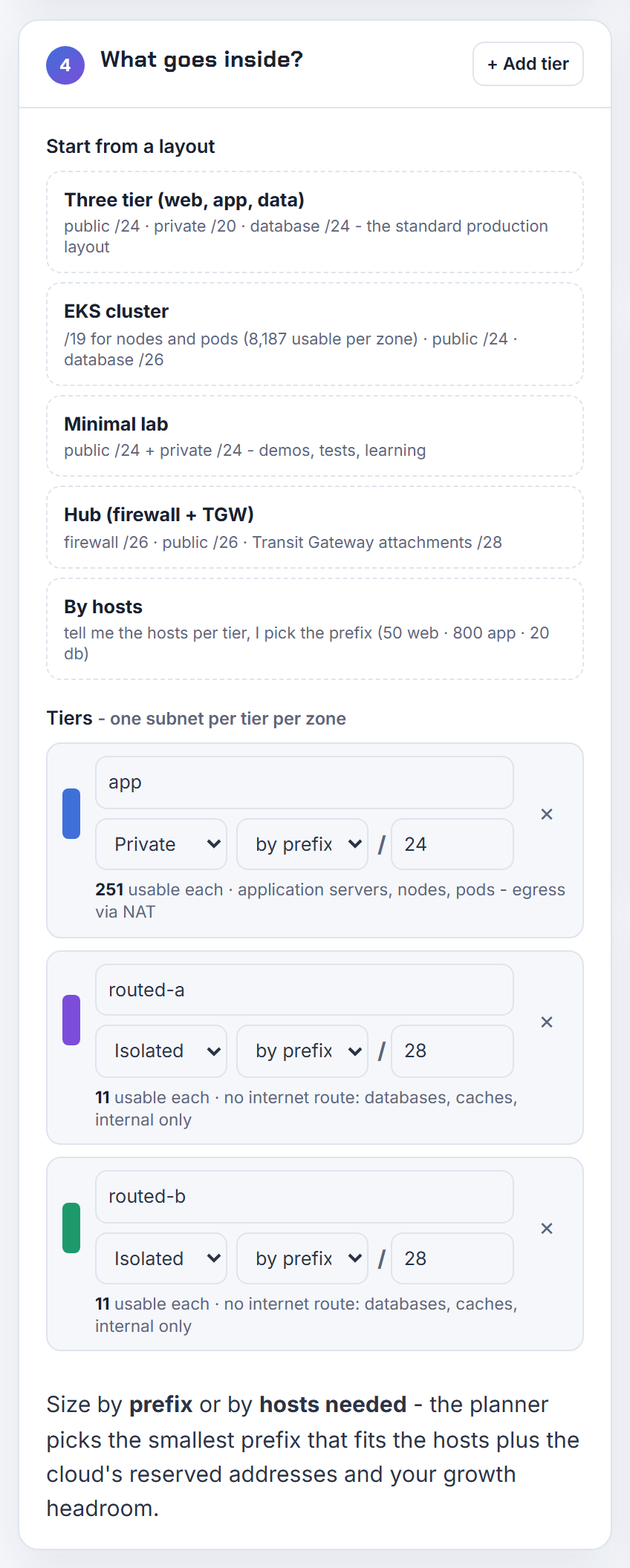
Is my Amazon-provided IPv6 /56 public, and what is a private IPv6 range in a VPC?
Yes, it is public. "Amazon-provided IPv6 addresses are always advertised on the internet. They are globally unique, and therefore reachable over the internet." Whether anything answers is decided by your routes, security groups and network ACLs (IPv6 addresses). A subnet whose only IPv6 route is an egress-only internet gateway cannot receive connections from outside (egress-only internet gateway).
Private IPv6 is a separate feature and only available through IPAM. Two forms exist: ULA ranges under fd00::/8 (but not the Amazon-reserved fd00::/16, valid sizes /9 to /60), and GUA ranges you own that you mark private. Private addresses are never advertised, are dropped at the internet gateway edge, work with dual-stack and IPv6-only subnets and load balancers, reserve the first four and last address of each subnet, and are free (private IPv6 addresses).
My rule of thumb: public GUA for anything that may ever talk to the internet, ULA for internal-only networks where "no public path" must be a property of the address, not of a route table.
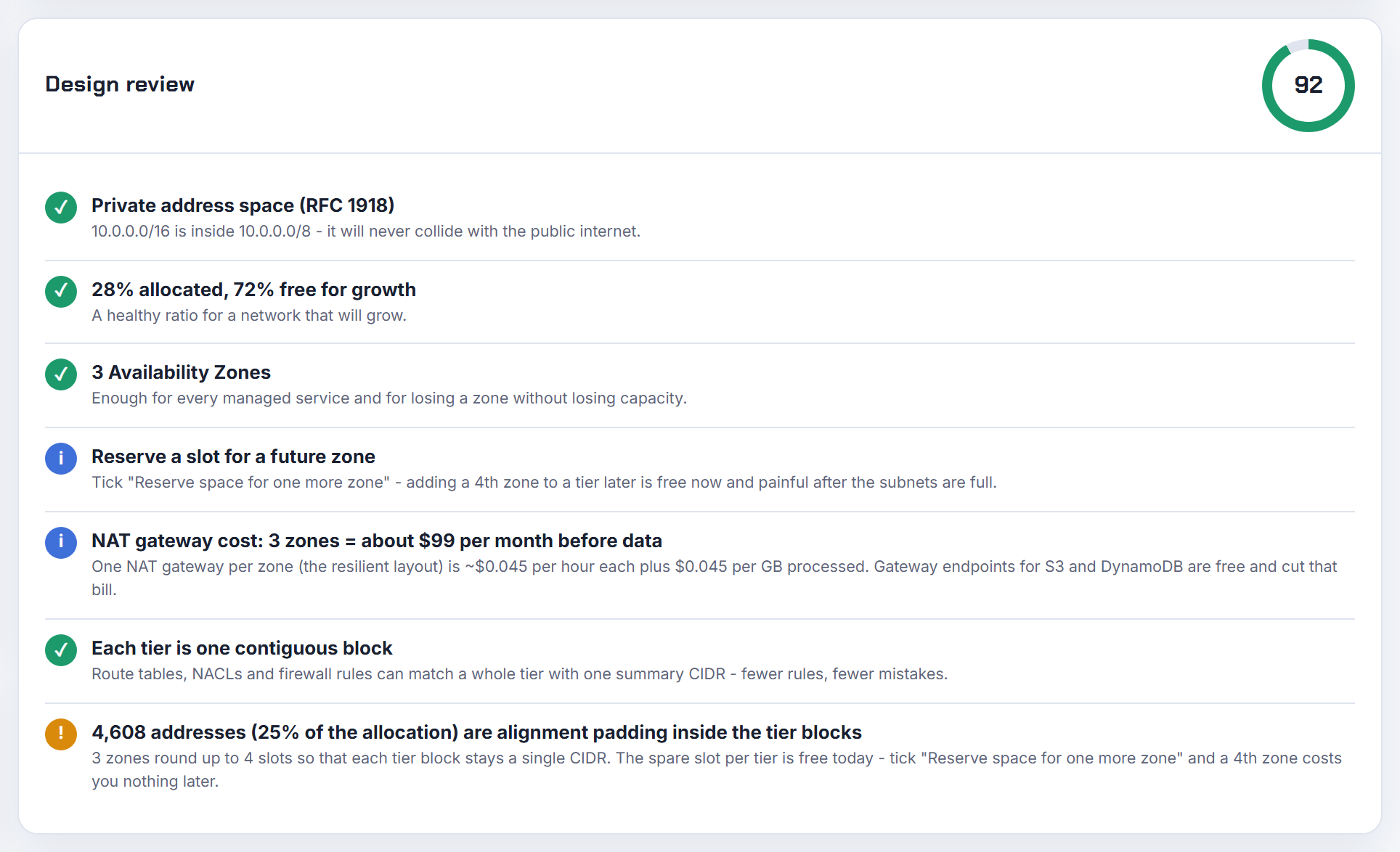
What IPv6 pool sizes should I use in IPAM for a multi-account Transit Gateway setup?
Follow the hierarchy AWS uses in its own walkthrough: a Regional pool, environment pools below it, and one /56 per VPC (create IPv6 pools). A Regional pool can be provisioned with an Amazon-provided block from /40 to /52, one block per pool by default, and you can set minimum, default and maximum netmask rules so accounts cannot grab more than a /56 (create a Regional IPv6 pool). VPC allocations are /44 to /60 in steps of /4 (add a CIDR block).
Size the Regional pool by the number of /56 VPCs it must hold:
| Regional pool | /56 VPCs | /54 environment pools |
|---|---|---|
| /52 | 16 | 4 |
| /48 | 256 | 64 |
| /44 | 4,096 | 1,024 |
I would provision a /48 per Region per environment class; it is still tiny for AWS and leaves room for 256 accounts. Keep one scope decision up front: Amazon-provided blocks in the public scope are advertised; ULA goes in a private scope.
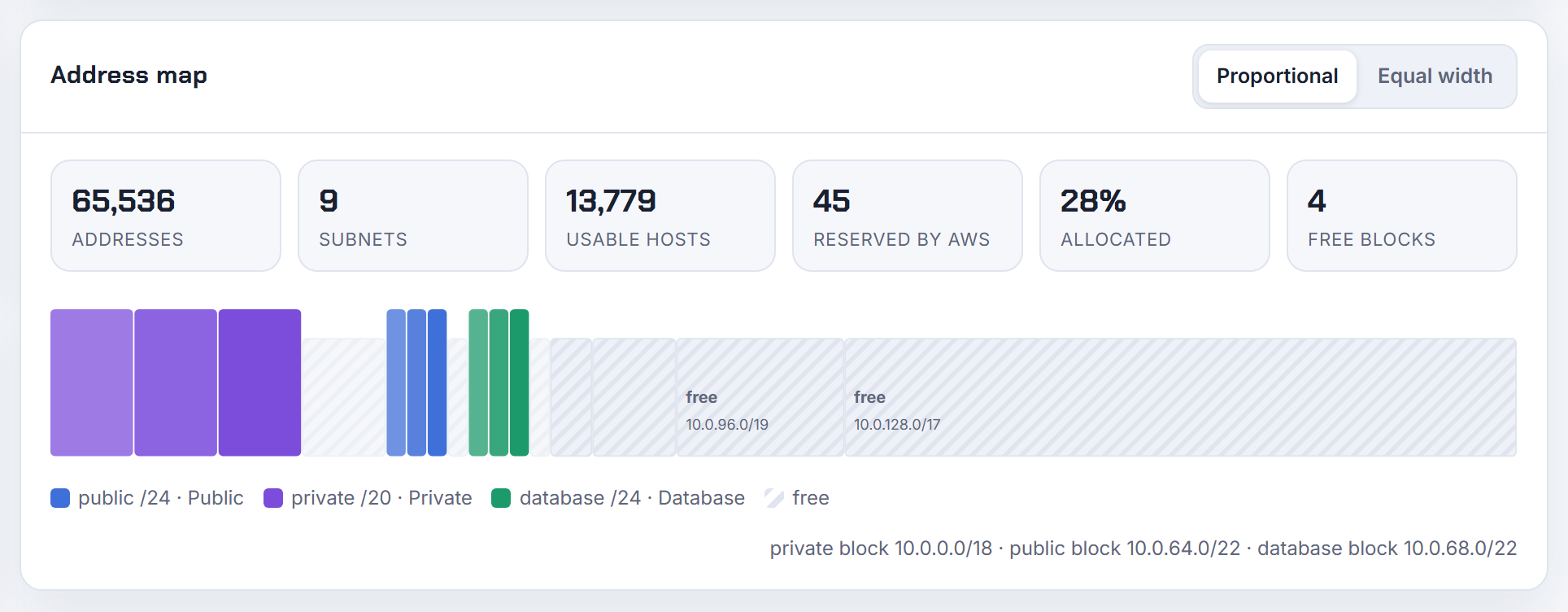
On Google Cloud, can I enable IPv6 on an existing IPv4-only subnet, and is an IPv6-only subnet possible?
Both, with conditions. IPv6 ranges exist only on custom mode networks, so an auto mode network must be converted first (subnets). An existing subnet is changed to dual-stack with an update, choosing internal or external access:
1gcloud compute networks subnets update SUBNET --region=REGION --stack-type=IPV4_IPV6 --ipv6-access-type=EXTERNAL
A subnet gets either an internal /64 carved from the network's ULA /48 or an external /64 of global addresses, never both, and the access type is fixed once set (create and modify VPC networks). The Terraform resource documents the same: ipv6_access_type is immutable after the first dual-stack update and changing it recreates the subnet (google_compute_subnetwork).
IPv6-only subnets are created with --stack-type=IPV6_ONLY, but "You can't change a dual-stack or IPv4-only subnet to IPv6-only"; create a new subnet and move the VMs. External subnets split the /64 in two: the first /65 for VMs, the second for Cloud Load Balancing.
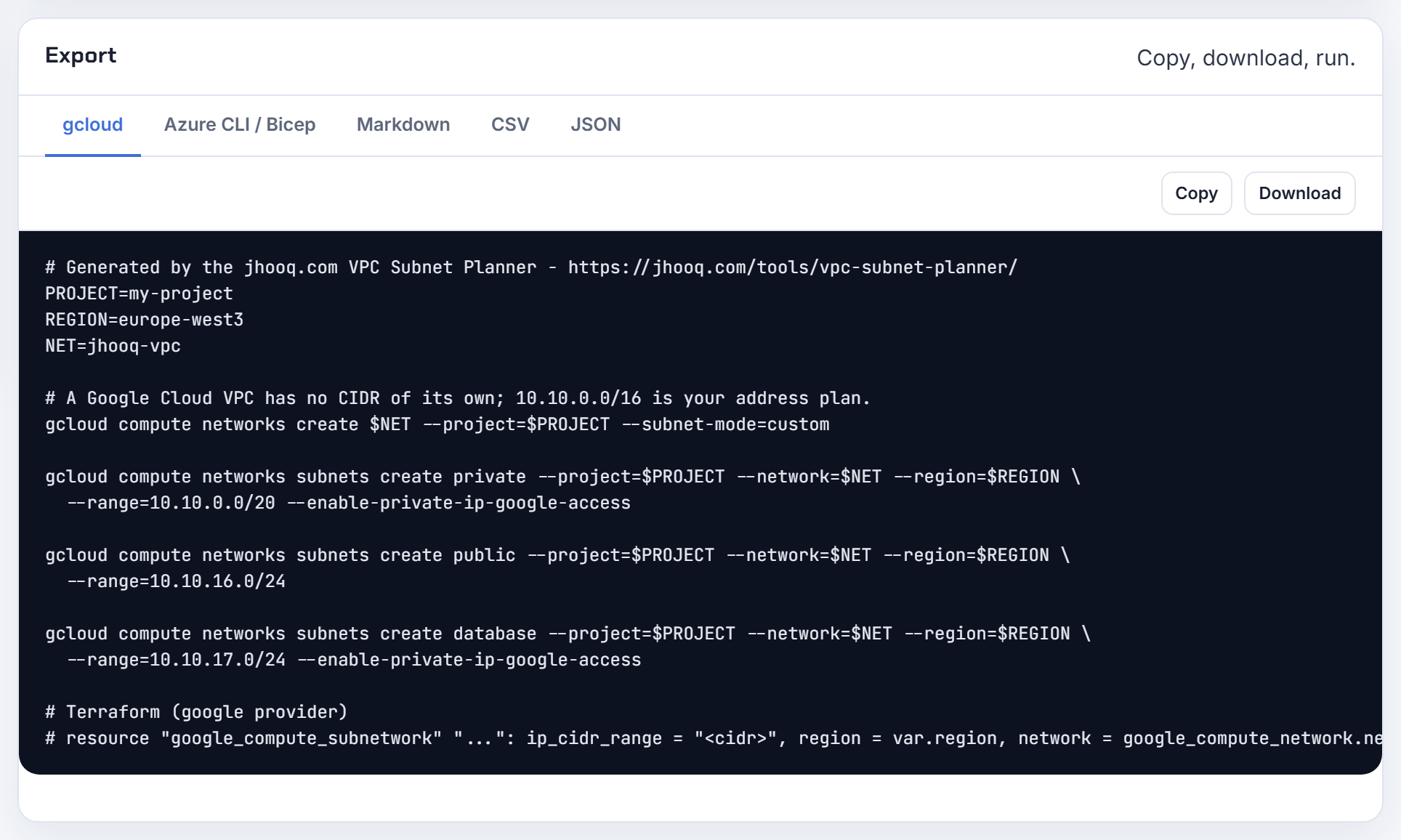
My AWS VPC has no IPv6 and Apple requires it, so what are my options and how do I enable IPv6 on a load balancer?
Today the answer is to add IPv6 in place rather than look for an alternative: associate an IPv6 block with the VPC and the load balancer subnets, add the ::/0 routes, and open IPv6 in security groups and network ACLs (add IPv6 support).
Then switch the load balancer to dualstack. The requirements: the VPC and subnets have IPv6 CIDRs, their route tables route IPv6, and the security groups and ACLs allow it (update the IP address type):
1aws elbv2 set-ip-address-type --load-balancer-arn arn:aws:elasticloadbalancing:... --ip-address-type dualstack
Targets can stay IPv4: "The load balancer communicates with targets based on the IP address type of the target group" (Application Load Balancers). Classic Load Balancers never support dualstack; ALB, NLB and Gateway Load Balancer do (IP address types). CloudFront in front of an IPv4 origin is the other path and supports IPv6 (service table). A dual-stack instance with no default IPv6 route is a guest OS problem; current AMIs arrive configured for IPv6.
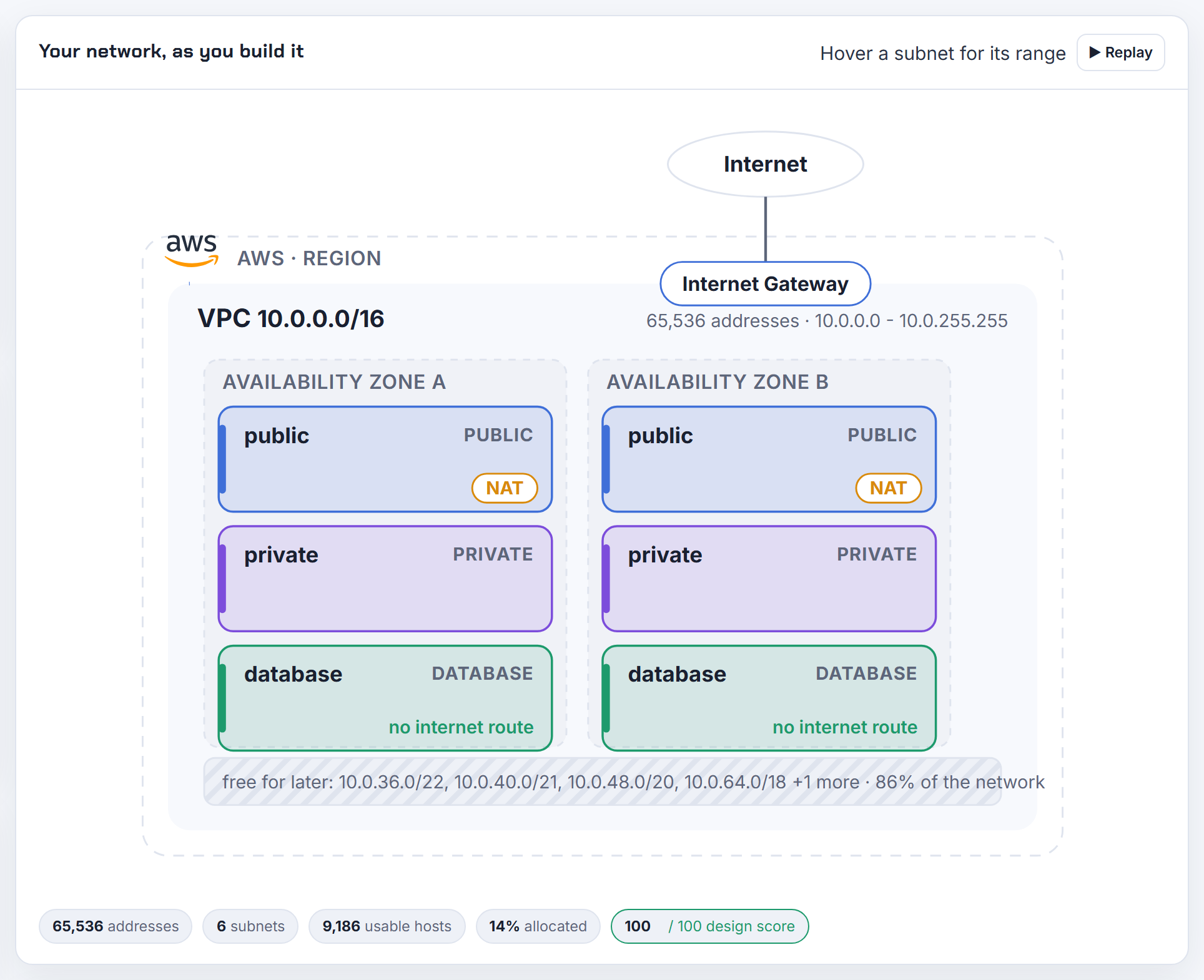
NAT gateways: placement and cost
One per zone or one per VPC, what it costs, and when you need none at all.
Should I create a NAT gateway in every Availability Zone?
For production, yes: one per zone, and each zone's private route table pointing at its own gateway. AWS is explicit: "if the NAT gateway's Availability Zone is down, resources in the other Availability Zones lose internet access" (NAT gateway basics) and "Create a NAT gateway in each Availability Zone to ensure zone-independent architecture" (compare NAT gateways and NAT instances).
The unit is the zone, not the subnet. Several private subnets in one zone share a route table and one gateway. The terraform-aws-modules VPC README offers three modes:
| Mode | Gateways | Use |
|---|---|---|
| single_nat_gateway | 1 | dev, test |
| one_nat_gateway_per_az | one per zone | production |
| default | one per private subnet | rarely what you want |
Cost in US East (N. Virginia), as of 2026-10-21: $0.045 per hour plus $0.045 per GB processed (VPC pricing), about $32.85 per gateway per 730-hour month before data. Sending zone B traffic through zone A's gateway also adds cross-zone data transfer (NAT gateway pricing). The planner's design review shows the NAT cost per zone for the zone count you choose.
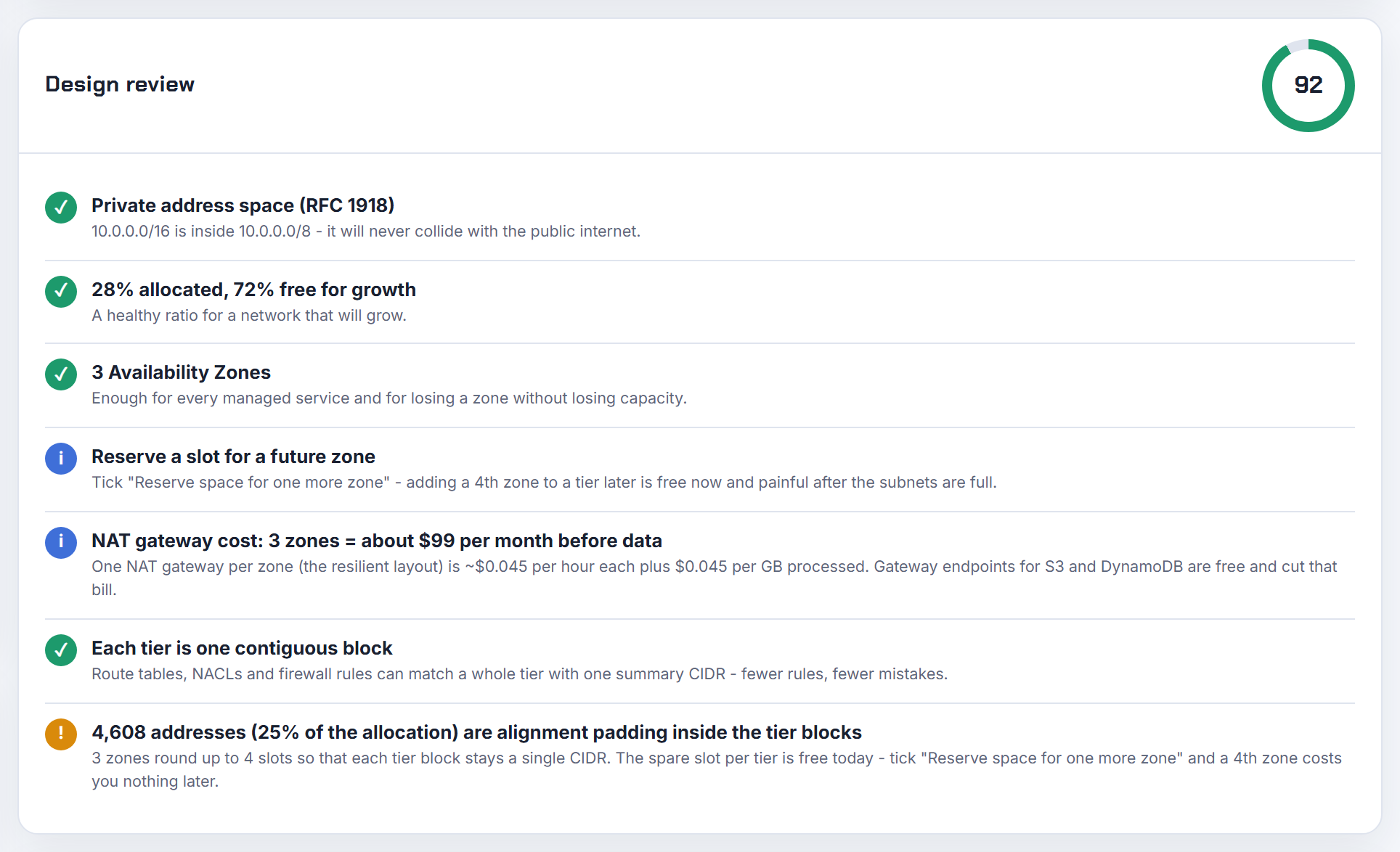
How do I cut NAT gateway cost for a small system with three zones and little traffic?
Start with the per-GB charge, not the hourly one. In US East (N. Virginia) a NAT gateway costs $0.045 per hour and $0.045 per GB processed (VPC pricing, as of 2026-10-21); three idle gateways are about $98.55 per 730-hour month, and one large backup job can dwarf that.
- Add a gateway endpoint for S3 and one for DynamoDB. "There is no additional charge for using gateway endpoints" and the traffic never touches the NAT (gateway endpoints for S3). Backups, ECR image layers and log shipping to S3 are the usual hidden NAT consumers.
- Keep resources in the same zone as the gateway they use, or run one per zone; AWS lists both as cost measures (NAT gateway pricing).
- For dev and test, run a single gateway.
- A NAT instance is cheaper at very low traffic but you own failover and patching (comparison).
Use VPC flow logs to find which flows actually cross the gateway before deciding. The planner's Terraform export already includes the S3 gateway endpoint and a NAT gateway per zone.
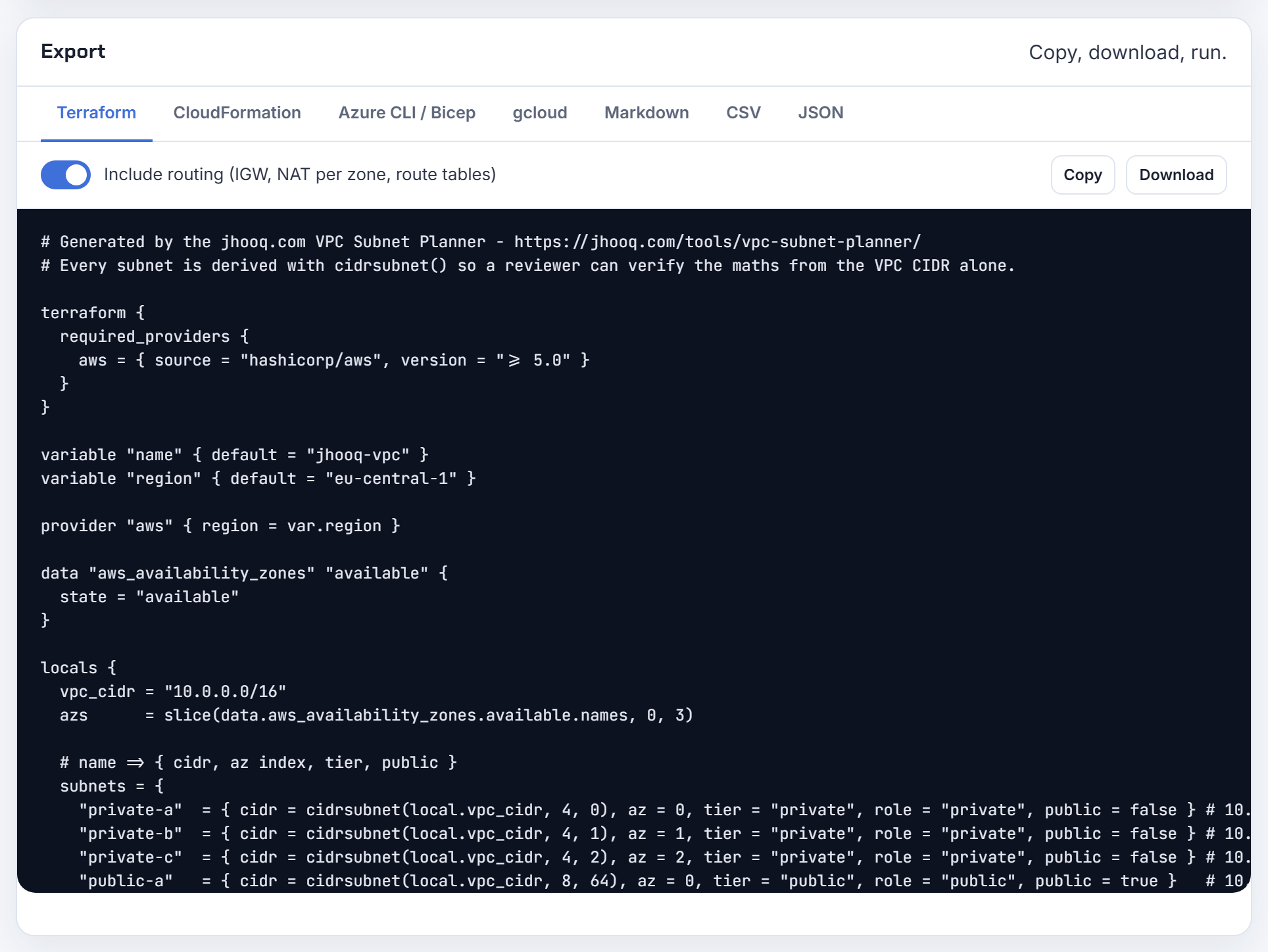
How do I run a custom number of NAT gateways, for example two for the six zones in us-east-1?
Design around route tables. Each private route table can hold one 0.0.0.0/0 route, so the number of distinct egress paths equals the number of private route tables (example routing options). Two gateways means two private route tables; associate each zone's private subnets with the table whose gateway is in the same zone when there is one, and with the nearest other zone otherwise. AWS supports a private subnet in zone A routing to a gateway in zone B, with the resilience caveat (NAT gateway use cases).
A route table cannot carry two routes with the same destination, which is the "multiple routes with same destination" error. Terraform shape:
1resource "aws_route_table" "private" { for_each = toset(["a", "b"]) vpc_id = aws_vpc.main.id }
2resource "aws_route" "nat" {
3  for_each               = aws_route_table.private
4  route_table_id         = each.value.id
5  destination_cidr_block = "0.0.0.0/0"
6  nat_gateway_id         = aws_nat_gateway.this[each.key].id
7}
The terraform-aws-modules module only offers single, per-zone or per-subnet (README); for any other count write the resources yourself, or use a regional NAT gateway and stop counting.
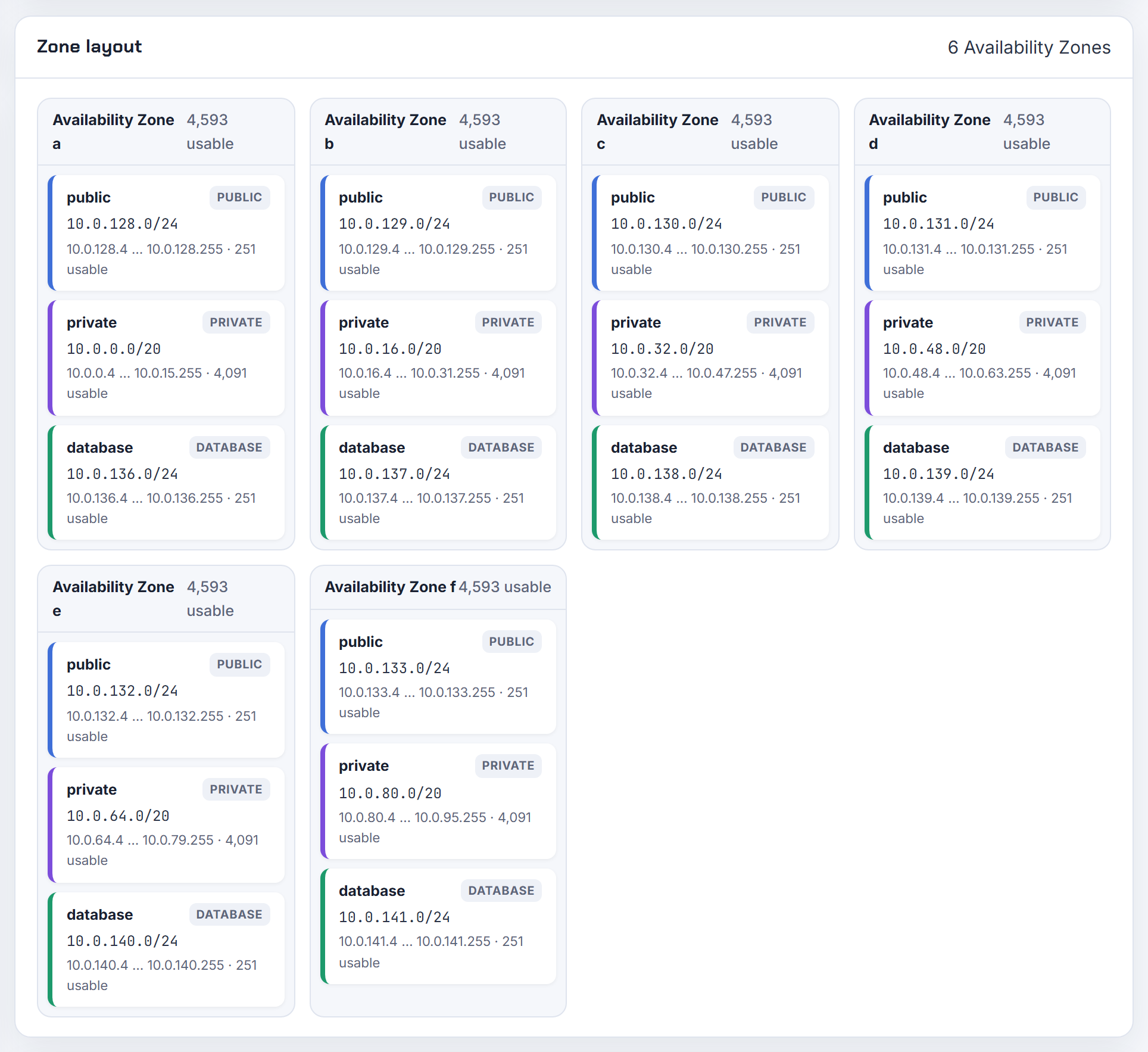
Why does switching the single NAT gateway flag or changing the public subnet count recreate my NAT gateways?
Because a NAT gateway is tied to one subnet in one zone ("Each NAT gateway is created in a specific Availability Zone", NAT gateway basics) and the module picks that subnet by index from the public subnet list. Change the list, the zone list or the mode and the subnet reference changes, which is a replacement of the gateway and its routes. The per-zone mode also requires var.azs and at least as many public subnets as zones, and single_nat_gateway wins if both are set (module README).
What you can control:
- Keep the Elastic IPs across a rebuild with reuse_nat_ips and external_nat_ip_ids, so allow-lists elsewhere do not change. The EIP's network border group must match the gateway's zone (work with NAT gateways).
- Treat the change as a maintenance window; connections through the old gateway are dropped.
- Decide the zone count on day one. The planner keeps a reserved slot for a future zone so the address plan survives adding one later, even though the NAT gateway for it is new.
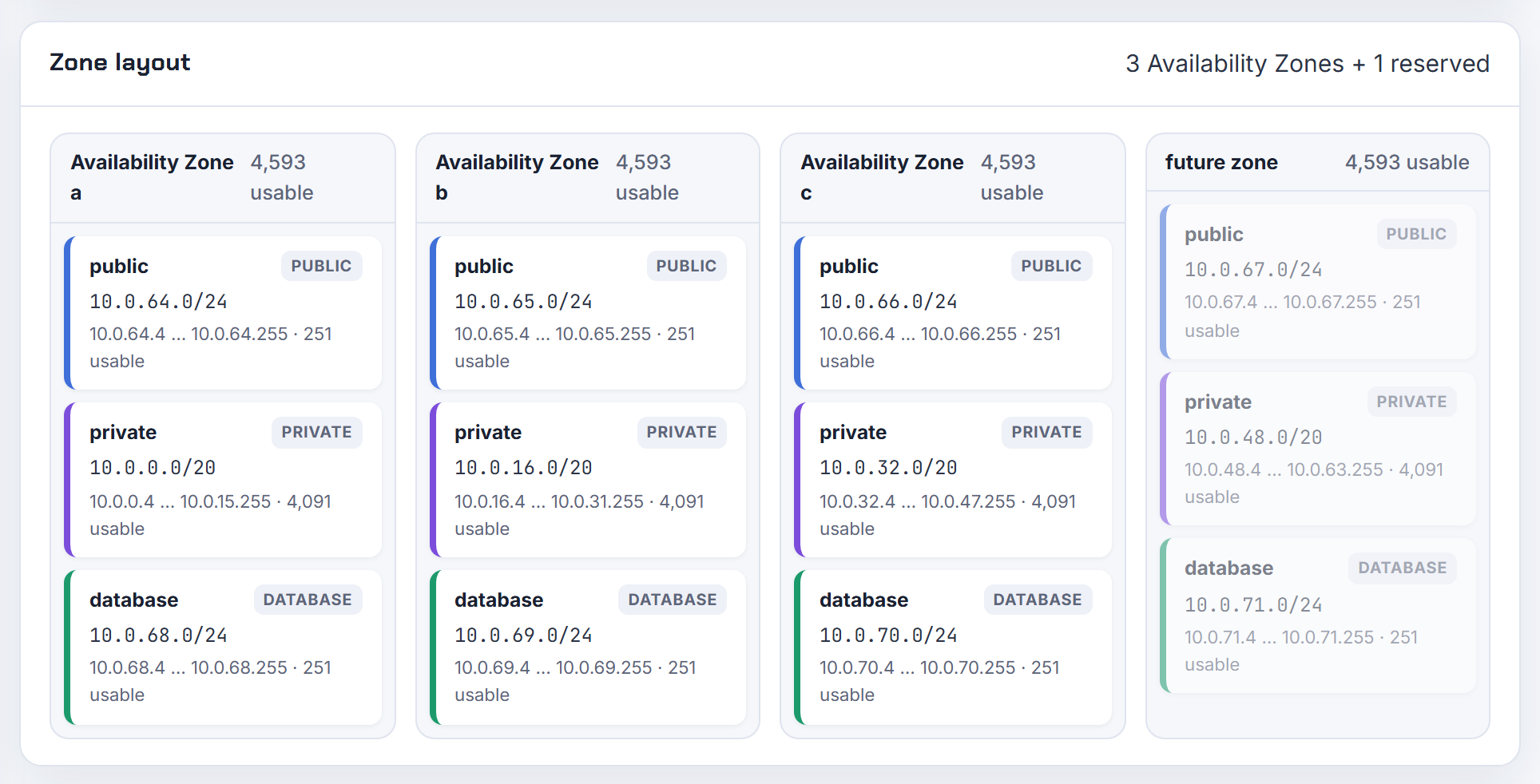
When should I use a regional NAT gateway instead of one zonal NAT gateway per zone?
AWS's own guidance: "Consider using Regional NAT Gateways for all use cases except those that require private connectivity" (regional NAT gateways). A regional gateway is one NAT ID that expands into every zone where you have network interfaces and contracts when a zone empties, so one route entry serves all private subnets. It needs no public subnet (it gets its own route table with an internet gateway route), allows up to 32 IP addresses per zone instead of 8, and each address adds 55,000 connections to a single destination. Expansion into a new zone can take up to 60 minutes, during which traffic is processed cross-zone.
Keep zonal gateways for private NAT (regional does not support it), for constrained zones, or when you want explicit per-zone control. Pricing is the same rate per zone: the VPC pricing page example (US East (Ohio), as of 2026-10-21) lists $0.045 per hour per zone plus $0.045 per GB, so three zones cost what three zonal gateways cost; the saving is operational, not hourly. Converting resets connections, so do it in a window. The planner's per-zone NAT cost line gives the same number for either design.
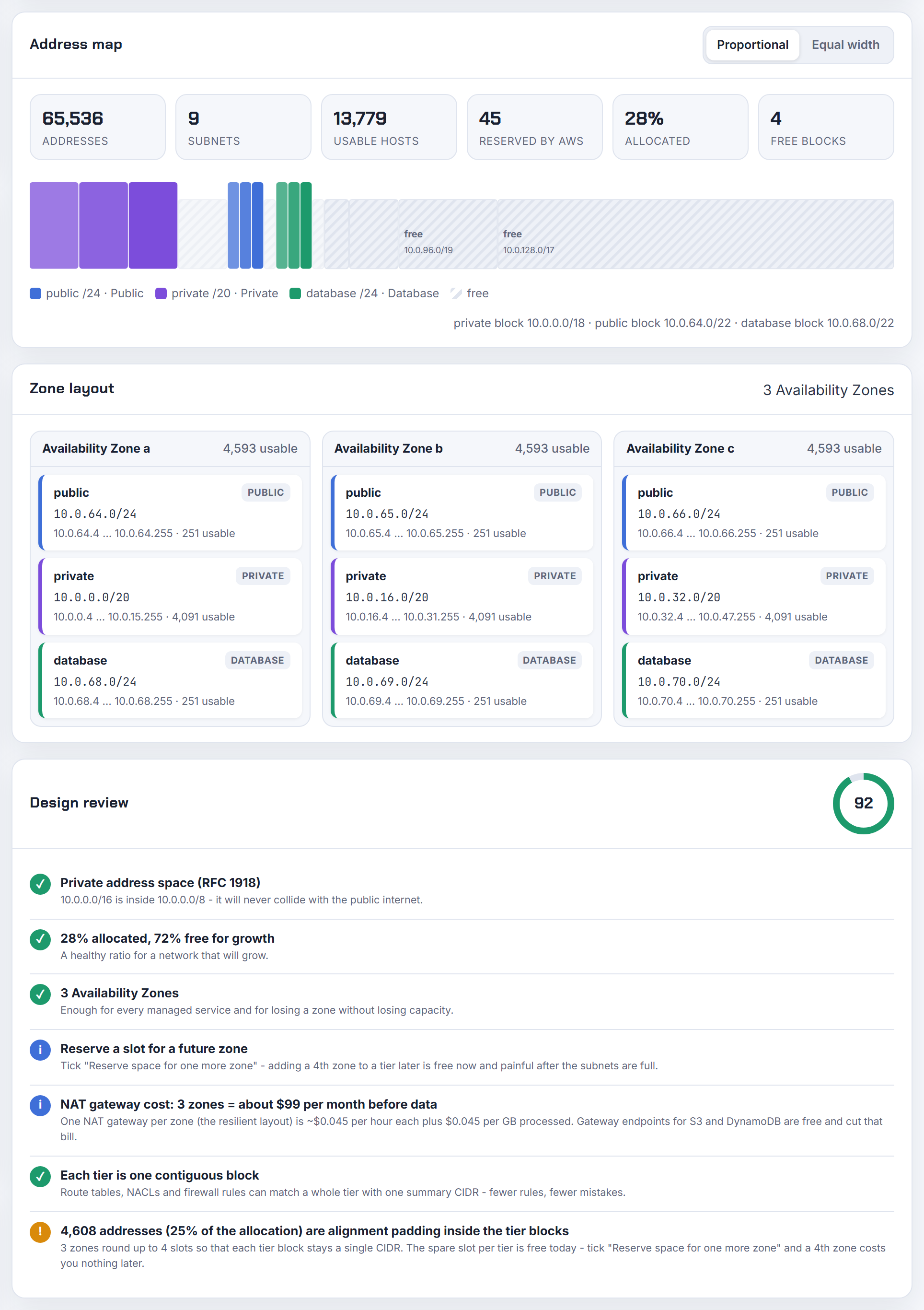
Can one NAT gateway have several public or private IP addresses, and why would I want them?
Yes, up to 8 IPv4 addresses: one primary and seven secondary. The reason is port exhaustion: "Each IPv4 address can support up to 55,000 simultaneous connections to each unique destination" (destination IP, port and protocol). When the ErrorPortAllocation or PacketsDropCount metrics rise, add addresses (edit secondary IP address associations).
Rules: a public gateway may hold 2 Elastic IPs by default (quota adjustable) and they can only be added after creation; a private gateway may hold up to 8 private IPs, not adjustable; a secondary EIP must be in the same network border group as the gateway's zone. Regional gateways go to 32 addresses per zone (regional NAT gateways).
1aws ec2 associate-nat-gateway-address --nat-gateway-id nat-123 --allocation-ids eipalloc-456
Every extra address is another entry in your partners' allow-lists, so add them for a measured reason. A second VPC CIDR does not need a second gateway; the gateway's private address comes from its own subnet and routing handles the rest.
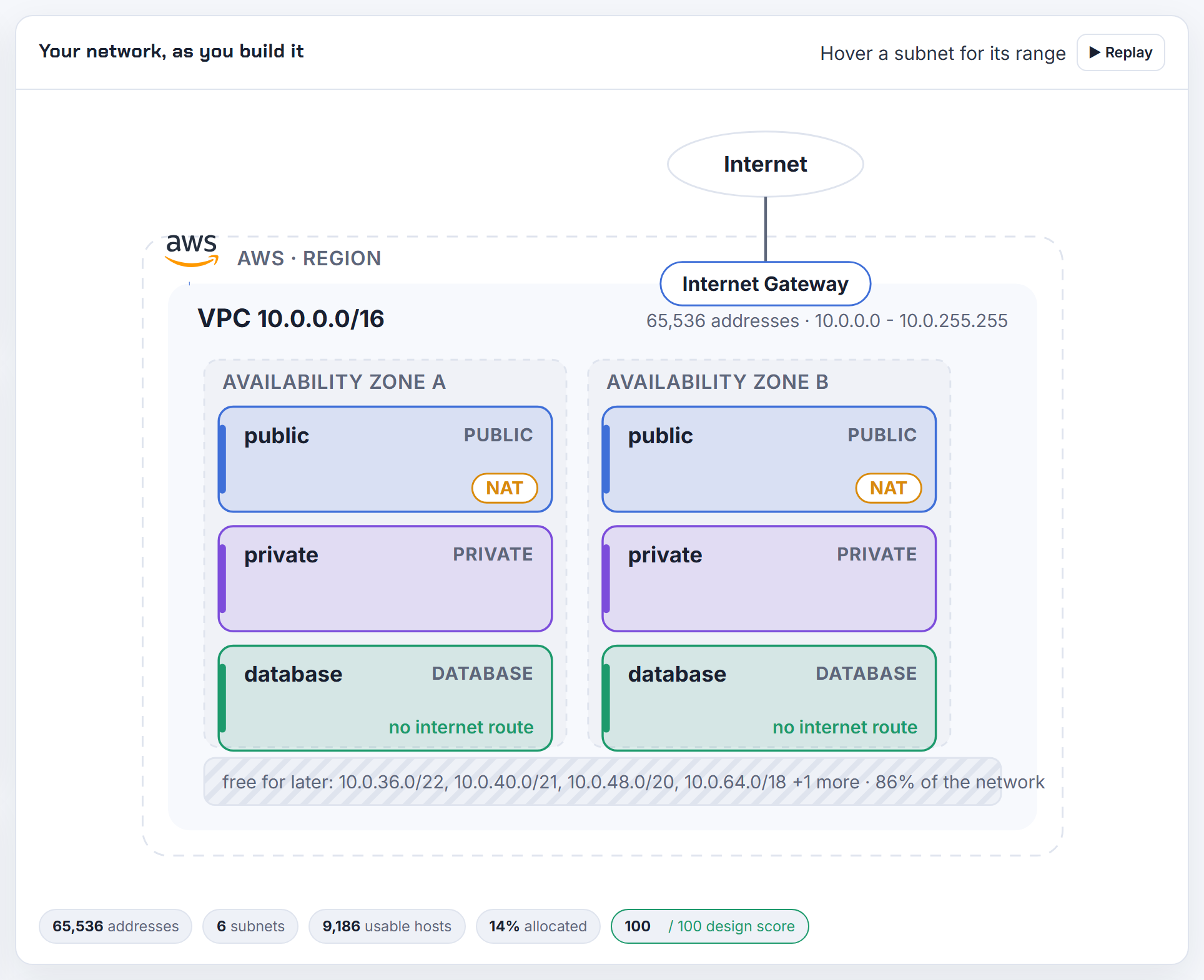
Why does the NAT gateway sit in a public subnet, and why have private subnets at all?
A public NAT gateway must itself reach the internet: "You create a public NAT gateway in a public subnet and must associate an Elastic IP address with the NAT gateway at creation. You route traffic from the NAT gateway to the internet gateway" (NAT gateways). The two route tables are the whole trick (use cases):
| Subnet | 0.0.0.0/0 target |
|---|---|
| Public (holds the NAT) | internet gateway |
| Private | NAT gateway |
Why a private tier: instances there have no public address and "external services can't initiate a connection with those instances". Since 2024 there is a cost argument too: each public IPv4 address, in use or idle, is $0.005 per hour (VPC pricing, as of 2026-10-21), so "put everything in public subnets" is no longer free.
Must a VPC have a public subnet? No. A VPC with only private subnets works with VPC endpoints, a private NAT gateway, or a regional NAT gateway, which "does not need a public subnet". Step by step: AWS VPC with public and private subnets.
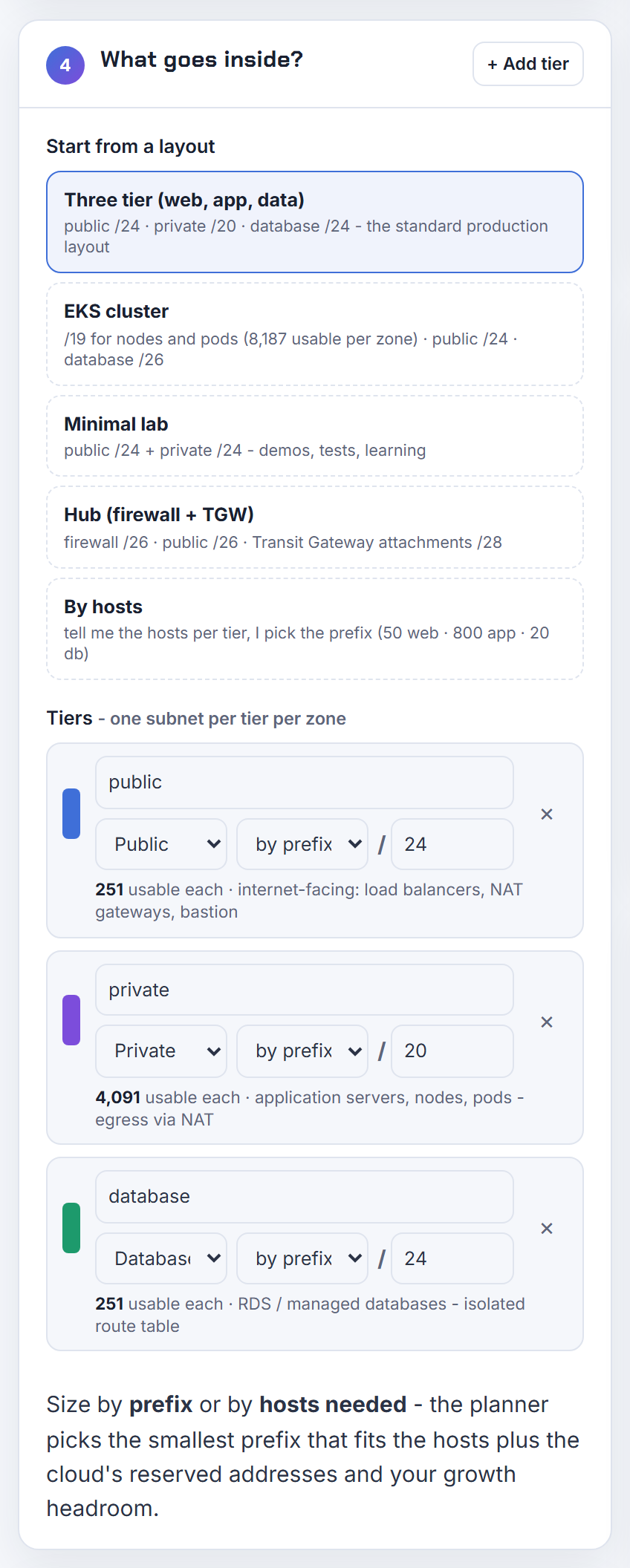
Can I create a VPC with only private subnets plus NAT, or only private subnets and no NAT at all?
Private subnets with no NAT: yes, that is an isolated VPC. Reach AWS services through gateway endpoints for S3 and DynamoDB (free) and interface endpoints for the rest; for example Fargate tasks need ecr.api, ecr.dkr, an S3 gateway endpoint, CloudWatch Logs and Secrets Manager endpoints to start without a NAT (ECS interface VPC endpoints).
Private subnets plus a zonal public NAT gateway but no public subnet: no. A public NAT gateway lives in a public subnet with an internet gateway route (NAT gateways). Two ways out: a regional NAT gateway, for which "you do not need a public subnet in your VPC" (regional NAT gateways), or a private NAT gateway when the destination is on-premises or another VPC through a transit gateway rather than the internet.
The terraform-aws-modules module derives the NAT count from the public subnet list, which is why "only private subnets and NAT" fails there; write the gateway resources yourself for those layouts. The planner's Terraform export already gives the database tier an isolated route table with no default route.
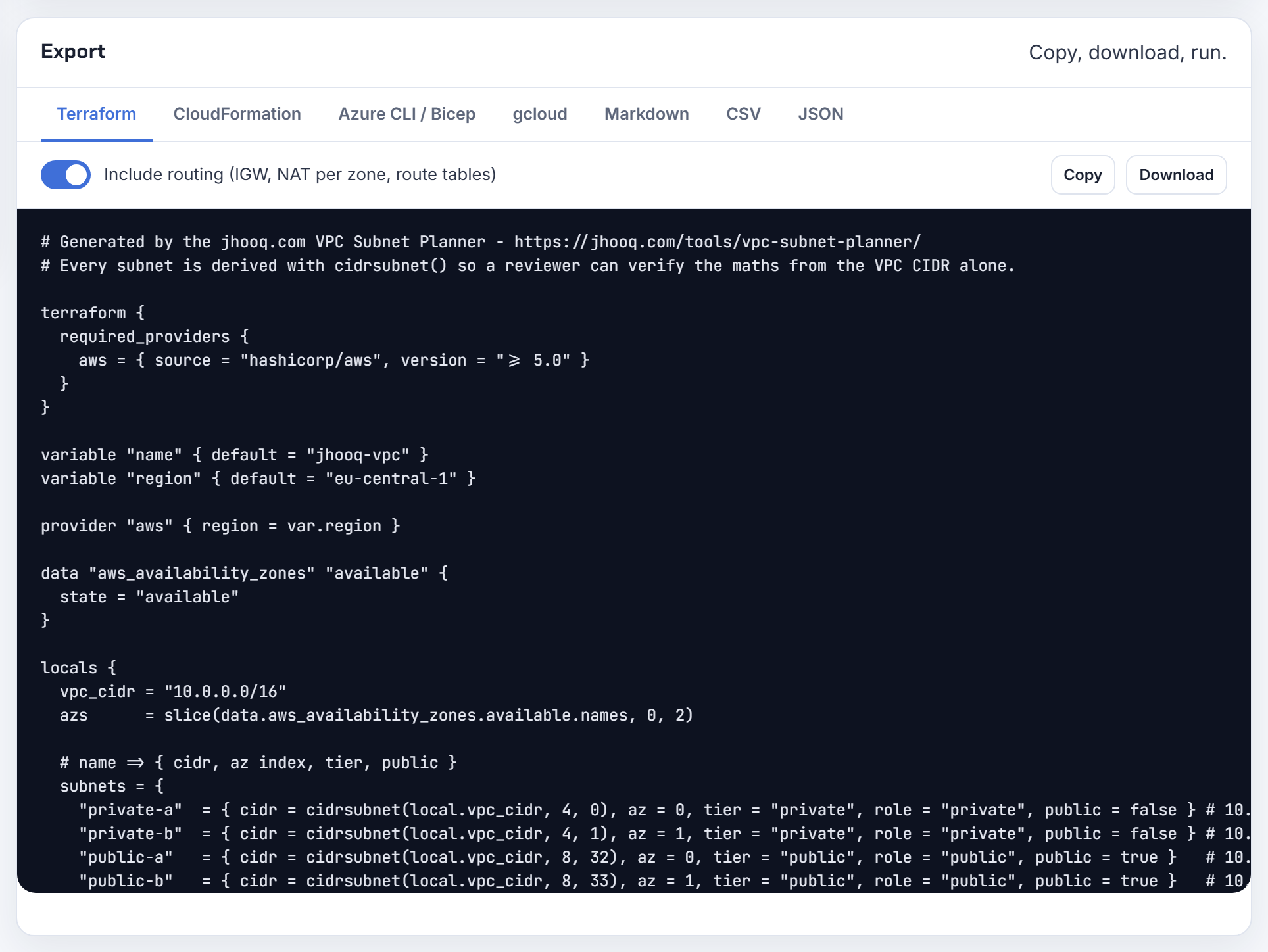
Does RDS in a private subnet need a NAT gateway, and do I still need NAT once I use VPC endpoints?
RDS does not need a NAT gateway. The database only has to be reachable from its clients; Amazon's reference layout is a public web tier and a private database subnet connected by security-group-to-security-group rules, with subnets in at least two zones for the subnet group (scenarios for accessing a DB instance). The database tier should have no default route at all.
NAT is for things that initiate outbound connections to the internet: OS package updates, third-party APIs, public container registries. If every outbound destination is an AWS service with an endpoint, endpoints replace NAT completely: "You don't need an internet gateway, a NAT device, or a virtual private gateway" (ECS interface VPC endpoints). Gateway endpoints for S3 and DynamoDB are free; interface endpoints are charged, so compare them with the NAT per-GB rate (NAT gateway pricing).
The usual mix: endpoints for S3, ECR and logs to cut the per-GB bill, one NAT per zone for the remaining internet traffic, and an isolated database route table. The planner exports exactly that split: NAT per zone, isolated DB route table, S3 gateway endpoint.
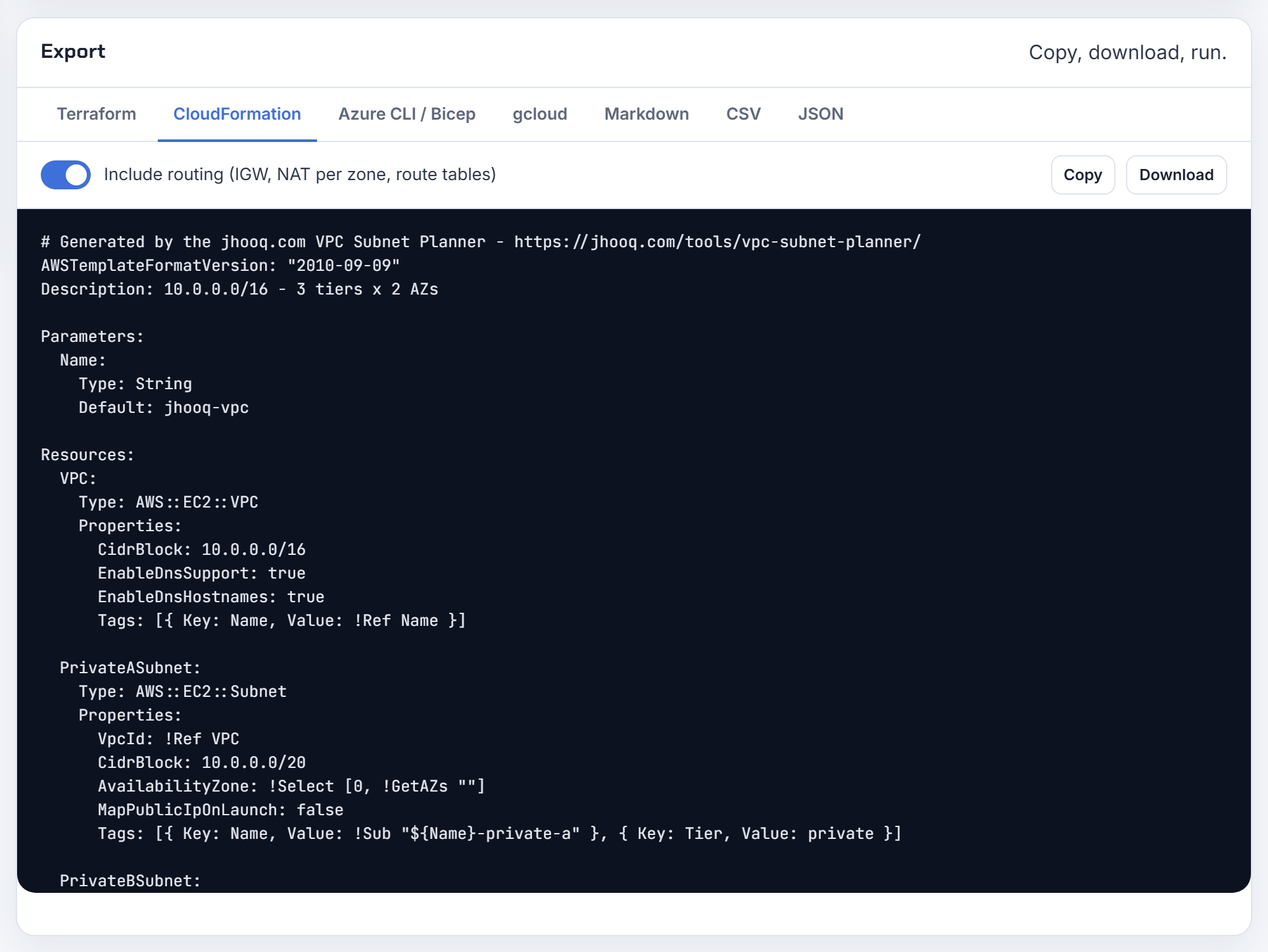
Azure virtual networks
Address space rules, the subnets Azure forces you to reserve, and peering constraints.
What does address space 10.0.0.0/16 mean on an Azure virtual network, and what is the /16?
The address space is the pool of private addresses the VNet owns; /16 is the prefix length, meaning the first 16 bits are fixed and the remaining 16 vary, which gives 65,536 addresses from 10.0.0.0 to 10.0.255.255. Subnets are carved from it, and resources get addresses from their subnet.
Azure recommends the RFC 1918 ranges (10/8, 172.16/12, 192.168/16) and also accepts 100.64/10; it refuses 224.0.0.0/4, 255.255.255.255/32, 127.0.0.0/8, 169.254.0.0/16 and 168.63.129.16/32 (Virtual Network FAQ). Every subnet loses five addresses: the first four (network, gateway, two DNS) and the broadcast address. The smallest subnet is /29 and the largest /2.
| Subnet | Addresses | Usable on Azure |
|---|---|---|
| /29 | 8 | 3 |
| /27 | 32 | 27 |
| /24 | 256 | 251 |
| /20 | 4,096 | 4,091 |
| /16 | 65,536 | 65,531 |
For a learning environment a /16 with a few /24 subnets is plenty; the hard part is not overlapping other networks you may connect later. Full table across clouds: usable IP addresses per subnet. The planner applies Azure's five reserved addresses automatically.
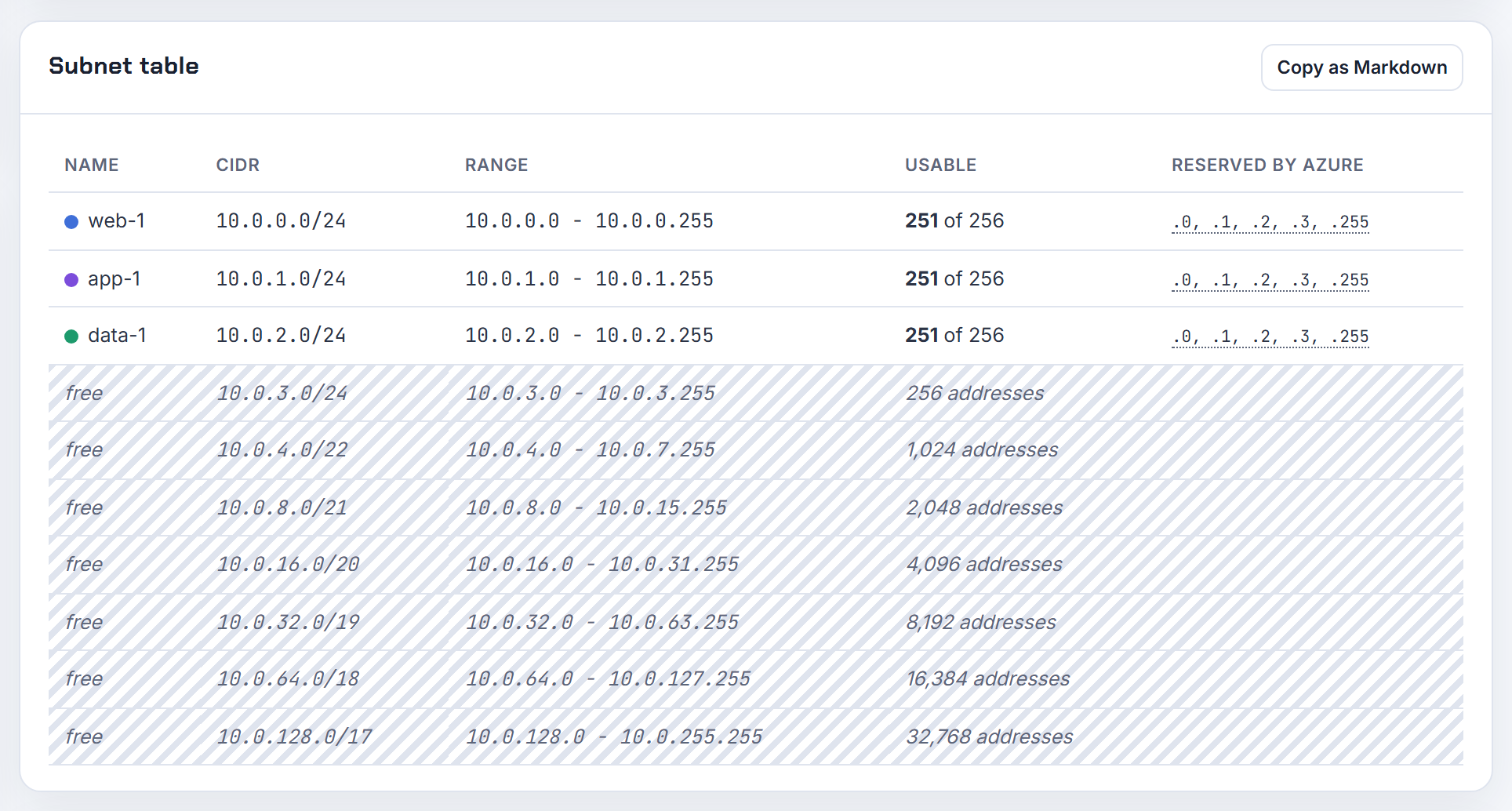
Can two Azure VNets in different regions or resource groups use the same address space, and is the portal warning real?
They can exist side by side; Azure does not stop two isolated VNets from both using 10.0.0.0/16, and the portal's overlap message is a warning, not an error. It is real in one sense: the day you want to connect them it becomes a hard block. "You can't enable virtual network peering if address spaces overlap" (Virtual Network FAQ), and VPN or VNet-to-VNet connections "won't work properly if you have overlapping subnets" (VNet-to-VNet connection).
Production and test both on the portal default 10.0.0.0/16 is the classic trap: no peering to a hub, no shared Bastion, no private endpoints reached from the other side. The fix is cheap now and expensive later. Azure lets you change, add or remove address ranges on an existing VNet, even one that is already peered, as long as the new range does not overlap any peer; the peers then need a sync (manage a virtual network).
Paste your existing networks into the planner's overlap check and it proposes free blocks next to them.

How do I connect Azure VNets that already overlap, or 30 spoke VNets that all share the same range?
Peering is off the table while they overlap, so you have three routes. First, renumber: add a new non-overlapping range to the VNet, create subnets in it, move the workloads, delete the old range. Azure supports modifying, adding and deleting address ranges on peered VNets without downtime, with a sync on each peer afterwards (resize peered address space); a range can only be deleted once it is empty.
Second, expose services instead of networks. Private Link lets a consumer in the hub reach a service in a spoke through a private endpoint, and private endpoints work across peered and globally peered networks without routing the spoke's addresses (private endpoint). For 30 identical customer VNets, a Private Link service behind a standard load balancer in each one and a private endpoint per customer in your management VNet is the pattern that scales.
Third, translate with a network virtual appliance that NATs one side; it works but you now own that box.
Hub and spoke with overlapping spokes: each spoke must not overlap the hub, and spoke-to-spoke traffic through the hub needs unique spoke ranges too. My advice for templates: never hardcode one CIDR per customer, parameterise it from a register. See Azure VNet peering step by step.
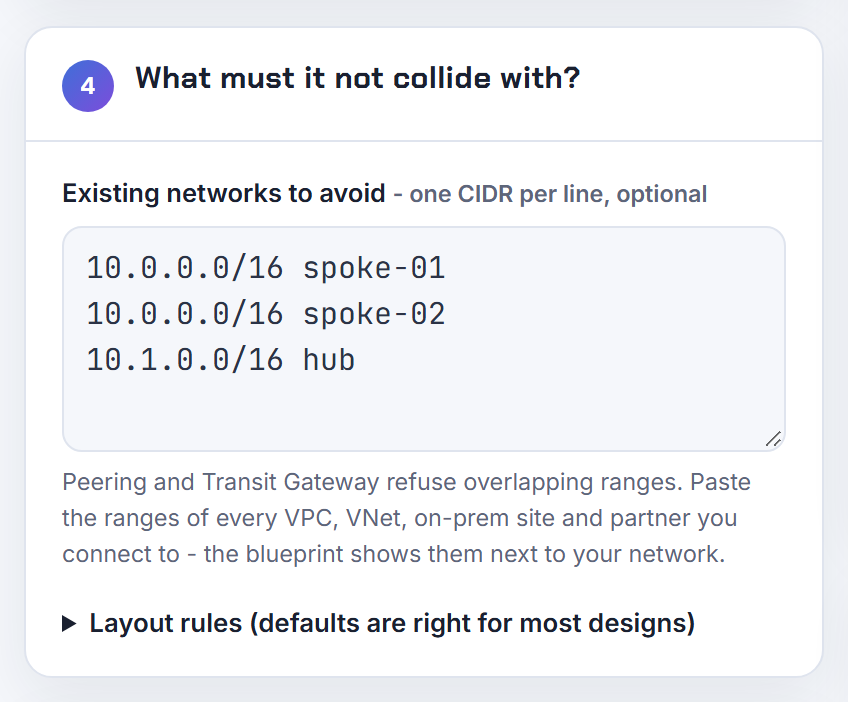
What does the remoteAddressSpace property on an Azure VNet peering mean?
It is the remote VNet's address space as this peering last learned it, while remoteVirtualNetworkAddressSpace is the remote VNet's current address space. The REST reference defines them as "The reference to the address space peered with the remote virtual network" and "The reference to the current address space of the remote virtual network" (Virtual Network Peerings - Get). Both carry an addressPrefixes array, so a VNet with several address spaces lists all of them.
When the two differ, peeringSyncLevel tells you which side is stale: FullyInSync, RemoteNotInSync, LocalNotInSync or LocalAndRemoteNotInSync. That happens after someone adds or resizes a range on the other VNet; Azure asks you to sync the peering on each remote peer after every such change, through the portal Sync button or PowerShell (update the address space for a peered VNet). Until you do, the new range is not routed over the peering.
Subnet peering adds localSubnetNames and remoteSubnetNames with peerCompleteVnets set to false, so the address space fields then describe only the peered subnets.
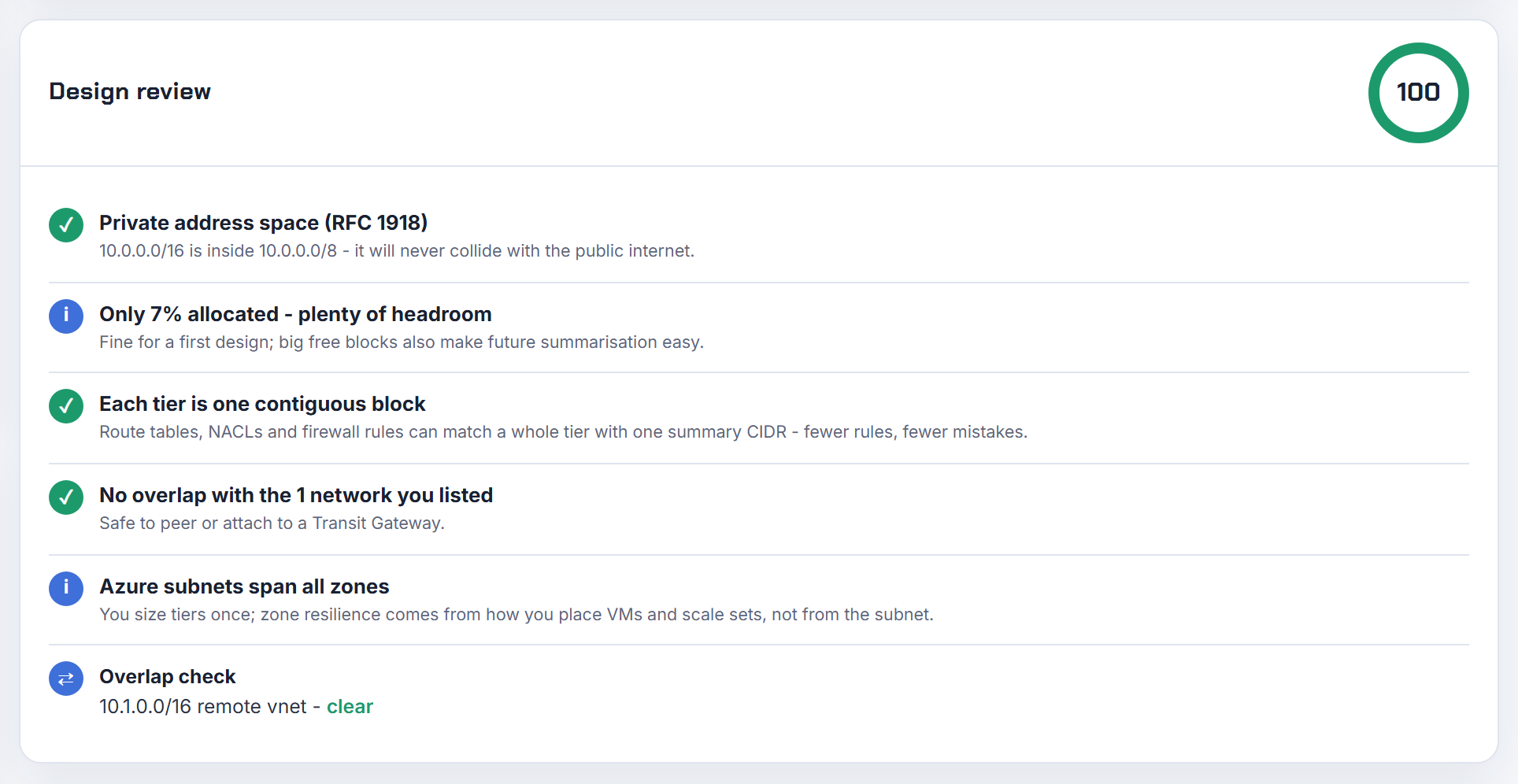
Can I pick the availability zone of an Azure subnet, like one subnet per zone on AWS?
No. "A virtual network is limited to a single region. But a virtual network does span availability zones" (Virtual Network FAQ), and so does every subnet in it. The zone is a property of the resource you deploy, such as a VM, scale set, public IP, gateway SKU or NAT gateway, not of the subnet. A subnet resource has no zone setting, which is why Terraform offers none.
So the AWS pattern of three subnets per tier becomes one subnet per tier, with zone-redundant or zonal resources inside it. Where zones still matter for addressing is outbound: a Standard NAT gateway is zonal or placed in one zone for you, while StandardV2 is zone redundant and serves all zones (Azure NAT Gateway). If you keep a zonal Standard gateway, VMs in other zones depend on that zone, exactly the cross-zone dependency AWS warns about, but you solve it with the gateway SKU rather than with subnets.
Keep per-zone subnets only if a policy or NSG design needs different rules per zone; most Azure layouts do not.
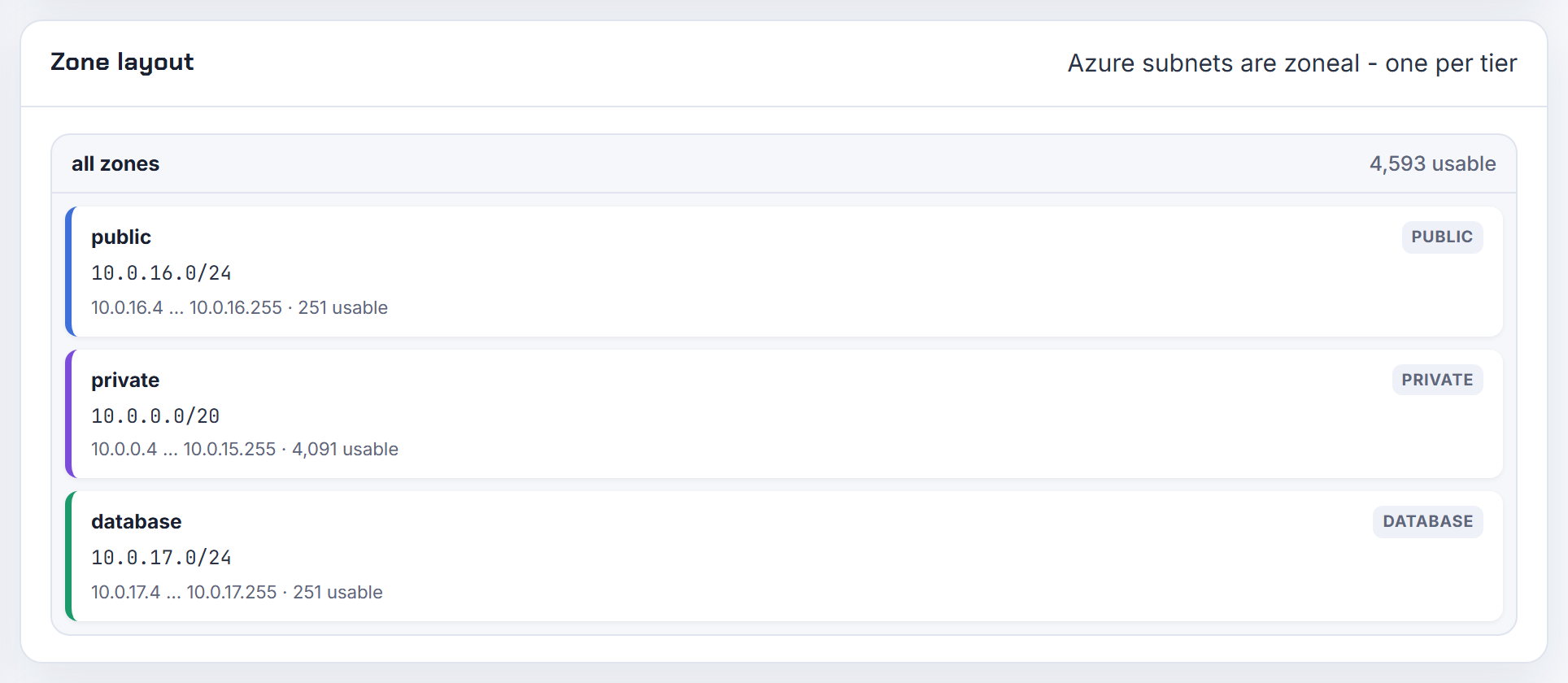
What is Azure subnet delegation for, when do I need it, and why can't I change it on a subnet in use?
Delegation hands a subnet to a PaaS service so the service can inject its instances and apply the network rules it needs (subnet delegation). You need it whenever a service runs inside your VNet rather than beside it: App Service and Functions VNet integration (Microsoft.Web/serverFarms), PostgreSQL and MySQL flexible servers, Container Instances, SQL Managed Instance, Databricks, NetApp Files, API Management, DNS Private Resolver (delegation table).
Each service decides whether the subnet is dedicated, its minimum size, and whether NSGs and route tables are allowed. Two consequences for planning: a delegated subnet "Can't be used with a private endpoint", and the AKS node subnet "can't be a delegated subnet" (AKS CNI prerequisites).
The change rule: "If a resource for a service is already deployed in the subnet, you can't add or remove subnet delegations until you remove all the resources for the service" (manage subnets). So a delegated subnet is single-purpose for its lifetime. Service endpoints are different: they change routing from your subnet to a service's public endpoint and can be toggled on a live subnet. Plan one subnet per delegated service; in the planner, make each its own tier.
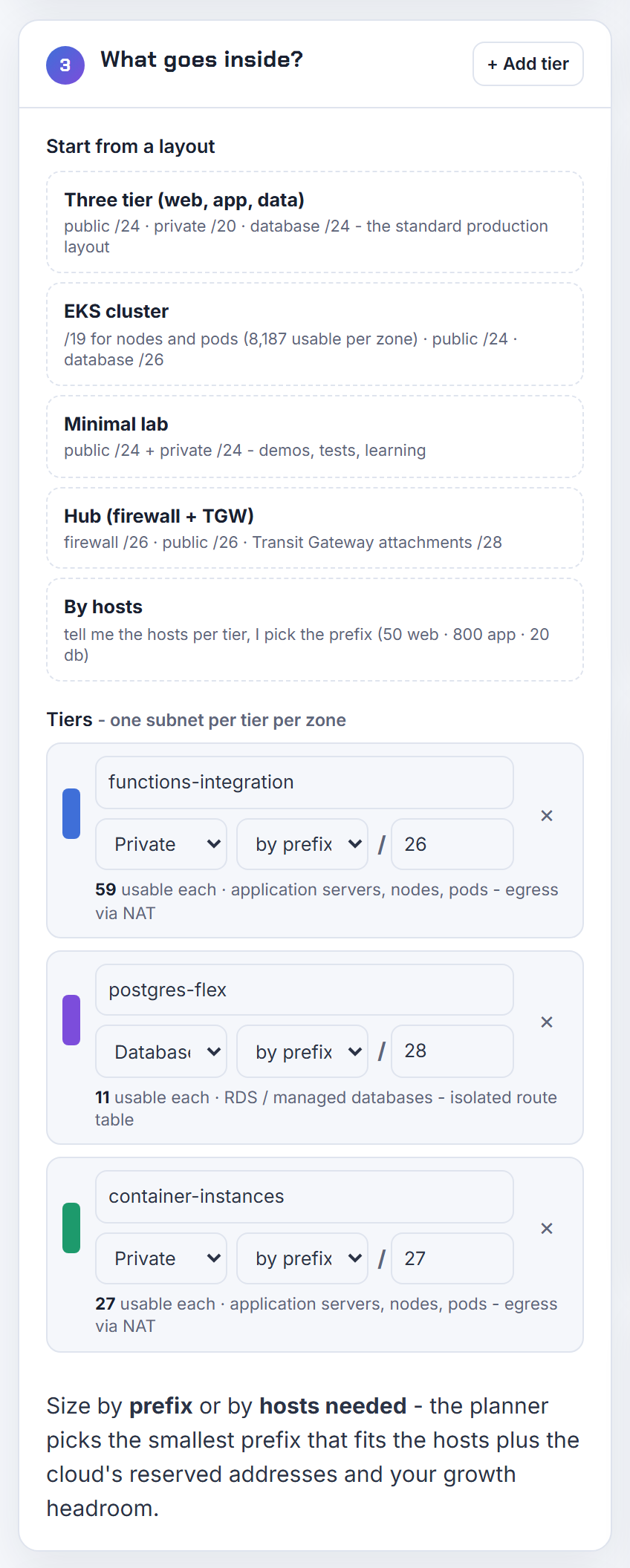
Private endpoints can't live in a delegated subnet, so how do I lay out subnets for Functions plus private endpoints?
Use two subnets: an integration subnet delegated to Microsoft.Web/serverFarms, and a separate subnet for private endpoints. The integration subnet consumes one address per plan instance, must be a /28 or larger, and Microsoft recommends a /26 and double your planned maximum scale for upgrades (App Service VNet integration). A private endpoint is a network interface that takes one address, and several private endpoints can share a subnet with other resources (private endpoint).
SubnetMissingRequiredDelegation means you pointed a service at a subnet that lacks its delegation; Logic Apps Standard and Functions need serverFarms. A storage account never needs a delegation: reach it with a private endpoint or a service endpoint.
Azure then adds its own named subnets, which is why an Azure plan has more rows than an AWS one:
| Subnet | Size |
|---|---|
| GatewaySubnet | /27 or larger (VPN Gateway settings) |
| AzureFirewallSubnet | /26 (Azure Firewall FAQ) |
| AzureBastionSubnet | /26 or larger (Bastion settings) |
| Application Gateway v2 | /24 recommended |
Walkthrough: Azure VNet, subnet, NSG and route table.
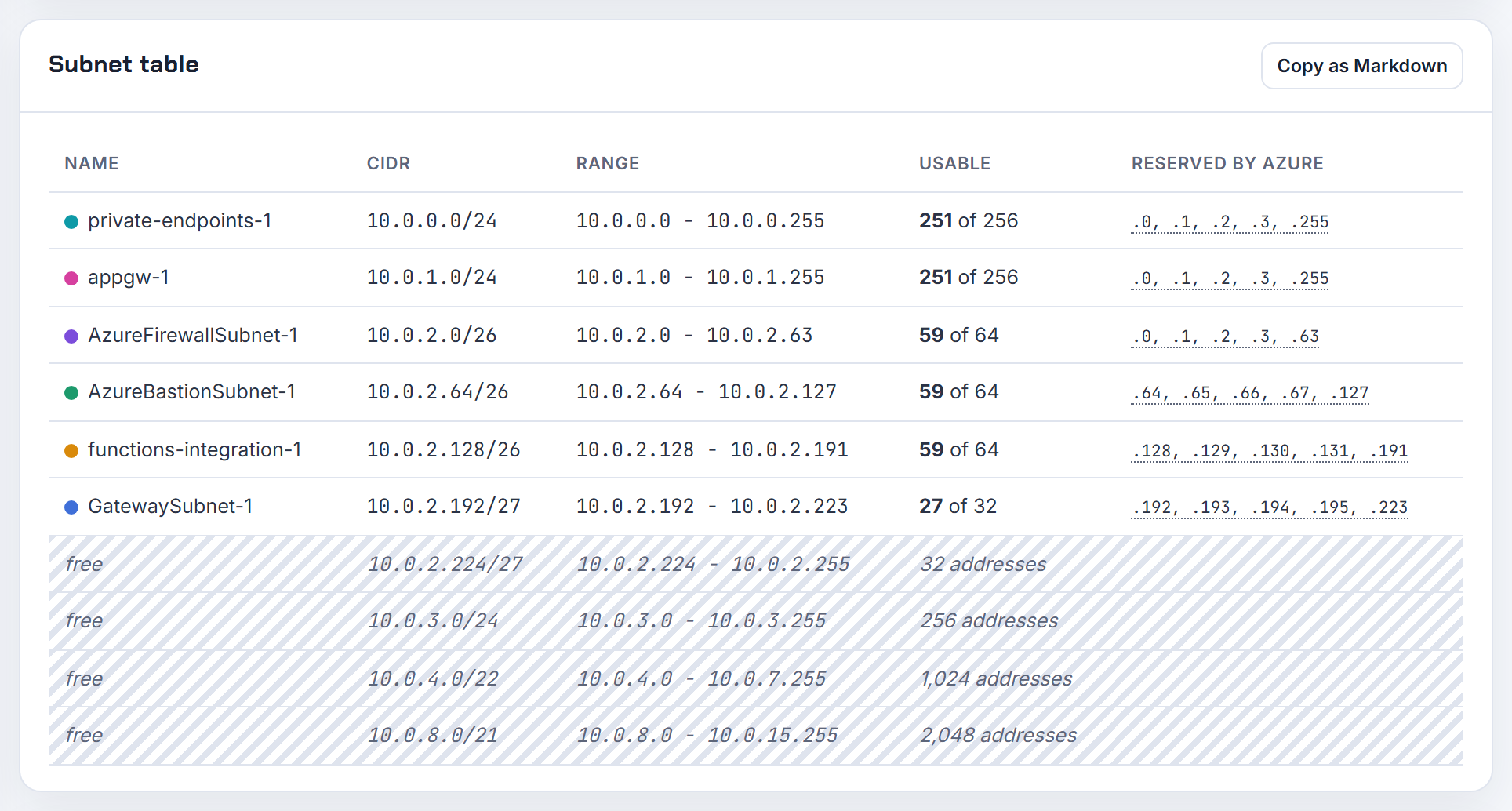
Why does Azure Application Gateway need its own dedicated subnet, and can I move it to another subnet later?
Because the gateway is a managed deployment that scales inside that subnet: "a dedicated subnet is required for the application gateway" and "you can't deploy any other resource in the Application Gateway subnet". Several application gateways may share it, but v1 and v2 cannot mix (infrastructure configuration).
Size it from the instance count. Each instance takes one private address, a private frontend takes one more, and Azure reserves five. v2 scales to 125 instances, so Microsoft recommends a /24; v1 goes to 32 instances, so a /26. Example from the doc: 27 instances plus a private frontend needs 33 addresses.
Moving: "You can move an application gateway across subnets within the same virtual network only", for v1 with public and private frontends on dynamic allocation and for v2 with a public frontend only; not when the private frontend IP is static. The gateway must be stopped, and it is PowerShell or CLI only (Application Gateway FAQ). Changing the VNet means redeploying. Do not use GatewaySubnet, that name is reserved for VPN gateways.
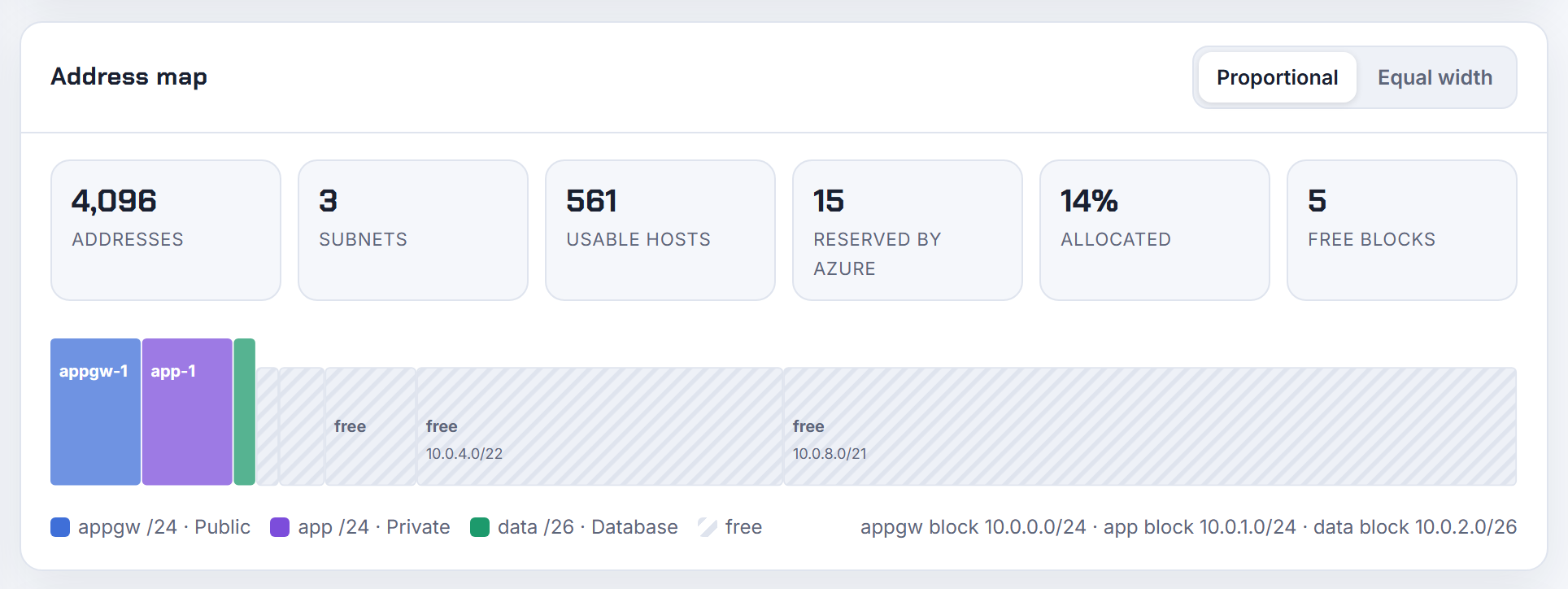
How many App Service plans can share a VNet integration subnet, and why are their outbound IPs not in the VNet?
Count instances, not apps. The integration subnet uses one address per App Service plan instance; all apps in a plan share the same integration, and a plan can hold at most two integrations. With multi plan subnet join several plans can share one subnet, which then needs a /26 or larger. A /26 covers the maximum scale of one plan; the portal requires at least a /27 for a new subnet, a pre-existing /28 is accepted; double your planned maximum to leave room for scale and platform upgrades (subnet requirements).
The IP question has one answer: integration is outbound only. Your app's inbound address and the outbound IP addresses in its properties belong to the shared App Service front ends and stay unchanged. Only traffic to private destinations (RFC 1918, service endpoints, private endpoints) leaves from an address in the integration subnet, exposed as WEBSITE_PRIVATE_IP; internet-bound traffic still uses the listed outbound IPs unless you enable route-all and put a NAT gateway on the subnet (how VNet integration works).
One trap when choosing ranges: Windows apps cannot reach destinations whose address matches the App Service worker infrastructure ranges (10.10.0.0/19, 10.70.0.0/19 and the rest of the published table), so keep your destination subnets off those.
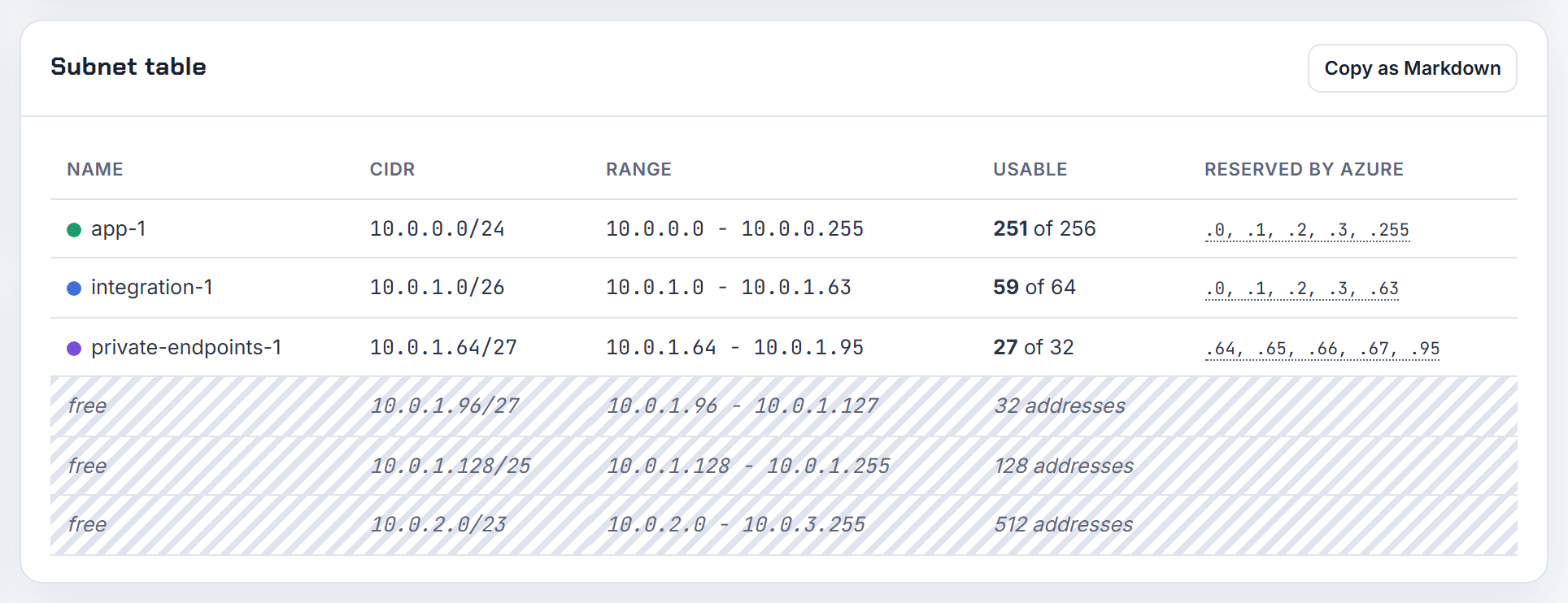
Which CIDRs does AKS with Azure CNI need, why does the default overlap my VNet, and can node pools use other subnets?
Four ranges, planned together (AKS IP address planning):
| Range | Rule |
|---|---|
| Node subnet | Azure CNI Node Subnet: (nodes + surge) + (nodes + surge) x max pods; Pod Subnet: separate pod subnet; Overlay: nodes only |
| Pod CIDR | Overlay and kubenet: private range, a /24 per node |
| Service CIDR | Not inside the VNet, no overlap with peered or on-premises ranges, smaller than /12, reusable across clusters |
| DNS service IP | Inside the service CIDR, not its first address |
The overlap error comes from defaults: the service CIDR defaults to 10.0.0.0/16 with DNS 10.0.0.10 and the pod CIDR to 10.244.0.0/16 (configure kubenet), so a VNet in 10.0.0.0/16 collides on the first run. Set --service-cidr and --dns-service-ip explicitly, and avoid 169.254.0.0/16, 172.30.0.0/16, 172.31.0.0/16 and 192.0.2.0/24, which AKS rejects for any of the three ranges (CNI prerequisites).
Node pools: "All node pools must reside in the same virtual network", but each pool can use its own subnet (create node pools). The calculator applies the Overlay, Pod Subnet and legacy formulas; see the Kubernetes IP calculator post.
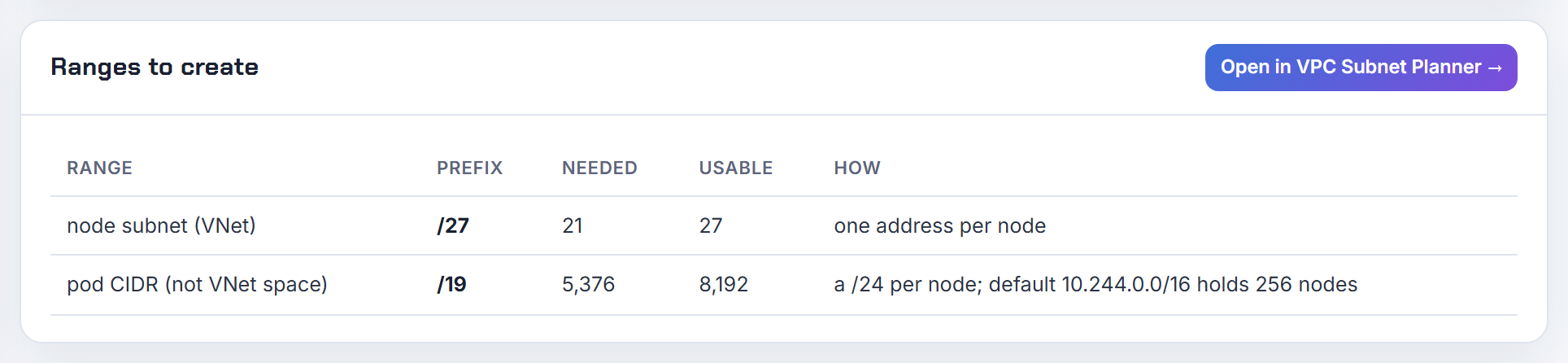
If AKS kubenet or overlay pod and service CIDRs are internal, why must they not overlap other networks?
Because routing works on destination addresses alone. A pod that wants to reach 10.244.5.7 cannot tell whether that is another pod or a server behind your VPN; the cluster's routes win. Microsoft spells it out for Overlay: "If an external host uses an IP within the pod CIDR, packets destined for that host from the pod might be redirected into the overlay network and SNAT'd by the node", and the pod CIDR must not overlap the cluster subnet, peered VNets, ExpressRoute or VPN ranges (Azure CNI Overlay). The kubenet guide says the same for both the pod and service ranges, including on-premises ranges you may connect later (configure kubenet).
What you can reuse: the same pod CIDR across independent clusters in one VNet, and the service CIDR across clusters, because neither is routed outside its cluster. What you cannot: the reserved 169.254.0.0/16, 172.30.0.0/16, 172.31.0.0/16 and 192.0.2.0/24.
Overlay hands each node a fixed /24, so size the pod CIDR for the maximum node count; on Linux-only clusters it can later be expanded to a larger superset, never shrunk. Supported pod CIDRs are RFC 1918 or RFC 6598, and my preference is 100.64.0.0/10 for pods precisely because corporate networks rarely use it. kubenet retires on 31 March 2028.
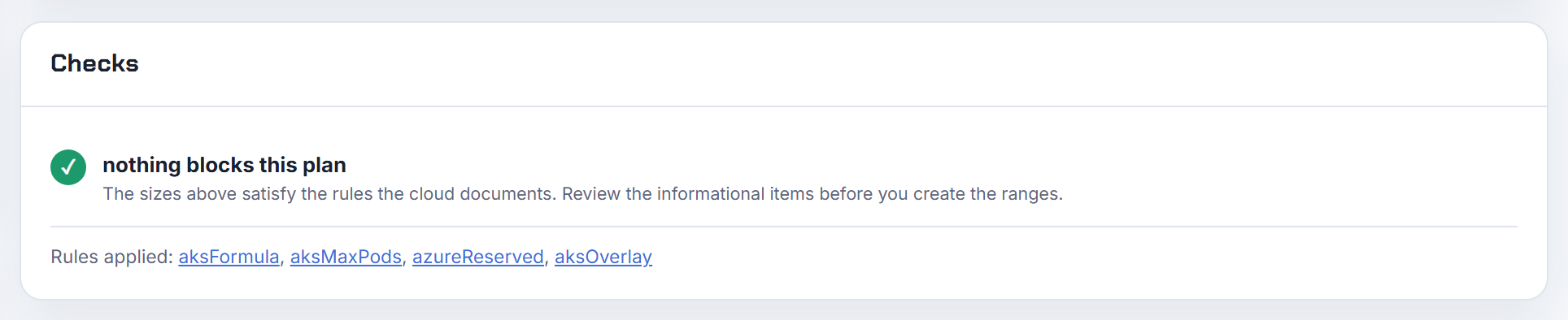
How do I do CIDR math in Bicep or ARM to carve a VNet into subnets of different sizes?
Use the built-in functions parseCidr, cidrSubnet(network, newCIDR, subnetIndex) and cidrHost(network, hostIndex) (Bicep CIDR functions). Mixed sizes are a matter of nesting: cut the big blocks first, then split one of them again.
1var vnet  = '10.144.0.0/20'
2var app   = cidrSubnet(vnet, 24, 0)                   // 10.144.0.0/24
3var data  = cidrSubnet(vnet, 24, 1)                   // 10.144.1.0/24
4var small = cidrSubnet(cidrSubnet(vnet, 24, 15), 26, 0) // 10.144.15.0/26
5var gw    = cidrSubnet(cidrSubnet(vnet, 24, 15), 27, 2) // 10.144.15.64/27
Two details from the doc: newCIDR must be equal to or larger than the prefix in network, and cidrHost with index 3 returns the first address Azure lets you use, because the first four are reserved. InvalidCidrNotation means the address is not on its boundary: 10.0.1.5/24 is invalid, 10.0.1.0/24 is not.
For delegation passed in from a parameters file, pass the service name string and build the delegations array in the template rather than passing the whole object. The planner exports Bicep with every subnet prefix already computed, which is the fastest way to check your own arithmetic.
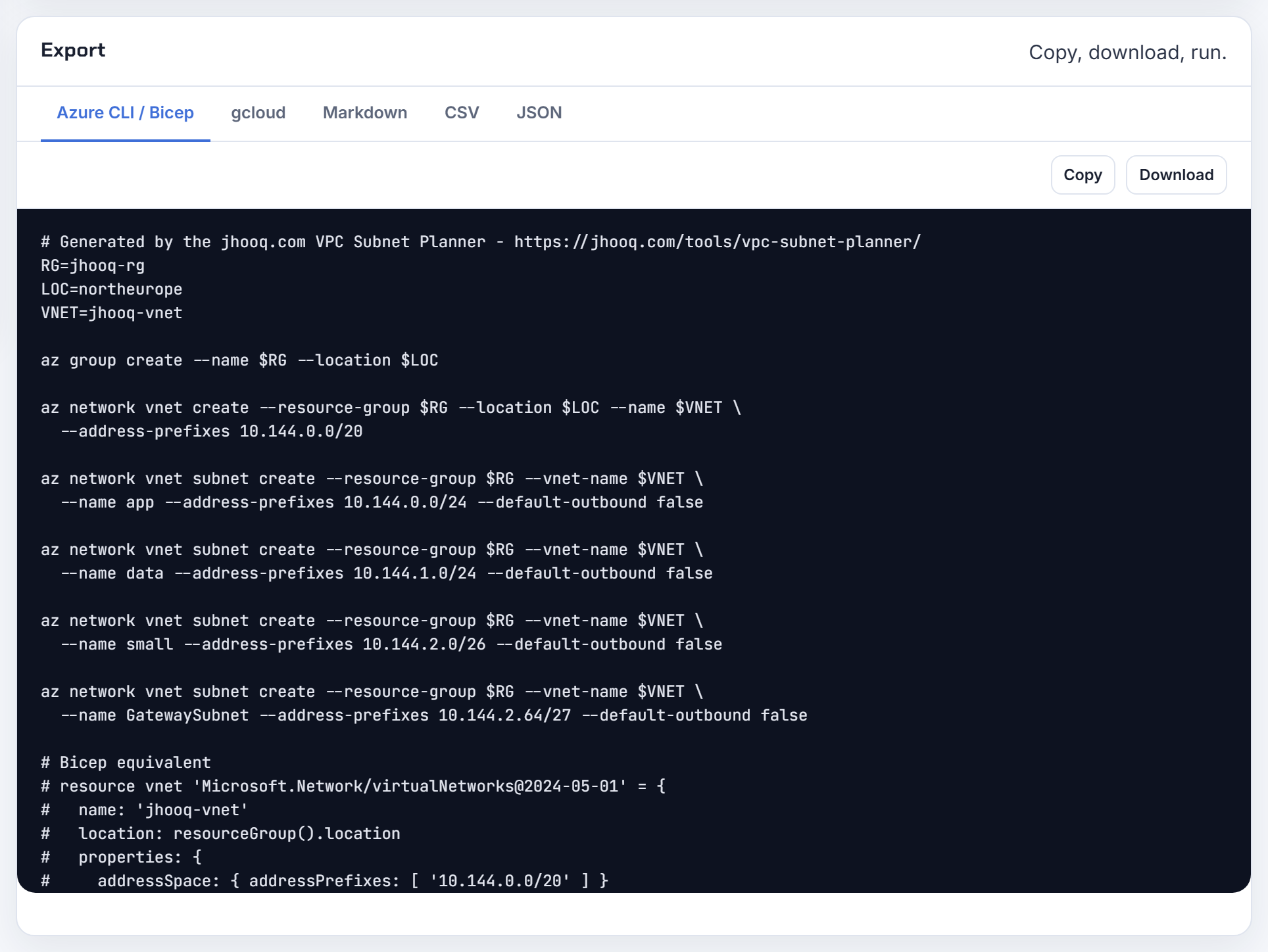
Why do Azure subnets created in parallel by Terraform fail, and which subnet prefix argument should I use?
Subnets are children of the virtual network, and Azure processes writes to one VNet serially. When Terraform creates five azurerm_subnet resources at once, the later calls can fail with "Another operation on this or dependent resource is in progress" or "conflict", and the provider has to retry. Two mitigations that do not fight the platform: chain the subnets with depends_on so they are created one after another, or run terraform apply -parallelism=1 for that workspace. The other rule from the provider docs: "At this time you cannot use a Virtual Network with in-line Subnets in conjunction with any Subnet resources", so pick inline or standalone, never both (azurerm_subnet).
address_prefixes is the current argument and takes a list; use it even for a single prefix. The delegation block from the same doc:
1delegation {
2  name = "aci"
3  service_delegation {
4    name    = "Microsoft.ContainerInstance/containerGroups"
5    actions = ["Microsoft.Network/virtualNetworks/subnets/join/action"]
6  }
7}
Recreation: Azure can resize a subnet in place only if the new range still contains every address in use, and it refuses to delete a subnet with resources, so a plan that shows a subnet replacement will fail halfway. Read the plan before applying.
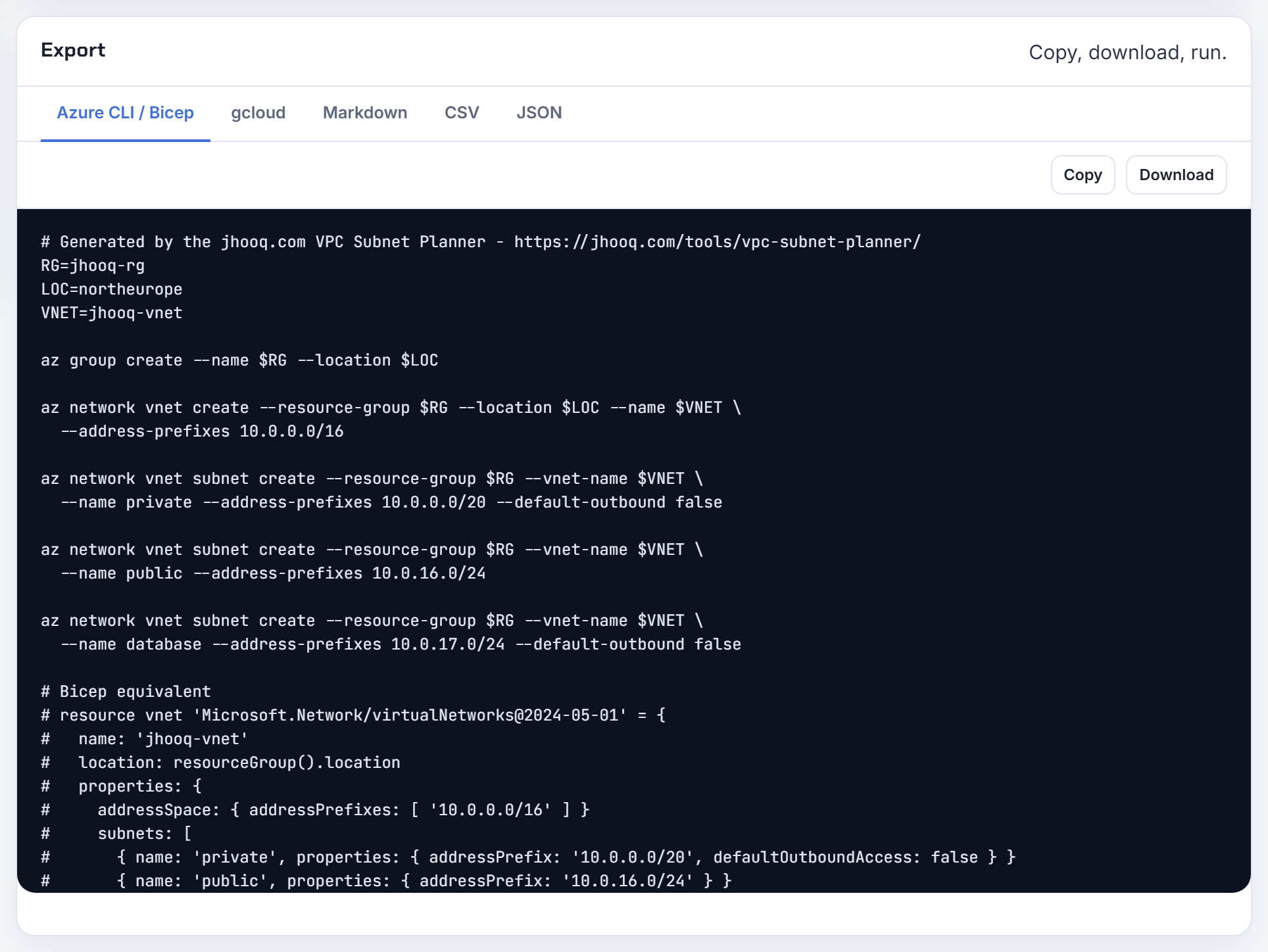
Azure Databricks says public and private subnet ranges must be valid and non-conflicting: how do I size them?
Databricks VNet injection needs two dedicated subnets per workspace, a host (public) and a container (private) subnet, each delegated to Microsoft.Databricks/workspaces, not shared with other workspaces or resources, and not changeable after deployment. The VNet must be between /16 and /24; each subnet should be at least a /26 (a /28 is possible but not recommended), and Databricks suggests equal sizes (VNet injection). "Non-conflicting" means the two ranges do not overlap each other or any existing subnet in the VNet.
Capacity: each cluster node takes one address in each subnet, and Azure reserves five per subnet.
| Subnet size | Nodes per workspace |
|---|---|
| /26 | 59 |
| /24 | 251 |
| /22 | 1,019 |
| /18 | 16,379 |
So a /24 pair inside a /22 block gives one workspace room for 251 nodes and leaves two /24s free. If the VNet is already full, add a new address range to the VNet rather than squeezing. Paste the existing subnets into the planner's overlap check and it lists the free blocks that fit.
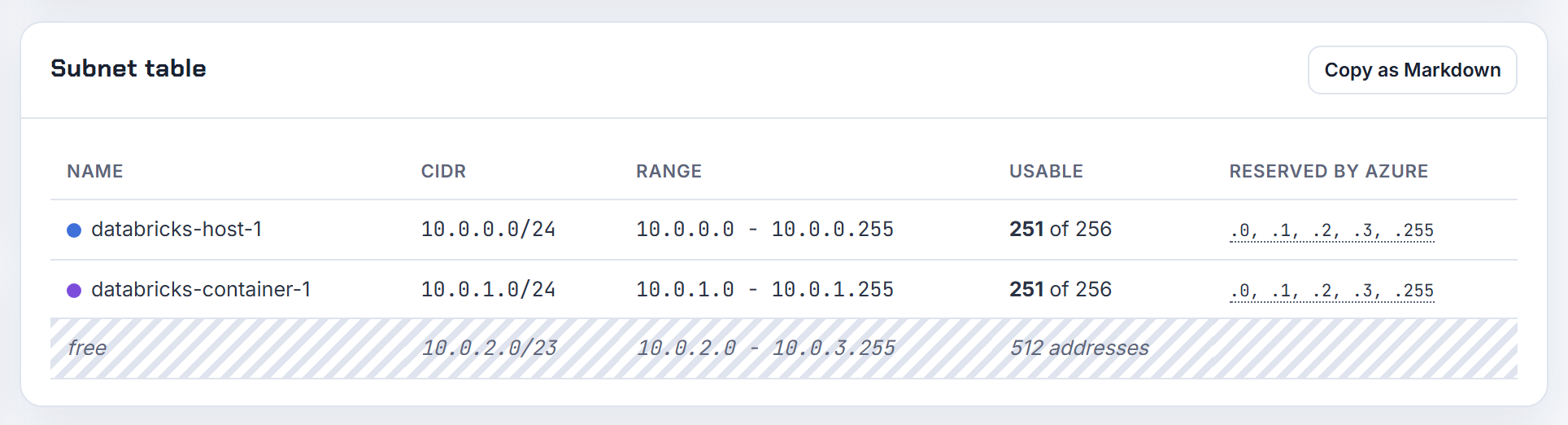
Why can't I delete an Azure VNet or subnet that is still in use by a deleted App Service plan or container group?
Because the service left a link behind. Subnet deletion is blocked by private endpoints, delegations, service association links, orphaned network interfaces, and the Bastion or Firewall subnets while their service exists; VNet deletion is blocked by gateways, application gateways, container instances, peerings and a web app that was integrated and deleted without disconnecting (can't delete a virtual network or subnet). Find the culprit in one query:
1az network vnet subnet show -g RG --vnet-name VNET -n SUBNET --query "{delegations:delegations[].serviceName, sal:serviceAssociationLinks[].linkedResourceType, nics:ipConfigurations[].id, pe:privateEndpoints[].id}"
An orphaned App Service link (linkedResourceType Microsoft.Web/serverFarms) is purged with the documented REST call, replacing subscription, location and subnet ID (App Service VNet integration):
1az rest --method POST --uri "/subscriptions/SUB/providers/Microsoft.Web/locations/LOCATION/purgeUnusedVirtualNetworkIntegration?api-version=2024-04-01" --body "{'subnetResourceId': 'SUBNET_ID'}"
If that fails, recreate the app with the same name, integrate, disconnect, delete. Legacy container instances used hidden network profiles; delete those first. Then remove the delegation and delete the subnet. Deletion order for the VNet: connections, gateways, IPs, peerings, App Service Environment.
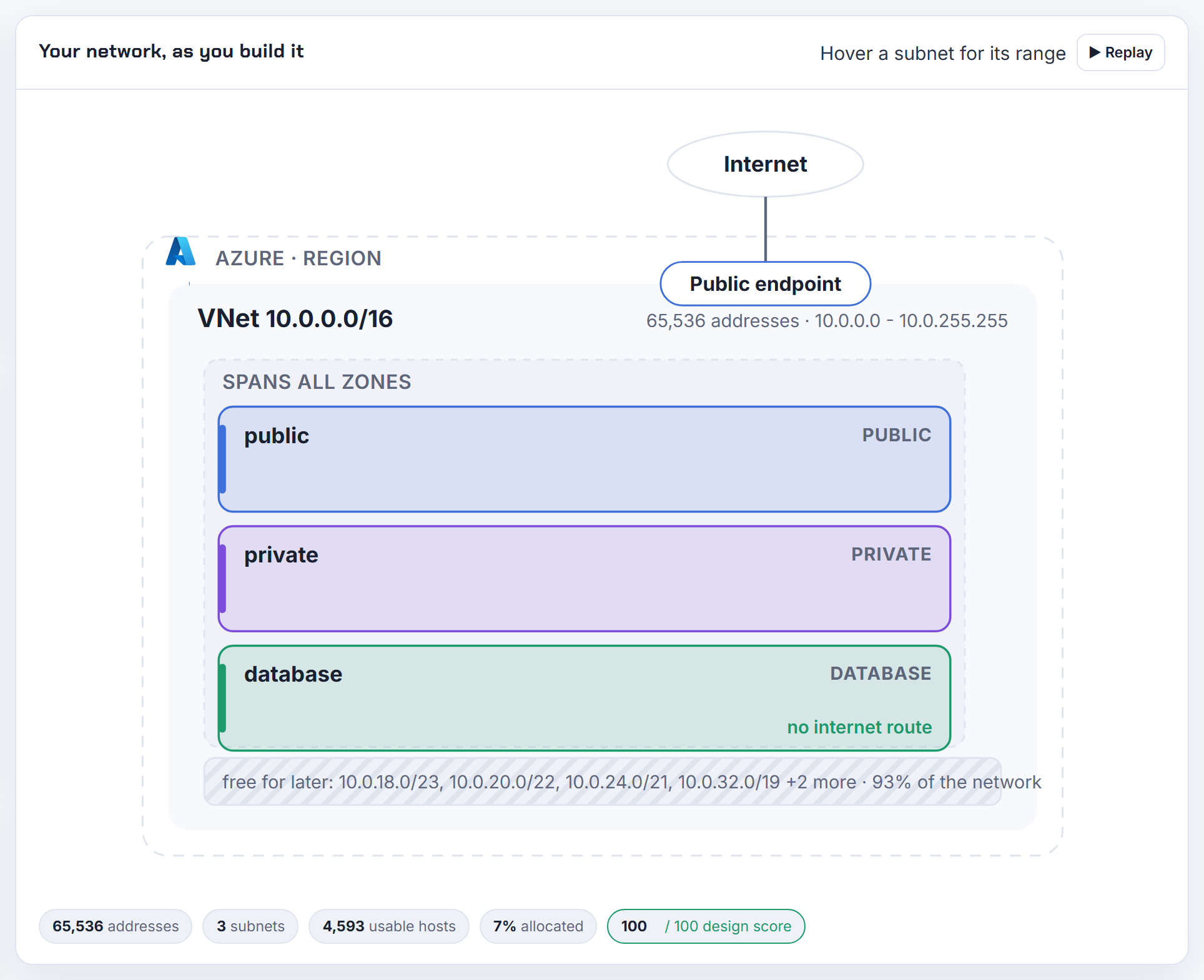
I changed a VNet CIDR and Terraform can't recreate the Virtual Hub peering: how do I renumber a vWAN spoke?
You do not recreate it. For a spoke connected to a Virtual WAN hub, Microsoft's answer is that changing the VNet address space "can be done automatically with no update or reset required on the peering connection"; you do not click Sync, and the only rule is that the new space must not overlap any other spoke in that Virtual WAN (Virtual WAN FAQ). So if Terraform shows no diff on azurerm_virtual_hub_connection after you change the VNet, that is correct behaviour.
If you still want a forced rebuild, do it explicitly with terraform apply -replace=azurerm_virtual_hub_connection.spoke rather than editing state; expect the spoke to lose hub connectivity while it recreates.
Plain VNet peering is the opposite: after modifying, adding or deleting a range you must sync the peering on every remote peer, or the new range is not routed (update the address space for a peered VNet).
Two numbers for the plan: a hub needs at least a /24 and Microsoft recommends a /23 (a /22 with Azure Firewall), and the hub address space cannot be changed after creation; a hub with routing intent accepts at most 600 address spaces across its connected VNets, so avoid giving spokes many small ranges.

Should I connect Azure VNets with peering, a VNet-to-VNet VPN, or just IP allow-listing?
Peering is the default. Traffic stays on the Microsoft backbone, latency equals in-VNet latency, bandwidth is only limited by the VM size, it works across subscriptions, tenants and regions, needs no gateway, and is charged per GB (virtual network peering). Its two constraints: address spaces must not overlap, and it is not transitive, so hub-and-spoke needs explicit peerings or a hub appliance.
A VNet-to-VNet VPN connection is an IPsec tunnel between two VPN gateways; it takes 45 minutes or more to deploy, throughput depends on the gateway SKU, and overlapping subnets break it too (VNet-to-VNet connection). Choose it when a policy demands encryption you control, or when one side is not an Azure VNet.
| Option | Overlap allowed | Transitive | Encryption | Throughput |
|---|---|---|---|---|
| Peering | No | No | Backbone MACsec | VM limit |
| VNet-to-VNet VPN | No | Via routing | IPsec | Gateway SKU |
| Public allow-list | Yes | n/a | TLS only | Internet |
Allow-listing public IPs across the internet is for a single PaaS service or an early prototype; private endpoints replace it without exposing either network. Steps: Azure VNet peering step by step.
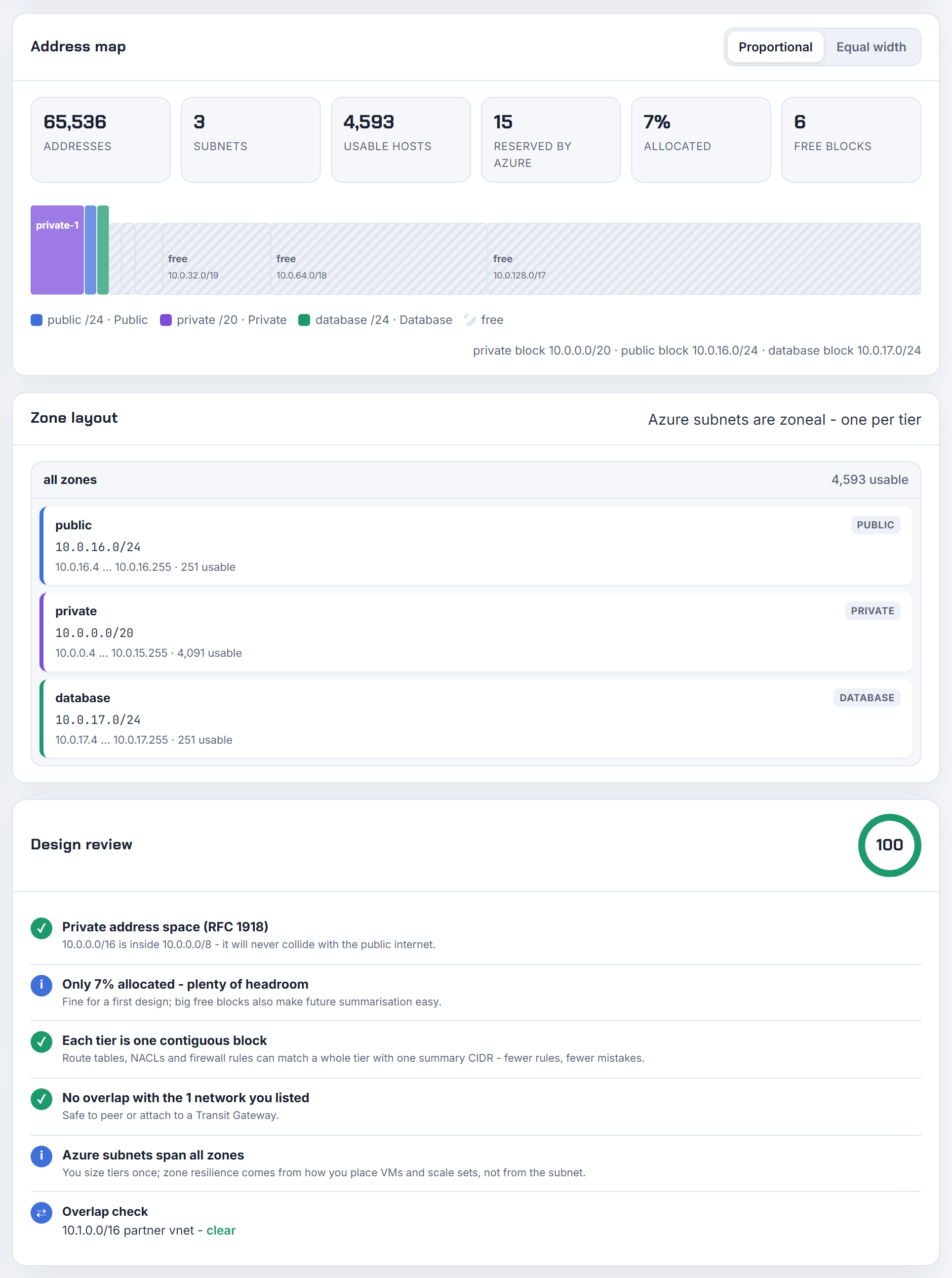
Google Cloud VPC
Auto versus custom mode, secondary ranges, private services access and the regional subnet model.
My two auto mode Google Cloud VPCs can't peer because their subnets use the same ranges, so what now?
Every auto mode network carves the same /20 per region out of 10.128.0.0/9, so their subnets are identical and "You can't connect two auto mode VPC networks by using VPC Network Peering" (VPC Network Peering). Peering also rejects any subnet range that matches, contains or fits within a range on the other side, primary or secondary.
The way out is custom mode. "Conversion from auto to custom mode is a one-way process" (create and modify VPC networks); after converting, delete the auto-created subnets you do not use and create new ones with distinct ranges. Existing subnets cannot be renumbered, only expanded, and an auto mode subnet can grow at most to a /16. Google's standing advice is "use custom mode VPC networks in production" (VPC networks).
In Terraform, changing auto_create_subnetworks is a network replacement in practice; plan it as a new network and migrate rather than flipping the flag on a live one. Give each VPC its own block, for example 10.10.0.0/16 and 10.20.0.0/16, carved per region. Walkthrough: GCP VPC peering. The planner's Google Cloud mode reserves the four addresses per primary range.

What are the default GKE pod and service ranges with alias IPs, and which CIDRs may I give a cluster?
A VPC-native cluster uses three ranges from one subnet: the primary range for nodes, a secondary range for Pods, and a range for Services. Since Autopilot 1.27 and Standard 1.29 Services default to a GKE-managed range, 34.118.224.0/20, that consumes nothing in your VPC; otherwise Services use a subnet secondary range (VPC-native clusters).
Pods: each node receives a /24 (256 alias addresses) for up to 110 Pods, so the Pod range size is set by node count. Google's example: 900 nodes at 110 Pods need a Pod range no smaller than /14; a /17 serves 512 nodes at 32 Pods per node; be careful below /21; the smallest possible is /28, one node with 8 Pods.
| Range | Allowed sizes |
|---|---|
| Services, user-managed | /28 to /16 |
| Services, GKE-managed | /27 to /16 |
| Pods | /28 upwards, sized per node /24 |
A subnet can hold at most 170 secondary ranges, not adjustable (per-network limits). In a Shared VPC the host project's network admin must create the secondary ranges; GKE cannot. The calculator sizes the node Pod range as 31 minus ceil(log2(max pods)) and the Pod secondary range from your node count.
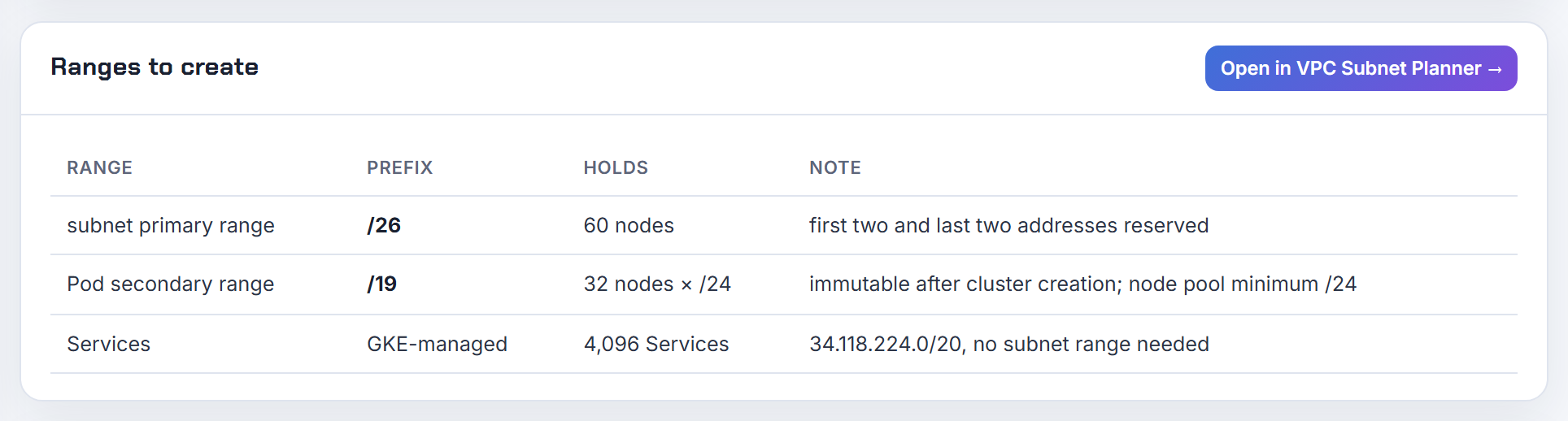
What is master-ipv4-cidr for a private GKE cluster, which /28 should I use, and why does a third cluster fail?
It is the control plane's address block for clusters whose control plane connects to your VPC over VPC Network Peering. The rules: "The size of the RFC 1918 block for the cluster control plane must be /28", it "is permanent for this cluster and must be unique within the VPC", non-RFC 1918 internal ranges are allowed, and GKE cannot detect an overlap with other ranges in a Shared VPC, so you must (legacy network isolation). Clusters created after 15 January 2020 reuse the control plane peering, so each cluster costs a /28 but not a peering.
Pick the /28s from a block nothing else uses: 172.16.0.0/28, 172.16.0.16/28, 172.16.0.32/28 and so on, kept out of every subnet, PSA allocation and peered network. Current clusters use Private Service Connect for the control plane and the flag is optional; the private cluster guide notes it only creates a subnet if you pass it.
Why the third cluster used to fail: the old per-subnet secondary range limit, now 170 (per-network limits), and peering quotas before peering reuse. Check the peerings-per-network quota in the console before adding clusters. The 34.118.224.0/20 range you see is the GKE-managed Services range, not a control plane range.
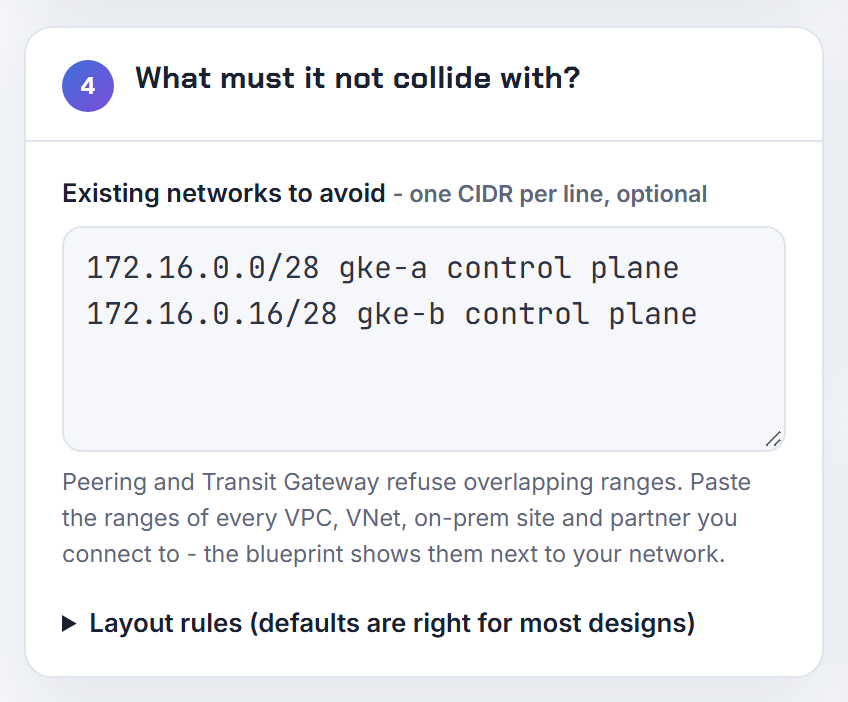
Can two GKE clusters share the same Pod and Service secondary ranges in one subnet?
Yes, for ranges you manage. Google states that clusters in the same subnet can share the primary range, the Pod secondary range and the Services secondary range, and that two or more clusters can use the same Services range at the same time. Sharing a Pod range needs the --cluster-secondary-range-name flag on the command line; the console does not offer it. Exceptions: GKE-managed ranges and additional Pod ranges are not shareable, ranges named gke--services- cannot be shared, and a shared Services range is not supported with VPC scope Cloud DNS (VPC-native clusters).
The cost of sharing is capacity accounting: every node of every cluster takes a /24 from the shared Pod range, so a /16 Pod range shared by two clusters gives 256 nodes in total, not each. Services overlap is harmless because service IPs never leave their cluster.
Inventory before reusing: describe each cluster and compare the Pod and Services secondary range names it reports against the subnet's secondary ranges. My preference for anything beyond a sandbox is one Pod range per cluster and a shared Services range only when the two clusters are deliberately coupled.
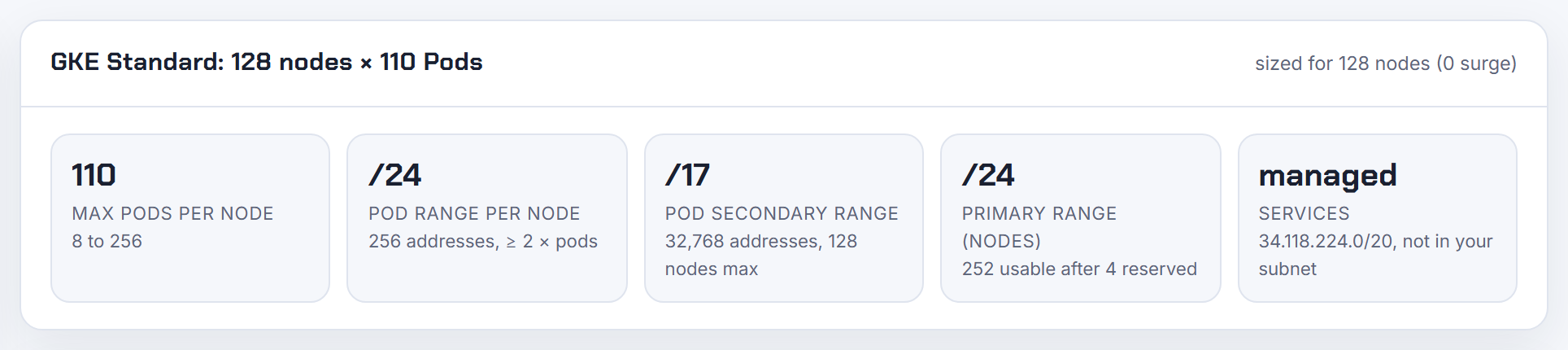
Private services access: why is my allocated range for Cloud SQL ignored, and why can't I modify an allocated range?
Private services access works in two steps. You allocate a range in your VPC with --purpose=VPC_PEERING and create one private connection to servicenetworking.googleapis.com; Google then creates a subnet of /29 to /24 inside that range for each service and region, and "You can't select or modify the service producer's subnet IP address range" (private services access). "You can't modify an allocated range, but you can update a private connection to add or remove allocated ranges", and removal needs --force (configure private services access).
1gcloud compute addresses create google-managed-services-NET --global --purpose=VPC_PEERING --prefix-length=16 --network=NET
2gcloud services vpc-peerings connect --service=servicenetworking.googleapis.com --ranges=google-managed-services-NET --network=NET
"Ignored" has three usual causes: the instance was created without --allocated-ip-range-name, the range had no free /24 left for that region (Cloud SQL needs a free /24 per region or database type, Cloud SQL guide), or the range was not attached to the connection yet, so Google auto-allocated one. An error about an existing allocated range means the connection already holds it: use vpc-peerings update, not connect. Size it once, /16 recommended and /24 minimum, and never reuse it for another producer.

Terraform Google subnetwork resource: why do secondary ranges keep changing or refuse to be deleted?
Two mechanisms collide. On the API side, "You can remove and replace a subnet's secondary IPv4 address range only if no instances are using that range" (subnets); GKE Pods are alias IPs from that range, so a range used by a cluster cannot be removed or renamed, and a rename is a remove plus add. On the Terraform side, removing the secondary_ip_range block produces no diff by default; only send_secondary_ip_range_if_empty = true makes the provider send an empty list, and ranges are otherwise matched by range_name (google_compute_subnetwork).
A stable pattern:
1resource "google_compute_subnetwork" "gke" {
2  ip_cidr_range = "10.10.0.0/20"
3  secondary_ip_range { range_name = "pods"     ip_cidr_range = "10.16.0.0/14" }
4  secondary_ip_range { range_name = "services" ip_cidr_range = "10.20.0.0/20" }
5  send_secondary_ip_range_if_empty = true
6}
Never rename a range in place; add a new one, move the consumer, then drop the old. If a cluster created ranges itself (GKE-managed), do not describe them in Terraform at all, or every plan will try to delete them. ipv6_access_type is immutable after the first dual-stack update. Expanding ip_cidr_range is an in-place API operation and cannot be undone.
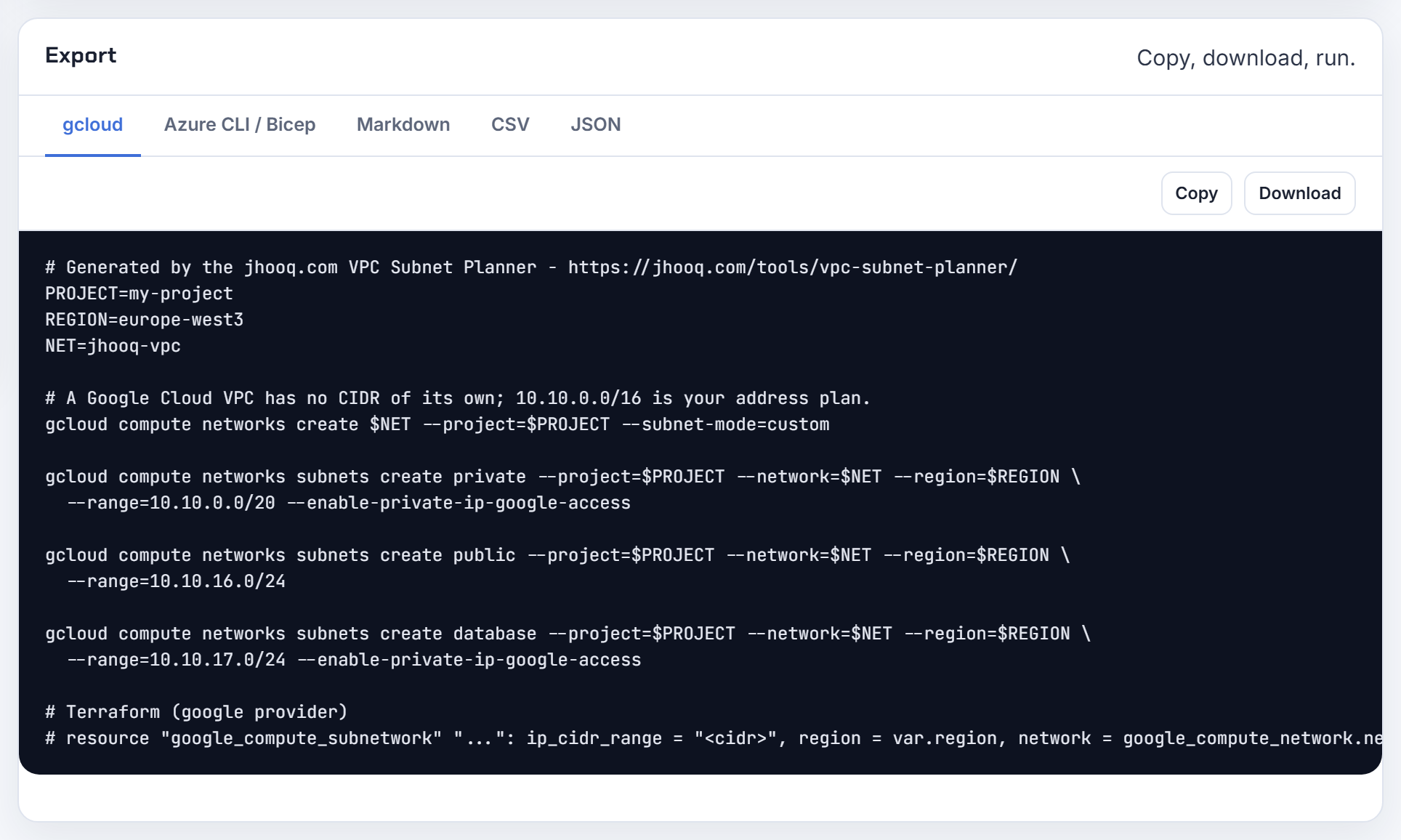
Can I expand a Google Cloud subnet, change its region, or move it?
Expand yes, shrink no, move no. "After you create a subnet, the primary IPv4 range for the subnet can be expanded but not replaced or shrunk" (subnets), and "You cannot change the name or region of a subnet after you create it". Expansion is a one-liner and cannot be undone; auto mode subnets stop at /16 (create and modify VPC networks):
1gcloud compute networks subnets expand-ip-range SUBNET --region=REGION --prefix-length=20
The new, larger range must still not overlap anything in a peered network; Google returns an error while peered rather than breaking routing (VPC Network Peering). Secondary ranges can be replaced only while unused.
Changing region means a new subnet: create it in the target region with a non-overlapping range, recreate or migrate the VMs (they get new internal addresses), repoint anything that referenced the old range, then delete the old subnet. Terraform shows a replacement for a region change because the API has no move operation; do not let it run that replacement against a subnet with instances in it. The planner's 95 percent headroom warning exists because expansion only ever goes up.
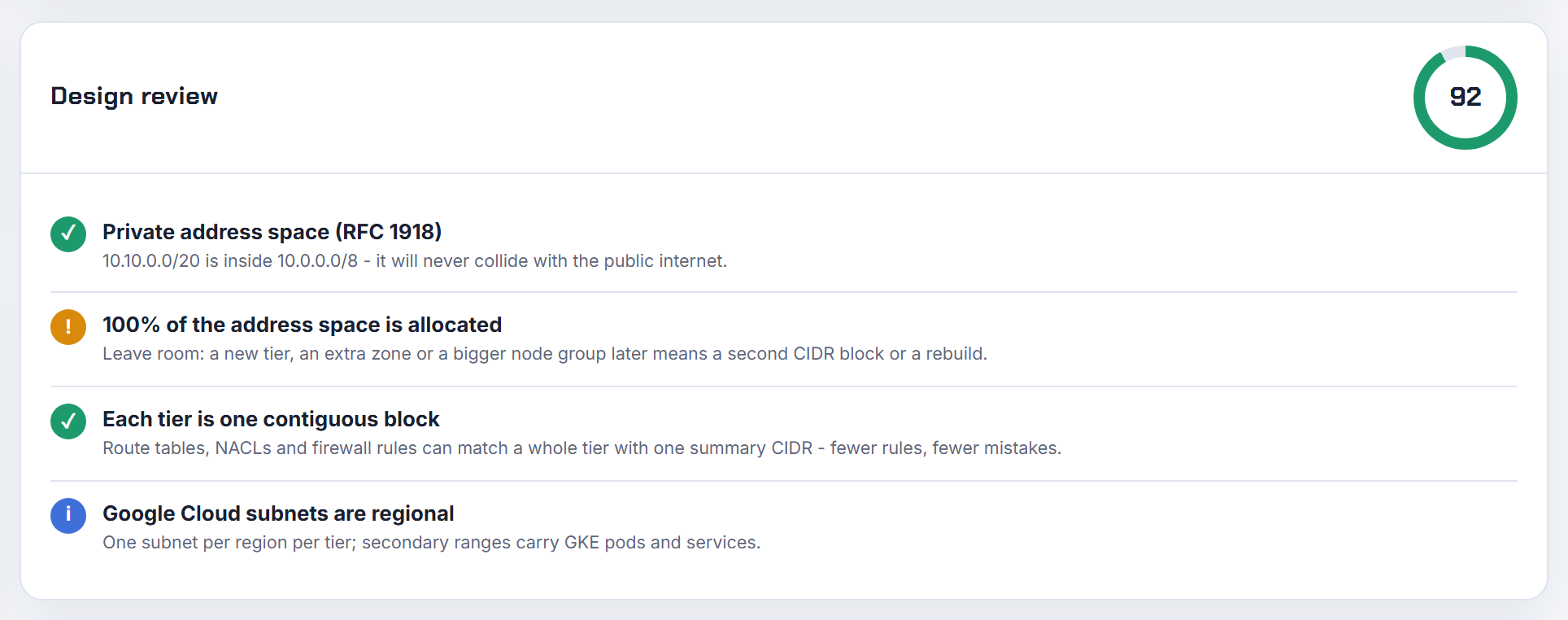
Will Google Cloud VMs take addresses from a secondary range, and how do I port an AWS per-zone plan to GCP?
No. A VM's primary internal address always comes from the subnet's primary range (VPC networks); secondary ranges are only used for alias IP ranges, which is what GKE Pods and multi-address VMs consume. Secondary ranges have no reserved addresses, "Google Cloud lets you use all addresses in secondary IPv4 ranges", while the primary range loses its first two and last two (subnets).
Porting the AWS mental model: "Subnets are regional resources" and span every zone in the region, so the AWS layout of three tiers times three zones (nine subnets) becomes three subnets, one per tier, with the zone chosen on each VM. Keep the per-region split instead, because a VPC is global and each region needs its own blocks:
| AWS | Google Cloud |
|---|---|
| VPC per region | One VPC, subnets per region |
| Subnet per zone and tier | Subnet per region and tier |
| Secondary CIDR for pods | Secondary range on the subnet |
The Terraform list error usually comes from building subnet CIDRs with a list of zones; index by region and tier with cidrsubnet instead. The planner's companion post shows the same layout for all three clouds: VPC Subnet Planner.
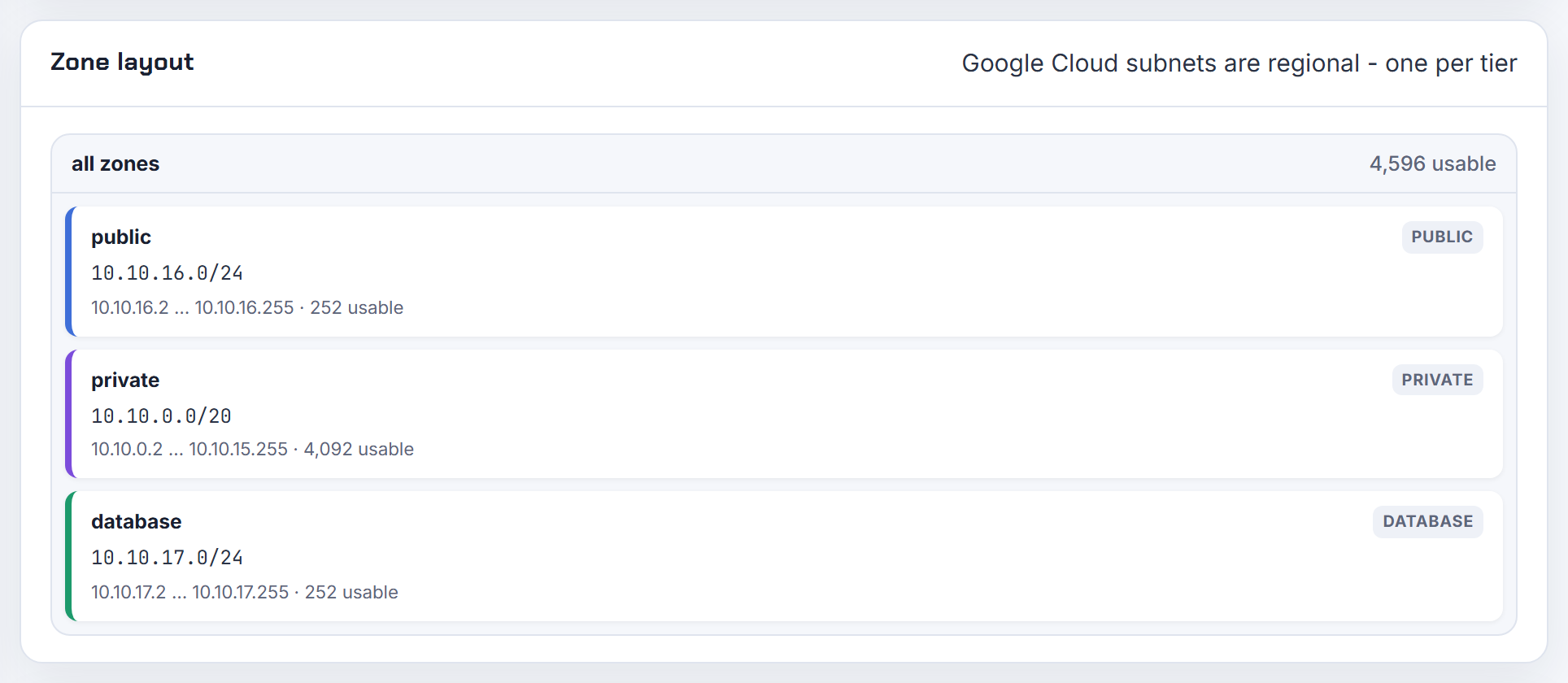
Why does a Google Cloud VM show a /32 netmask on its interface, and how do I get the real /20?
By design: "Instances are configured with a /32 netmask", and all traffic, even to a neighbour in the same subnet, goes to the gateway's MAC address. "Using a /32 netmask hides the MAC address of remote instances, preventing Layer 2 discovery and creating problems for some applications" (compute instance netmasks). Routing still works because the guest sends everything to the subnet gateway, the second address of the primary range.
If an application insists on seeing the subnet mask, two supported options exist. Per subnet: set Resolve subnet mask to ARP_PRIMARY_RANGE or ARP_ALL_RANGES, which only works at subnet creation and only on a regular IPv4-only subnet. Per instance: build a custom image with the MULTI_IP_SUBNET guest feature. Both add ARP support only; Google Cloud still supports no other Layer 2 protocols, so clustering software that relies on them stays unsupported.
Nothing changes in the host arithmetic: the primary range still reserves the first two and last two addresses, so a /20 has 4,092 usable addresses regardless of what the guest shows. Table per prefix: usable IP addresses per subnet.

Shared VPC: how do I isolate dev and prod subnets (10.65/16, 10.66/16), and how many peerings do managed services need?
Three layers, all in the host project. First, IAM: grant service projects compute.networkUser on specific subnets rather than on the whole host project, so the dev project can only attach to the dev subnets; review the bindings whenever you add subnets (Shared VPC). Second, firewall: rules live in the host project and take CIDR ranges, network tags or service accounts as sources and targets, so one deny from 10.65.0.0/16 to 10.66.0.0/16 and back, below explicit allows, separates the environments (VPC firewall rules):
1gcloud compute firewall-rules create deny-dev-to-prod --network=shared --direction=INGRESS --priority=900 --action=DENY --rules=all --source-ranges=10.65.0.0/16 --destination-ranges=10.66.0.0/16
Third, if the blast radius matters more than cost, use separate host projects for test and production; Google's own example does that, and the two networks may even reuse CIDRs.
Peerings: private services access needs one connection per VPC for all of a producer's services (configure private services access), so Cloud SQL, Memorystore and friends share it. Cloud Data Fusion is the exception: each private instance needs its own /22 that "cannot be shared by multiple instances" and its own peering, which is why Google now recommends Private Service Connect for it (Data Fusion private IP). The peerings-per-network quota is shown in the console (quotas).
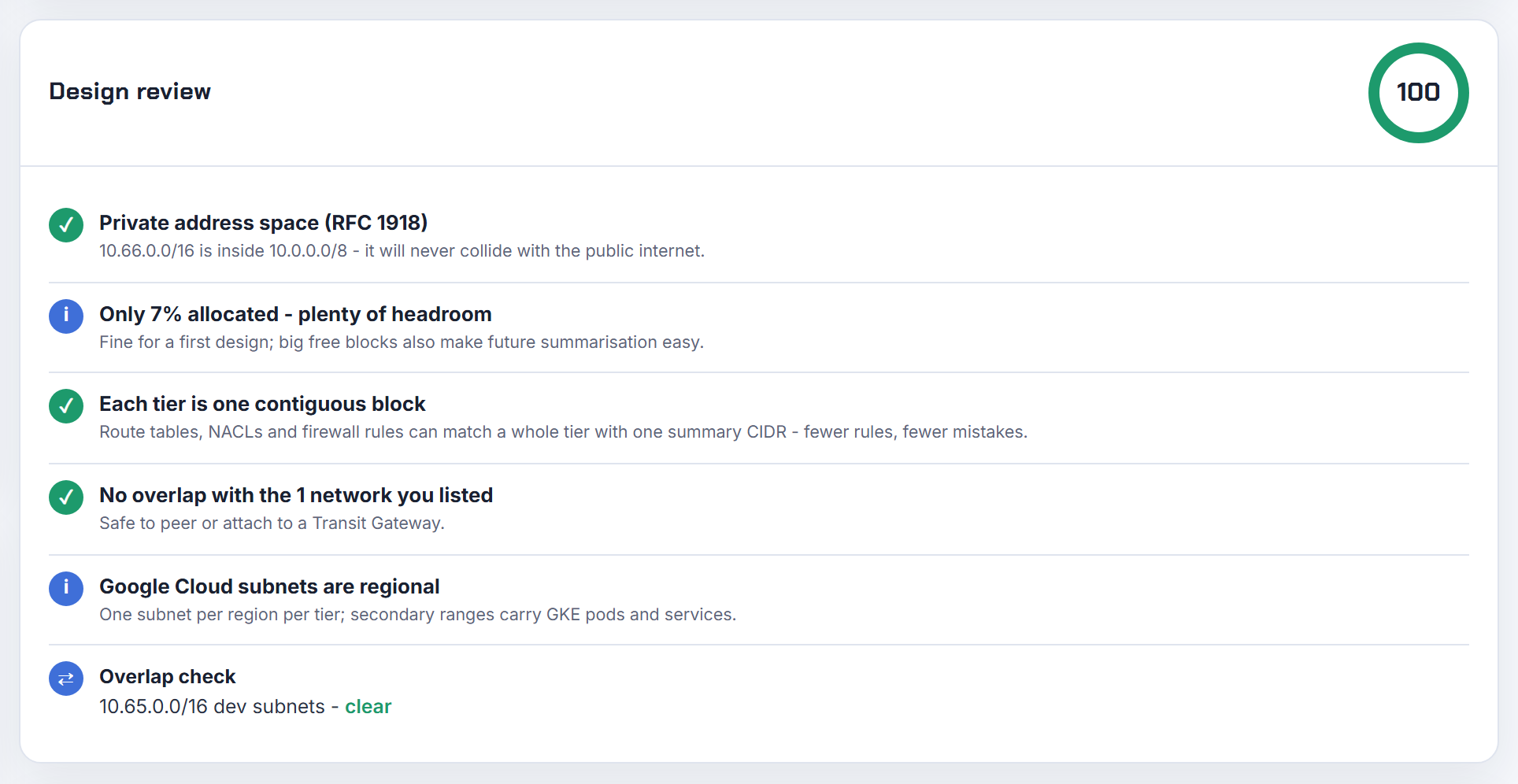
What range does a Serverless VPC Access connector need, and why does Cloud Run direct egress say permission denied?
A connector takes an existing /28 subnet with no other resources in it, or an unused /28 range that does not overlap any range in use, and runs 2 to 10 instances (Serverless VPC Access). Reserve that /28 in the plan like any other tier; it cannot be shared.
Google now recommends Direct VPC egress instead, where "Cloud Run allocates IP addresses from your subnet". Each instance consumes four addresses while connected, so reserve at least twice the instance count plus a buffer for revision rollouts, and the subnet must be a /26 or larger (Direct VPC egress). A 10.2.0.0/22 egress subnet therefore supports a few hundred instances, not a thousand.
The permission error is IAM, not addressing: the Cloud Run service agent needs compute.subnetworks.use on the subnet, which the Compute Network User role grants; in a Shared VPC that grant has to be made in the host project on the subnet the service uses. Grant it, redeploy, and the "failed to create an address in the subnetwork" message goes away.
Keep the two patterns in separate subnets; a connector subnet must stay empty of anything else.
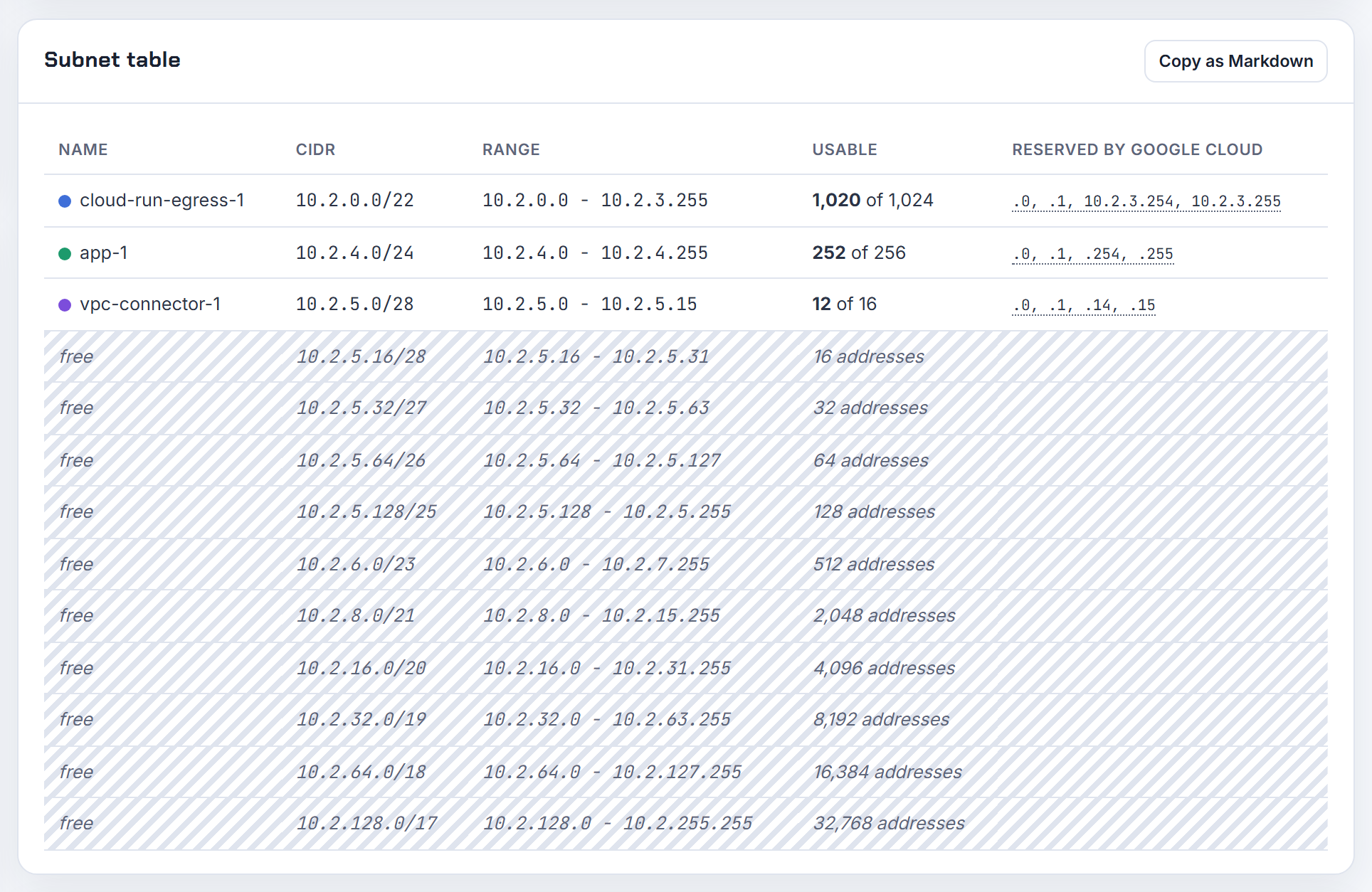
How do I enter an IP range like 10.0.0.5 to 10.0.0.20 in a Google Cloud firewall rule that demands CIDR?
Firewall rules take sources and destinations as lists of CIDR blocks (IPv4 or IPv6, not both in one rule), network tags or service accounts (VPC firewall rules). There is no start-to-end syntax, so an arbitrary range is written as the smallest set of CIDR blocks that covers it, each aligned to a power-of-two boundary:
| Block | Covers |
|---|---|
| 10.0.0.5/32 | .5 |
| 10.0.0.6/31 | .6 to .7 |
| 10.0.0.8/29 | .8 to .15 |
| 10.0.0.16/30 | .16 to .19 |
| 10.0.0.20/32 | .20 |
All five go into one rule as a comma-separated --source-ranges list. The "lowest IP" the console mentions is the network address of each block: 10.0.0.8/29 starts at .8, you cannot write 10.0.0.9/29. If a little over-inclusion is acceptable, 10.0.0.0/27 covers .0 to .31 in one entry and is easier to audit.
The decomposition is the same one the planner uses when it lists leftover address space as CIDR blocks. Background: what is CIDR.
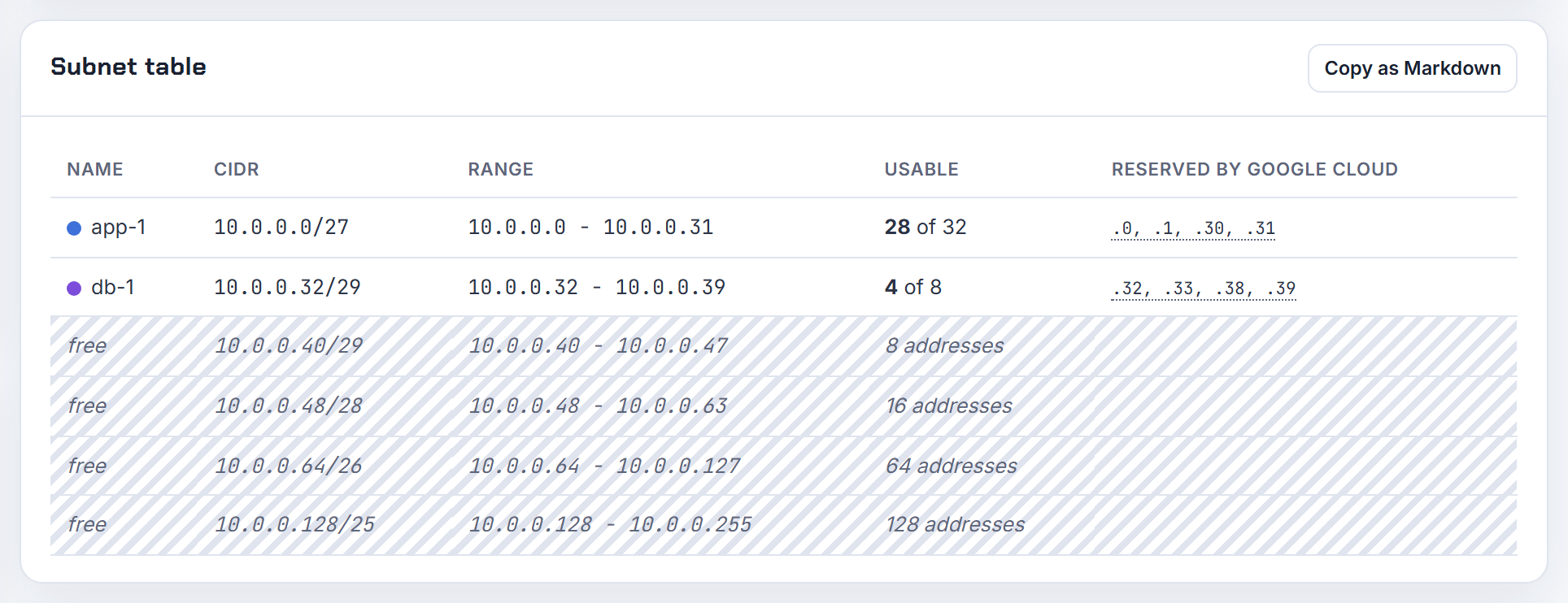
Why does Cloud NAT only work for GKE Pods when I select all ranges, and can I NAT just the Pod range?
Because Pods do not use the subnet's primary range. Their addresses come from the Pod secondary range, and a NAT gateway serves only the ranges it is configured for. Google lists the "subnet secondary IP address range used for Pods in the cluster" among the ranges the gateway must cover, and notes that NAT cannot be enabled for only some Pods (Cloud NAT product interactions).
You can be precise. A Public NAT gateway offers four range selections: all primary and secondary ranges of all subnets in the region, primary ranges only, a custom subnet list, or custom subnet IP ranges where "You choose which subnet primary or secondary IP address ranges are to be served by each gateway" (Public NAT). Pick the last one and select only the Pod secondary range, plus the node primary range if nodes pull images without Private Google Access.
The peered-VPC case has no fix inside NAT: a gateway "can't provide NAT44 or NAT64 for VMs in other VPC networks, even if those networks are connected". Each VPC with private clusters needs its own regional gateway, and in a Shared VPC the gateway is created in the host project. More on the mechanics: what is NAT.
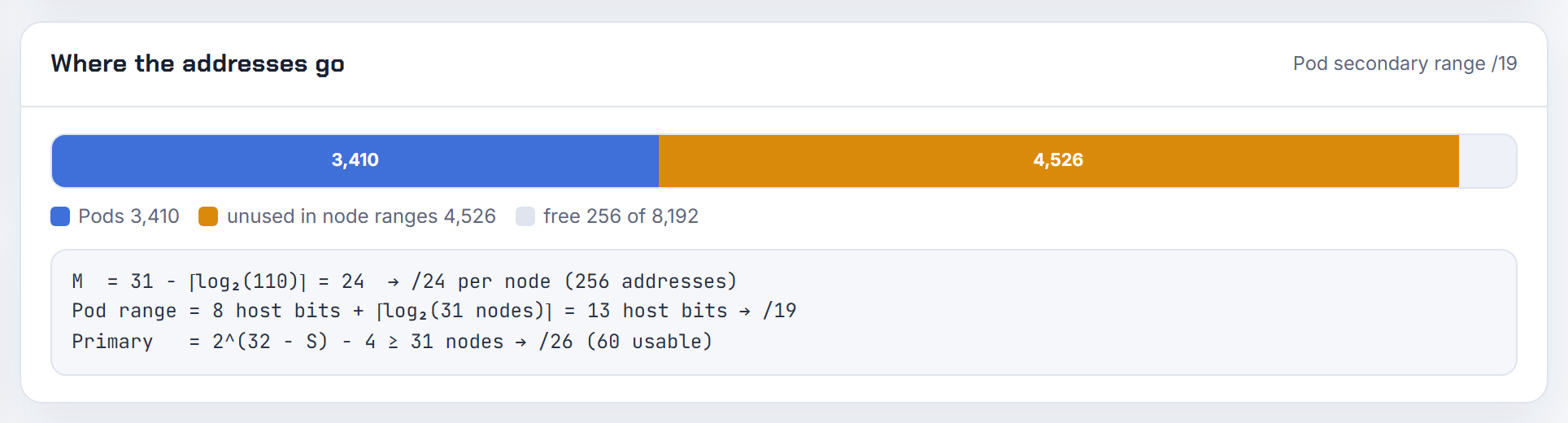
Terraform: cidrsubnet and cidrsubnets
The two functions are simple once you see netnum as a block index; most pain comes from deriving CIDRs from list position.
How does cidrsubnet(prefix, newbits, netnum) work, and what netnum gives me 10.32.1.0/27 and 10.32.3.0/27?
cidrsubnet adds newbits bits to the prefix length and uses netnum, written in binary, to fill those new bits (cidrsubnet docs). In plain words, netnum is the index of the block you want, counted from zero, among all blocks of the new size.
From 10.32.0.0/16 to a /27 you add 11 bits (27 minus 16), which gives 2,048 blocks of 32 addresses. 10.32.1.0 starts 256 addresses into the range, so netnum is 256 / 32 = 8. 10.32.3.0 starts 768 addresses in, so netnum is 24:
1cidrsubnet("10.32.0.0/16", 11, 8)   # 10.32.1.0/27
2cidrsubnet("10.32.0.0/16", 11, 24)  # 10.32.3.0/27
The same rule explains the "second octet jumps by 8" surprise: splitting a /8 into /13 blocks makes each netnum step worth 8 in the second octet, because a /13 holds eight /16s. Test any call with terraform console before you apply. The planner prints the exact cidrsubnet() call it used next to every subnet it derives.
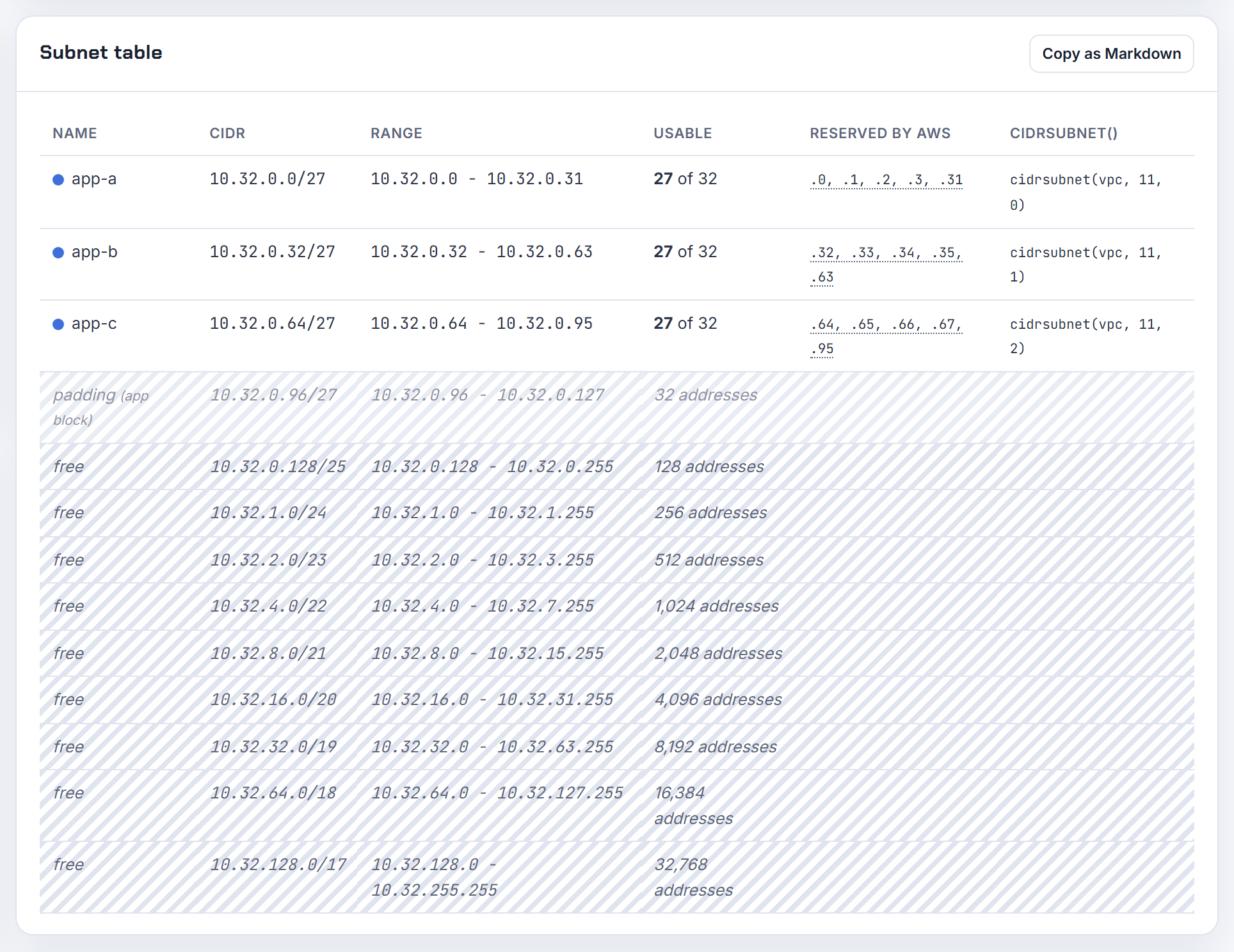
Why does Terraform say prefix extension of 3 does not accommodate a subnet numbered 8?
Because netnum must fit in newbits binary digits. The function docs define netnum as a whole number that "fits in no more than newbits binary digits". Three bits give you 2^3 = 8 blocks numbered 0 to 7; netnum 8 needs a fourth bit, so Terraform refuses.
You have two ways out. Raise newbits to 4, which gives 16 blocks numbered 0 to 15 but halves each block. Or keep netnum in the range 0 to 7. With 10.0.0.0/16 and newbits 3 the eight possible results are 10.0.0.0/19 through 10.0.224.0/19; a ninth /19 does not exist inside a /16.
This usually appears in a count loop: count = 9 with newbits = 3 fails on the ninth subnet. Decide the subnet size first, then check that 2^newbits is at least the number of subnets you need. The planner shows the newbits and netnum behind each subnet so the limit is visible before Terraform runs.
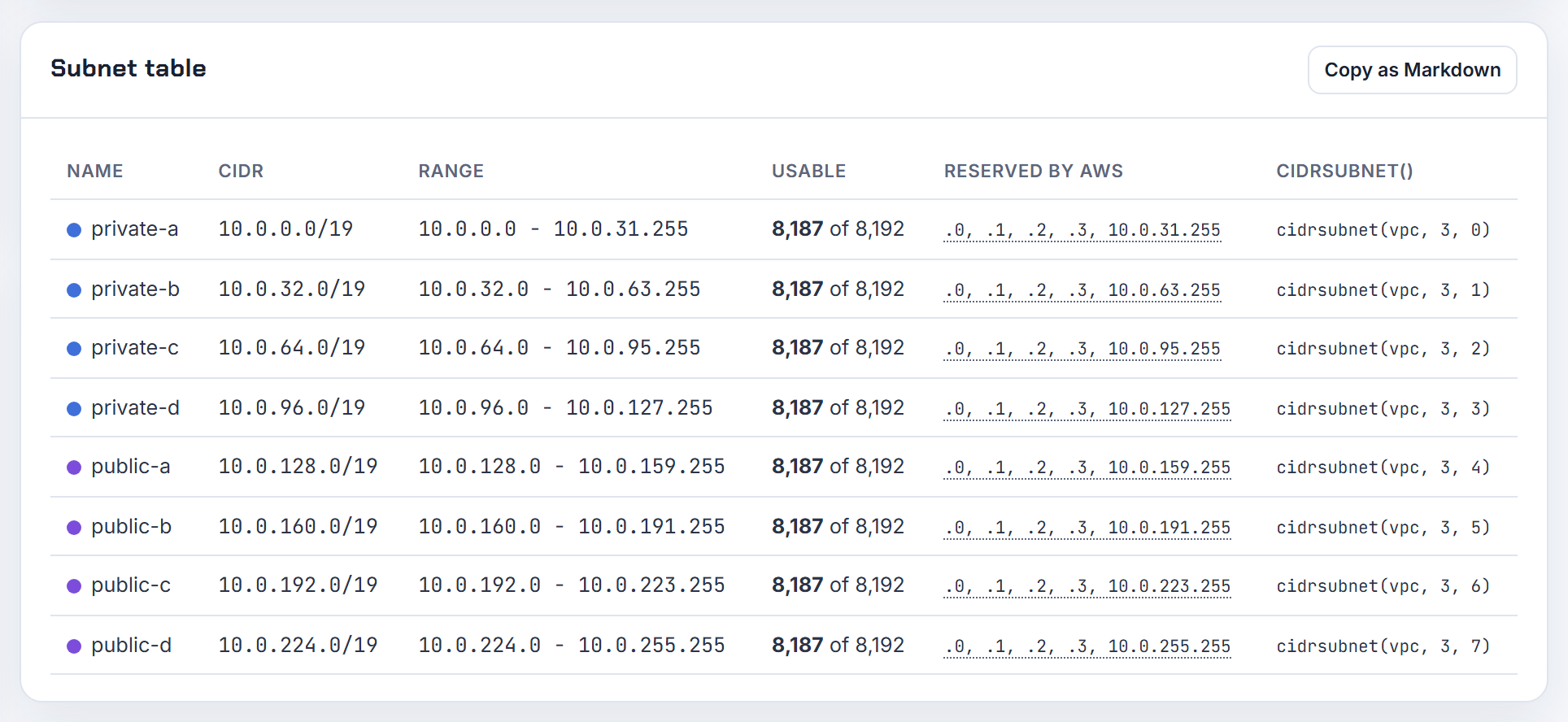
How do I use cidrsubnets() to produce public and private subnet lists for the VPC module?
cidrsubnets returns one block per newbits argument, allocated consecutively from the start of the prefix (cidrsubnets docs). Ask for the big blocks first, then slice the result into tier lists:
 1locals {
 2  azs     = ["eu-west-1a", "eu-west-1b", "eu-west-1c"]
 3  blocks  = cidrsubnets("10.0.0.0/16", 4, 4, 4, 8, 8, 8)
 4  private = slice(local.blocks, 0, 3)  # 10.0.0.0/20, 10.0.16.0/20, 10.0.32.0/20
 5  public  = slice(local.blocks, 3, 6)  # 10.0.48.0/24, 10.0.49.0/24, 10.0.50.0/24
 6}
 7
 8module "vpc" {
 9  source          = "terraform-aws-modules/vpc/aws"
10  cidr            = "10.0.0.0/16"
11  azs             = local.azs
12  private_subnets = local.private
13  public_subnets  = local.public
14}
For one public plus two private subnets per AZ, generate the newbits list with for expressions instead of typing it (next answer). For very large plans the docs show nesting: carve one block per tier with cidrsubnets, then run cidrsubnets again on each block inside a for expression. The module README takes plain lists, so any derivation that yields lists works. The planner's Terraform export emits this block with the resolved CIDRs.
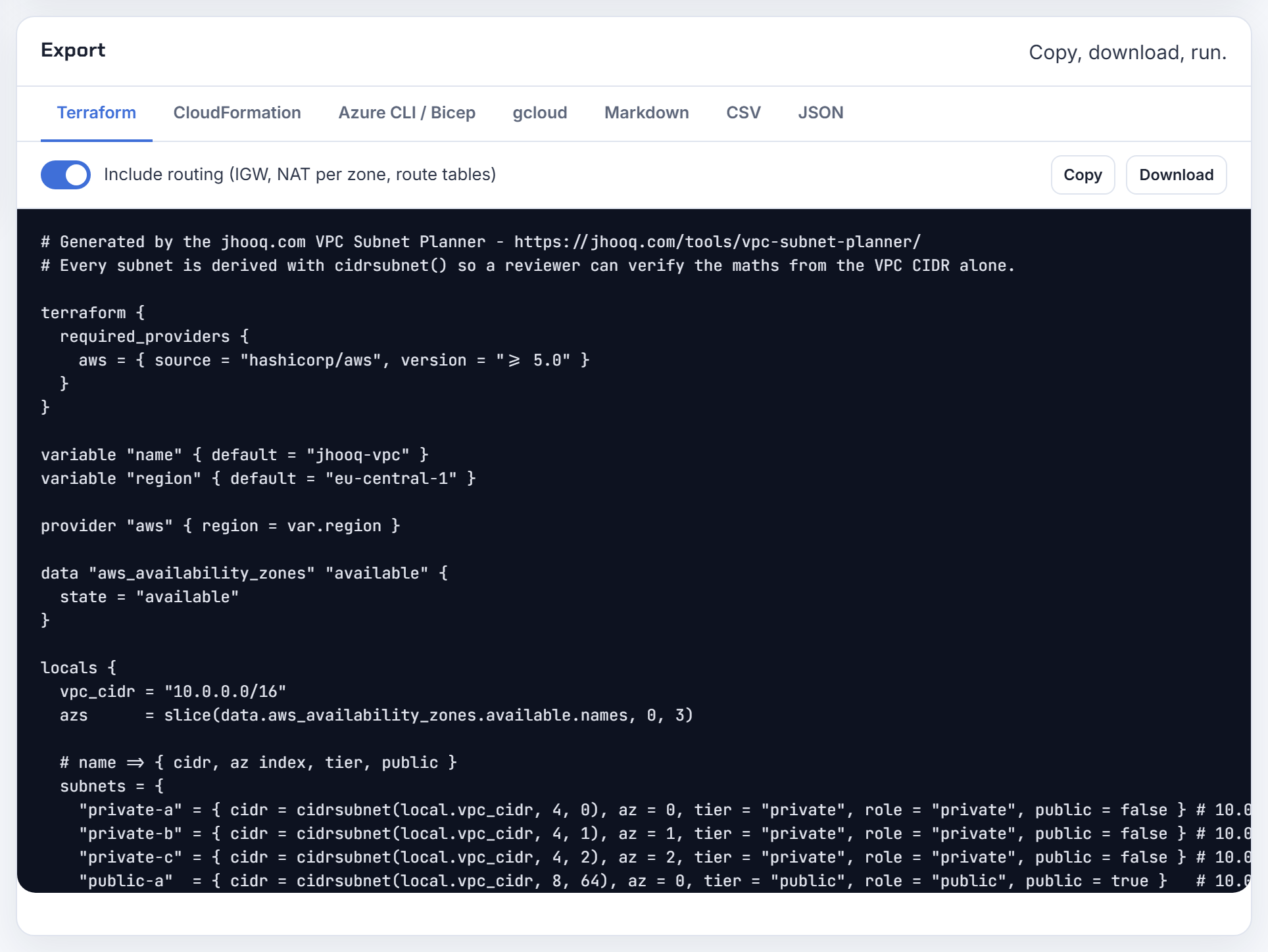
Is there a cleaner way to feed cidrsubnets() sizes from variables, such as three AZs with /22 private and /24 public?
Yes: build the newbits list from the variables and expand it with the ... operator.
 1locals {
 2  vpc_bits = tonumber(split("/", var.vpc_cidr)[1])
 3  newbits = concat(
 4    [for i in range(var.az_count) : var.private_prefix - local.vpc_bits],
 5    [for i in range(var.az_count) : var.public_prefix - local.vpc_bits],
 6  )
 7  blocks  = cidrsubnets(var.vpc_cidr, local.newbits...)
 8  private = slice(local.blocks, 0, var.az_count)
 9  public  = slice(local.blocks, var.az_count, 2 * var.az_count)
10}
Keep the larger tier first; cidrsubnets allocates in argument order, and the docs warn that changing existing arguments after addresses are in use invalidates later blocks, so only append. When you need a loop index inside for_each, key the map by zone and use index(local.azs, each.key) as the netnum. The Azure version is the same code feeding address_prefixes on the azurerm subnet resource. The planner's Terraform export generates this per-tier, per-zone block for you.
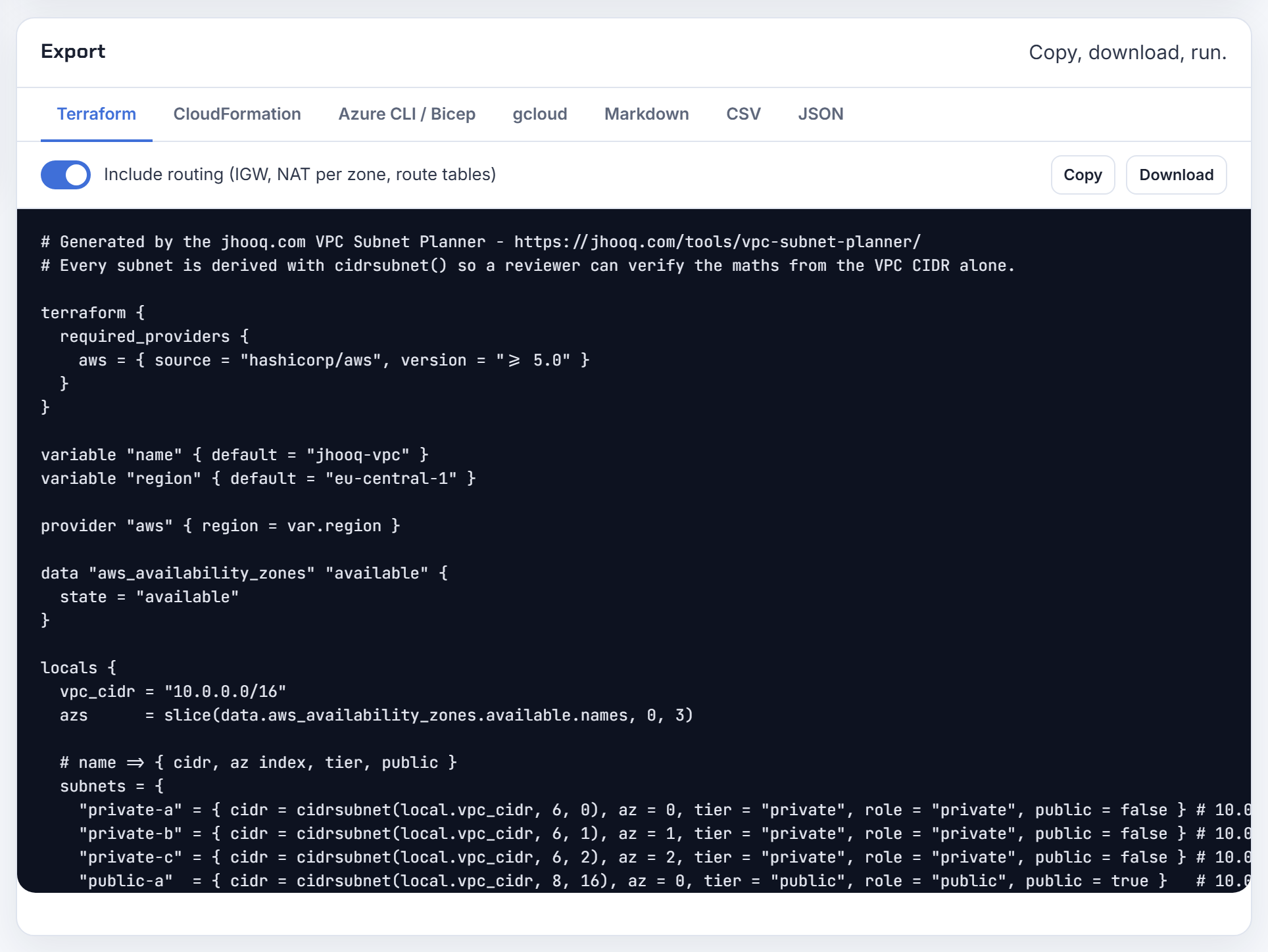
Does the argument order of cidrsubnets() waste address space if small blocks come first?
Yes. cidrsubnets hands out blocks consecutively, and every block must start on a boundary of its own size, so a small block placed before a large one leaves alignment padding. Example: cidrsubnets("10.0.0.0/16", 8, 4) returns 10.0.0.0/24 and 10.0.16.0/20; the fifteen /24s between 10.0.1.0 and 10.0.15.255 are skipped because the /20 has to start on a /20 boundary. Reverse the arguments to 4, 8 and you get 10.0.0.0/20 then 10.0.16.0/24 with nothing lost.
Rule of thumb: largest first, then descending. The docs add that once addresses are assigned to real infrastructure you should not change existing arguments, because every later block would move; append new arguments if space remains. The planner lays tiers out as contiguous blocks and lists any leftover space as CIDR blocks, so padding is visible before you apply.
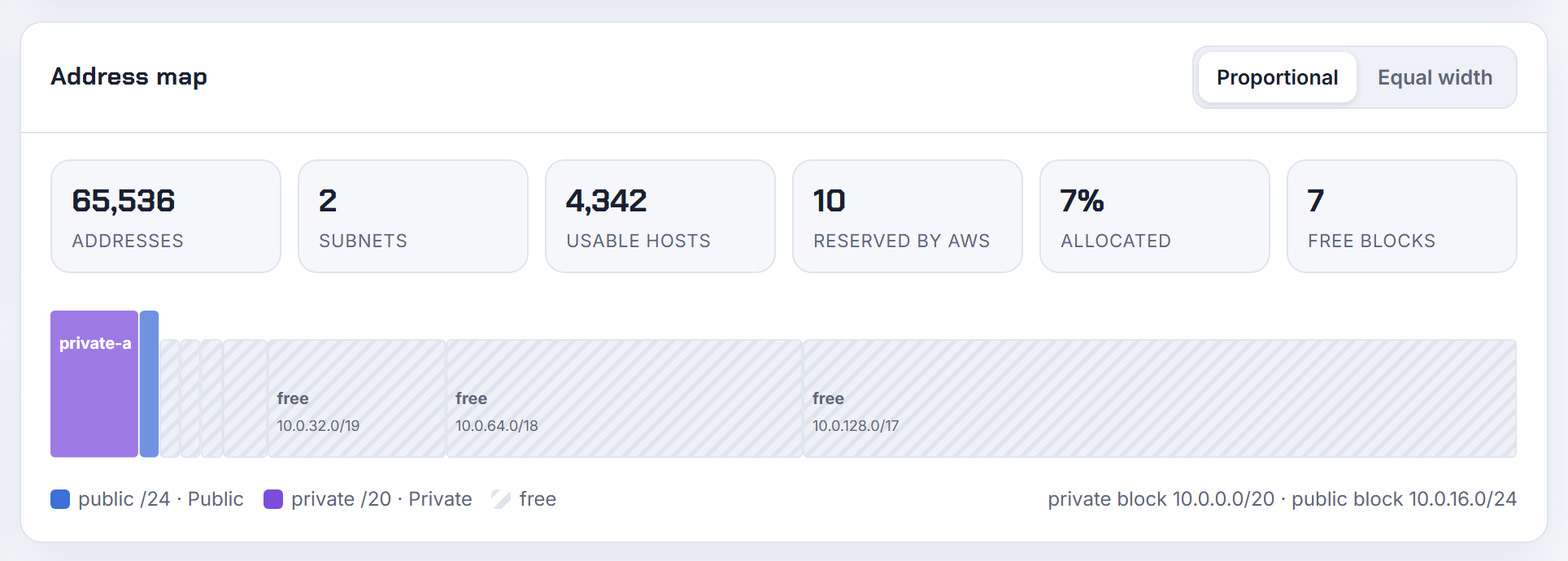
How do I create one subnet per AZ and per tier in Terraform without hard-coding zones?
Read the zones with the aws_availability_zones data source, key the subnets by zone name with for_each, and give each tier its own netnum range so a new zone never moves an existing subnet:
 1data "aws_availability_zones" "available" {
 2  state = "available"
 3}
 4
 5locals {
 6  azs   = slice(sort(data.aws_availability_zones.available.names), 0, 3)
 7  tiers = { public = 0, private = 1, database = 2 }
 8  subnets = {
 9    for p in setproduct(keys(local.tiers), local.azs) : "${p[0]}-${p[1]}" => {
10      az   = p[1]
11      cidr = cidrsubnet(var.vpc_cidr, 8, local.tiers[p[0]] * 16 + index(local.azs, p[1]))
12    }
13  }
14}
15
16resource "aws_subnet" "this" {
17  for_each          = local.subnets
18  vpc_id            = aws_vpc.main.id
19  availability_zone = each.value.az
20  cidr_block        = each.value.cidr
21}
Each tier owns 16 netnums, so a fourth zone slots in at the end. The data source documents no ordering guarantee, which is why count-indexed lists reshuffle when a region gains a zone. For prod on a /16 and dev on a /24 with the same code, derive newbits from the prefix length: var.subnet_prefix minus tonumber(split("/", var.vpc_cidr)[1]). Four identical outputs usually mean a constant netnum inside count; the index() call above fixes that. The planner reserves a slot for a future zone when you tick that option.
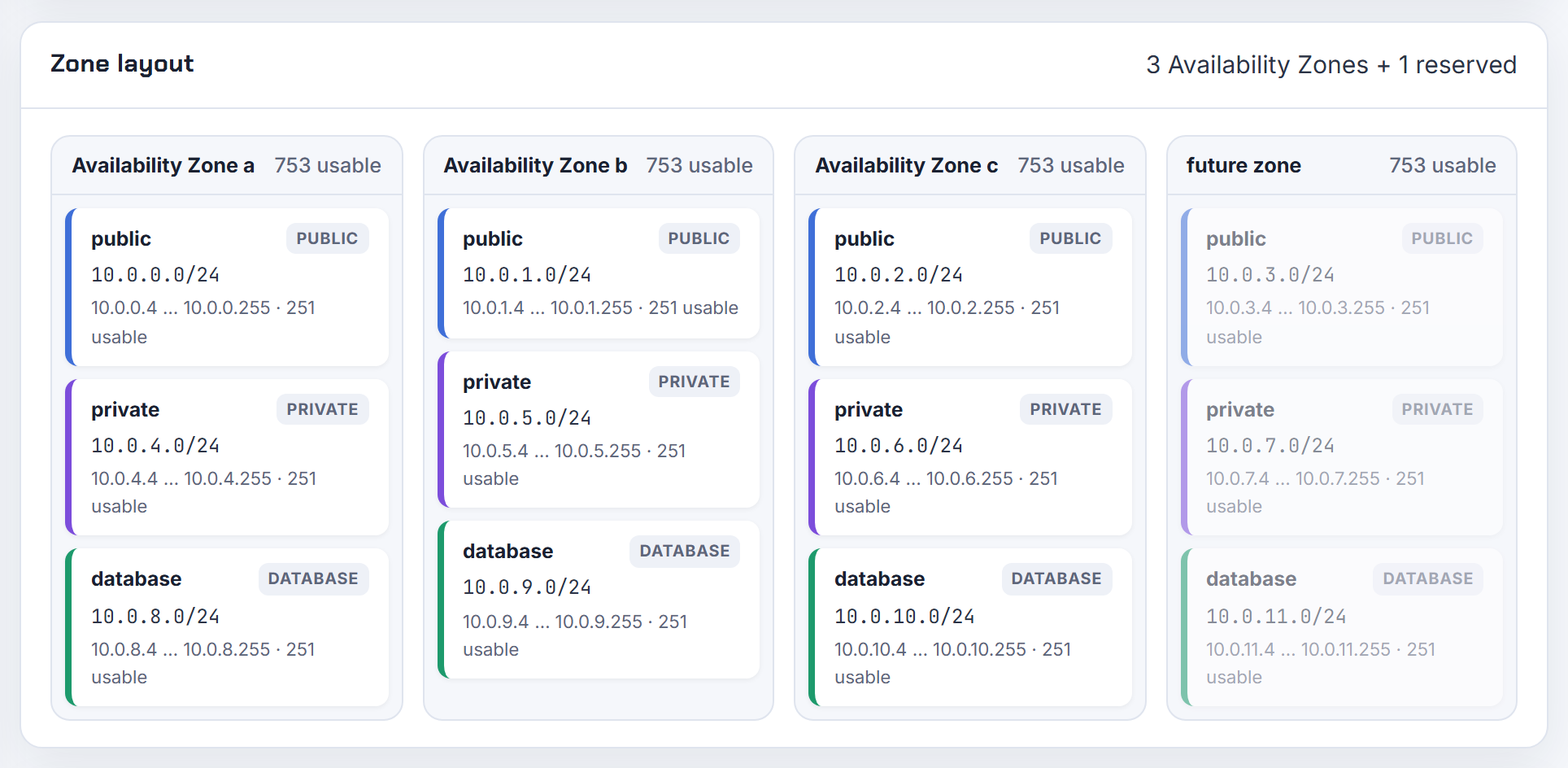
Why does changing the AZ count or adding a private subnet recreate subnets with InvalidSubnet.Conflict?
A subnet's CIDR cannot be edited in place: CloudFormation lists CidrBlock as "Update requires: Replacement" (AWS::EC2::Subnet), and Terraform replaces the subnet the same way. When CIDRs come from list position (count.index), inserting a zone or a tier shifts every later subnet. Terraform then tries to create 10.0.2.0/24 while the old subnet still holds 10.0.2.0/24, and subnets in a VPC cannot overlap, so you get InvalidSubnet.Conflict.
Three fixes. First, key subnets with for_each by tier and zone and give each tier a fixed netnum range, so additions land in unused space. Second, when a rename is all that changed, add a moved block so Terraform tracks the existing subnet under its new address instead of destroying it. Third, reserve netnums for one more zone on day one. This also covers the Reddit thread by the same asker, which I merged here. The planner has a "reserve space for one more zone" option for exactly this.
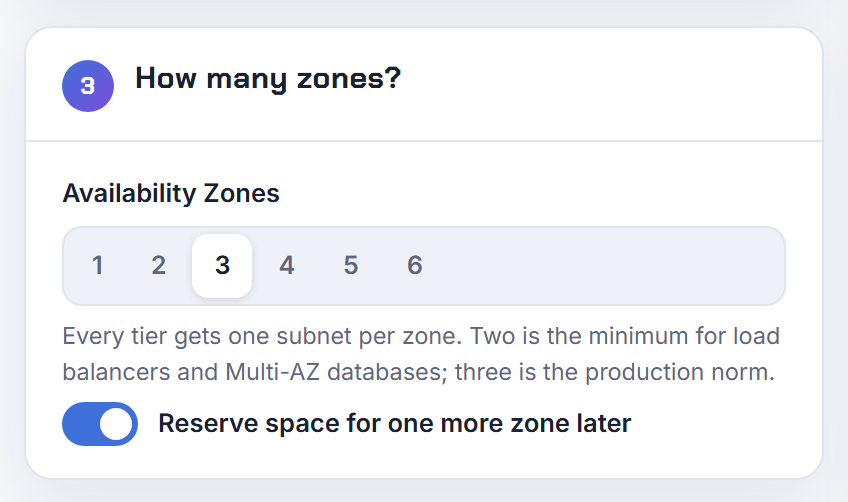
Why does the VPC module add NAT routes to my database or intra subnets?
Because database subnets do not get their own route table by default. In the terraform-aws-vpc README, create_database_subnet_route_table, create_database_nat_gateway_route and create_database_internet_gateway_route all default to false, so database subnets are associated with the private route tables, and those carry the NAT routes. To isolate the database tier:
1create_database_subnet_route_table     = true
2create_database_nat_gateway_route      = false
3create_database_internet_gateway_route = false
Intra subnets are the module's built-in isolated class: the README describes them as having no internet routing, and they are excluded from the NAT gateway count. The count itself defaults to one NAT per private subnet, computed from the largest of the private, database, elasticache and redshift lists; single_nat_gateway = true collapses it to one, one_nat_gateway_per_az = true gives one per zone. The planner's Terraform export mirrors this with a NAT per zone and an isolated route table for the database tier.
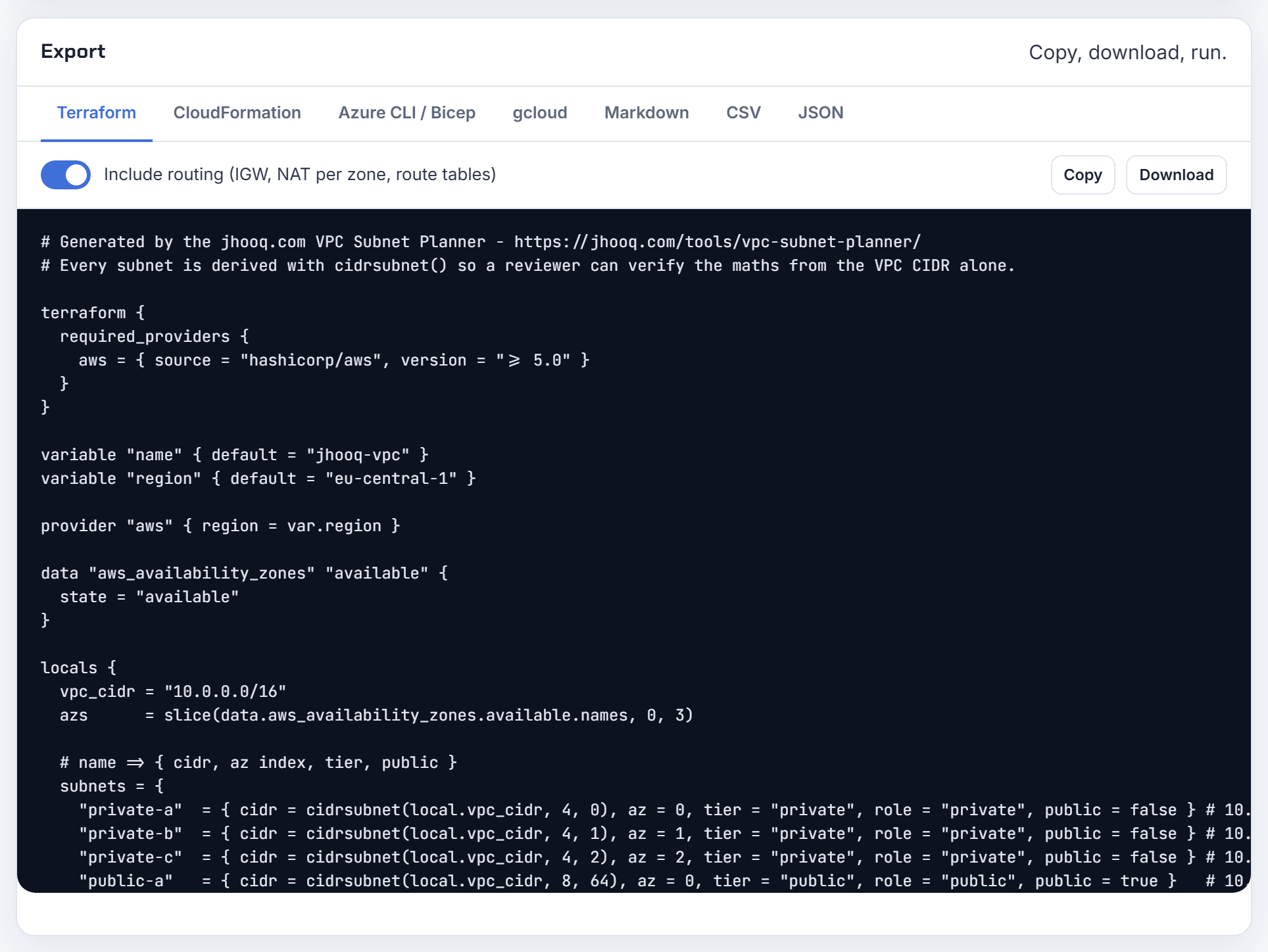
How do I validate a CIDR variable in Terraform before apply, for example that it sits inside 172.28.0.0/16?
Add a validation block; Terraform evaluates it while building the plan (variable block docs), which is earlier than the provider error you get today. Use can() around cidrnetmask() to prove the value parses as IPv4 CIDR, then check the prefix length and the parent:
 1variable "subnet_cidr" {
 2  type = string
 3  validation {
 4    condition = (
 5      can(cidrnetmask(var.subnet_cidr)) &&
 6      tonumber(split("/", var.subnet_cidr)[1]) >= 16 &&
 7      startswith(cidrhost(var.subnet_cidr, 0), "172.28.")
 8    )
 9    error_message = "subnet_cidr must be an IPv4 CIDR of /16 or smaller inside 172.28.0.0/16."
10  }
11}
cidrhost(prefix, 0) returns the network address (cidrhost docs). Two related traps: a subnet may equal the VPC CIDR, but then only one subnet fits (subnet sizing), and terraform validate does not evaluate variable values, only plan does (validate docs). The planner checks VPC and subnet sizes against the cloud's limits before you export.
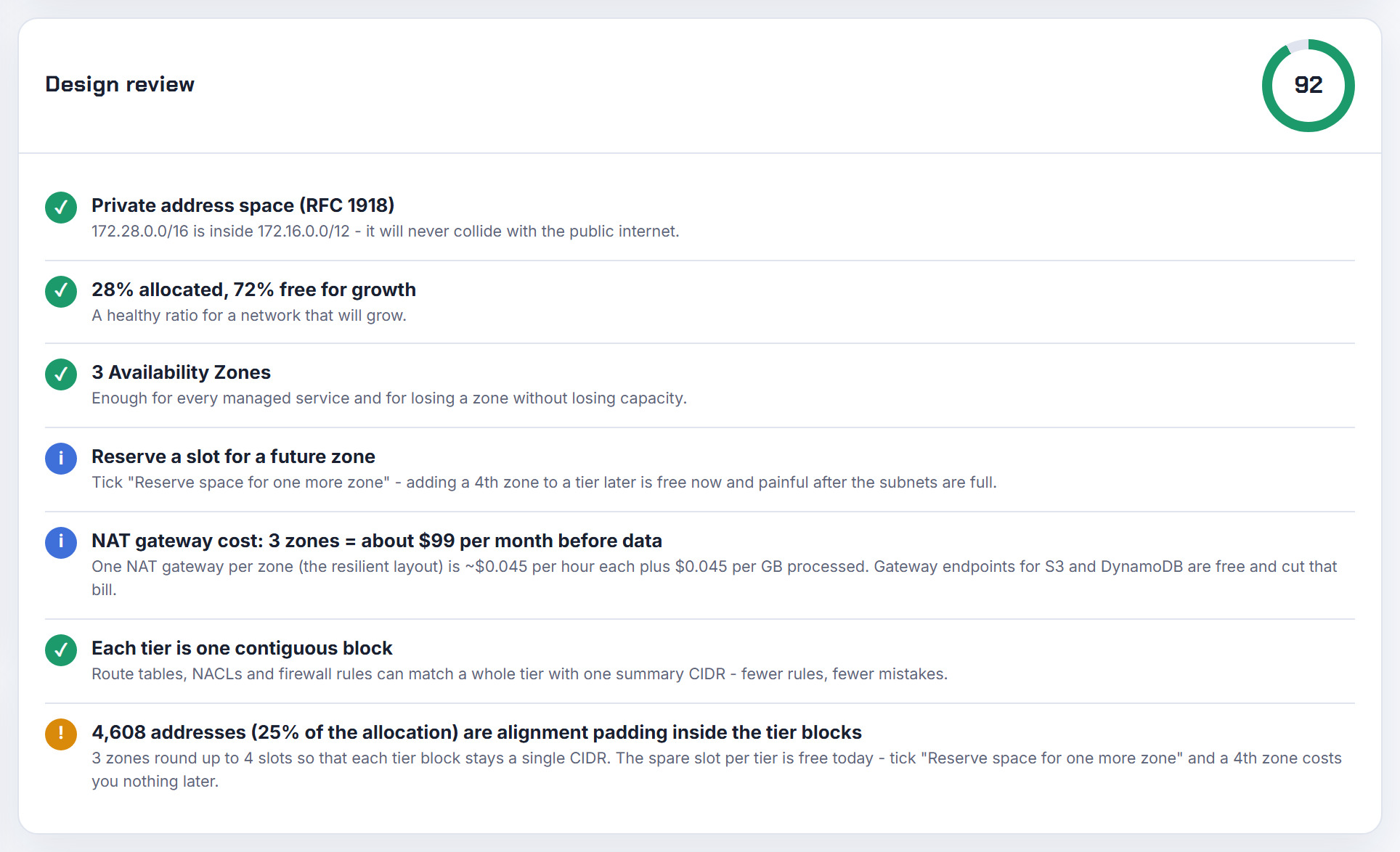
How do I get the VPC CIDR and the subnet CIDRs from their IDs in Terraform?
Use the data sources. aws_vpc exposes cidr_block and cidr_block_associations; aws_subnets returns the ids for a VPC, and aws_subnet with for_each returns each cidr_block:
 1data "aws_vpc" "selected" {
 2  id = var.vpc_id
 3}
 4
 5data "aws_subnets" "all" {
 6  filter {
 7    name   = "vpc-id"
 8    values = [var.vpc_id]
 9  }
10}
11
12data "aws_subnet" "each" {
13  for_each = toset(data.aws_subnets.all.ids)
14  id       = each.value
15}
16
17output "subnet_cidrs" {
18  value = { for id, s in data.aws_subnet.each : id => s.cidr_block }
19}
To reuse IDs created by another configuration, read its root outputs with terraform_remote_state, although HashiCorp recommends publishing such values to a separate store (SSM, S3, DNS) and reading them with a normal data source. The deeper fix for "the plan only lives in state" is a written address plan; the planner's Markdown and CSV exports are that document.
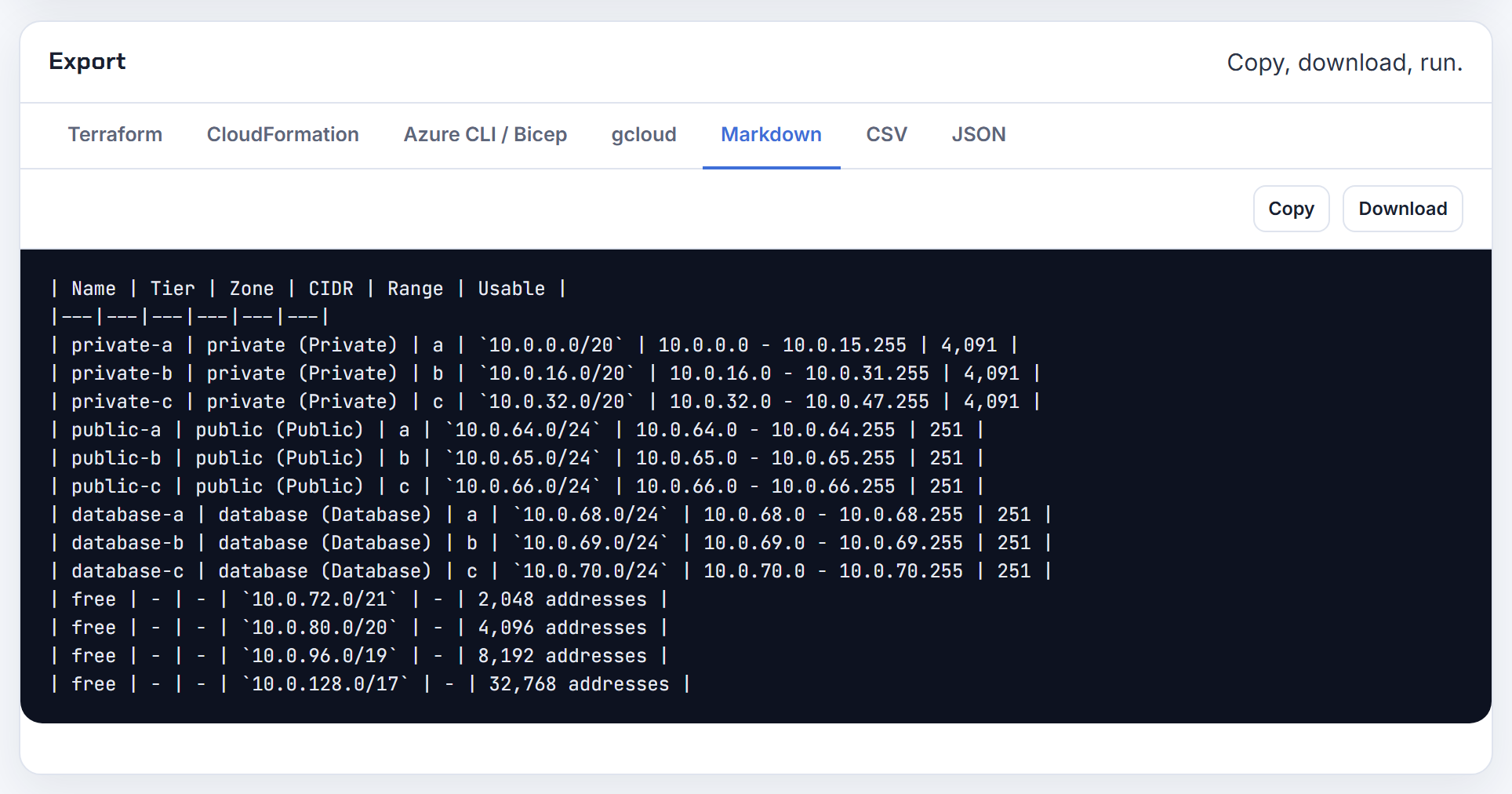
Why does Terraform plan a subnet replacement when the VPC data source result might change?
Because a data source whose arguments depend on something changing in the same run is not read at plan time. The data source docs state that when the data source depends on other objects, query results are unknown during the plan and the read is deferred to apply. If your aws_vpc block selects by a tag that the run is changing, cidr_block becomes unknown, cidrsubnet(data.aws_vpc.x.cidr_block, 8, 1) becomes unknown, and an unknown cidr_block on aws_subnet is shown as a replacement because the CIDR is immutable (AWS::EC2::Subnet CidrBlock requires replacement).
Fixes, in order of preference: look the VPC up by id rather than by tags; carry the VPC CIDR as a variable or local and derive every subnet from that; never derive a subnet from an attribute of a resource being modified. A related failure, a subnet whose CIDR is outside the VPC's CIDR, is rejected outright, and changing the VPC CIDR is itself a replacement (AWS::EC2::VPC). The planner's export writes literal CIDRs with the derivation shown, so nothing depends on a lookup.
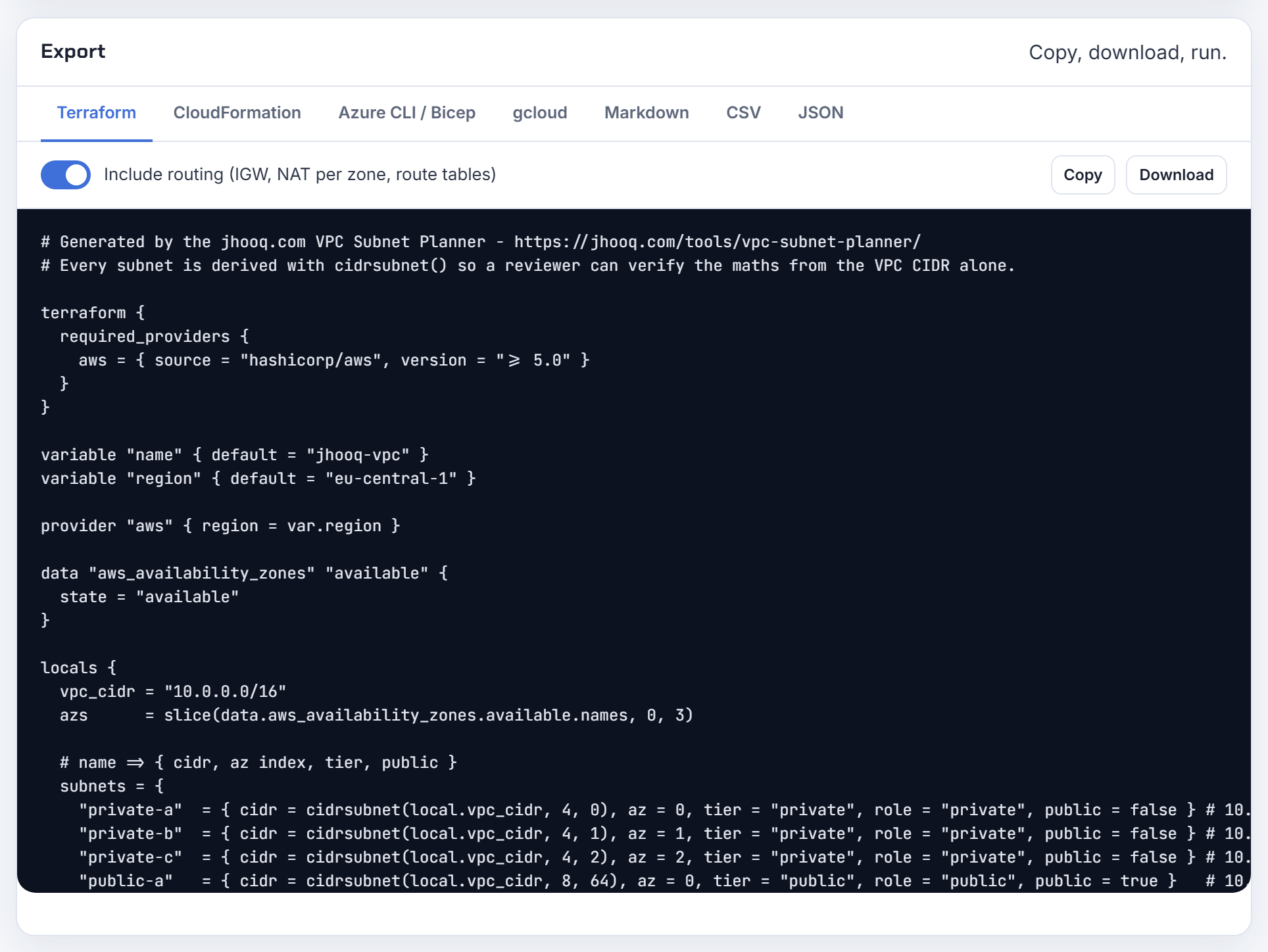
How do I find a free range before adding a Terraform azurerm subnet to an existing VNet?
List what is already allocated, then pick the next block that is aligned to its own size. Azure requires each subnet range to be inside the VNet address space and not overlap any other subnet (manage subnets), and the smallest subnet is /29 with five reserved addresses.
1az network vnet subnet list --resource-group rg --vnet-name vnet \
2  --query "[].{name:name,prefix:addressPrefix}" -o table
If 10.1.0.0/24 and 10.1.1.0/24 are taken in 10.1.0.0/16, the next free /24 is 10.1.2.0/24; a /23 must start on an even third octet, so 10.1.2.0/23 works but 10.1.1.0/23 would not. If the VNet is full, you can add an address range to the VNet as long as it does not overlap peered VNets (manage virtual networks). Paste the listed prefixes into the planner's overlap check with Azure selected; it flags collisions and proposes free alternatives.

How do you define 100 or more subnets in Terraform without a hand-written list?
Generate them from a small table. Describe tiers (name, prefix length, routing role) and zones, derive every CIDR with cidrsubnet or cidrsubnets, and create subnets with for_each keyed by tier and zone. The nested pattern from the cidrsubnets docs, one call per tier and a second call per zone inside a for expression, scales to hundreds of subnets without a single literal in the list.
Three conventions keep large estates sane. Name keys as environment-tier-zone so state addresses are readable. Give every tier a fixed netnum range with spare slots, so adding a zone or a tier never shifts an existing CIDR. Keep one root module per VPC and pass only vpc_cidr and az_count as inputs, so dev, staging and prod are the same code with a different prefix. Review the computed map with terraform console before the first apply.
The planner's Terraform export is a reasonable seed: it emits the per-tier, per-zone cidrsubnet() block, a NAT per zone, an isolated database route table and an S3 gateway endpoint, and the output is validated.
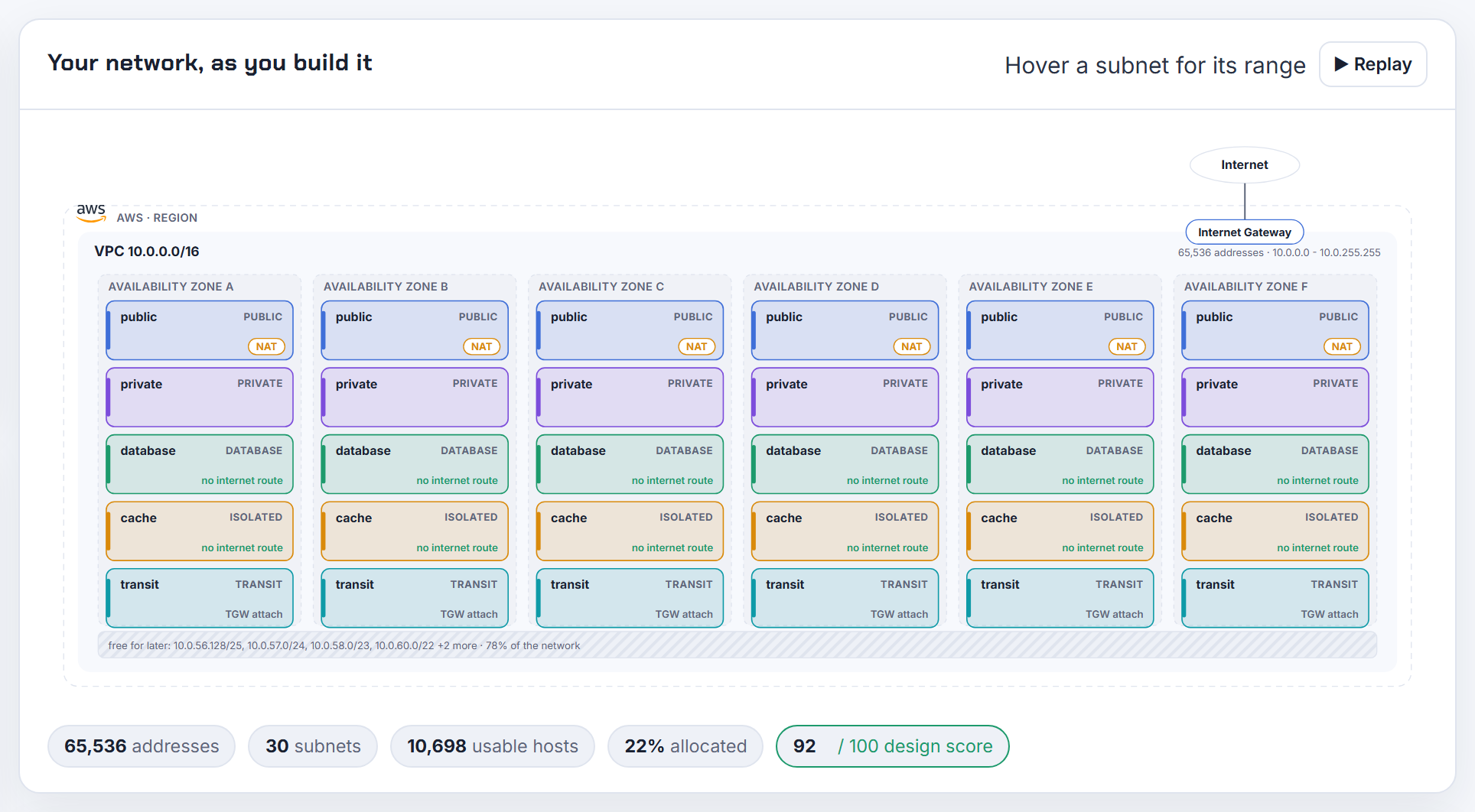
Terraform azurerm 4.0 made the VNet address space a set; how do I keep my subnets stable?
Stop indexing the attribute and reference the range you own. The 4.0 upgrade guide says the address_space property changed from a list to a set and that code referencing an element of it needs changes. Subnets declared with literal address_prefixes are unaffected; only expressions such as azurerm_virtual_network.main.address_space[0] break.
 1locals {
 2  vnet_space = ["10.10.0.0/16"]
 3}
 4
 5resource "azurerm_virtual_network" "main" {
 6  name                = "main"
 7  address_space       = local.vnet_space
 8  location            = var.location
 9  resource_group_name = var.rg
10}
11
12resource "azurerm_subnet" "app" {
13  name                 = "app"
14  virtual_network_name = azurerm_virtual_network.main.name
15  resource_group_name  = var.rg
16  address_prefixes     = [cidrsubnet(local.vnet_space[0], 8, 1)]
17}
The same guide notes that address_prefix was replaced by address_prefixes and that the resulting warning about replacement should be an in-place update. If you must read the set, wrap it in tolist() and sort() so the order is deterministic.
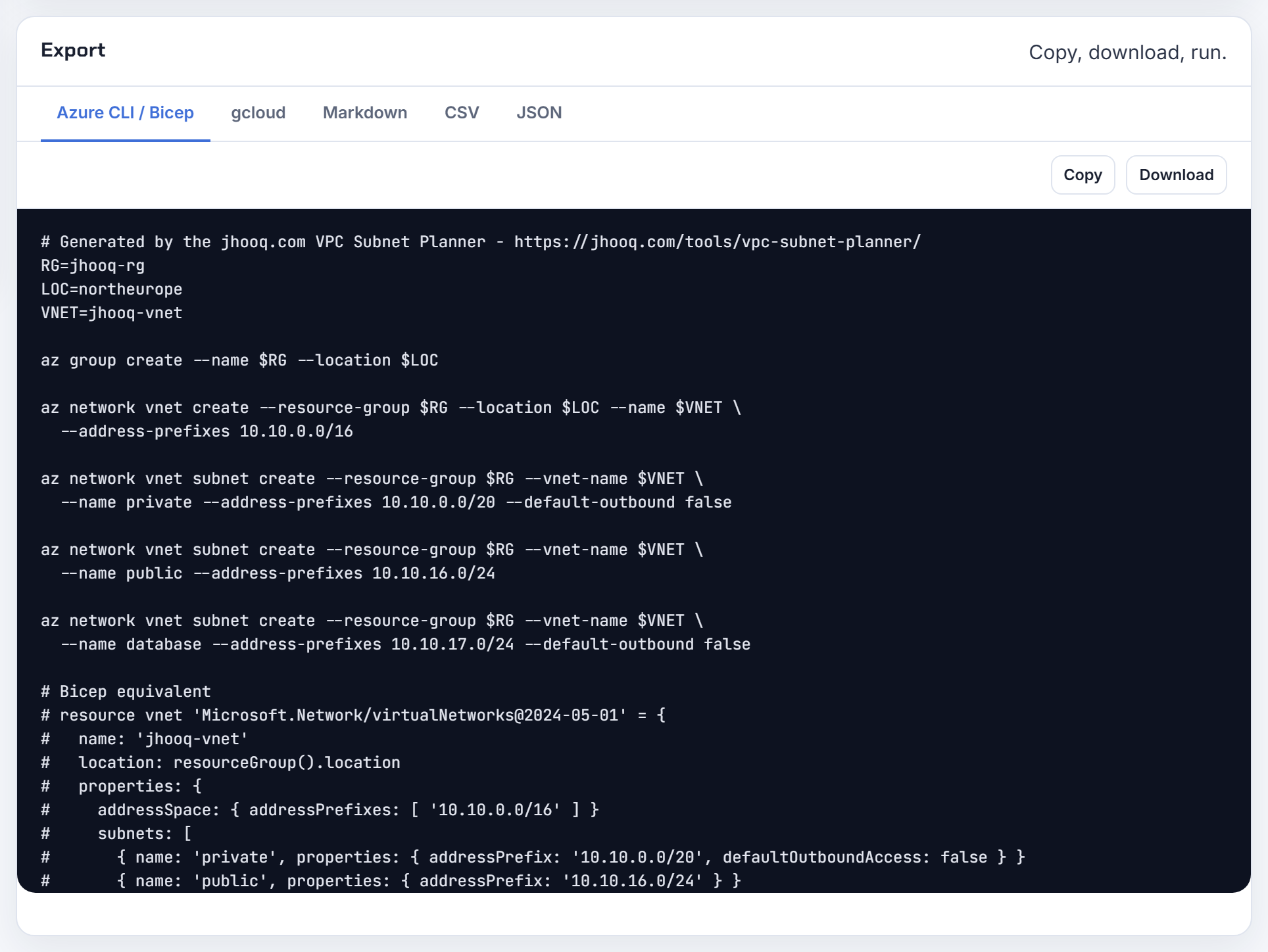
CloudFormation and CDK
CloudFormation can compute CIDRs, but a subnet's CIDR and AZ are replacement properties, so most "change it later" questions end in a rebuild.
How do I generate subnet CIDRs with Fn::Cidr in CloudFormation, and is the result deterministic?
Fn::Cidr takes [ipBlock, count, cidrBits] and returns an array of consecutive CIDR blocks; count is 1 to 256 and cidrBits is the number of host bits, so 8 means /24 for IPv4 (Fn::Cidr reference). It is not random: the same inputs always yield the same blocks, starting at the base of ipBlock.
1CidrBlock: !Select [ 2, !Cidr [ !GetAtt VPC.CidrBlock, 6, 8 ] ]
The determinism is also the trap. Two stacks that each run !Cidr [ !GetAtt VPC.CidrBlock, 6, 8 ] against the same VPC both get the same six /24s and the second deploy fails. Give each stack its own offset (select indexes 6 to 11 in the second), or hand each stack a smaller parent block as a parameter and let Fn::Cidr carve that. Parameters feeding count or cidrBits should be Type Number; the YAML tag !Cidr only exists in CloudFormation, so linters that complain about an unknown tag need the long Fn::Cidr form. The planner's CloudFormation export writes an explicit CidrBlock per subnet instead, so stacks never recompute each other's space.
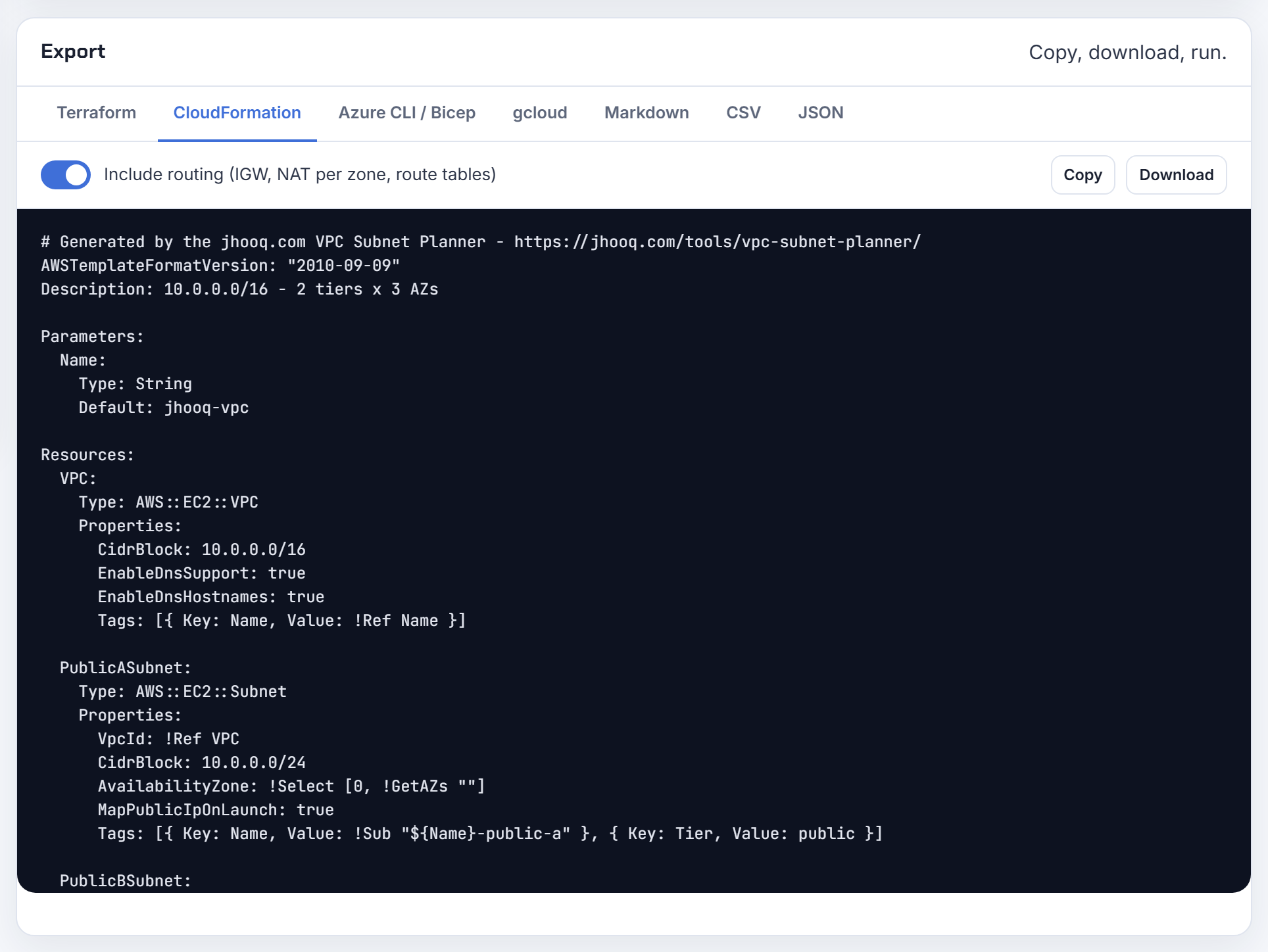
How do I create one subnet per AZ in CloudFormation when the region's AZ count is unknown?
Use Fn::GetAZs with Fn::Select, and treat the result with care. The Fn::GetAZs reference says it returns only zones that have a default subnet (unless none do), and that the order is not guaranteed and can change when new zones are added. A template that selects index 0, 1, 2 therefore works on day one and may reshuffle later.
1AvailabilityZone: !Select [ 0, !GetAZs "" ]
For a long-lived VPC I would fix the zone count with a Number parameter plus Conditions (CreateThirdAz) and pass the zone names or IDs as parameters, so a region change never silently remaps subnets. To read the zone of a subnet created in the same template use !GetAtt Subnet.AvailabilityZone (AWS::EC2::Subnet return values); for a subnet passed in as a parameter there is no intrinsic lookup, so pass its zone as a parameter too. The planner's CloudFormation export fixes the zone count you selected.
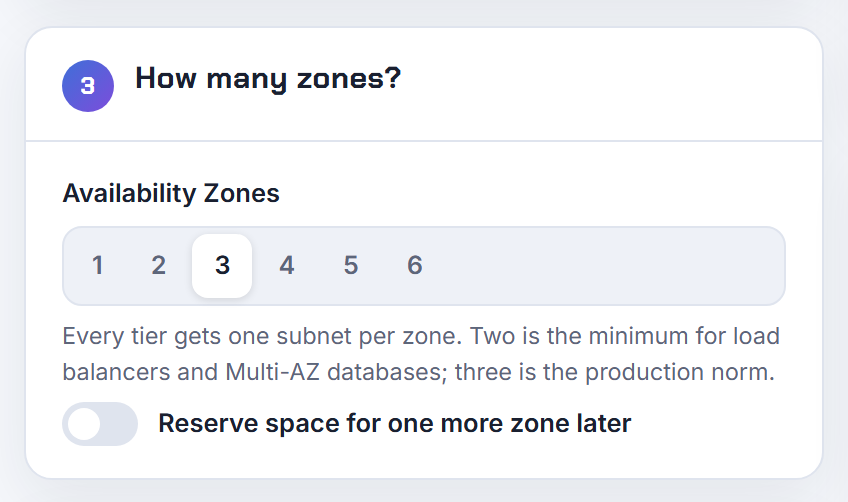
How do I get a subnet's CidrBlock or the existing VPC CIDR inside a CloudFormation stack?
For resources declared in the same template it is direct: !GetAtt MySubnet.CidrBlock and !GetAtt MyVPC.CidrBlock are documented attributes (AWS::EC2::Subnet, AWS::EC2::VPC).
For a subnet or VPC ID that arrives as a parameter there is no intrinsic that looks the CIDR up. Your options: pass the CIDR as a second parameter; export it from the stack that owns the subnet with Outputs and Export and read it with Fn::ImportValue; or write it to Systems Manager Parameter Store and resolve it with a dynamic reference. A Lambda-backed custom resource that calls DescribeSubnets also works but is more to maintain.
For security group rules specifically, consider referencing the other security group or a managed prefix list instead of the raw CIDR; prefix lists can be updated without touching every rule. Whatever you choose, keep the address plan in a document people can read; the planner's Markdown and CSV exports exist for that.
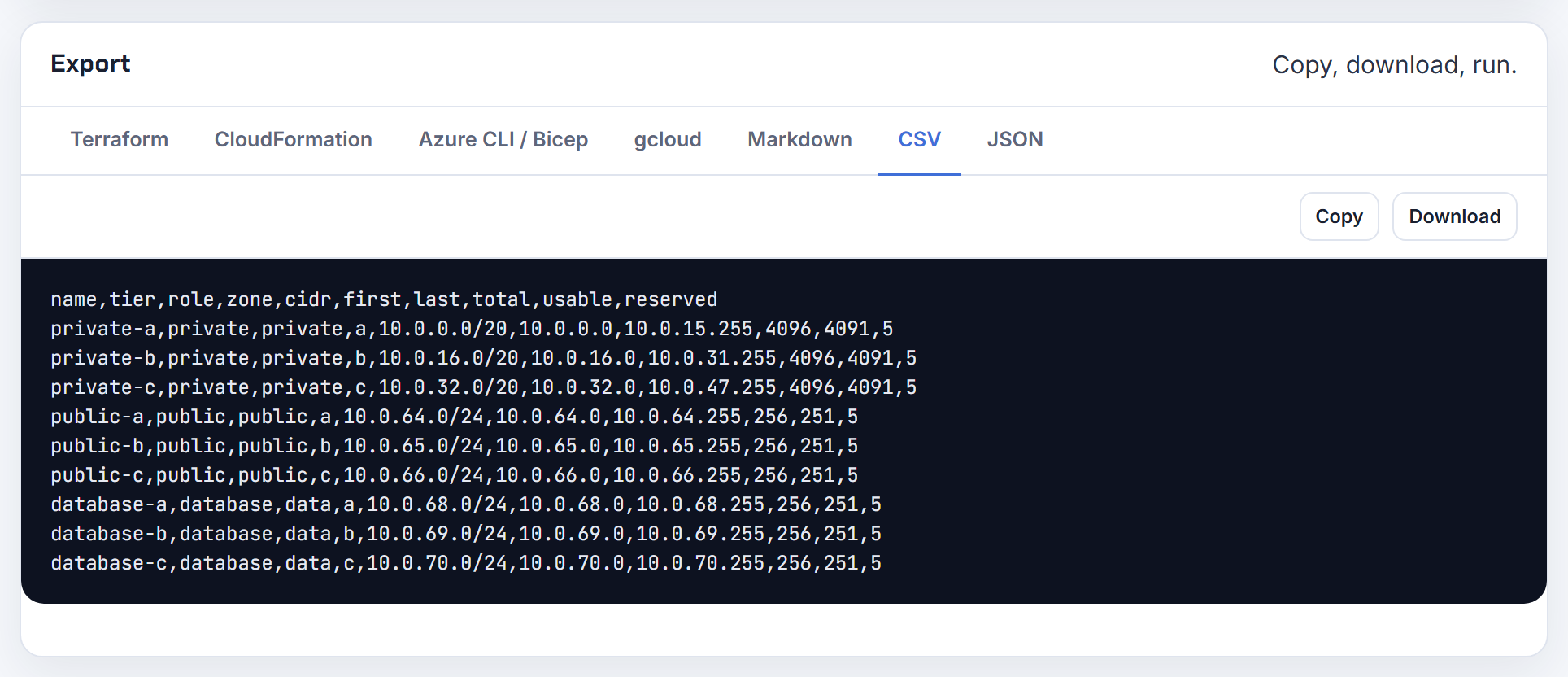
Why does renaming a subnet's logical ID in CloudFormation fail with a CIDR conflict?
Because a new logical ID is a new resource. CloudFormation creates the replacement before it deletes the original, which is how it describes CidrBlock changes too: "we create a new subnet, and then delete the existing one" (AWS::EC2::Subnet). Two subnets in one VPC cannot overlap (subnet sizing), so the create step fails with the CIDR already in use and the stack rolls back.
Options, from least to most disruptive: keep the logical ID and only change the Name tag; use resource import to bring the existing subnet under the new logical ID (import also supports moving resources between stacks); or do it in two deployments, first removing the subnet after its resources have moved, then adding the renamed one. Overlap errors across stacks have the same cause with a different trigger: a second stack carving the same VPC range. The planner's overlap check against pasted existing subnets catches that before the template runs.

Why can't I change maxAzs or add a subnet group in CDK after the VPC is deployed?
Because CDK derives every subnet CIDR from the AZ count and the group list. The Vpc construct defaults subnetConfiguration to "The VPC CIDR will be evenly divided between 1 public and 1 private subnet per AZ", and SubnetConfiguration defaults cidrMask to "Available IP space is evenly divided across subnets". Change maxAzs or add a group and the division changes, every CidrBlock changes, and CloudFormation must replace subnets, which collides with the ones still there.
Design for growth up front: set cidrMask on every group so sizes are explicit; set reservedAzs, which the docs describe as "the IP space is reserved for the azs but no actual resources are provisioned"; add a group with reserved: true to hold space for a future tier. Also note that environment-agnostic stacks are created with access to only 2 AZs, so specify account and region if you want 3, and that maxAzs picks sorted zones from the start of the list. For a deployed VPC the honest path is a second Vpc construct with a new id and a migration. The planner's "reserve space for one more zone" option is the same idea outside CDK.
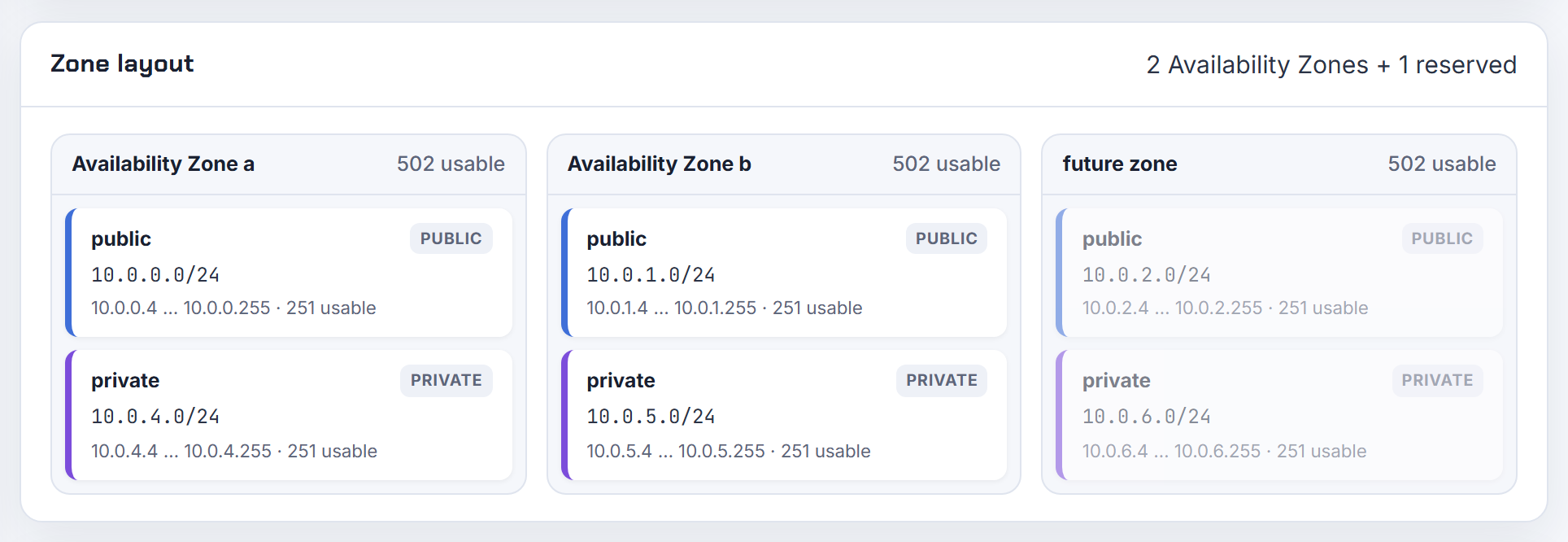
How do I set the subnet CIDRs myself in CDK, and why are /11 VPCs or /28 subnets rejected?
A VPC CIDR must be between /16 and /28 (VPC CIDR blocks), so 10.0.0.0/11 is rejected whatever the error text says; the Vpc construct repeats "minimum of /28 and maximum size of /16". Per group, cidrMask accepts 16 to 28. A /28 subnet is legal but holds only 11 usable addresses after the five AWS reserves, and it can never supply a /28 prefix for EKS prefix delegation, because a prefix must be a contiguous 16-address block inside the subnet (prefix delegation) and the reserved addresses sit inside it.
CDK's Vpc construct has no per-subnet CIDR input; every subnet in a group gets the group's cidrMask, placed by CDK. If you need exact addresses, drop to the L1 CfnSubnet (the AWS::EC2::Subnet CidrBlock property) for those subnets, or import an existing VPC with Vpc.fromLookup. That is the point where people reach for an explicit plan; the planner gives you a CIDR per subnet and a CloudFormation export you can lift into L1 resources.

Why does changing the VPC CIDR in CDK fail with NAT gateway errors, and how do I add IPv6?
CidrBlock on AWS::EC2::VPC is a replacement property (reference), so changing it replaces the VPC, which replaces every subnet, route table, NAT gateway and Elastic IP association beneath it in one update. The failures you see around NAT gateways are ordering problems inside that cascade, not something a flag fixes. Treat it as a new network: give the Vpc construct a new id, deploy it beside the old one, migrate, then remove the old VPC.
IPv6 is simpler. Set ipProtocol to IpProtocol.DUAL_STACK; ipv6Addresses defaults to an Amazon-provided block (Vpc props), and each subnet group's ipv6AssignAddressOnCreation defaults to true in dual-stack VPCs (SubnetConfiguration), including isolated groups. AWS hands the VPC a /56 and each subnet takes a /64 (VPC CIDR blocks). Define at least one subnet group explicitly for dual-stack VPCs so the IPv6 settings have somewhere to land.

How do I pick a subnet in CDK by CIDR or name, and get the CIDR of an IPAM-allocated block?
Select by group name or by filter. selectSubnets takes a subnetGroupName, or a list of SubnetFilter objects: byCidrRanges(['10.0.1.0/24']), containsIpAddresses(['10.0.1.37']), byCidrMask(24), byIds([...]) and onePerAz().
1const dbSubnets = vpc.selectSubnets({
2  subnetFilters: [ec2.SubnetFilter.byCidrRanges(['10.0.32.0/20'])],
3});
With IPAM, the CIDR is not known when CDK synthesizes. IpAddresses.awsIpamAllocation describes the VPC CIDR as allocated from IPAM at deploy time, so vpc.vpcCidrBlock is a token you can pass into other resources but cannot read in code, and every subnet group must specify cidrMask. To see the allocated primary or secondary CIDR after deployment, use the CLI: aws ec2 describe-vpcs reports CidrBlock and CidrBlockAssociationSet (describe-vpcs). The planner's JSON export is a handy place to record those values with the rest of the plan.
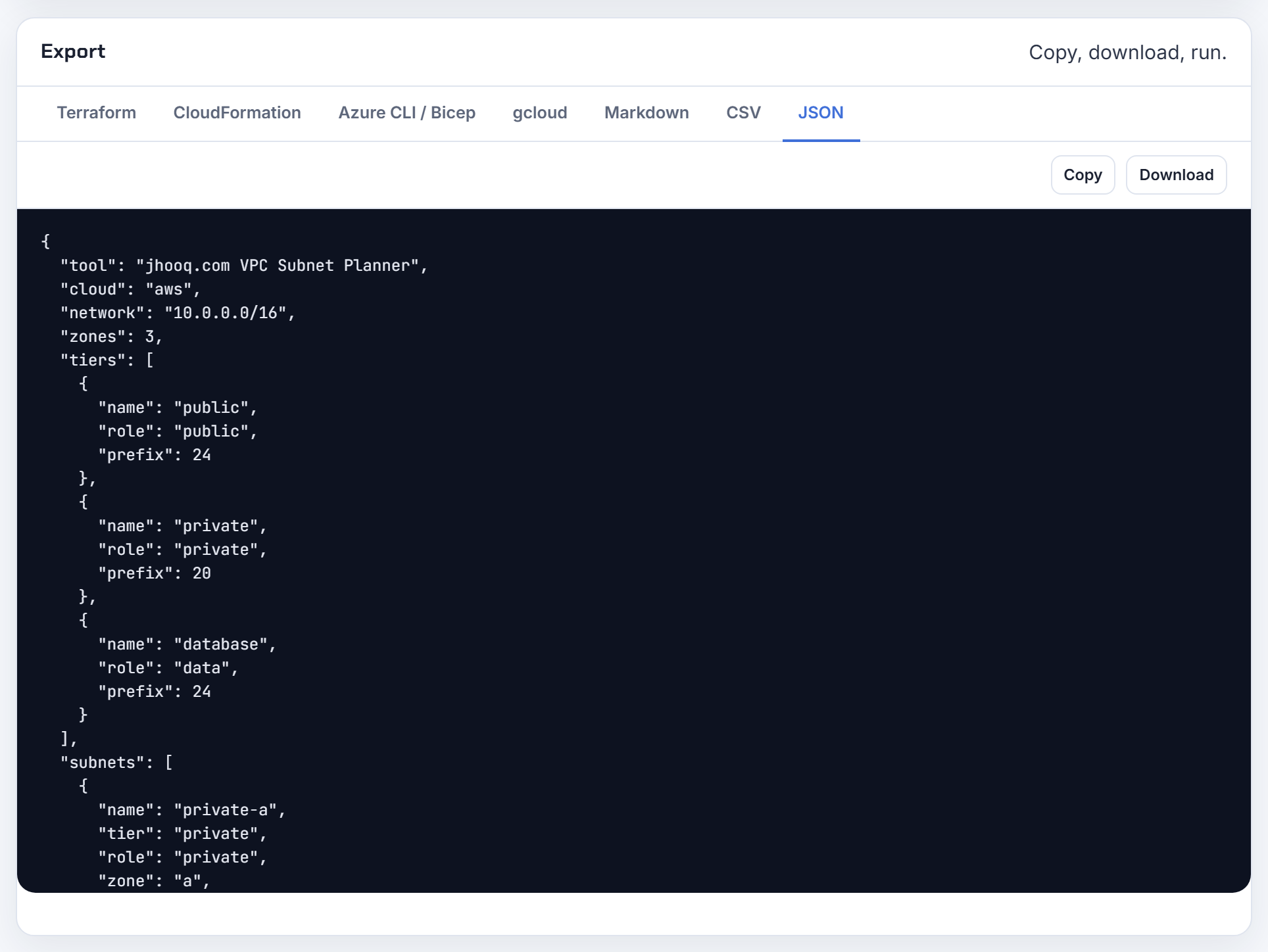
Changing subnets and VPC ranges later
CIDR and zone are fixed at creation on every cloud covered here, so "change" almost always means "create beside, migrate, delete".
How do I move a subnet to a different Availability Zone?
You cannot; you create a new subnet in the target zone and move the resources. AvailabilityZone on AWS::EC2::Subnet is a replacement property, and the docs add that if you update it you must also update CidrBlock (AWS::EC2::Subnet), so the "move" is really a second subnet with a different CIDR.
The resources do not move either. AWS states you cannot move an existing EC2 instance to another subnet, zone or VPC; you create an AMI and launch a new instance from it (re:Post knowledge center). Load balancers can swap subnets per zone, and RDS can be pointed at a different subnet group only when it moves to a new VPC (Updating the VPC for a DB instance).
Plan: carve a new CIDR in the right zone, build the subnet and its route table association, recreate or redeploy workloads there, then delete the old subnet once its network interfaces are gone. Two subnets in one zone is a common day-one mistake; the planner places one subnet per tier per zone so the zone column is right from the start.
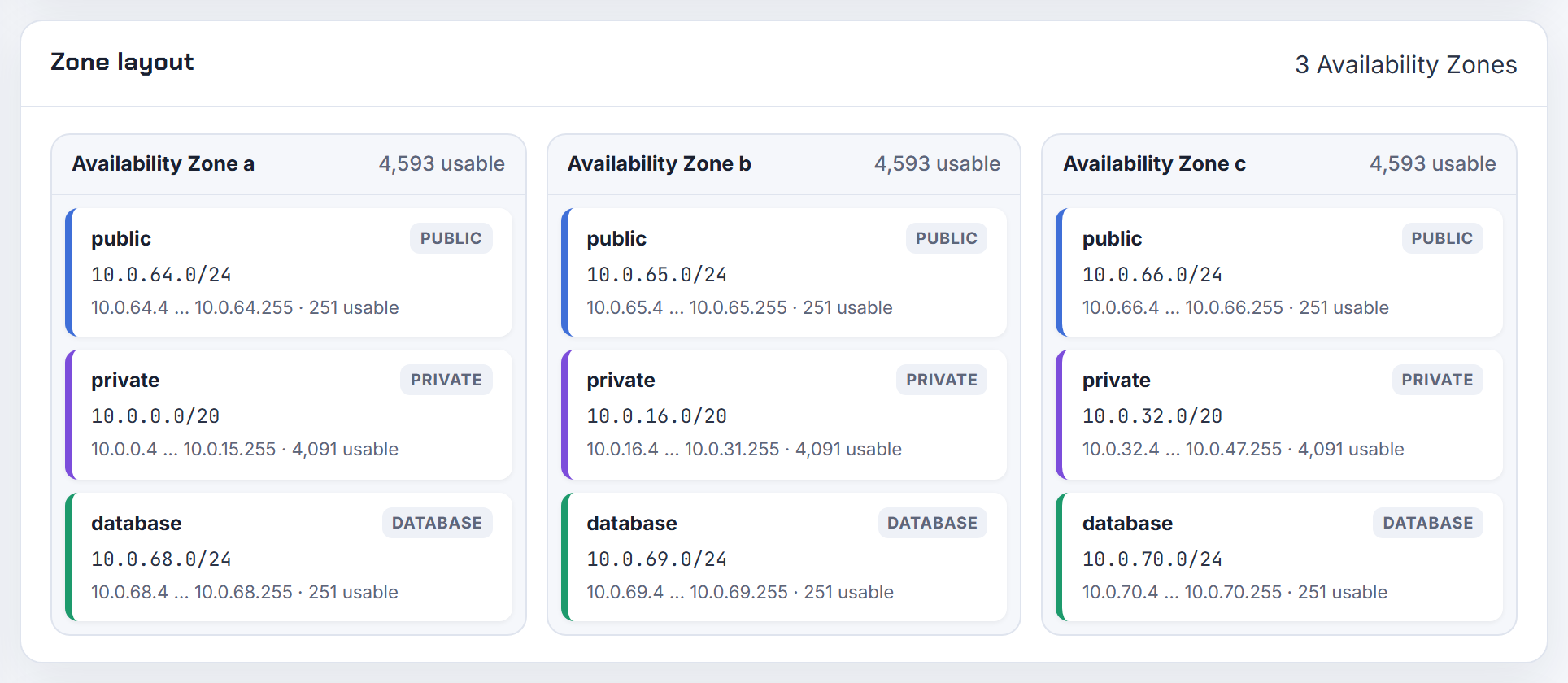
Can I change a subnet from private to public, or move an instance or database between subnets?
Public and private are not subnet properties, they are routing. A public subnet is one whose route table has a route to an internet gateway (EKS network requirements use that same definition), so you flip a subnet by changing its route table association and, if you want automatic public addresses, the subnet's auto-assign attribute (IP addressing). No recreation needed; do check that nothing in it was relying on NAT.
Moving resources is harder. An EC2 instance cannot change subnet; you launch a new one from an AMI and the private IP changes because it must come from the new subnet's range (re:Post). RDS lets you modify the DB subnet group only to a group in a different VPC, and not while the instance is Multi-AZ or has read replicas (Updating the VPC for a DB instance); within a VPC, restore from a snapshot into the new group. Azure is friendlier: a NIC's subnet can be changed inside the same VNet once its private IPs are dynamic, and the VM gets a new address from the new subnet (Azure network interfaces).
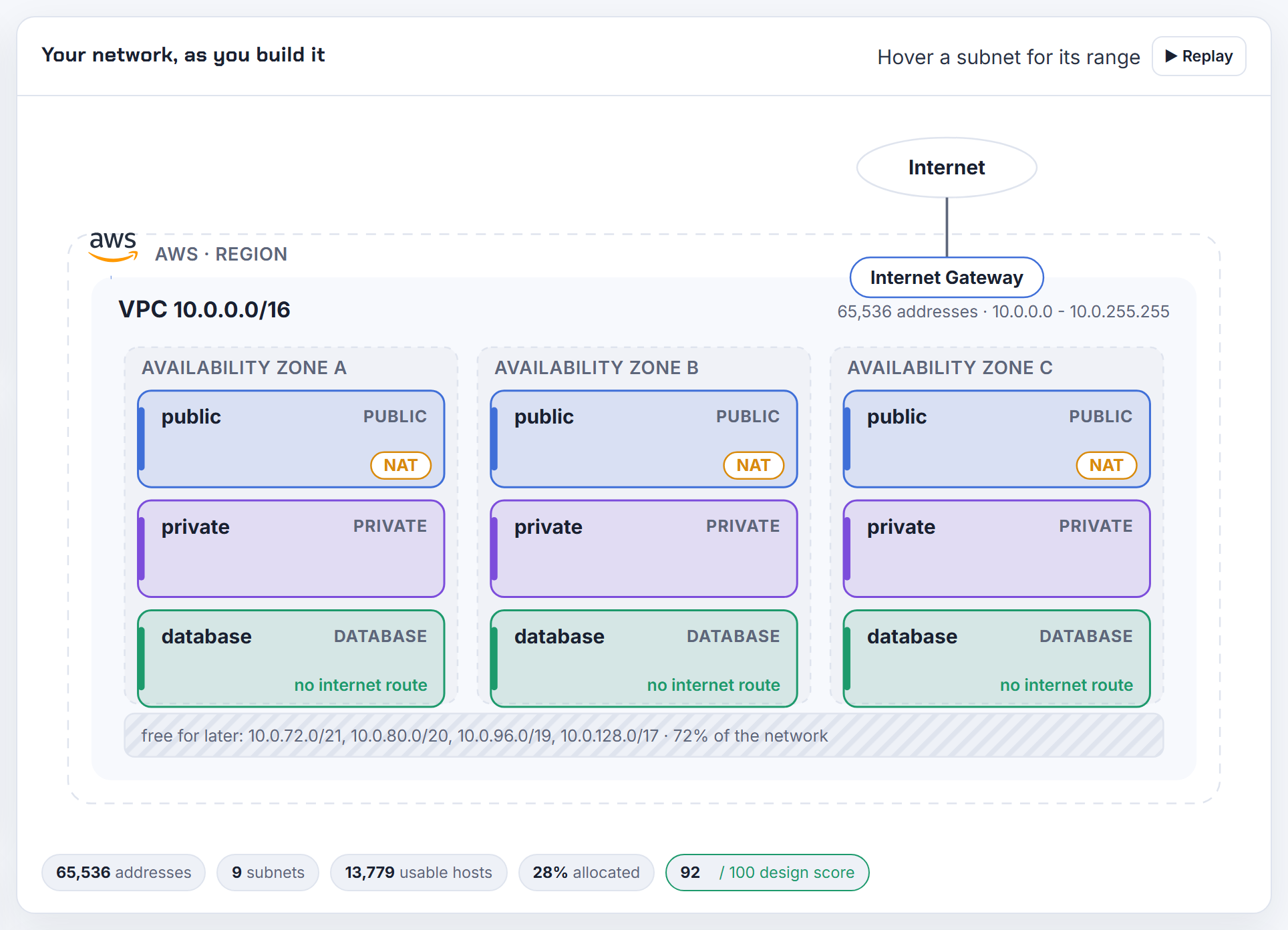
Can I modify the IPv4 CIDR of an existing VPC?
No. AWS states you cannot change the IP address range of an existing VPC or subnet (re:Post knowledge center). You have two real options: add a secondary IPv4 CIDR block, or build a new VPC and migrate.
Secondary blocks follow the rules on the VPC CIDR blocks page: /16 to /28, no overlap with existing blocks, and the association restrictions, for example a VPC in 10.0.0.0/8 cannot add a block from 172.16.0.0/12 or 192.168.0.0/16, and a VPC whose blocks fall in 10.0.0.0/15 cannot add anything from 10.0.0.0/16. The default quota is 5 IPv4 CIDR blocks per VPC (VPC quotas). The primary block can never be disassociated, and a block can only be removed after its subnets are deleted.
Secondary blocks fix a full VPC; they do not fix an overlap with a peer, because the primary stays. For that you need the new VPC. The planner's overlap check tells you which case you are in, and its leftover blocks show whether a secondary CIDR even has room beside your existing networks.

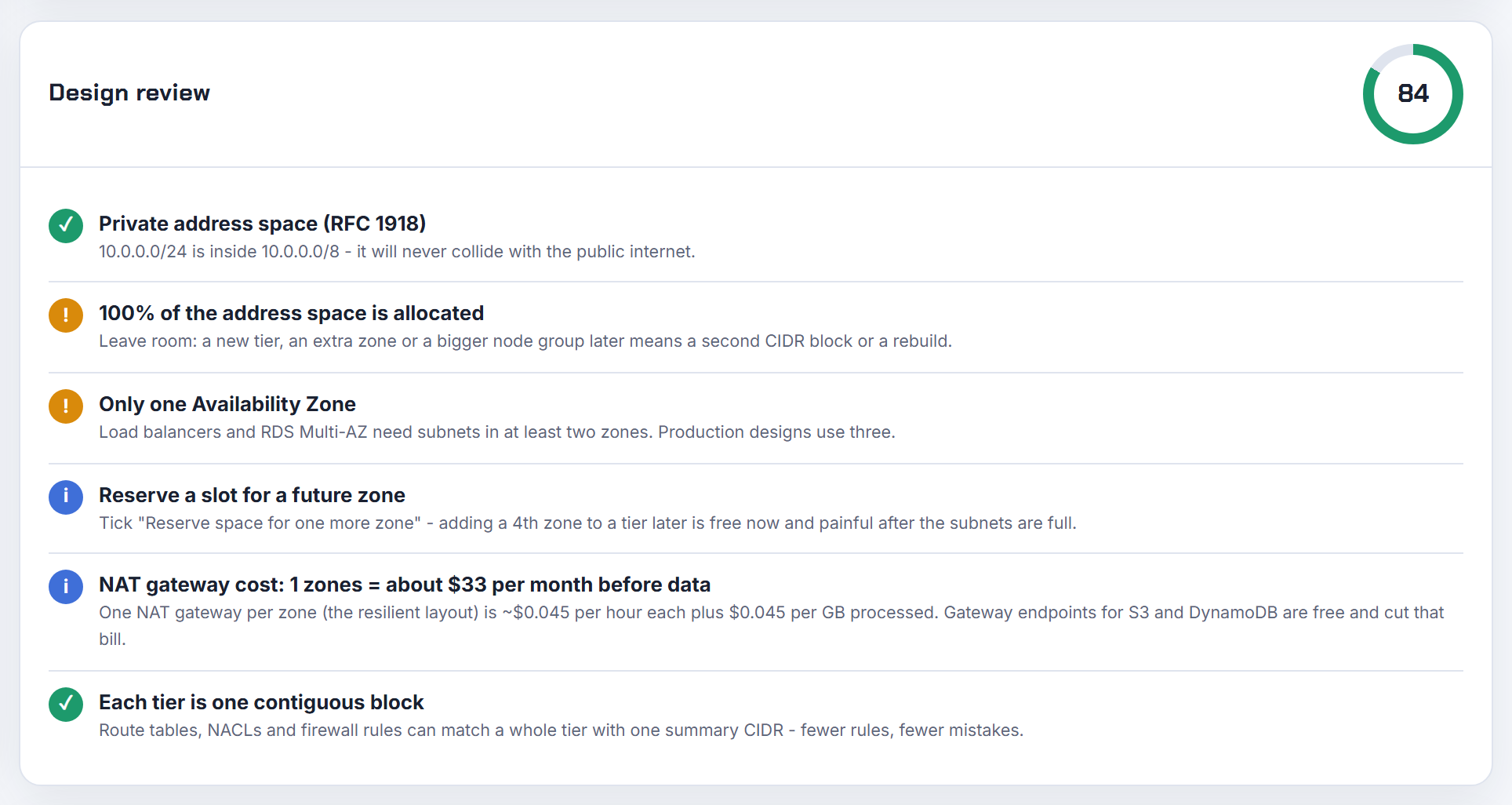
My legacy VPC is one /24 fully used by one subnet; how do I add a private subnet for Lambda?
Add a secondary IPv4 CIDR block and create the new subnet inside it. A subnet can only be carved from unallocated VPC space, and a VPC of 10.1.0.0/24 with a 10.1.0.0/24 subnet has none left. Secondary blocks must be /16 to /28, must not overlap, and must respect the association rules (VPC CIDR blocks): because 10.1.0.0/24 falls inside 10.0.0.0/15, you cannot add anything from 10.0.0.0/16, but 10.1.1.0/24 or a roomier 10.1.16.0/20 is fine, and the local route is added to every route table automatically.
1aws ec2 associate-vpc-cidr-block --vpc-id vpc-0123456789abcdef0 --cidr-block 10.1.16.0/20
2aws ec2 create-subnet --vpc-id vpc-0123456789abcdef0 --cidr-block 10.1.16.0/24 --availability-zone eu-west-1a
Give Lambda two private subnets in different zones and a route table without an internet gateway route; Lambda creates one Hyperplane ENI per subnet and security group combination, and functions reuse it (Lambda VPC docs). For internet access from those subnets, add a NAT gateway in a public subnet (Lambda internet access). The planner's design review flags a VPC with no headroom so the next VPC does not start this way.
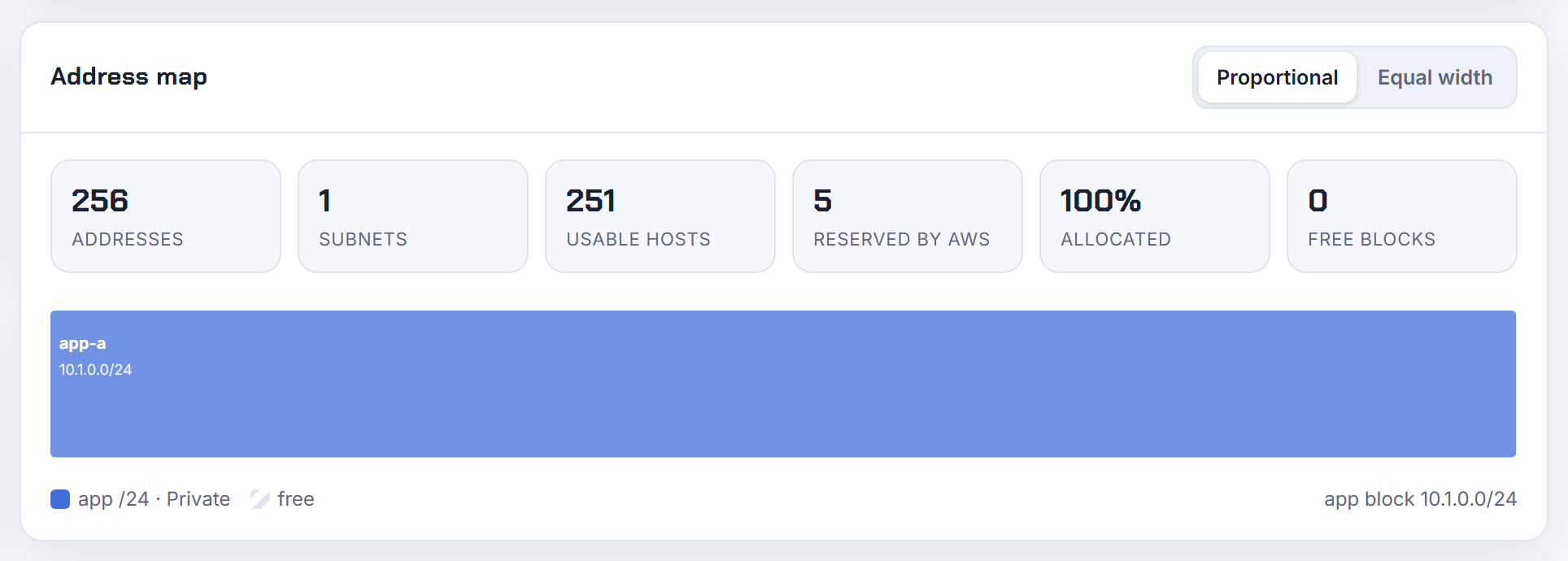
Why is replacing the VPC CIDR or a secondary block in Terraform destructive to subnets and route tables?
Because the CIDR is immutable at the API level. AWS does not let you change a VPC's or subnet's range (re:Post), and CloudFormation marks CidrBlock on both the VPC and the subnet as "Update requires: Replacement" (AWS::EC2::VPC). Terraform therefore plans a replace of the VPC, and every subnet, route table, gateway and association that references the VPC id is replaced with it.
Secondary blocks are gentler but still ordered: a block can only be disassociated once no subnet uses it, and the VPC's primary block can never be removed (VPC CIDR blocks). IPv6 blocks behave the same way, and AWS warns you will not get the same IPv6 range back after disassociating it.
Run expansion as a planned operation: associate the new block, create the new subnets, move workloads, then delete the old subnets and finally disassociate the old block, each step its own apply. Never swap the value of an existing aws_vpc_ipv4_cidr_block_association in place; add a second resource and retire the first. The planner's leftover-space list tells you whether the new block has to be a secondary CIDR or still fits inside the primary.
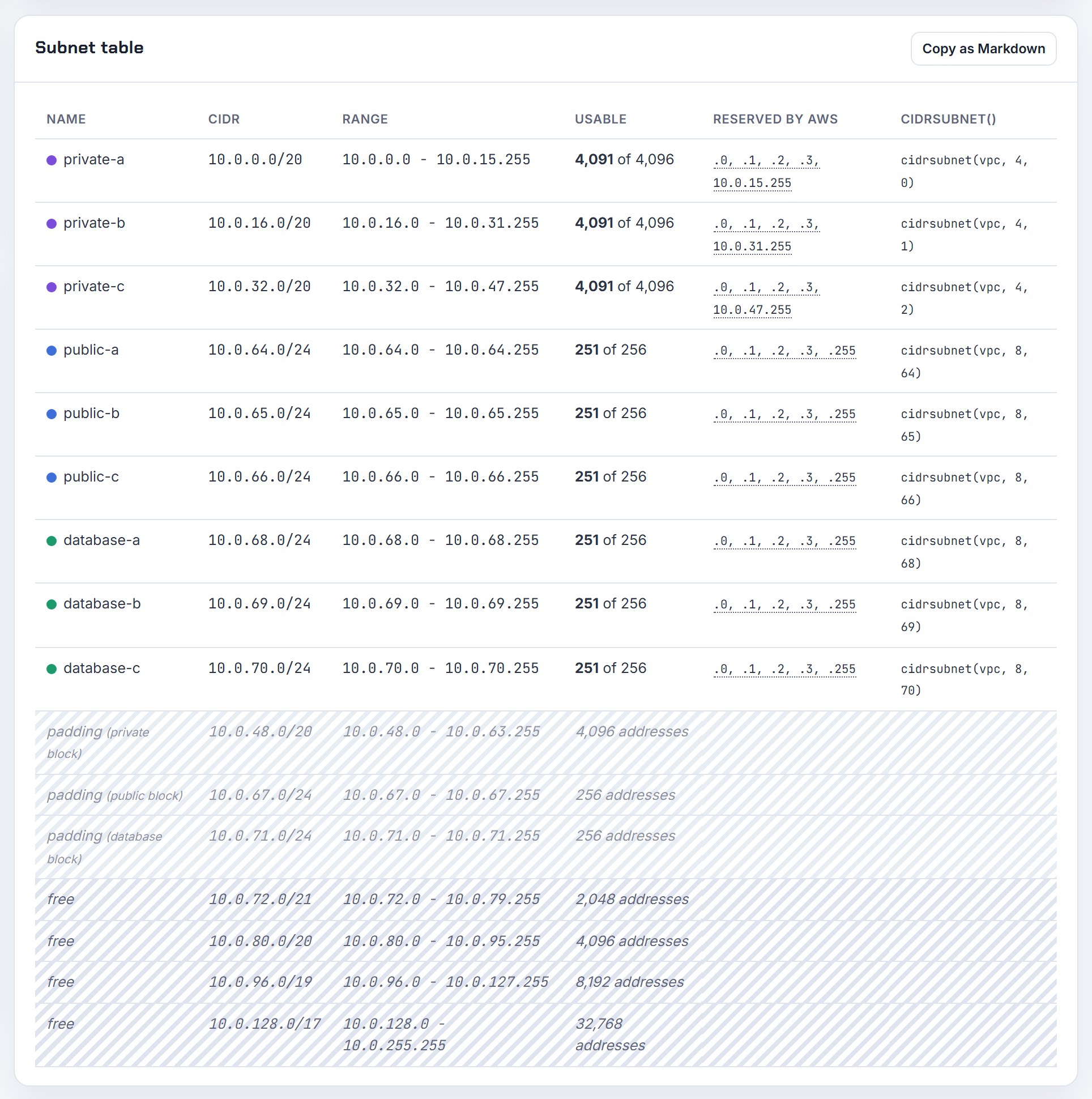
Can I keep the same private IP when moving to a new subnet, or pin fixed IPs inside a subnet?
Not across subnets: a primary private IPv4 address must come from the subnet's range, and if you do not specify one at launch AWS picks a free address for you (EC2 instance IP addressing). So the on-prem habit of a fixed address works inside a subnet, not when you change subnets.
Within a subnet you have three tools. Specify the primary private IP at launch (or in a launch template) to pin it; it stays with the instance through stop and start and is released only on termination. Use secondary private IPv4 addresses for floating addresses; unlike primaries they can be reassigned from one network interface to another, which is the documented pattern for redirecting traffic to a standby. For addresses that must never be handed out by DHCP, create an explicit subnet CIDR reservation: reserved ranges are not auto-assigned to network interfaces, and the reservation can include addresses already in use.
There is no private Elastic IP; the nearest equivalent is attaching the same secondary network interface to a replacement instance, which keeps its private IPs and MAC (multiple network interfaces). The planner applies the first four and last addresses AWS reserves, so the usable range you plan from is accurate.
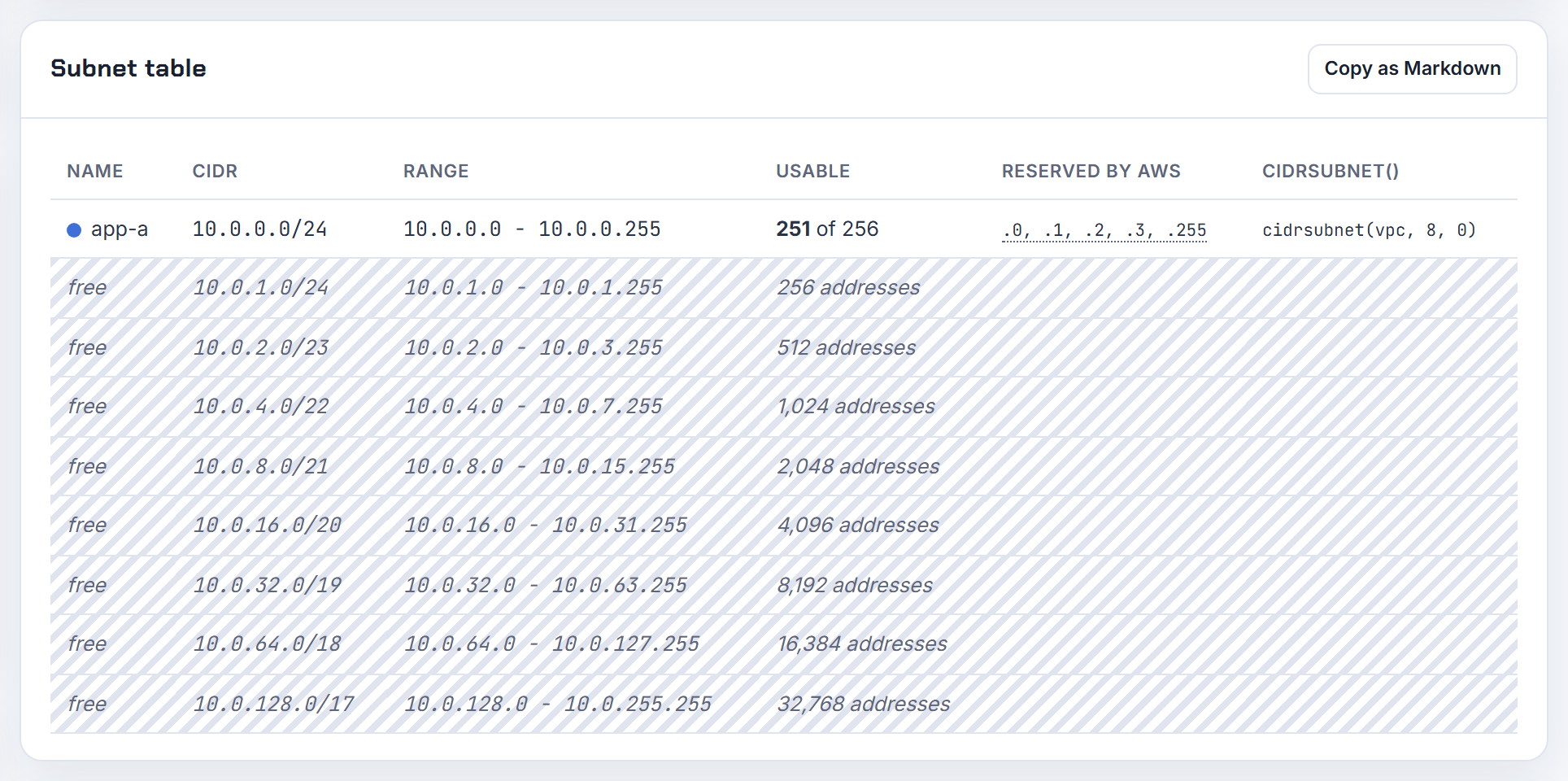
Why would anyone choose a VPC CIDR smaller than 10.0.0.0/16?
Because every address you reserve in one VPC is an address no other network you ever connect to can use. Peering refuses VPCs with matching or overlapping CIDRs (VPC peering limitations), Direct Connect gateways require non-overlapping VPCs (VPC CIDR blocks), and a Client VPN pool may not overlap the VPC it serves (Client VPN rules). A /16 in every account, all starting at 10.0.0.0, is the single most common reason connectivity projects stall.
A /16 is also more than most workloads use: 65,536 addresses, while a 3-zone, 3-tier VPC with /24 subnets consumes 2,304. The limit that bites earlier is Network Address Usage, 64,000 units per VPC by default (VPC quotas).
My rule: allocate from an organization-wide plan, size each VPC for growth with headroom, and keep the rest for future VPCs, regions and the office network. A /20 or /19 is plenty for most teams; EKS with the VPC CNI is the usual exception. The planner scores a design against RFC 1918, size limits and 95 percent headroom, and its overlap check shows what the /16 would collide with.
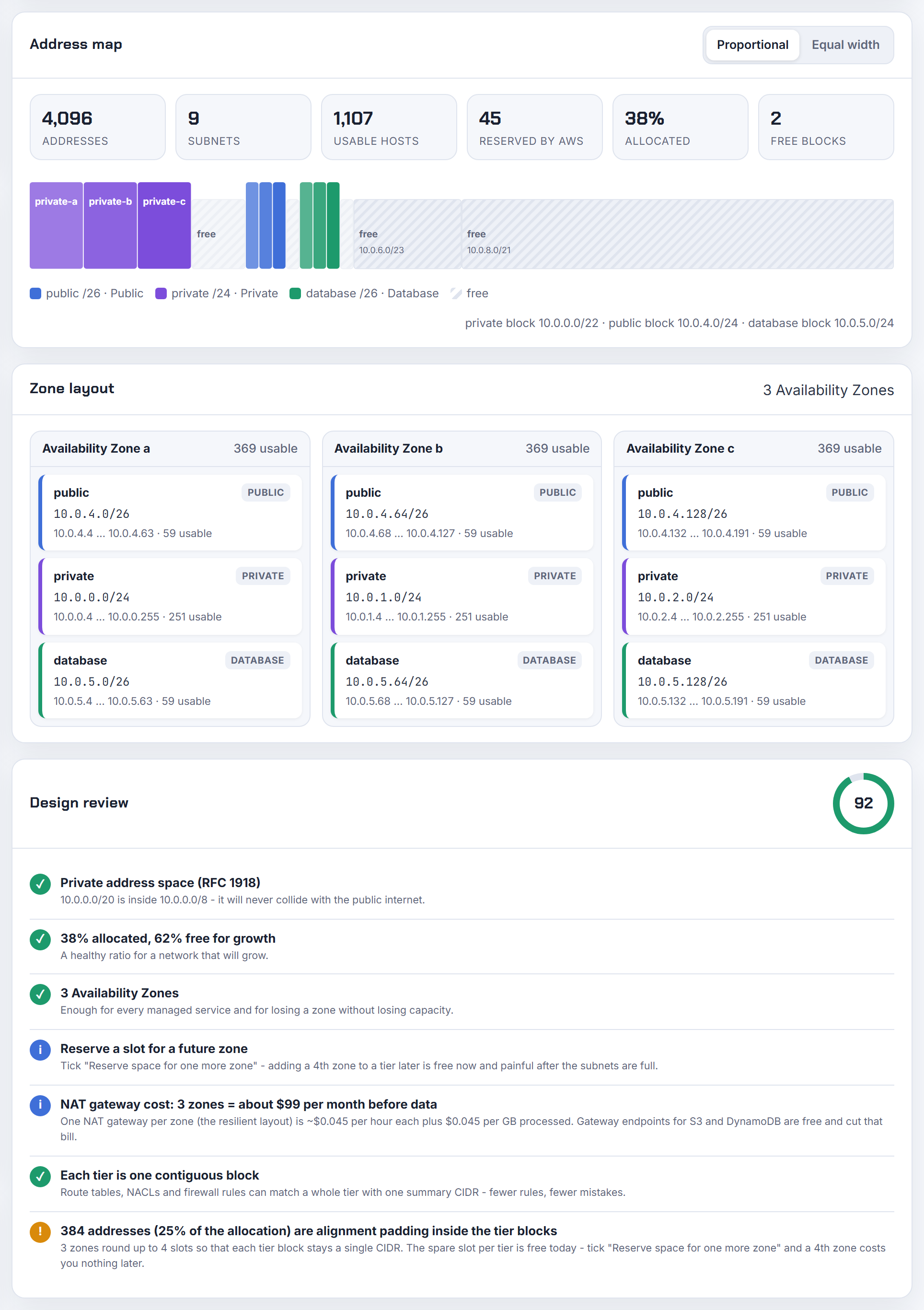
Can I add a service delegation to an existing Azure VNet subnet with ARM, Bicep or Terraform?
Yes. Delegation is a property of the subnet, so you update the subnet in place; the portal, PowerShell and CLI paths are in Add or remove subnet delegation:
1az network vnet subnet update --resource-group rg --vnet-name vnet --name app \
2  --delegations Microsoft.Sql/managedInstances
In an ARM or Bicep template, add the delegations array to the Microsoft.Network/virtualNetworks/subnets resource with the same serviceName and redeploy; in Terraform it is the delegation block on the azurerm subnet resource with service_delegation name and actions.
One constraint matters: if a resource for a service is already deployed in the subnet, you cannot add or remove delegations until all that service's resources are removed (manage subnets). Delegated services also tend to want a subnet of their own, which is a sizing decision; the planner's Azure mode uses the /29 minimum and the five reserved addresses when it sizes small dedicated subnets.
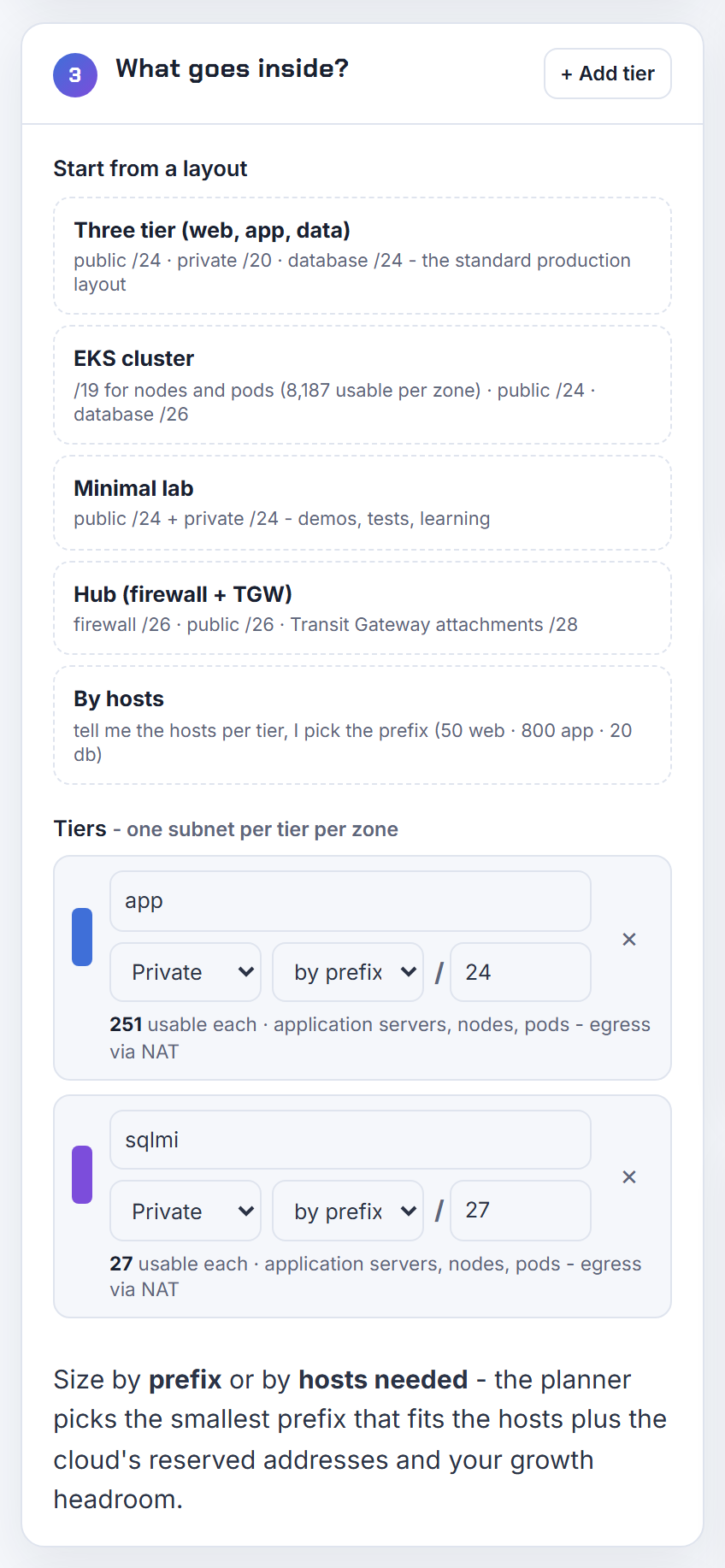
What eats your IP addresses: Lambda, RDS, load balancers, ECS and endpoints
Managed services consume addresses through network interfaces you do not create; count the interfaces, not the services, and you can size a subnet.
How many IP addresses do hundreds of Lambda functions in private subnets actually consume?
Far fewer than one per function. Lambda creates a Hyperplane ENI the first time a function is attached to a VPC with a given subnet and security group combination, and other functions that use the same combination share that ENI (Lambda VPC networking). Each Hyperplane ENI supports up to 65,000 connections; beyond that Lambda adds ENIs based on traffic and concurrency. So 300 functions on two subnets and one security group start with two ENIs, two addresses, and grow with load rather than with function count.
What still consumes addresses: every distinct subnet and security group pairing, functions attached to many subnets, and idle functions, since Lambda reclaims unused ENIs only after 14 days. Removing a VPC config frees the ENI up to 20 minutes later.
Two related questions have the same answer. A function's outbound source IP is not an address in the subnet when traffic leaves through a NAT gateway; it is the NAT gateway's Elastic IP, because private subnets reach the internet through the NAT gateway (Lambda internet access). And there is no fixed Lambda IP range outside a VPC; if you need a stable egress address, attach the function to a VPC with a NAT gateway. The planner's design review covers the NAT-per-zone cost that choice implies.
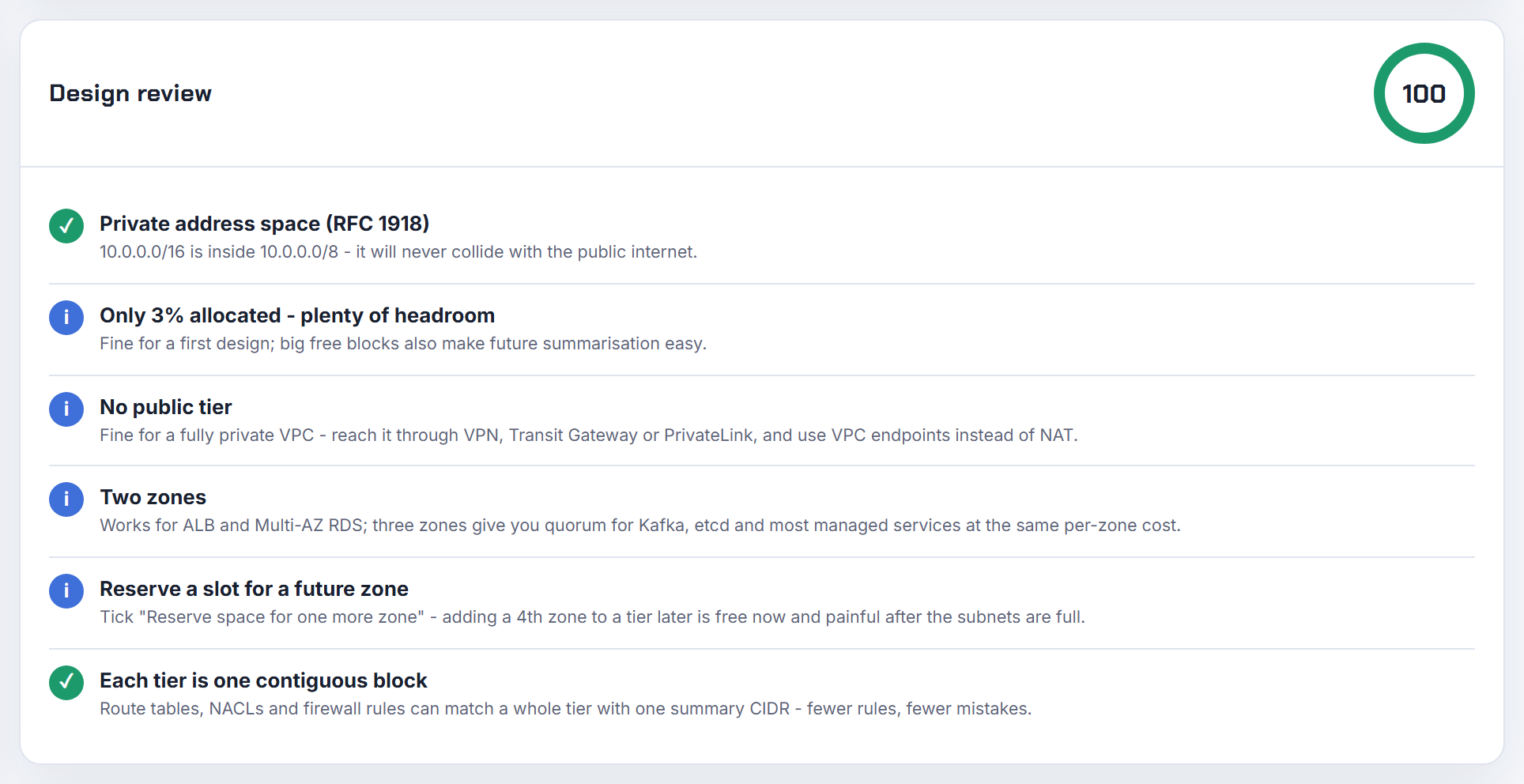
An ALB needs 8 free IPs and a /27 per subnet; what if several load balancers share the subnet?
Each load balancer needs its own eight. The ALB docs require every zone subnet to have a CIDR of at least /27 and at least eight free IP addresses so the load balancer can scale out; without them node replacement can fail and the balancer enters a failed state (Application Load Balancers). Elastic Load Balancing also creates reserved network interfaces in those subnets, described as "ENI reserved by ELB for subnet", so capacity for maintenance is held even when the subnet runs low. Network Load Balancers create one network interface per enabled subnet and, when internet-facing, require at least 8 available addresses in each subnet (NLB Availability Zones).
Sizing rule for a public tier subnet: 8 addresses per ALB that may scale, 1 per NLB, 1 per NAT gateway, 1 per interface endpoint, plus whatever instances live there, plus the five AWS reserves. Four ALBs and a NAT gateway already exceed a /27's 27 usable addresses, so I size shared public subnets at /24 and keep ALBs out of the application subnets. The "two IPs per load balancer" observation is simply one node address per enabled zone, which the DNS name resolves to. The planner enforces the /27 ALB minimum in its design review.
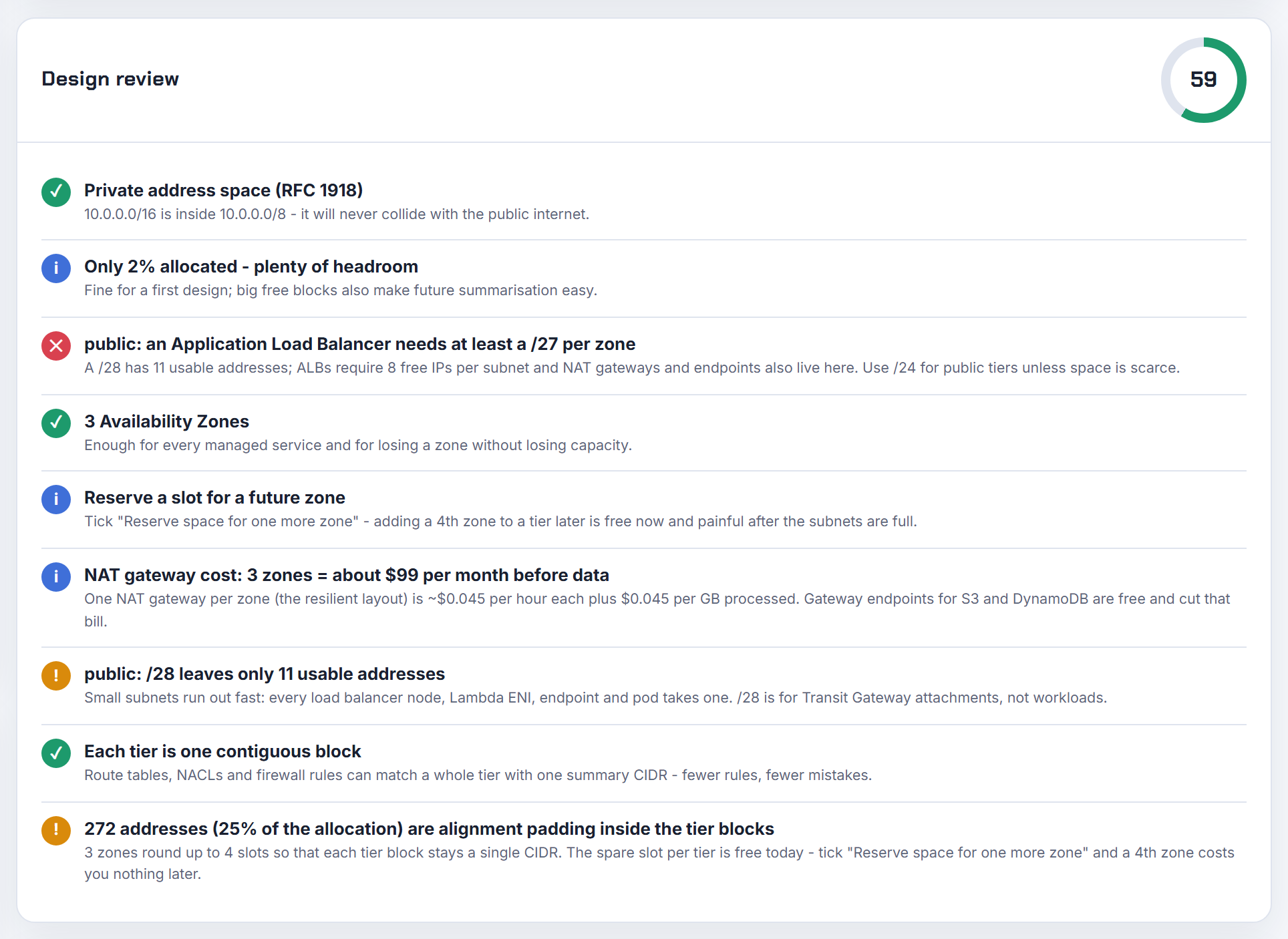
Does RDS take one IP per subnet in its subnet group, and does it need a dedicated subnet?
RDS takes one address in the subnet it chooses, not one in every subnet. From the DB subnet group it picks a subnet with free space and assigns the instance a network interface with an IP from that subnet; a Multi-AZ standby gets a second interface in a subnet in another zone (Working with a DB instance in a VPC). The same page asks you to reserve at least one spare address per subnet per instance for recovery actions, and to size subnets large enough for maintenance, failover and compute scaling, giving 10.0.0.0/24 as a typical example.
Requirements: the group needs subnets in at least two Availability Zones, all in one VPC; a group with two subnets in the same zone fails to create an instance. A dedicated subnet is not required, but I give databases their own tier so the route table can stay isolated (no NAT, no internet gateway) and security group rules stay simple. The underlying IP changes on failover, so always connect by DNS name. The planner's database tier exports with an isolated route table for exactly this reason.
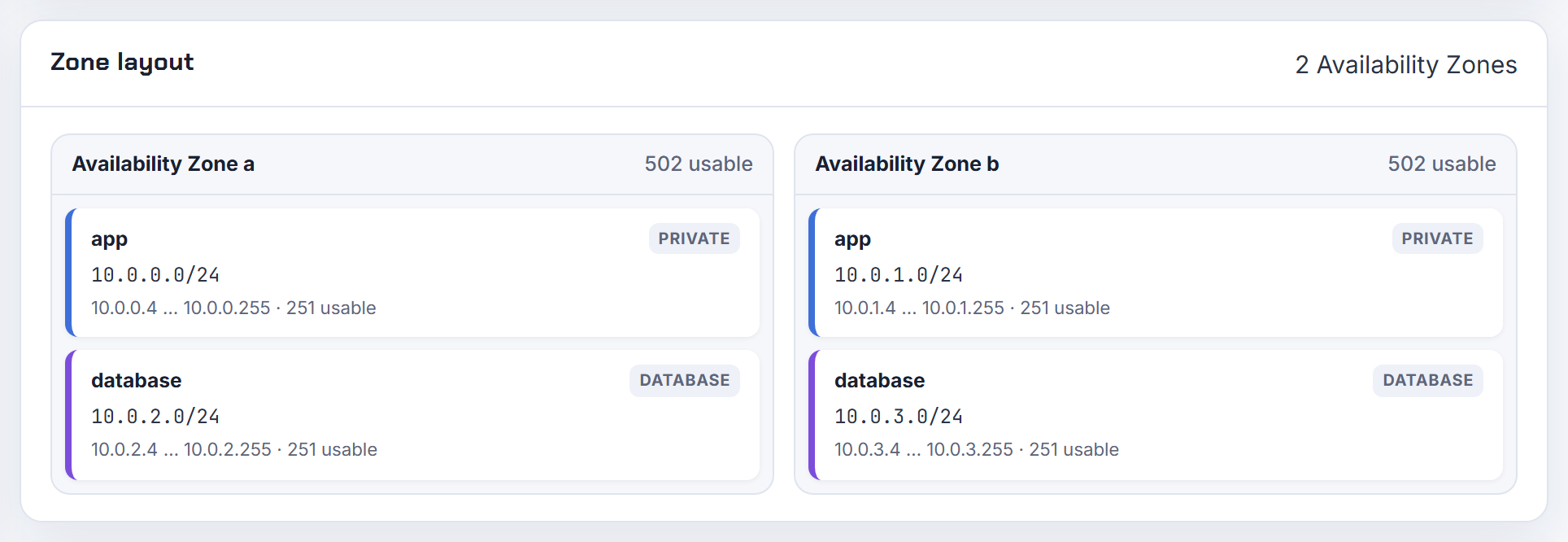
Do interface endpoints need one subnet per AZ, and what if a service is missing in my AZ?
One subnet per Availability Zone, and each selected subnet gets an endpoint network interface with a private IP from that subnet (Create an interface endpoint). AWS recommends at least two zones per endpoint and private DNS, so that an impaired zone does not cut the others off (PrivateLink and AWS services). The budget is therefore one address per endpoint per zone, which adds up: 15 endpoints across 3 zones is 45 addresses, a reason to keep a small endpoint subnet per zone rather than spending application space.
Not every service exists in every zone. Check before you build:
1aws ec2 describe-vpc-endpoint-services --service-names com.amazonaws.eu-west-1.ecr.api \
2  --query "ServiceDetails[].AvailabilityZones"
The output lists the zones in which the service is available (describe-vpc-endpoint-services), so pick endpoint subnets in those zones; resources elsewhere still reach the endpoint through the regional DNS name. To read the endpoint's IPs in CloudFormation, there is no direct attribute; a custom resource calling DescribeNetworkInterfaces or a Route 53 record on the endpoint DNS name are the usual routes. The planner's Terraform export includes the S3 gateway endpoint, which uses no addresses at all.
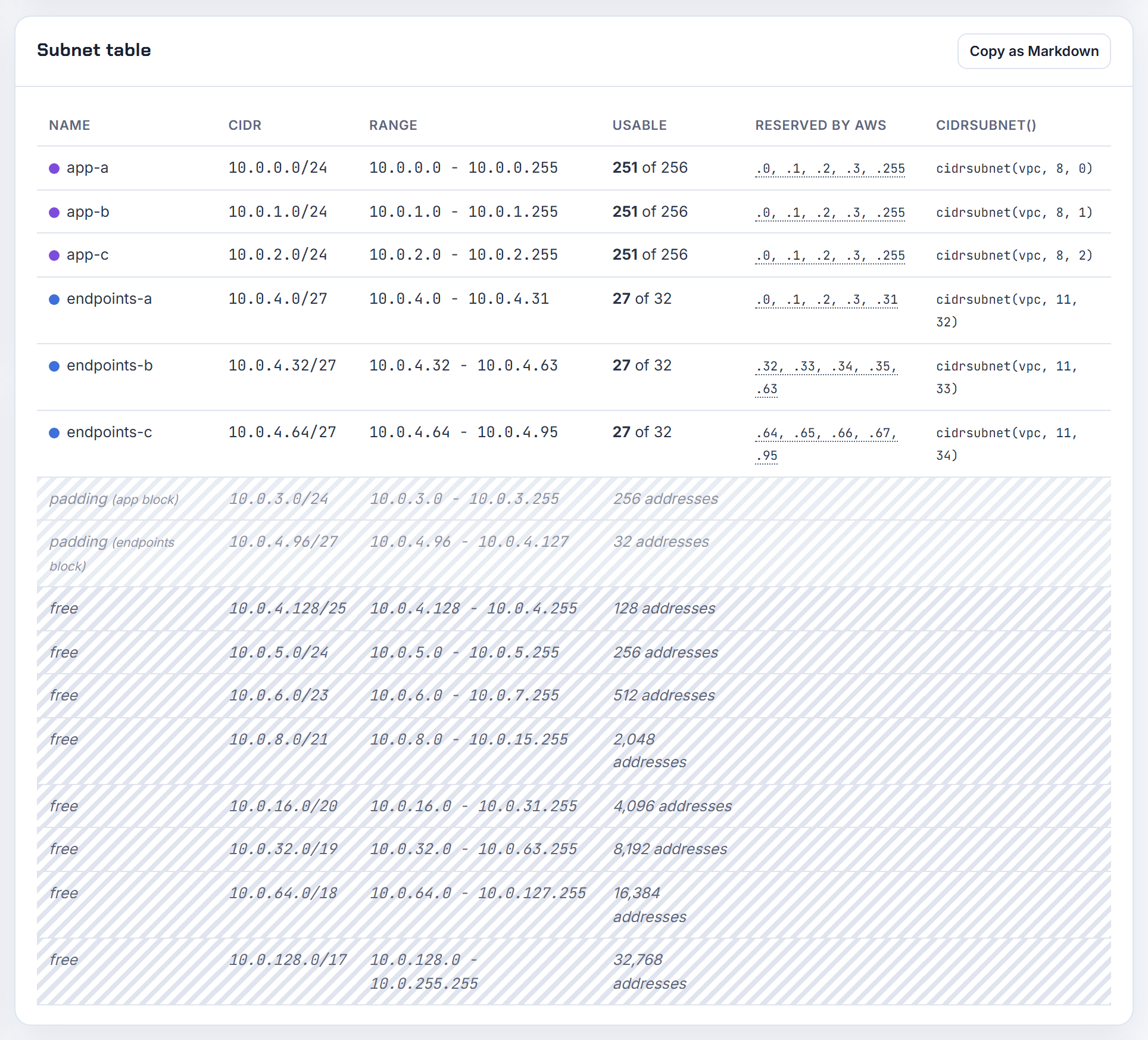
What happens when I hit the Elastic IP limit or turn off auto-assign public IP on a public subnet?
The Elastic IP quota is 5 per Region by default and is adjustable through Service Quotas (Elastic IP addresses). Hitting it stops new NAT gateways and internet-facing NLBs that need an EIP; addresses managed by ALB or RDS do not count against it. Every public IPv4 address, in use or idle, costs 0.005 USD per hour on the VPC pricing page as of 2026-10-21, so releasing idle EIPs is both a quota and a cost fix.
The subnet attribute is separate from "public". A subnet is public because its route table points 0.0.0.0/0 at an internet gateway; auto-assign only decides whether a new network interface gets a public IPv4 at launch (IP addressing). Turning it off has no effect on existing interfaces, which keep the setting they were created with (network interfaces). New instances launched there get no public address and, with no NAT route, no internet access, although you can override the setting per launch. EKS public node subnets must have it on (EKS requirements). The planner names tiers by role; the public tier assumes an internet gateway route.
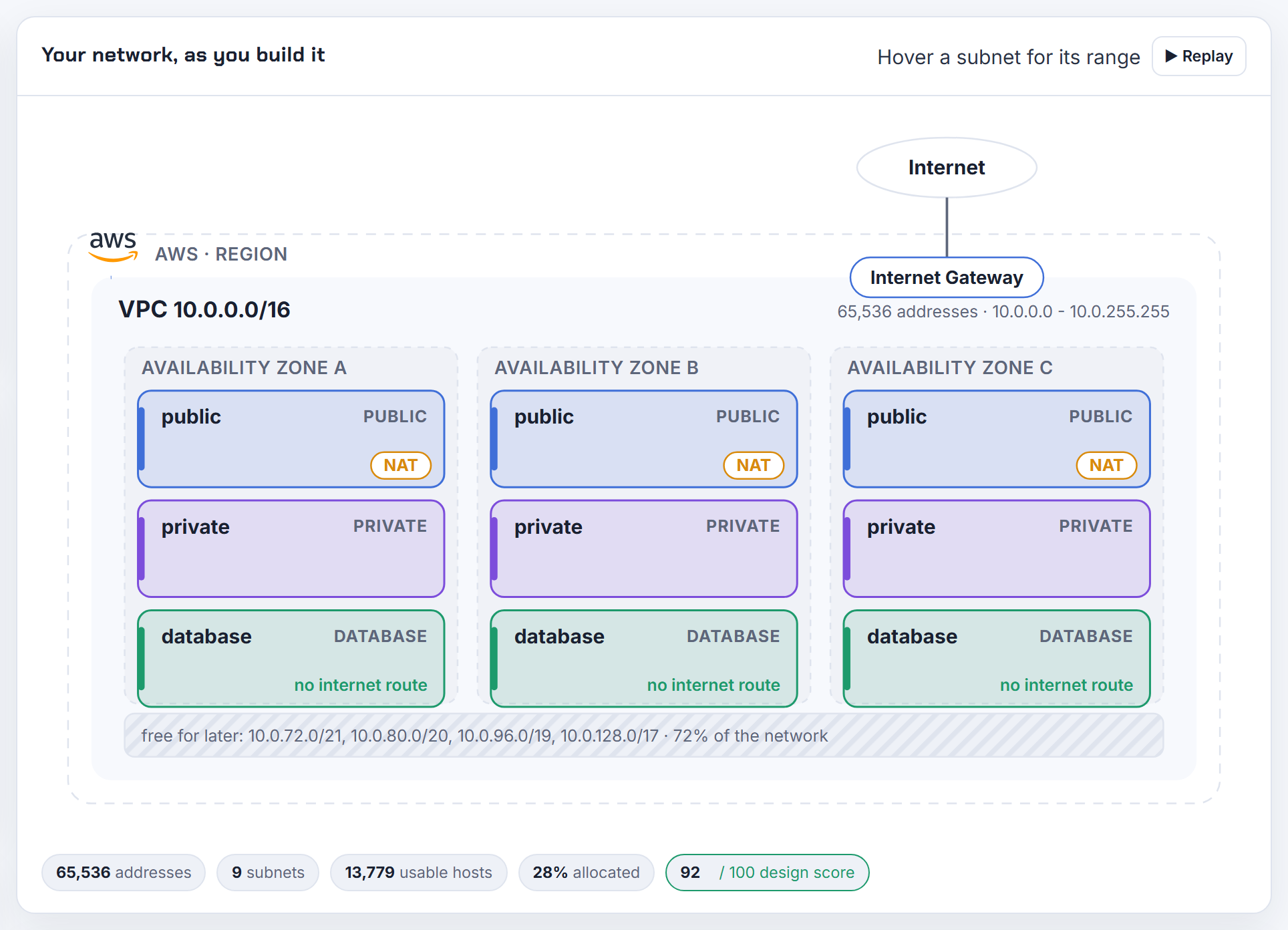
When are multiple ENIs required, and how does a second ENI in the same subnet behave?
Rarely required, often useful. AWS lists the cases: a separate management network, network and security appliances that want an interface per side, dual-homed instances with workloads in different subnets or even different VPCs in the same account and zone, and low-budget high availability where you move the interface to a standby instance and keep its private IPs, Elastic IPs and MAC (multiple network interfaces). A secondary interface must live in the same Availability Zone as the instance, and the maximum count varies by instance type (network interfaces).
A second interface in the same subnet is legal but the operating system does not route for it automatically: both interfaces share one default route, so replies to traffic that arrived on eth1 leave through eth0 unless you add policy routing, which is why a freshly attached ENI appears unreachable. Appliance designs that use an interface per tier therefore cost one address per tier per instance, and each interface keeps its own security groups and source/destination check. Count those interfaces when you size the subnets; the planner sizes by host count with a growth percentage, so put interfaces, not instances, in that count.
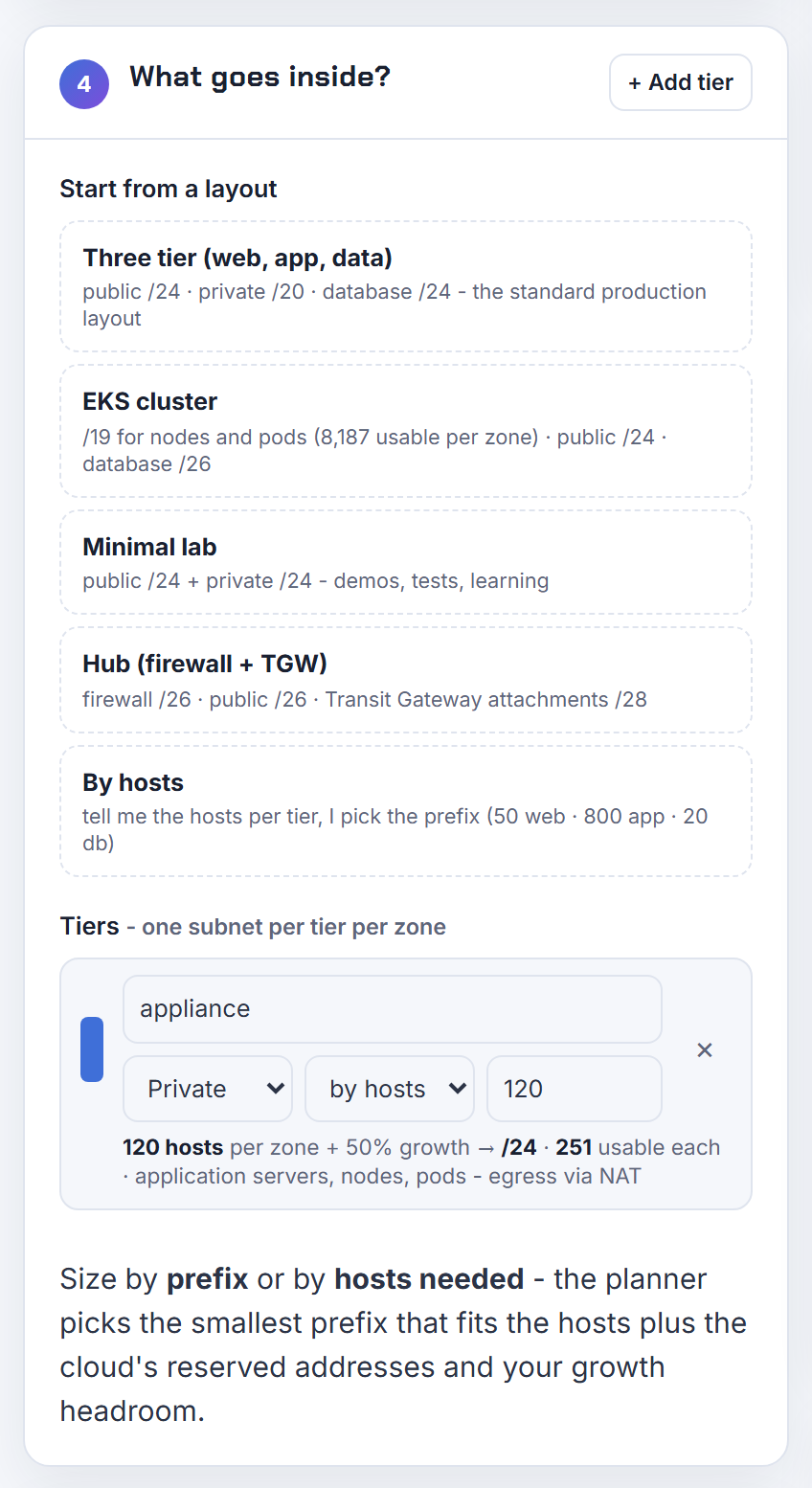
Can a secondary private IP be reassigned to another instance automatically, and how do I reserve VIPs?
Not automatically. Secondary private IPv4 addresses can be moved from one network interface to another only if you explicitly allow reassignment, and once assigned an address stays with its interface until you unassign it (EC2 instance IP addressing). AWS never hands an address that is assigned to one interface to another instance; the risk people fear is their own automation calling AssignPrivateIpAddresses with the allow-reassignment flag.
For a floating address in an HA pair, the documented pattern is exactly that reassignment: keep the VIP as a secondary IP on the active node and move it to the standby on failover, with the route tables and DNS untouched. To stop DHCP from ever giving your VIPs to a new instance, create an explicit subnet CIDR reservation covering them; reserved addresses are not auto-assigned, the reservation may include addresses already in use, and an explicit reservation only reduces the subnet's available count as you assign addresses. The planner leaves room for this when you size a tier by host count with growth.
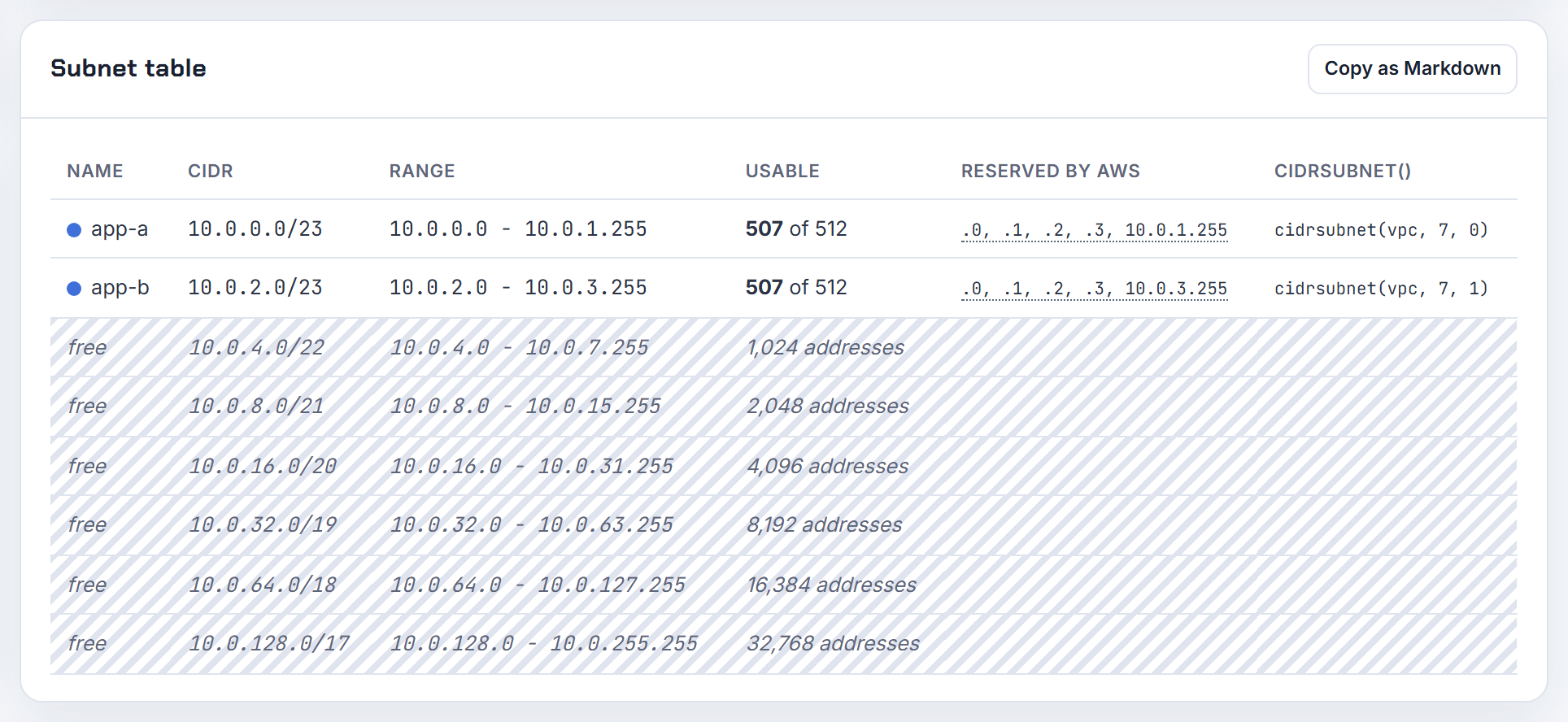
My /56 has unused /64s; can I route one to an instance, and how do I avoid the public IPv4 charge?
Each subnet takes a /64 from the VPC's /56, and you do not route a whole /64 to an instance; you assign a prefix to its network interface. The IPv6 prefix you can delegate is a /80, which is a contiguous block inside the subnet's range, and prefix delegation is meant for containers and applications that need many addresses on one host (prefix delegation). Subnet IPv6 blocks can be /44 to /64 in steps of /4 and the first four and last addresses are reserved (subnet sizing).
The IPv4 charge is 0.005 USD per hour per public IPv4 address, in use or idle, on the VPC pricing page as of 2026-10-21. Ways to cut it: put instances in private subnets behind one NAT gateway, use the ALB dualstack-without-public-ipv4 type so clients connect over IPv6 only (ALB IP address types), and turn auto-assign public IPv4 off on subnets that do not need it (instance addressing). For Elastic Beanstalk the same rules apply to the environment's load balancer and instances. The planner reserves the AWS addresses per subnet; the calculator shows the IPv6 per-node math for EKS.
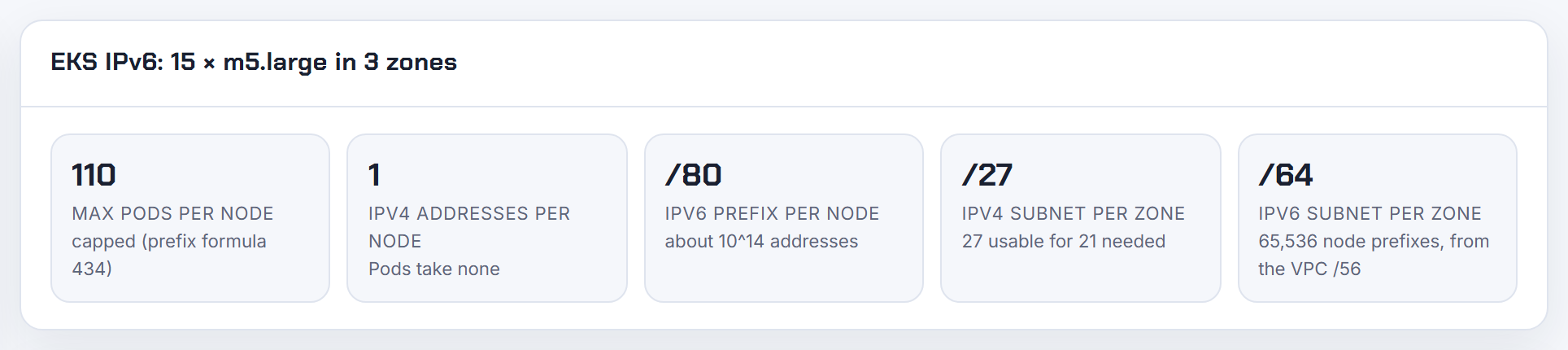
What are GCP secondary and alias IP ranges, and what happens when Cloud Run direct egress exhausts the subnet?
A subnet has one primary IPv4 range and optional secondary ranges. VMs take their main address from the primary range; alias IP ranges are extra blocks assigned to a VM's interface, drawn from either the primary or a secondary range, and Google Cloud routes them automatically (alias IP ranges). Secondary ranges are described as an organizational tool, and all of their addresses are usable, while a primary range loses four: first, second, second-to-last and last (subnets). GKE uses secondary ranges for Pods and the primary range for nodes (GKE IP addressing).
Cloud Run direct VPC egress draws addresses from the subnet you attach it to: at steady state a service uses twice as many addresses as it has instances, Cloud Run reserves them in /28 blocks, and it keeps a scaled-down revision's addresses for up to 20 minutes, so a deployment can briefly need four addresses per instance; the subnet must be a /26 or larger (Direct VPC egress). When that exhausts the primary range, give Cloud Run a dedicated subnet sized for 2x peak instances plus a rollout buffer; a primary range can be expanded but never shrunk. The planner's GCP mode applies the four reserved addresses and the /29 minimum.
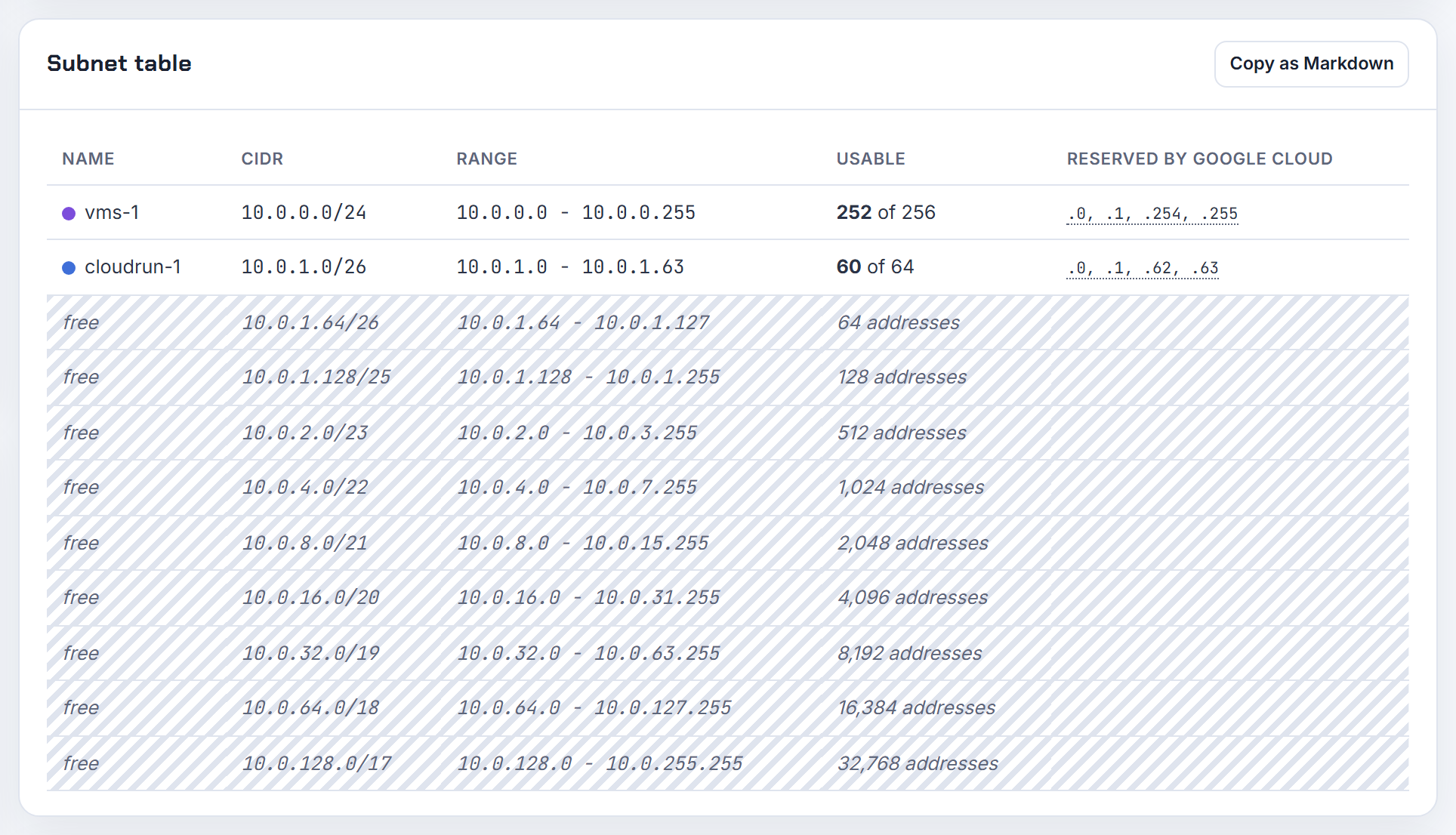
Is it bad to put a GKE cluster and other VMs in the same shared VPC subnet?
Not bad, but it needs a budget. GKE nodes take addresses from the subnet's primary IPv4 range, exactly like your VMs, while Pods come from one or more secondary ranges and Services from a GKE-managed range by default (GKE IP addressing). So the only contention between a cluster and other VMs is in the primary range, one address per node; the Pod and Service ranges are the cluster's own.
Rules that make sharing safe: give each cluster its own Pod secondary range (never share one), leave primary-range headroom for node pool upgrades and VM growth, and remember the primary range can be expanded but not shrunk. In the gcloud flags, the cluster uses the subnet's primary range for nodes, the Pod secondary range named by --cluster-secondary-range-name, and the Services range named by --services-secondary-range-name when you do not want the managed default. The per-node Pod block is 2x the maximum Pods per node, /24 for the default 110 (Pod CIDR ranges). The Kubernetes IP Calculator sizes the GKE ranges from max pods and node count and opens the result in the planner.
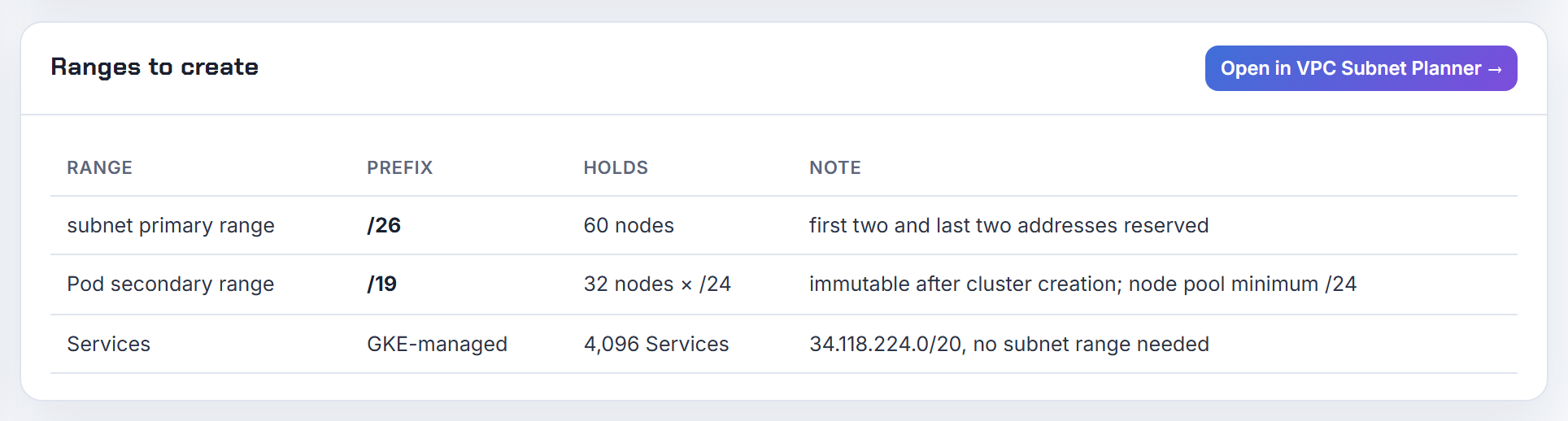
Docker, Kubernetes and VPN client ranges colliding
Overlay networks, Docker bridges and VPN client pools are networks too; the fix is almost always to treat them as entries in the same address plan.
What is the Kubernetes pod network CIDR, how do I find it, and how do I keep it off the VPC range?
The pod network CIDR is the range the controller manager carves per-node blocks from. kube-controller-manager takes --cluster-cidr for Pods and --service-cluster-ip-range for Services, and --node-cidr-mask-size, which defaults to 24 for IPv4, decides the block each node receives (kube-controller-manager reference). That block appears on the node object as spec.podCIDR (Node API):
1kubectl get nodes -o jsonpath='{range .items[*]}{.metadata.name}{"\t"}{.spec.podCIDR}{"\n"}{end}'
Overlay CNIs must agree with it: flannel's net-conf Network key is the IPv4 range for the whole flannel network and SubnetLen defaults to 24 (flannel configuration); a mismatch produces the "failed to acquire lease" error. On EKS there is no overlay, Pods use VPC addresses, but the Service range defaults to 10.100.0.0/16 or 172.20.0.0/16 and must not overlap any connected network (EKS cluster creation).
Treat each cluster's Pod and Service ranges as networks in your plan: unique per cluster, never overlapping the VPC or peers. The planner's overlap check accepts them as pasted existing networks; see also EKS running out of IPs.

Why does Docker fail on my VPN with Pool overlaps with other one on this address space?
Because Docker and the VPN want the same private space. When you create a network without --subnet, Docker picks one from its default address pools, and the first built-in pool is 172.17.0.0/16; Docker tries to avoid prefixes already in use on the host, but a VPN that pushes routes for 172.16.0.0/12 after Docker started wins the collision (Docker networking). A network created with an explicit --subnet that overlaps another Docker network also fails with this error (docker network create).
Move Docker to space your company does not use. In /etc/docker/daemon.json:
1{
2  "bip": "10.200.0.1/24",
3  "default-address-pools": [
4    { "base": "10.201.0.0/16", "size": 24 }
5  ]
6}
bip sets the default bridge address and default-address-pools feeds user-defined networks (dockerd reference); restart the daemon afterwards. For one-off networks pass --subnet explicitly. The same range causes trouble in the cloud: AWS notes that some services use 172.17.0.0/16 and advises against it for VPCs (VPC CIDR blocks), which is why the planner warns when a design touches it.

Why can't my OpenVPN or Client VPN clients reach a second or peered VPC?
Usually one of three things: the client pool overlaps something, the peered VPC has no route back to the pool, or the VPN side has no route to the peer. For AWS Client VPN the client CIDR must be /22 to /12, must not overlap the VPC or any route in the endpoint's route table, and cannot be changed after creation (Client VPN rules); AWS recommends a pool twice the number of concurrent clients. In split-tunnel mode a peered VPC needs its own endpoint route (destination = peer CIDR, target = the associated subnet) and an authorization rule for that CIDR; full-tunnel mode allows it by default (peered VPC scenario). Client VPN applies source NAT to the subnet interface's address, so the peer sees a VPC address and the existing peering routes suffice.
A self-hosted OpenVPN instance does not get that NAT for free: either masquerade client traffic to the instance's VPC address, or make sure every peered VPC routes the client pool back. Peering is not transitive and a VPC cannot borrow a peer's VPN connection (peering limitations); for many VPCs, attach Client VPN directly to a transit gateway and add return routes for the client CIDR in each VPC (Transit Gateway integration). Put the client pool into the planner's overlap check with the VPCs; see overlapping CIDRs.

How does EKS prefix delegation (/28 per ENI) interact with subnet size and CIDR reservations?
With prefix delegation the VPC CNI assigns /28 prefixes (16 addresses) to ENI slots instead of single secondary IPs, so a c5.large with 10 addresses per interface can carry 9 prefixes on one ENI (prefix mode). Each prefix must be a contiguous /28 inside the subnet; a subnet that still has free addresses scattered among used ones can have no free /28 at all, and the CNI logs InsufficientCidrBlocks. That is fragmentation, and it explains why a /28 subnet can never host a prefix: its 16 addresses include the five AWS reserves.
The fix is a prefix-type subnet CIDR reservation: reserved ranges are not handed out as individual addresses, EC2 allocates prefixes from the reservation first (prefix delegation), and the available-address count drops as soon as you create it. AWS recommends new subnets with a reservation for prefix-mode node groups, and new node groups rather than rolling existing nodes. Keep WARM_PREFIX_TARGET at 1 unless you can afford up to 15 idle addresses per node (increase IP addresses). The Kubernetes IP Calculator shows per-node addresses with prefix delegation (x16) and the subnet size per zone that follows.

Does the EKS control plane live in my VPC, and should nodes use public or private subnets?
The control plane runs in an AWS-managed VPC; what lands in yours is 2 to 4 network interfaces that EKS creates in the subnets you pass at cluster creation, used for the kubelet API and control-plane traffic (EKS networking requirements). Those cluster subnets need at least six free addresses (16 recommended) in at least two Availability Zones, and AWS recommends private subnets for them.
Nodes can live in different subnets from the cluster ENIs, as long as those subnets have enough addresses for every node and Pod. The layout I use: private subnets for nodes and Pods, tagged kubernetes.io/role/internal-elb = 1, and small public subnets tagged kubernetes.io/role/elb = 1 for internet-facing load balancers; the load balancer controller places ALBs and NLBs by those tags. Nodes in a public subnet must have auto-assign public IPv4 on, and nodes in private subnets need a NAT gateway or VPC endpoints for ECR, STS and friends. The same page warns that the Service CIDR must not overlap any VPC connected by peering or Transit Gateway. The planner's EKS node capacity note in the design review tells you whether the private tier can hold the node count you plan.
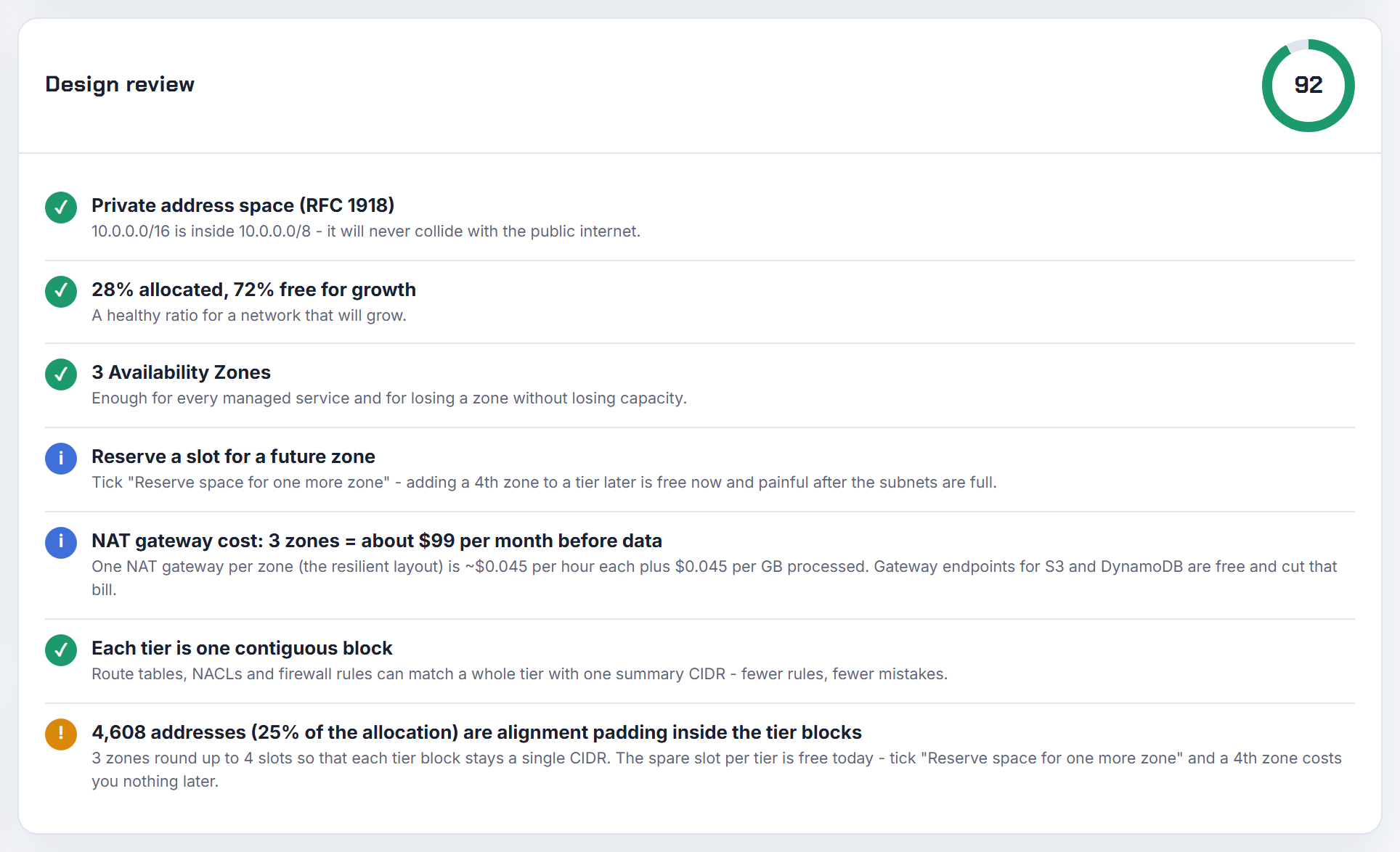
GKE gives nodes a /26 Pod range and reports lack of PodCIDR or IP space exhausted; how many Pods fit?
A /26 per node means 17 to 32 Pods on that node. GKE assigns each node a Pod block with at least twice as many addresses as its maximum Pods, so 8 Pods get a /28, 9 to 16 a /27, 17 to 32 a /26, 33 to 64 a /25 and 65 to 128 (the 110 default) a /24 (Pod CIDR ranges). Autopilot picks the maximum Pods per node for you from 8 to 256 and you cannot change it.
"Lack of PodCIDR" and IP space exhausted are the same problem seen from the node and from the cluster: the Pod secondary range has no free per-node block left, so new nodes cannot come up and the cluster cannot scale. The arithmetic is unforgiving: a /17 Pod range with /26 per node supports 512 nodes, but a /21 supports only 32. You cannot shrink or swap the original range; you can add Pod IPv4 ranges to an existing cluster and point new node pools at them (multi-Pod CIDR), or create new node pools with a lower --max-pods-per-node (GKE IP addressing). I merged the Autopilot exhaustion thread here because the fix is identical. The Kubernetes IP Calculator sizes the Pod range from max Pods and node count with the 31 minus ceil(log2(max Pods)) rule.
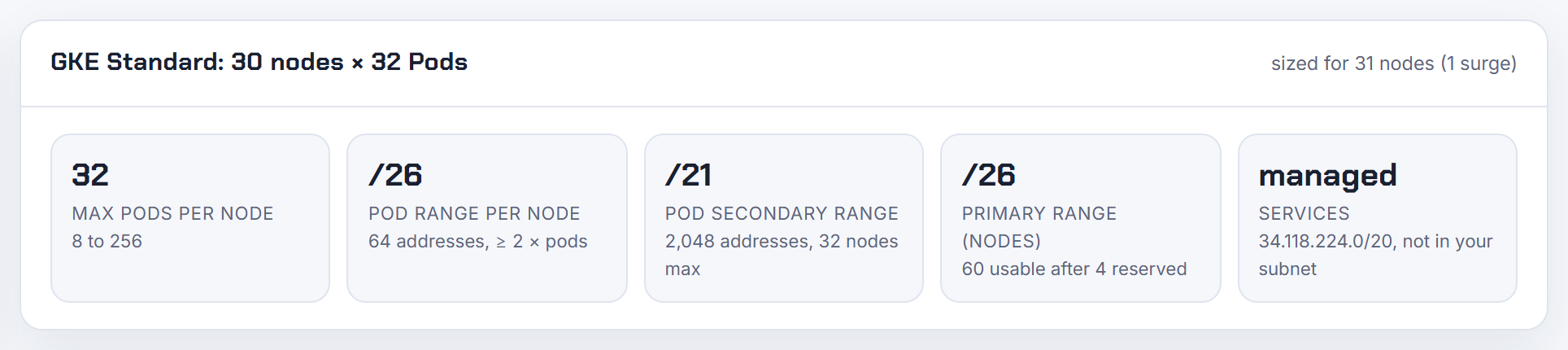
Our network is too large for a partner's VPN; can I NAT from a smaller range inside the VPC?
Yes, with a private NAT gateway. AWS documents this case under "Access your network using allow-listed IP addresses": associate the small range the partner accepts as a secondary CIDR, create a subnet from it, place a private NAT gateway there, and route partner-bound traffic from the application subnets to that NAT gateway; the partner then sees the NAT gateway's address from the allowed range (NAT gateway use cases). The NAT subnet's route table sends the partner prefix on to the virtual private gateway or transit gateway.
1app subnet:     partner-cidr  -> nat-gateway-id (private)
2nat subnet:     partner-cidr  -> vgw-id or tgw-id
The partner's VPN selectors then only need your small range, and your real VPC CIDR never appears on the tunnel. Remember the secondary CIDR must follow the association rules and cannot overlap any existing block (VPC CIDR blocks); a /28 is the smallest allowed and gives the NAT gateway room. The same construction solves overlapping networks between VPCs (next answers). The planner's leftover blocks show where a /28 or /27 for the NAT subnet can come from.
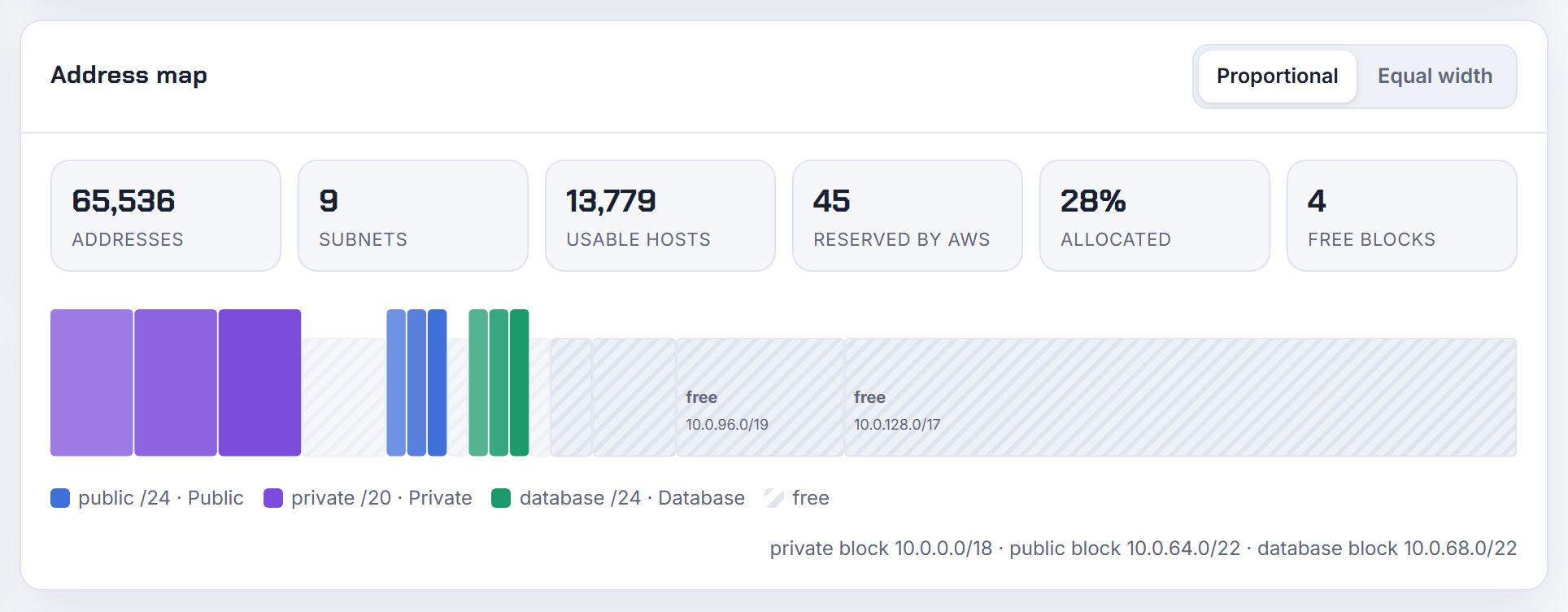
Overlapping VPC CIDRs across our AWS accounts break every connection; how do we untangle it?
Overlaps cannot be peered or attached together: peering refuses matching or overlapping IPv4 blocks even when only one of several blocks overlaps (peering limitations), inter-Region peering has the same rule, and Transit Gateway does not support overlapping CIDRs across attached VPCs (Client VPN with Transit Gateway). Two VPCs that both chose 10.0.0.0/16 therefore have three ways forward.
Renumber one side: a VPC's primary CIDR cannot change (re:Post), so this is a new VPC per environment and a migration, best done for the smaller or newer one. Bridge with NAT: AWS documents private NAT gateways plus a transit gateway for overlapping VPCs, where each VPC gets a non-overlapping routable secondary CIDR, a private NAT gateway on one side and a load balancer on the other (NAT gateway use cases). Connect at the service level instead of the network level: PrivateLink endpoints work across overlapping VPCs because only endpoint interfaces get VPC addresses (PrivateLink), which also covers cross-account DMS and similar tools when a NAT path is impractical.
Stop it recurring with an organization plan and IPAM, which allocates CIDRs to VPCs by rule. The planner's overlap check lists free alternatives when you paste every account's VPCs; details in overlapping CIDR blocks.

Is there an easier way than a script to find non-overlapping CIDRs across all our accounts?
Two: a managed allocator, or an inventory you paste into a checker. AWS IPAM organizes address space into pools and automatically allocates CIDRs to VPCs using your rules, monitors usage and keeps the assignment history across accounts in an organization (What is IPAM?); a VPC can be created straight from a pool with an Ipv4IpamPoolId and a netmask length (AWS::EC2::VPC), so overlaps become impossible rather than detected.
Without IPAM, collect the ranges with one command per account and region:
1aws ec2 describe-vpcs --query "Vpcs[].CidrBlockAssociationSet[].CidrBlock" --output text
describe-vpcs returns the primary CidrBlock and every secondary block (describe-vpcs). Paste the combined list into the planner's overlap check; it reports collisions and proposes free blocks of the size you ask for, which is the "next unused /24 from a larger pool" question answered without Python. In Terraform, the equivalent is cidrsubnets() over the pool with a fixed index per environment, which is deterministic but needs the index table kept by hand (cidrsubnets).
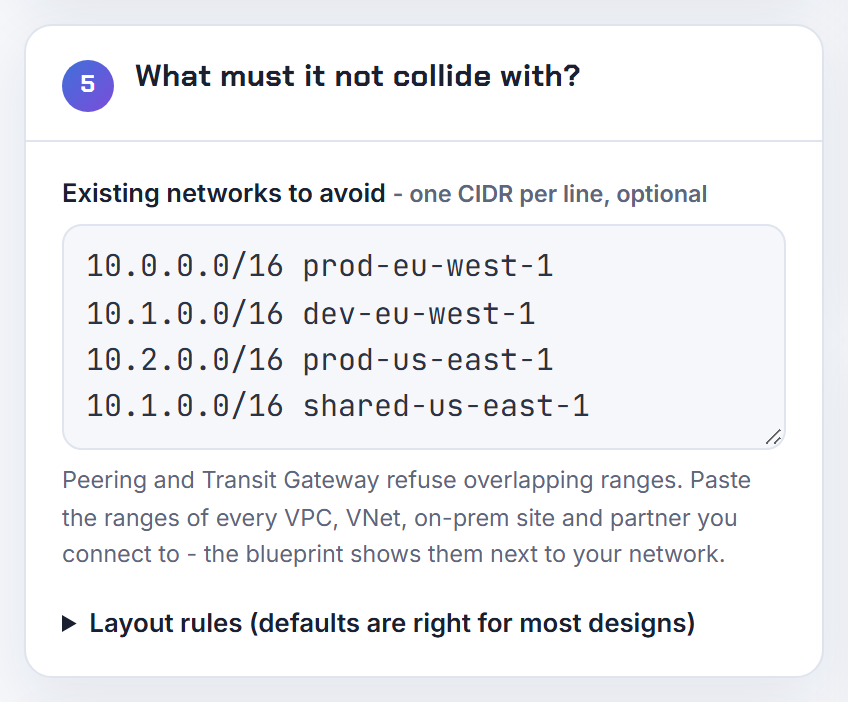
How do I give VPN users access to 14 VPCs in two accounts and regions when some CIDRs overlap?
Hub the VPCs behind a transit gateway and attach Client VPN directly to it. A Client VPN endpoint can be associated with a transit gateway instead of subnets, which gives clients every attached VPC through one endpoint, preserves the client source IP, and works with a transit gateway shared from another account via Resource Access Manager (Transit Gateway integration). You add a route per destination VPC and an authorization rule per CIDR, and each VPC needs a return route for the client CIDR. The endpoint and transit gateway must share a Region, and cross-Region transit gateway peering is not supported for Client VPN, so a second Region needs its own endpoint.
The overlapping VPCs are the limit: transit gateway does not support overlapping CIDRs across attachments, and the client CIDR (/22 to /12, fixed at creation) must not overlap any of them (Client VPN rules). For those, either renumber or front them with a private NAT gateway on a non-overlapping secondary CIDR (NAT gateway use cases), so clients reach a translated range. Pick the client pool last, after every VPC is in the planner's overlap check; see Transit Gateway step by step.

My on-prem subnet overlaps the AWS side of an IPsec VPN; what can I do?
Translate one side, because neither side will route an address that it also owns. On the AWS side the documented tool is a private NAT gateway in a subnet from a non-overlapping secondary CIDR: traffic to the remote network leaves with the NAT gateway's address, so the tunnel only ever carries the routable range (NAT gateway use cases). On the firewall side, SonicWall, ASA, Fortigate and Meraki all support policy NAT on the tunnel; which end translates depends on who can add a range.
Then narrow the tunnel to the translated prefixes. A Site-to-Site VPN connection has a local (customer) and a remote (AWS) IPv4 network CIDR, both 0.0.0.0/0 by default, and you can set them with modify-vpn-connection-options (modify connection options); point the remote CIDR at the secondary range the NAT gateway uses rather than the overlapping VPC CIDR. With Direct Connect the gateway refuses overlapping VPCs outright (VPC CIDR blocks), so the NAT subnet is the only AWS-side option there. Long term, renumber whichever side is smaller; the planner's overlap check with the office ranges pasted in shows which new block is safe. Background in what is NAT.

My on-prem subnets change constantly; what do I put as the remote network in AWS VPN phase 2?
Use summaries, not the live subnet list. AWS Site-to-Site VPN tunnels default to 0.0.0.0/0 for both the local and the remote IPv4 network CIDR, meaning any-to-any traffic selectors, and you can narrow either side later with modify-vpn-connection-options (modify connection options). A route-based configuration on your device with a single any/any phase 2 and BGP carrying the actual prefixes is the setup that never needs touching when a branch subnet appears.
If your device insists on policy-based selectors, pick one summary that contains all current and future on-prem networks, for example 10.0.0.0/8 or 192.168.0.0/16, and put that in phase 2 and in the AWS remote CIDR; the VPC side is the VPC CIDR or a summary of several VPCs behind a transit gateway. Summarising only works when the address plan was built for it: on-prem in one block, cloud in another, with no interleaving. Azure's VPN gateway has the same requirement: every peered VNet range must be in the on-prem device's interesting-traffic list, so the vendor documentation also recommends summaries (Azure VNet peering). The planner shows leftover space as clean CIDR blocks, which is the shape a summary route needs.
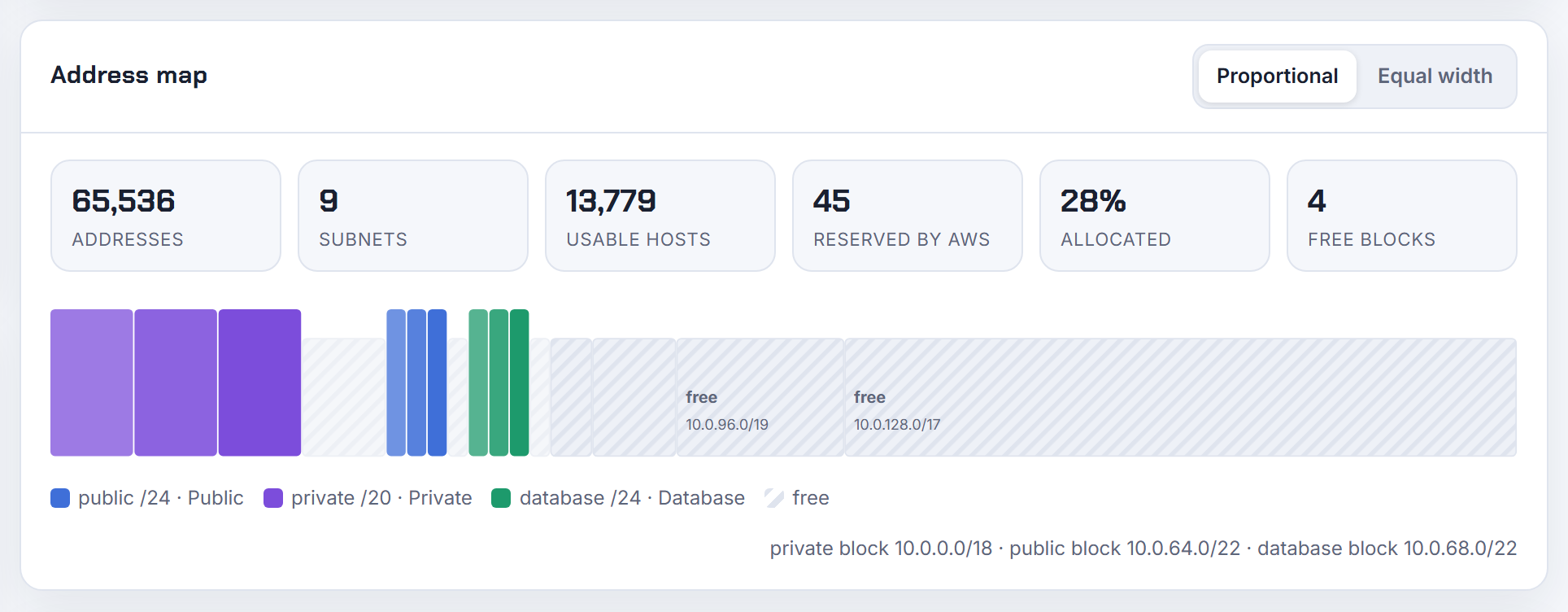
Can Azure VNets with overlapping addresses be peered, and why did peering break my kubenet pods?
No: "The virtual networks you peer must have nonoverlapping IP address spaces" (Azure VNet peering). Peering across subscriptions and even tenants is fine, including a hub that shares its VPN gateway through gateway transit, but the address spaces must be disjoint, and a range added later to a peered VNet cannot overlap the peers either (manage virtual networks). The way out of an overlap is a new VNet with a new range, or an NVA that translates.
The kubenet case is a hidden overlap. With kubenet only nodes get VNet addresses; Pods come from the pod CIDR, 10.244.0.0/16 by default, which must not be in use anywhere you connect, and each node takes a /24 from it through a route table (configure kubenet). Peer a VNet that uses part of 10.244.0.0/16 and Pod traffic is misrouted. A /26 VNet for AKS is itself tight: Azure reserves five addresses per subnet, and kubenet's route table caps a cluster at 400 nodes, but the node count is what a /26 limits to 59. Note that kubenet retires on 31 March 2028 and Microsoft points to CNI overlay. Paste the pod CIDR into the planner's overlap check with the VNets; see Azure VNet peering step by step.

Using the planner: sharing, privacy, exports and finding free space
These questions are about workflow; I answer them with the planner where it genuinely does the job and with the cloud CLI where it does not.
Is there a tool that finds the gaps in a big VPC with mixed /28 to /22 subnets?
Yes. Export the subnet list and paste it into the planner's overlap check; it treats the pasted subnets as existing networks and lists the unallocated space as clean CIDR blocks, which is the "where can a /24 still go" answer a fragmented VPC makes hard to see by eye.
1aws ec2 describe-subnets --filters Name=vpc-id,Values=vpc-0123456789abcdef0 \
2  --query "Subnets[].[CidrBlock,AvailabilityZoneId,AvailableIpAddressCount]" --output text
describe-subnets returns each CidrBlock plus AvailableIpAddressCount, the unused addresses inside each subnet (describe-subnets); the gaps between subnets are what the planner computes. If you prefer code, Python's ipaddress module has the primitives: collapse_addresses() merges adjacent blocks and IPv4Network.overlaps() tests collisions (ipaddress docs), and subtracting each subnet from the VPC range with address_exclude() yields the free blocks. Whichever route you take, remember a new subnet must be aligned to its own size; a free 10.0.3.0 to 10.0.5.255 holds a /24 at 10.0.4.0 but no /23. Nothing you paste into the planner is uploaded; the state lives in the URL fragment.

How do I condense a large list of overlapping networks into the fewest CIDRs?
Use a CIDR aggregation routine rather than string tricks. Python's standard library does it in one call: ipaddress.collapse_addresses() returns the collapsed networks, so 192.0.2.0/25 and 192.0.2.128/25 become 192.0.2.0/24, and nested or duplicate entries disappear (ipaddress docs):
1import ipaddress, sys
2nets = [ipaddress.ip_network(l.strip()) for l in sys.stdin if l.strip()]
3for n in ipaddress.collapse_addresses(nets):
4    print(n)
Two cautions. Collapsing only merges blocks that form a valid larger block; 10.0.1.0/24 and 10.0.2.0/24 stay separate because 10.0.1.0/23 is not aligned. And "greatest common prefix" of unrelated ranges is usually too big to be useful: the common supernet of 10.0.0.0/24 and 10.250.0.0/24 is 10.0.0.0/8.
Once condensed, put the result where it is enforced: an AWS managed prefix list can hold the set and be referenced from security groups and route tables, with entries counted against the rule quota. Pasting the condensed list into the planner's overlap check is then a short exercise, and its leftover blocks tell you what is still free for the next VPC.
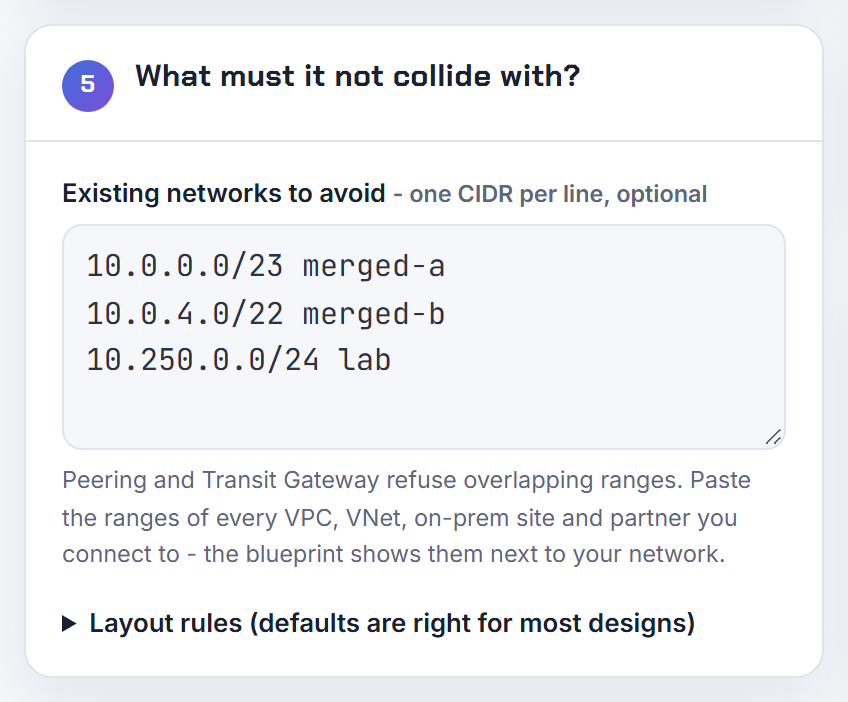
Can I list all VPC CIDRs or VNet peerings programmatically to feed into the planner?
Yes, the CLIs give you everything the planner needs; it accepts pasted CIDR lists for the overlap check and exports CSV and JSON back out.
AWS, per account and region:
1aws ec2 describe-vpcs --query "Vpcs[].{id:VpcId,cidrs:CidrBlockAssociationSet[].CidrBlock}"
CidrBlockAssociationSet includes the primary and every secondary block (describe-vpcs). For an organization-wide view, IPAM keeps the allocations and their history in one place (What is IPAM?).
Azure, per VNet:
1az network vnet list --query "[].{name:name,space:addressSpace.addressPrefixes}" -o table
2az network vnet peering list --resource-group rg --vnet-name hub -o table
az network vnet peering list takes the resource group and VNet name and returns each peering with its remote network (az network vnet peering). Combine the address spaces of every peered VNet into one list, paste it in, and the planner reports which proposed range collides and which free blocks remain. For GKE and EKS add the Pod and Service ranges from the calculator as well, since they are networks the CLI inventory will not show.

Which online subnet calculator should I trust when it says 254 hosts for a /24 and AWS says 251?
Both are right about different networks. A generic calculator subtracts the network and broadcast addresses, leaving 254 in a /24. Clouds reserve more: AWS reserves the first four and the last address of every subnet, 251 usable in a /24 and a /28 minimum (subnet sizing); Azure reserves the first, the last and three more for its services, also 251, with a /29 minimum that leaves three usable (manage subnets); Google Cloud reserves the first two and the last two of a primary range, 252 usable, with a /29 minimum (subnets).
| Prefix | Generic | AWS | Azure | GCP |
|---|---|---|---|---|
| /24 | 254 | 251 | 251 | 252 |
| /27 | 30 | 27 | 27 | 28 |
| /28 | 14 | 11 | 11 | 12 |
| /29 | 6 | not allowed | 3 | 4 |
So trust a calculator that knows which cloud you are on. The planner applies these reserves per cloud and refuses sizes below the cloud's minimum; the full table is in usable IP addresses on AWS, Azure and GCP, and the comparison with other calculators is in VPC subnet calculator comparison.

How can I see the resolved CIDR next to each cidrsubnet() call before I apply?
Three ways, cheapest first. Evaluate the expression in terraform console, which works with empty state and can be scripted:
1echo 'cidrsubnet("10.0.0.0/16", 8, 17)' | terraform console
Run terraform plan: when every input to cidrsubnet is known at plan time the subnet's cidr_block is printed as a literal in the plan, so four identical CIDRs are visible before anything is created. If the prefix comes from a resource or a deferred data source, the value is "known after apply" and you see nothing useful, which is the root of the "cannot use the output of aws_vpc" complaint; the data source docs explain when reads are deferred. Keep the VPC CIDR in a variable and derive everything from it, and plan will always show the resolved values.
The planner takes the third route: it displays the cidrsubnet() derivation beside each subnet's resolved CIDR and writes both into the Terraform export, so reviewers read the address, not the arithmetic.
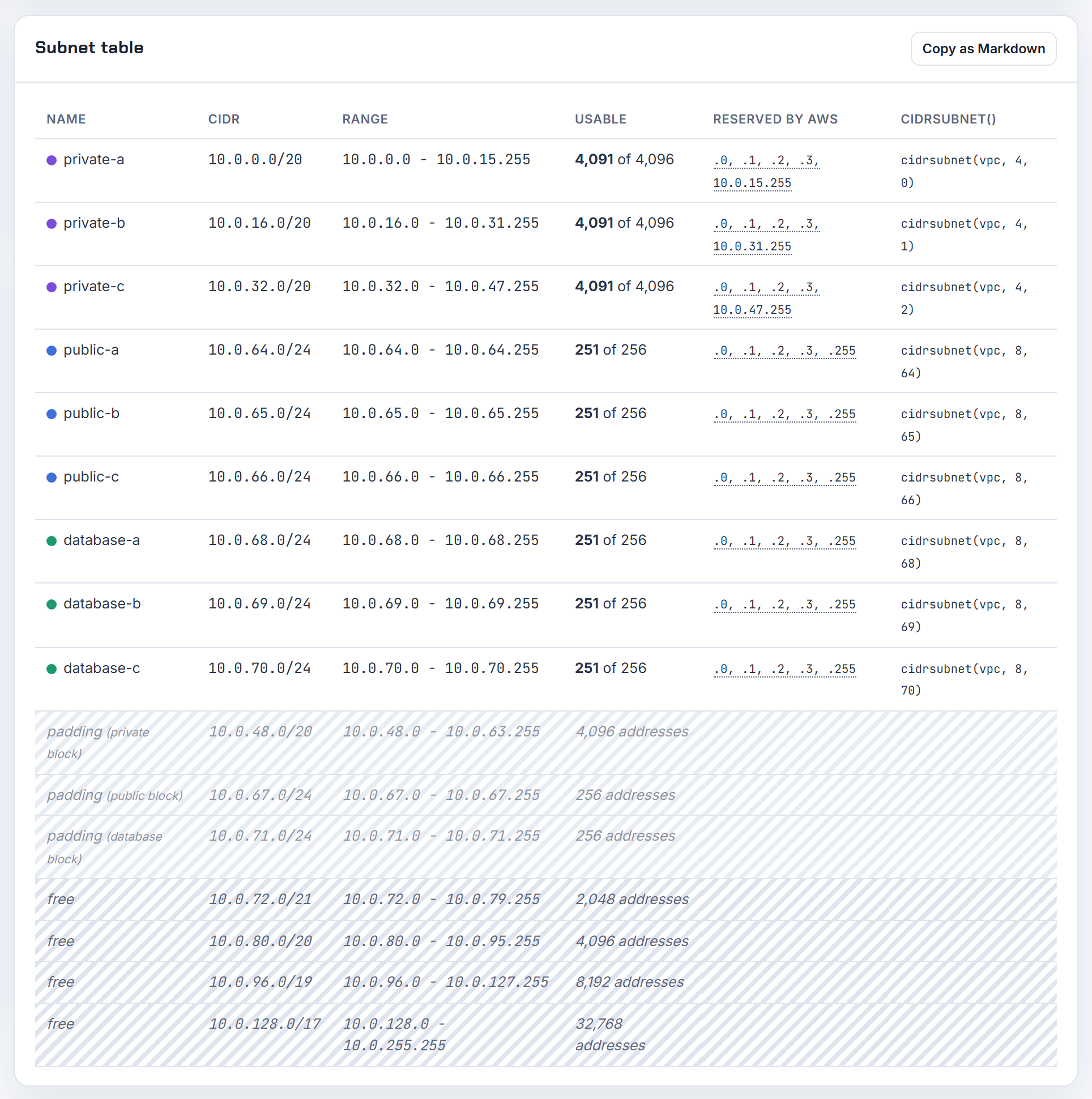
How do I make sure a generated Terraform plan applies cleanly and shows no diff on the next run?
Check it in two stages. terraform validate catches syntax and internal consistency without touching providers or state, so it is safe in CI; it does not evaluate variable values or call AWS. terraform plan does both, includes an implied validation, and is the only step that shows whether a resource would be replaced.
A second-run diff after a clean apply has a short list of causes: values derived from deferred data sources (data source docs), attributes the provider normalises (a non-canonical CIDR such as 10.0.0.18/18 is stored by AWS as 10.0.0.0/18, so write the canonical form), and module outputs that change shape when optional features are off. For the VPC module, keep inputs explicit: pass literal subnet lists and set the NAT and database routing flags you mean rather than relying on defaults (module README).
The planner's Terraform export is run through validation before it is offered, uses literal CIDRs throughout, and declares NAT per zone, the isolated database route table and the S3 gateway endpoint explicitly. Run plan twice on it, once to create and once to confirm zero changes, before you commit it.
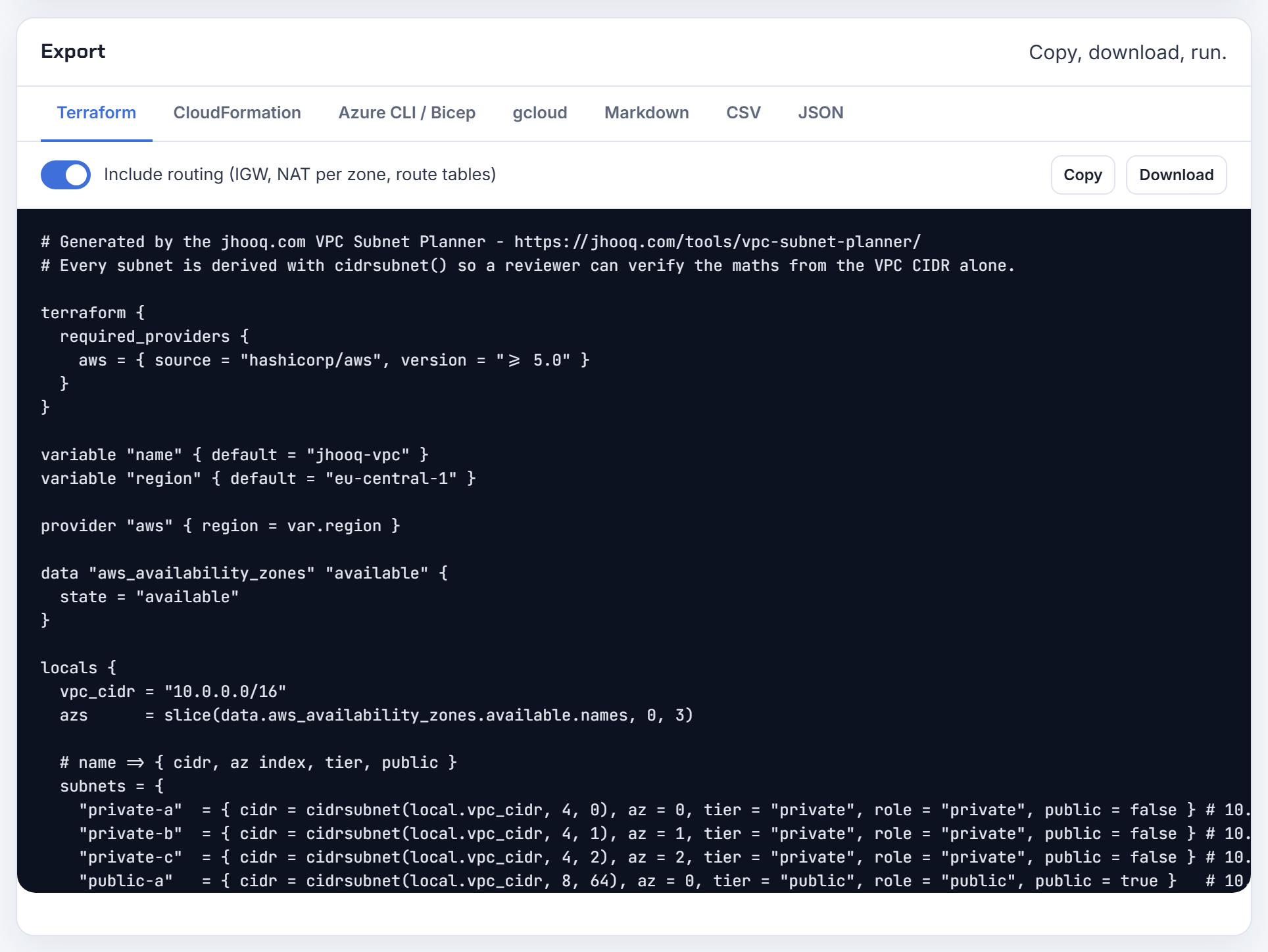
Can I reuse the same subnet layout in many VPCs and only change the VPC prefix?
Yes, as long as the VPCs never need to talk to each other. Write the layout as offsets from the VPC CIDR, cidrsubnet(var.vpc_cidr, newbits, netnum) with a fixed table of newbits and netnum per tier and zone, and the same module produces 10.1.0.0/16, 10.2.0.0/16 and so on with identical internal structure (cidrsubnet). Route tables, security group rules and NACLs written against the offsets stay identical too, which is the point of micro-environments.
The constraint is overlap: VPCs that share subnet CIDRs can be peered only if their VPC CIDRs do not overlap, which holds when each environment gets its own /16, and VPCs with identical CIDRs cannot be peered at all (peering limitations). So vary the VPC prefix, never reuse it, and allocate the prefixes from one list.
For many VPCs from one tfvars, keep a map of environment to VPC CIDR and feed each through the same root module; the netnum table lives in the module, not in the vars. The planner's share link carries the whole design in the URL fragment, so changing the network address and re-exporting gives you the next environment's files in a minute.
Can I get my VPC and subnet layout reviewed before I build it?
Yes, and the review has a checklist you can run yourself. Is the VPC CIDR private and between /16 and /28, and does it avoid 172.17.0.0/16, which some AWS services use (VPC CIDR blocks)? Does it overlap any office, VPN or partner range you may ever connect (peering limitations)? Are there at least two zones per tier, and is every subnet /28 or larger with the five reserved addresses counted (subnet sizing)? Do public subnets have a /27 and eight free addresses per load balancer (ALB requirements)? Does the plan leave headroom, and have you priced a NAT gateway per zone at 0.045 USD per hour plus 0.045 USD per GB as of 2026-10-21 (US East (Ohio) example on the VPC pricing page)? If EKS is coming, can the private tier hold the nodes and Pods (EKS requirements)?
Post the design with those answers and reviewers can focus on what is specific to you. The planner's design review scores exactly these points (RFC 1918, size limits, ALB /27, zone count, 95 percent headroom, NAT cost per zone, EKS node capacity, the 172.17.0.0/16 warning) and the share link lets a colleague open the same design without uploading anything. The companion write-up is VPC Subnet Planner.
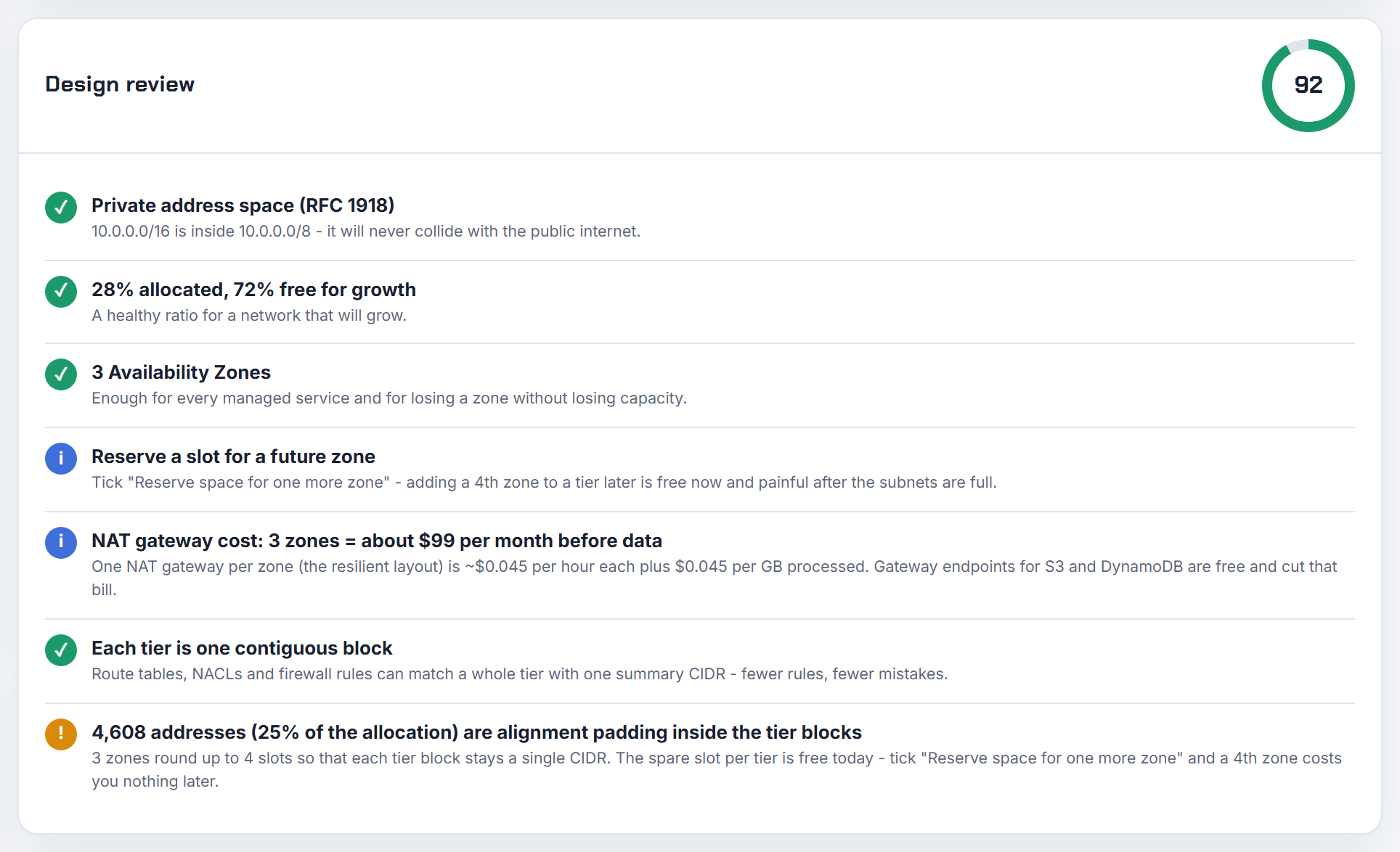
How do IP addresses, subnets, route tables and CIDRs fit together in a VPC?
Four layers, each inside the previous. A VPC is a private network with an IP address range written in CIDR notation, for example 10.0.0.0/16. A subnet is a range of IP addresses in your VPC, a slice of the VPC range that lives in one Availability Zone, and every instance you launch takes a private address from its subnet. A route table is a set of rules that decides where traffic from a subnet goes; each subnet is associated with exactly one route table, explicitly or by falling back to the main table, and each route pairs a destination range with a target such as an internet gateway, NAT gateway, peering connection or transit gateway (How Amazon VPC works).
The exam-style consequences follow: a subnet is "public" only because its route table sends 0.0.0.0/0 to an internet gateway; a "private" subnet reaches the internet only through a NAT device in a public subnet; two subnets in one VPC talk through the automatic local route; and CIDR arithmetic tells you how many subnets of a size fit, less the five addresses AWS reserves in each (subnet sizing).
Start with what is CIDR and AWS VPC public and private subnets step by step; the planner's teach mode walks through the same layers with short videos as you build a design.
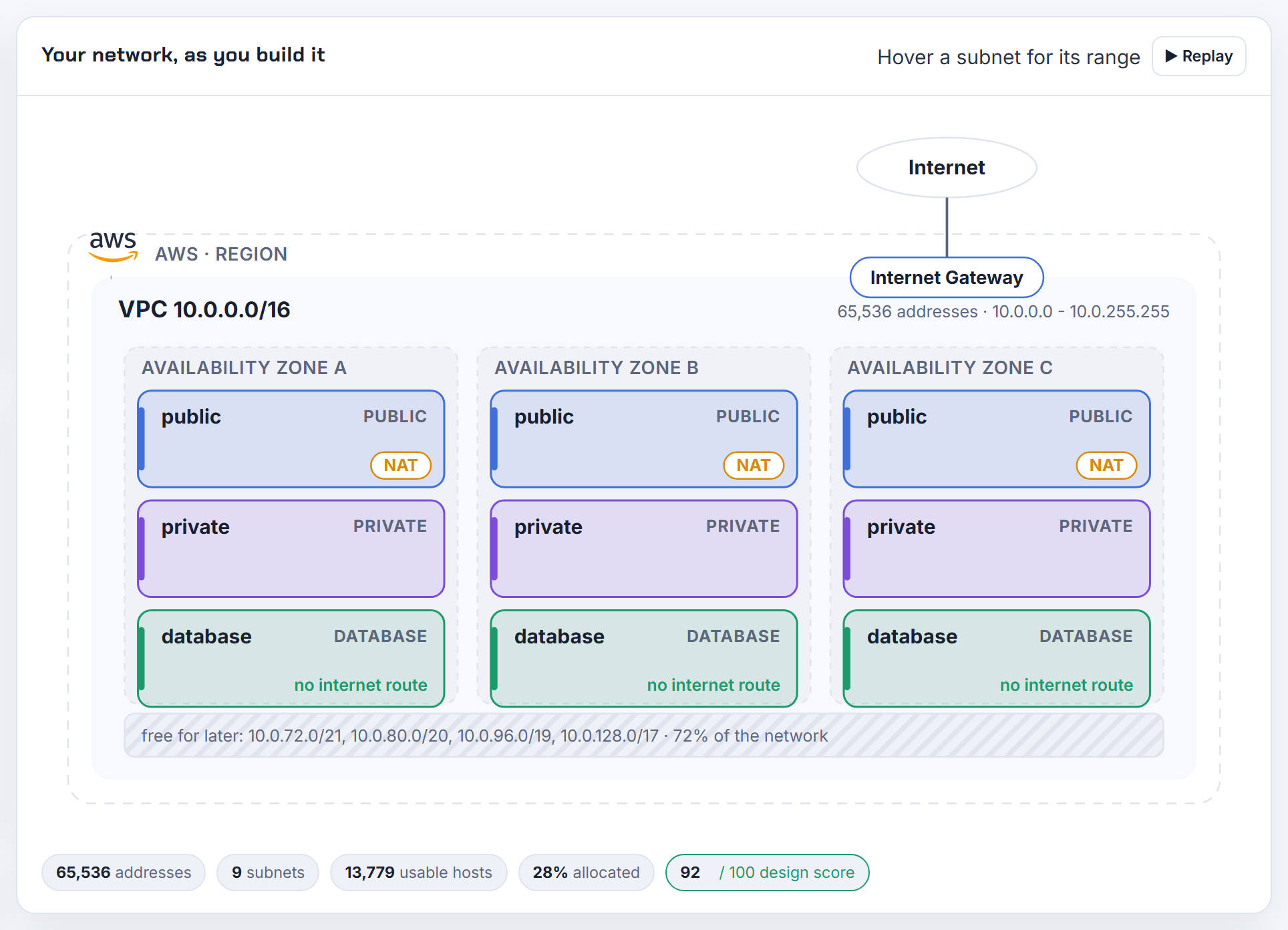
Is there a simpler way than a script to clone Azure VNet subnets into a new address space?
Often you do not need a clone, and when you do, the planner's share link is the shortcut. First check whether the existing VNet can simply grow: Azure lets you add an address range to a VNet, or extend an existing range, as long as it does not overlap another range in the VNet or in any peered VNet, and you can shrink a range only while it still contains its subnets (manage virtual networks). A subnet's own range, however, can only be changed when no resources are deployed in it (manage subnets), which is why renumbering a busy VNet turns into a rebuild.
For the rebuild, the script's job is to keep sizes and order while shifting the base address; that is a pure offset calculation. Load the existing layout into the planner (Azure mode, prefixes per tier, zones), change the network address, and export Bicep or Azure CLI; the subnets come out with the same sizes in the same order on the new base, and the share link in the URL fragment lets you send the before and after designs to the team without uploading anything. Then migrate workloads by changing each NIC's subnet, which Azure allows within the same VNet (Azure network interfaces), or redeploy into the new VNet and peer during the transition; the walkthrough is in Azure VNet, subnet, NSG and route table step by step.