Google Cloud External HTTP Load Balancer Step by Step - Forwarding Rule, Proxy, URL Map, Backend Service, Health Check and Instance Group in the Console and in Terraform, and Why the First curl Returned 502 (GCP Part 9)

TL;DR
- A Google Cloud external HTTP load balancer is five objects in a chain: global forwarding rule (one anycast IP on Premium Tier) → target HTTP proxy → URL map → backend service with a health check → instance group of VMs. In the console the wizard creates all of them as "frontend, routing rules, backend"; in Terraform each one is its own resource.
- The lab: VPC 10.100.0.0/16 from Part 2 of the course, subnet 10.100.1.0/24 in europe-north2, two Debian VMs at 10.100.1.7 and 10.100.1.8, one load balancer IP. Refreshing the page alternated between the two VMs.
- Two firewall rules decide whether it works: health check probes come from 35.191.0.0/16, and proxied requests come from 130.211.0.0/22 and 35.191.0.0/16. Without them the backend stays unhealthy and the load balancer answers 502.
- The first curl returned 502 Server Error ("Please try again in 30 seconds") while the backend was not yet usable. Google documents this as
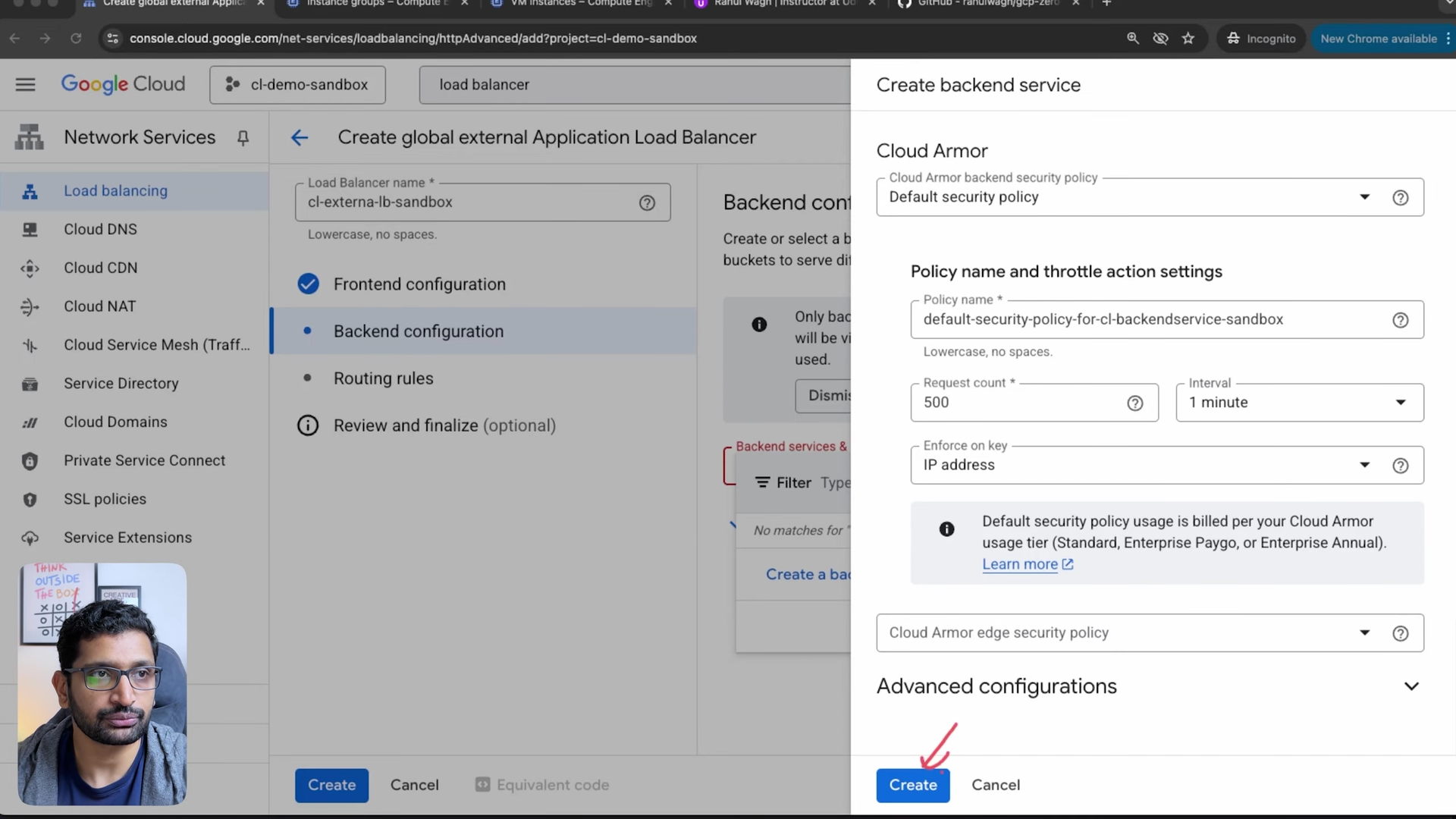
failed_to_pick_backend: normal for a few minutes after a configuration change, or permanent if health checks fail. - Costs to know: the first 5 forwarding rules are $0.025 per hour together (about $18 per month), plus data processing per GiB. The console wizard also turned on Cloud CDN and attached a default Cloud Armor security policy, which the console says is billed per your Cloud Armor tier; the Terraform version has neither.
- Not your exact case? For the network underneath, size it with the VPC Subnet Planner; for the AWS equivalent, read ALB vs NLB.
Table of Content
- What the external Application Load Balancer is made of
- What we are going to build
- Firewall rules for health checks and proxied traffic
- Build it in the console
- Test it - one VM, then two
- The same load balancer in Terraform
- What it costs
- What broke when I ran this
- Conclusion
1. What the external Application Load Balancer is made of
When I opened the load balancing page for the first time I expected one object called "load balancer". There is no such object. What the console shows as one load balancer is five resources, and every one of them can be shared or replaced on its own. This is the chain from the request's point of view, with the names the console uses and the Terraform resource for each:
| Piece | What it does | Console section | Terraform resource |
|---|---|---|---|
| Global forwarding rule | Owns the external IP and port (here 80) and sends traffic to the proxy | Frontend configuration | google_compute_global_forwarding_rule |
| Target HTTP proxy | Terminates the client's HTTP connection on a Google Front End (GFE) | created by the wizard | google_compute_target_http_proxy |
| URL map | Picks a backend service by host and path; one default rule here | Routing rules | google_compute_url_map |
| Backend service | Holds the backends, the balancing mode, timeouts and the health check | Backend configuration | google_compute_backend_service |
| Health check | Probes each VM; only healthy ones receive requests | created inside the backend | google_compute_health_check |
| Instance group | The VMs themselves, with a named port | Compute Engine, Instance groups | google_compute_instance_group_manager (managed) |
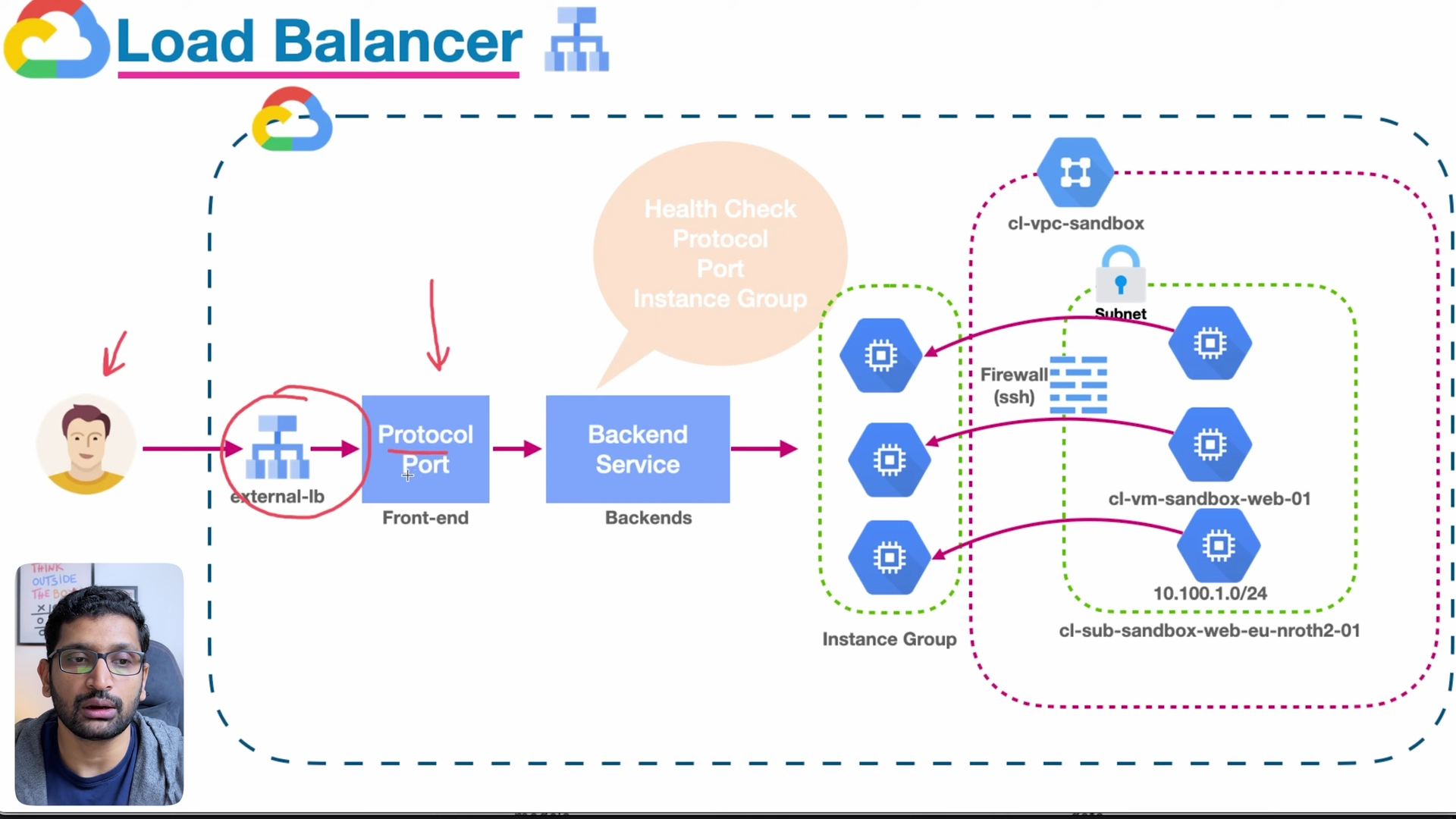
The overview page calls this a global external Application Load Balancer: global in Premium Tier, with one anycast IP that is the same from every country, and the HTTP connection terminated on Google's edge rather than on your VM.
2. What we are going to build
This builds on the network from earlier parts of the series, the same one I used for the bastion host:
- Project
cl-demo-sandbox, region europe-north2 (Stockholm), VPCcl-vpc-sandbox10.100.0.0/16. - Subnet
cl-sub-sandbox-web-eu-nrth2-01, 10.100.1.0/24. On Google Cloud a /24 has 252 usable addresses, because the first two and the last two are reserved (usable IPs per subnet). - Two VMs serving a one-line page with their hostname and IP:
cl-vm-sandbox-bastion-01at 10.100.1.7 andcl-test-vm-sandbox-01at 10.100.1.8, in an unmanaged instance groupcl-public-vm-instancegroup-sandbox. - One external HTTP load balancer
cl-externa-lb-sandboxin front of them.
In the video I built it in the console so every piece is visible. Section 6 is the Terraform from the course repository, which builds the same thing with a managed instance group instead of hand-made VMs.
3. Firewall rules for health checks and proxied traffic
This is the step most tutorials skip and the reason most first attempts show "unhealthy". The load balancer does not reach your VM from the internet. It reaches it from Google's own ranges, and your VPC's implied deny-ingress rule blocks them until you allow them:
| Traffic | Source range | Port | Source |
|---|---|---|---|
| Health check probes for GFE-based load balancers | 35.191.0.0/16 | the health check port, 80 here | Health check concepts |
| Proxied client requests from the GFEs to instance groups | 130.211.0.0/22 and 35.191.0.0/16 | the named port, 80 here | External Application Load Balancer overview |
| Your own SSH, if you need it | IAP 35.235.240.0/20 or your office IP | 22 | IAP TCP forwarding |
The course repository allows 35.191.0.0/16 and 130.211.0.0/22 on port 80 to instances with the web-backend tag, which covers both of the first two rows.
4. Build it in the console
First the instance group: Compute Engine → Instance groups → Create instance group → New unmanaged instance group, in europe-north2-a, network cl-vpc-sandbox, subnet cl-sub-sandbox-web-eu-nrth2-01, the bastion VM selected, and a port mapping named tcp on port 80.
Then the load balancer: search for "load balancing", Create load balancer, Application Load Balancer, the global deployment rather than a single region, and the global external Application Load Balancer generation rather than the classic one. The wizard, titled Create global external Application Load Balancer, has three sections.
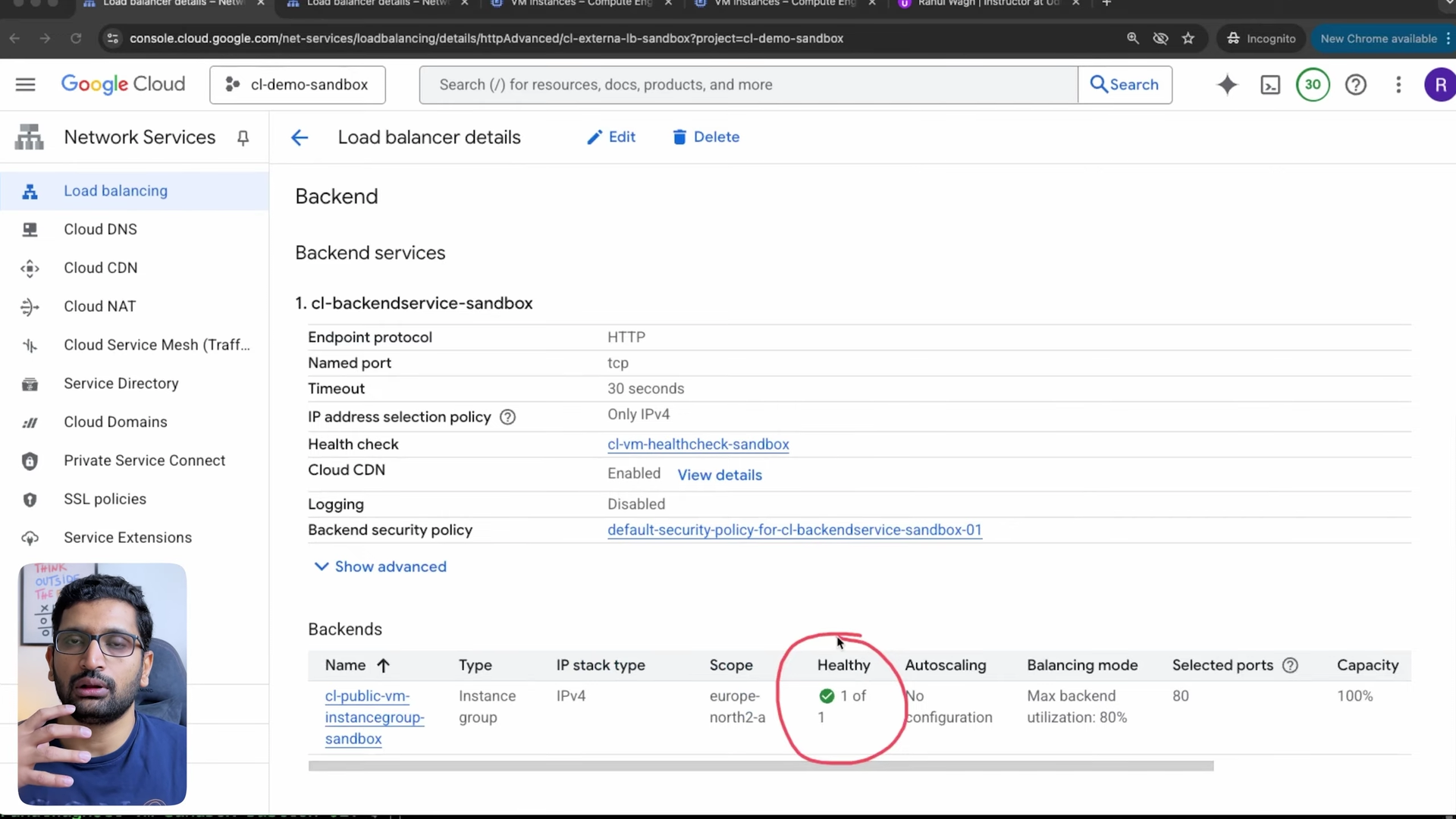
Backend configuration. Create a backend service of type instance group and pick cl-public-vm-instancegroup-sandbox; the console notices the group's named port and asks whether to use tcp for the backend service. Create a health check inline: HTTP on port 80. I kept the balancing mode at Utilization with a maximum backend utilization of 80% and a capacity of 100%.
Routing rules. Leave the simple host and path rule: everything goes to the one backend service.
Frontend configuration. HTTP on port 80, Premium Tier. Review and create:
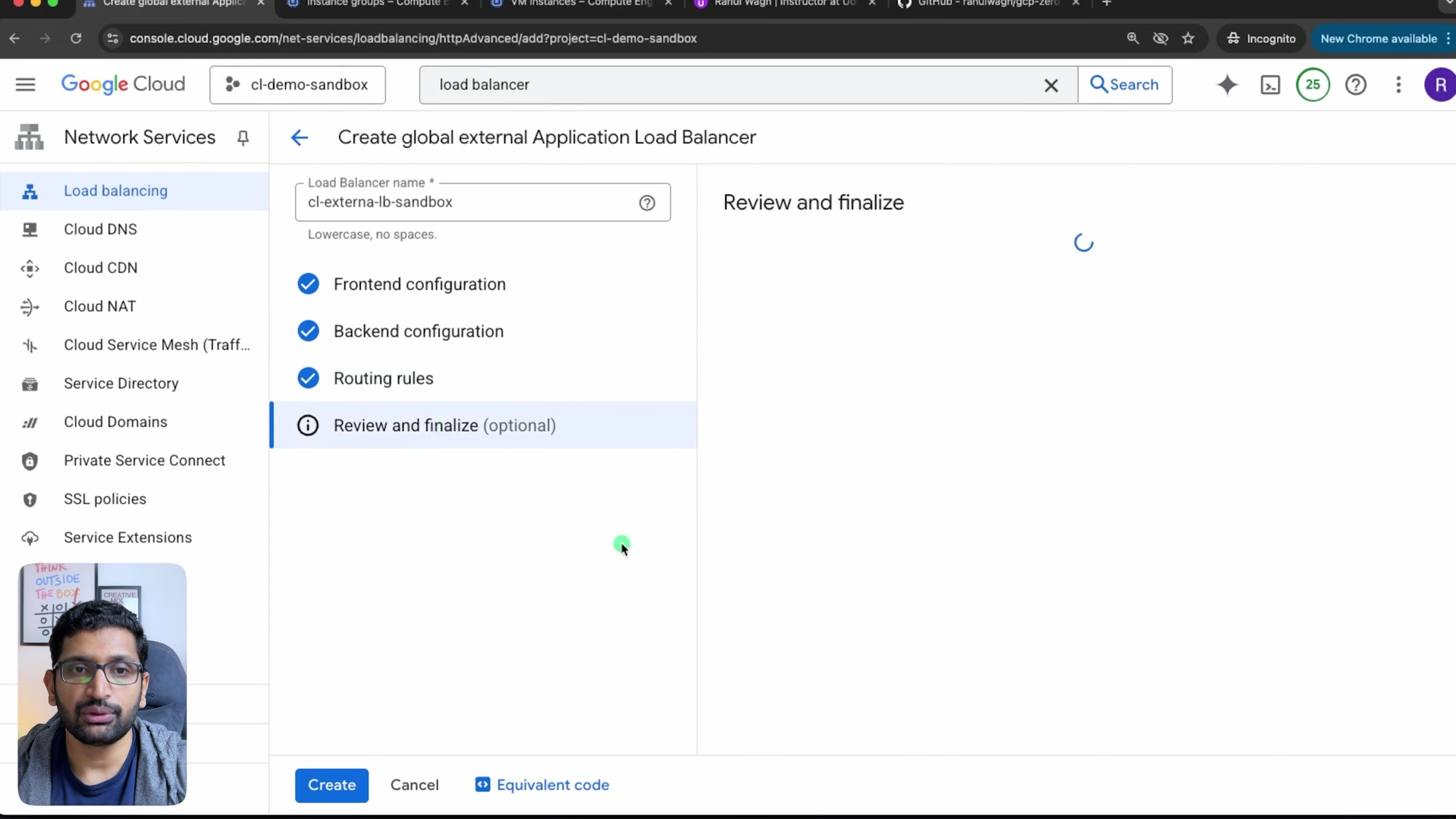
Creation took a few minutes in the recording. When it finished, the backend showed 1 of 1 healthy. That column is where I look first when a load balancer "does not work": a red backend means a firewall rule or a service that is not listening on the health check port, not a load balancer problem.
5. Test it - one VM, then two
With one VM in the instance group, the load balancer IP served the bastion's page:
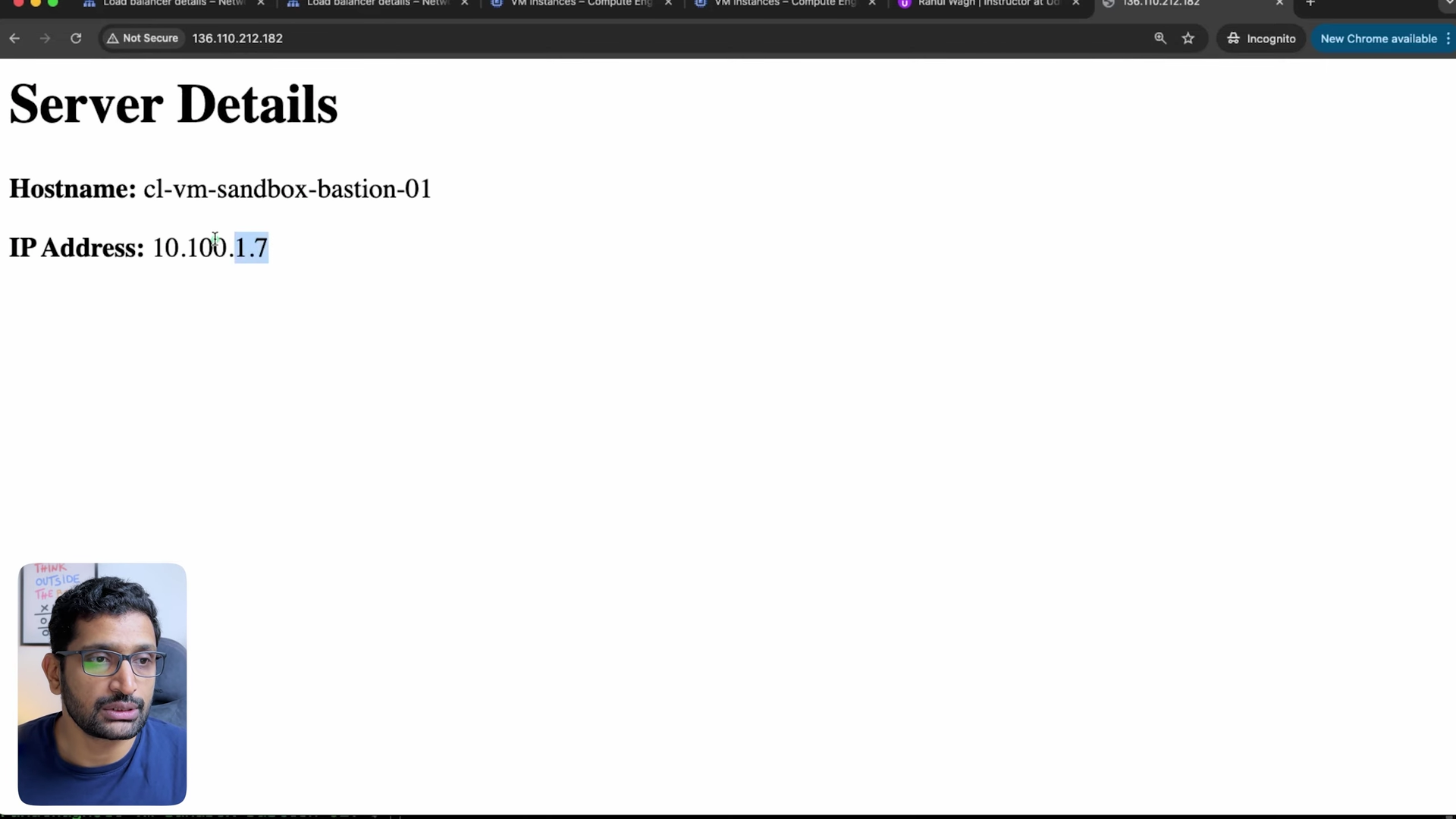
The page is plain HTML written by a small script on the VM; this is the same page fetched locally on the VM, from my terminal in the recording:
1rahulwagh@cl-vm-sandbox-bastion-01:~$ curl localhost
2<h1>Server Details</h1><p><strong>Hostname:</strong> cl-vm-sandbox-bastion-01</p><p><strong>IP Address:</strong> 10.100.1.7</p>
Then I created a second VM, cl-test-vm-sandbox-01, with the same script, added it to the instance group (Edit instance group, Select VMs), and waited for the health status count to go from one to two. Refreshing the load balancer IP now alternated between the two:
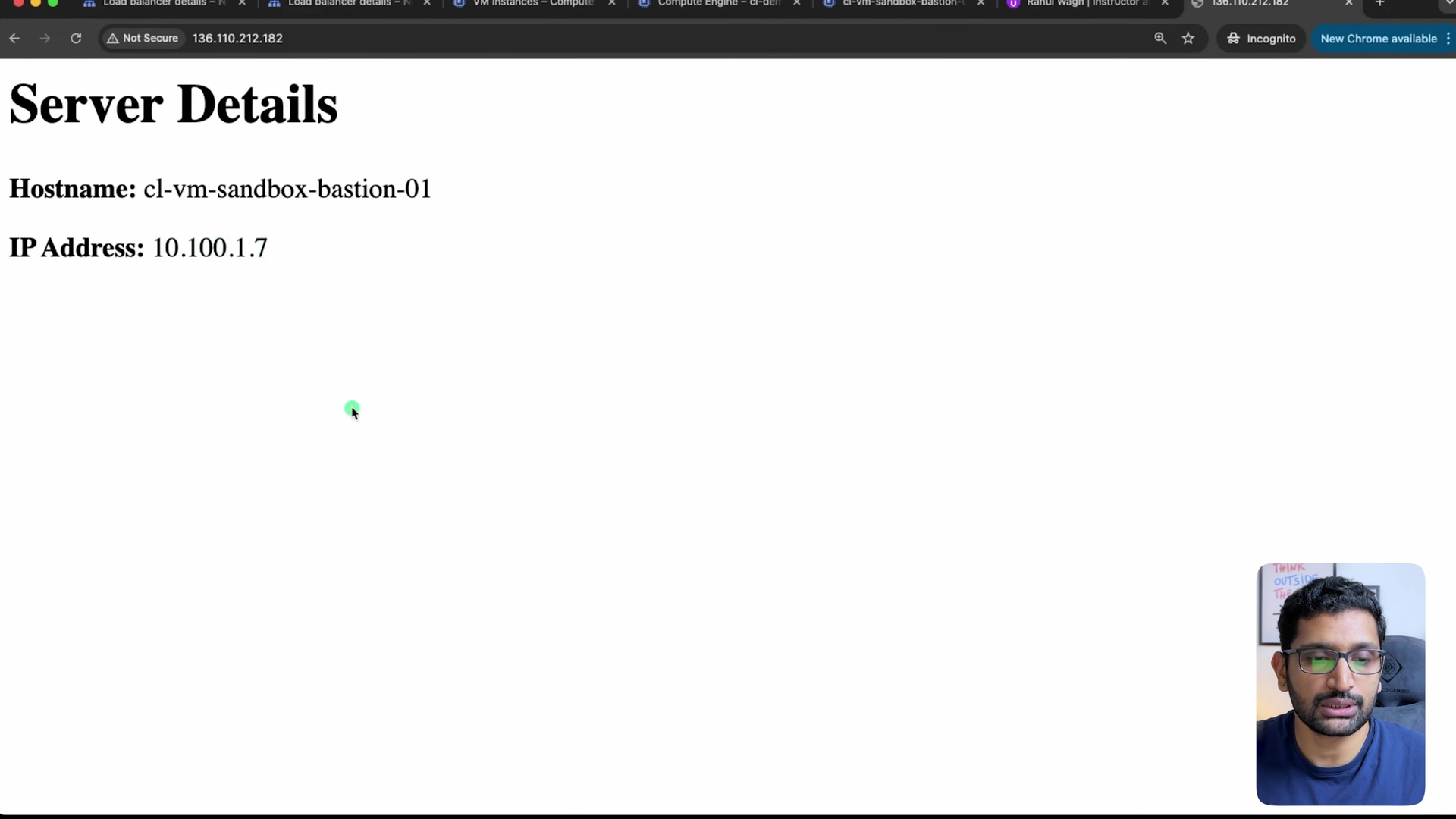
The client never sees 10.100.1.7 or 10.100.1.8. It talks to one IP; the GFE picks a healthy backend for each request.
6. The same load balancer in Terraform
The course repository has this as chapter 5. It is not a copy of the console build; it is the production version of it:
- an instance template (e2-micro, nginx installed by a startup script that writes the same hostname page and a
/healthfile), - a managed instance group of 2 instances with auto-healing on the health check (
initial_delay_sec = 300) and a rolling update policy, - a health check on
/healthevery 5 seconds, healthy and unhealthy thresholds of 2, - a backend service with
load_balancing_scheme = "EXTERNAL_MANAGED", utilization 80%, connection draining 300 seconds, - URL map, target HTTP proxy and global forwarding rule on port 80.
The core of it:
 1resource "google_compute_backend_service" "web_backend" {
 2  name                  = "${var.lb_name}-backend-service"
 3  protocol              = "HTTP"
 4  port_name             = "http"
 5  timeout_sec           = 30
 6  health_checks         = [google_compute_health_check.http_health_check.id]
 7  load_balancing_scheme = "EXTERNAL_MANAGED"
 8
 9  backend {
10    group           = google_compute_instance_group_manager.web_backend.instance_group
11    balancing_mode  = "UTILIZATION"
12    capacity_scaler = 1.0
13    max_utilization = 0.8
14  }
15
16  session_affinity                = "NONE"
17  connection_draining_timeout_sec = 300
18}
19
20resource "google_compute_url_map" "web_lb" {
21  name            = "${var.lb_name}-url-map"
22  default_service = google_compute_backend_service.web_backend.id
23}
24
25resource "google_compute_target_http_proxy" "web_lb" {
26  name    = "${var.lb_name}-http-proxy"
27  url_map = google_compute_url_map.web_lb.id
28}
29
30resource "google_compute_global_forwarding_rule" "web_lb" {
31  name                  = "${var.lb_name}-forwarding-rule"
32  ip_protocol           = "TCP"
33  load_balancing_scheme = "EXTERNAL_MANAGED"
34  port_range            = "80"
35  target                = google_compute_target_http_proxy.web_lb.id
36}
I validated the chapter on 2026-10-20 with Terraform 1.16.2, once with the provider version the repository pins and once with the current provider, without changing a line of the configuration:
1$ terraform init    # provider "~> 5.0" as pinned in provider.tf
2- Installed hashicorp/google v5.45.2 (signed by HashiCorp)
3$ terraform validate
4Success! The configuration is valid.
5
6$ terraform init    # provider ">= 6.0"
7- Installed hashicorp/google v8.7.0 (signed by HashiCorp)
8$ terraform validate
9Success! The configuration is valid.
Both pass. The only thing terraform fmt -check complains about is the alignment of session_affinity in the backend service, which the block above already shows fixed.
7. What it costs
| Item | Price | For this lab |
|---|---|---|
| Forwarding rules, global | first 5 rules $0.025 per hour together, then $0.01 per hour each (network pricing) | 1 rule: $0.025 per hour, about $18 per month |
| Data processed by the load balancer | per GiB, on the same page | a few MB of test traffic |
| Backend VMs | Compute Engine price of the machine type | 2 × e2-micro |
| Cloud CDN and Cloud Armor | only if enabled | the console wizard enabled both (section 8) |
The forwarding rule is the line that keeps charging after the demo ends, so delete the load balancer when you finish: in the console, Delete on the load balancer details page and tick the health check and backend service as well, or terraform destroy for chapter 5.
8. What broke when I ran this
1. The first requests returned 502 Server Error. Before the browser test worked, my terminal on the bastion still had three earlier curl http://136.110.212.182/ calls in its history, each answered by Google's error page rather than by my VM:
 1rahulwagh@cl-vm-sandbox-bastion-01:~$ curl http://136.110.212.182/
 2<html><head>
 3<meta http-equiv="content-type" content="text/html;charset=utf-8">
 4<title>502 Server Error</title>
 5</head>
 6<body text=#000000 bgcolor=#ffffff>
 7<h1>Error: Server Error</h1>
 8<h2>The server encountered a temporary error and could not complete your request.<p>Please try again in 30 seconds.</h2>
 9<h2></h2>
10</body></html>
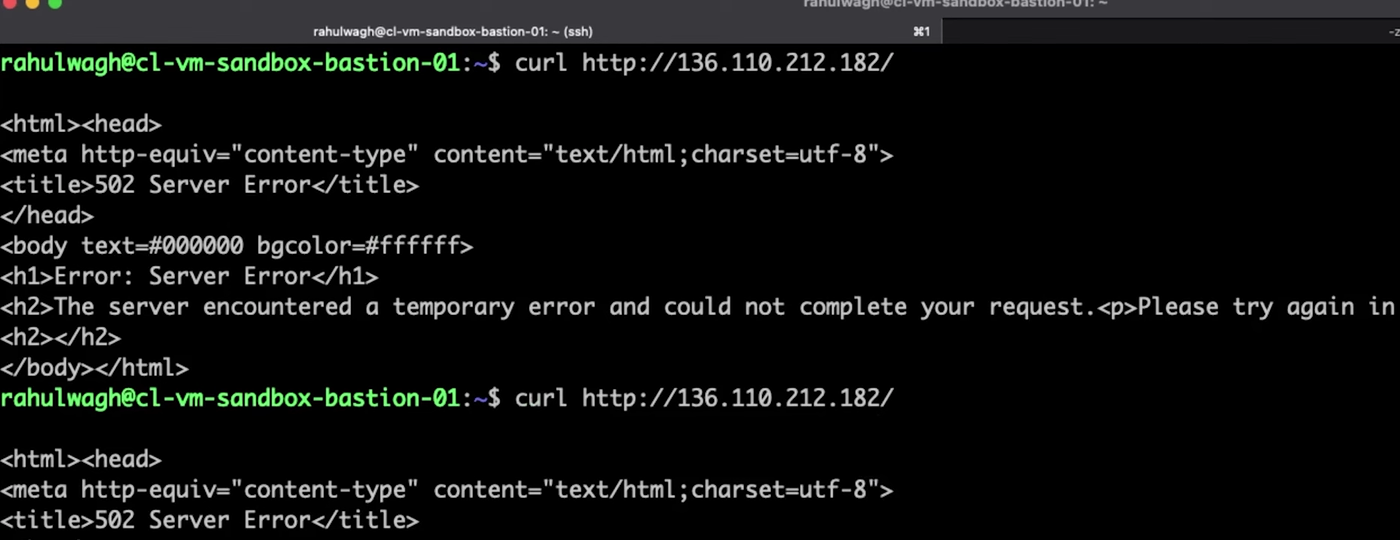
That page comes from the GFE, which is the useful clue: the load balancer is up, it just has no backend it is willing to use. Google's troubleshooting guide names two causes, logged as failed_to_pick_backend: a short window after a configuration change while it propagates to the GFEs ("wait a few minutes"), or backends that fail their health check, usually because the probe ranges in section 3 are not allowed. I did not note the exact timing of those three calls, so I cannot tell you which of the two it was in my case; a few minutes later, with the backend showing healthy, the same IP served the page. If yours stays at 502, check the healthy column first.
2. The console switched on Cloud CDN and a Cloud Armor policy. The load balancer details show Cloud CDN: Enabled and a backend security policy default-security-policy-for-cl-backendservice-sandbox-01 that I never asked for; while creating the backend service the console filled in that policy with a throttle of 500 requests per 1 minute per client IP address and noted that the default security policy "is billed per your Cloud Armor usage tier". The throttle is a sensible default for a public site and a surprise for a load test. For a lab, untick both in the backend service before you create it. The Terraform version leaves CDN commented out and attaches no policy, so the two builds are not identical on cost.
3. The repository's VM image reached end of support. terraform.tfvars in chapter 5 uses debian-cloud/debian-11. Google's OS details page lists Debian 11 as end of support with an image deprecation date of 31 August 2026, while Debian 12 (debian-cloud/debian-12) is supported until 30 June 2028. terraform validate cannot catch this because the image is only resolved at apply time; change the variable to debian-cloud/debian-12 before you run the chapter today.
4. The backends are reachable without the load balancer. The chapter's instance template gives each VM an external IP (access_config) and a second firewall rule allows port 80 from 0.0.0.0/0, so anyone can bypass the load balancer and hit a VM directly. That is convenient for testing; for anything real, remove access_config, delete the 0.0.0.0/0 rule, keep only the Google ranges from section 3, and give the VMs Cloud NAT so the startup script can still run apt-get.
5. A broken startup script survives for 5 minutes. Auto-healing in the managed instance group waits initial_delay_sec = 300 before it judges a new VM. That delay is there so nginx has time to install, but it also means a template with a typo serves 502 for the first 5 minutes before the group starts replacing instances. Watch the instance group's health in that window rather than assuming the load balancer is broken.
9. Conclusion
To summarise:
- An external HTTP load balancer on Google Cloud is forwarding rule → target proxy → URL map → backend service with health check → instance group; the console hides the middle two.
- Allow 35.191.0.0/16 and 130.211.0.0/22 on the serving port, or the backend never turns healthy.
- A 502 Server Error page from Google means "no backend I can use": wait a few minutes after a change, then check health.
- Watch the console's defaults: Cloud CDN and a Cloud Armor policy were on in my build.
- For a repeatable build, use the Terraform from the course repository with
debian-cloud/debian-12.
Before you put a load balancer in front of anything, make sure the network under it is sized and does not collide with what you will peer it with later: Google Cloud VPC peering covers the rule, and the VPC Subnet Planner applies Google Cloud's reserved addresses for you.
Did this save you a debugging session? Stay in the loop -
- Subscribe on YouTube - every post here has a screen-recorded companion video.
- Code on GitHub - the repositories, Terraform and scripts behind these posts.
Google Cloud networking series on jhooq.com -
- Google Cloud VPC peering - hub and spoke with gcloud and Terraform
- Google Cloud cross-project VPC peering - two projects, two providers
- Google Cloud Organization setup with Cloud Identity (free)
- Google Cloud Shared VPC - host project, service project, networkUser and Cloud NAT
- Google Cloud Private Service Connect - publish one service privately
- Create a free Google Cloud account with $300 credit
- Google Cloud IAM explained - principals, roles and permissions (Part 4)
- Google Cloud external HTTP load balancer step by step (Part 9)
Tools used in this series -